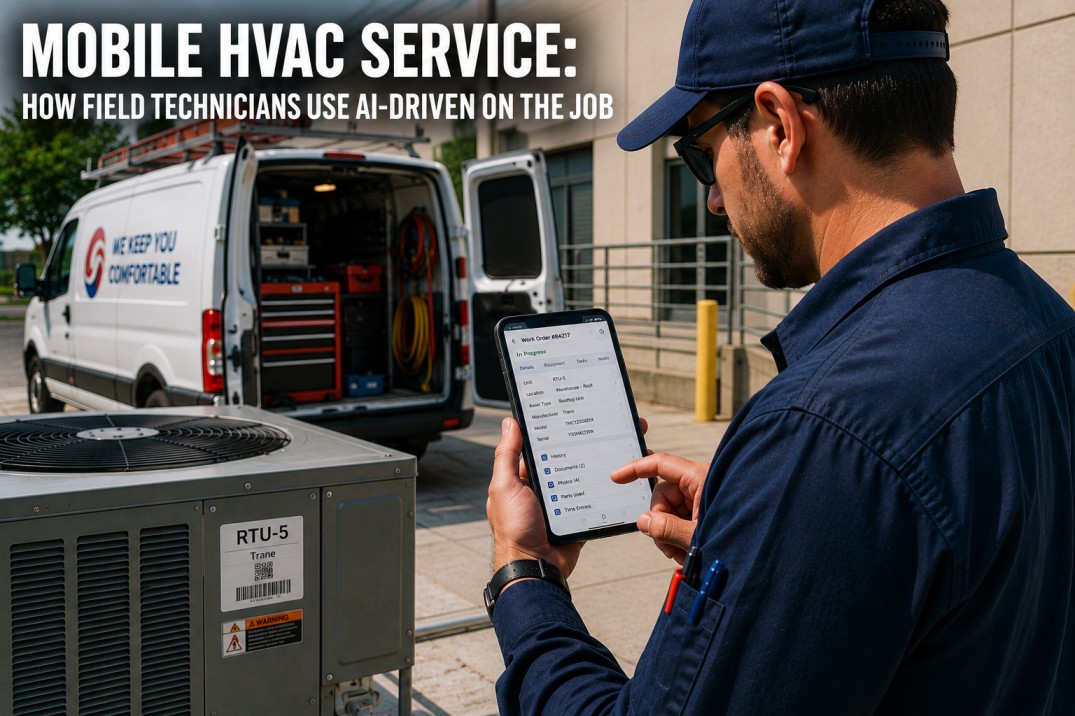
Mobile HVAC service technology puts the full power of analytics-driven maintenance directly into the hands of field technicians through smartphones and tablets, enabling them to access equipment history, receive intelligent work assignments, document findings with photos, look up parts and procedures, and close work orders all from the job site without returning to the office. As commercial buildings become more complex and facility teams leaner, mobile access has shifted from convenience to operational necessity, reducing average work order completion time by 25% to 40% while improving first-time fix rates and data accuracy across the entire maintenance operation.
Put Full HVAC Analytics in Every Technician Pocket
iFactory's Mobile Access module delivers work orders, equipment history, and diagnostic data directly to field technicians smartphones. Book a demo to see how mobile access transforms field service productivity.
Mobile Field Capabilities: What Technicians Can Do From the Job Site
A comprehensive mobile platform puts every tool the technician needs into a single handheld interface.
Digital Work Orders
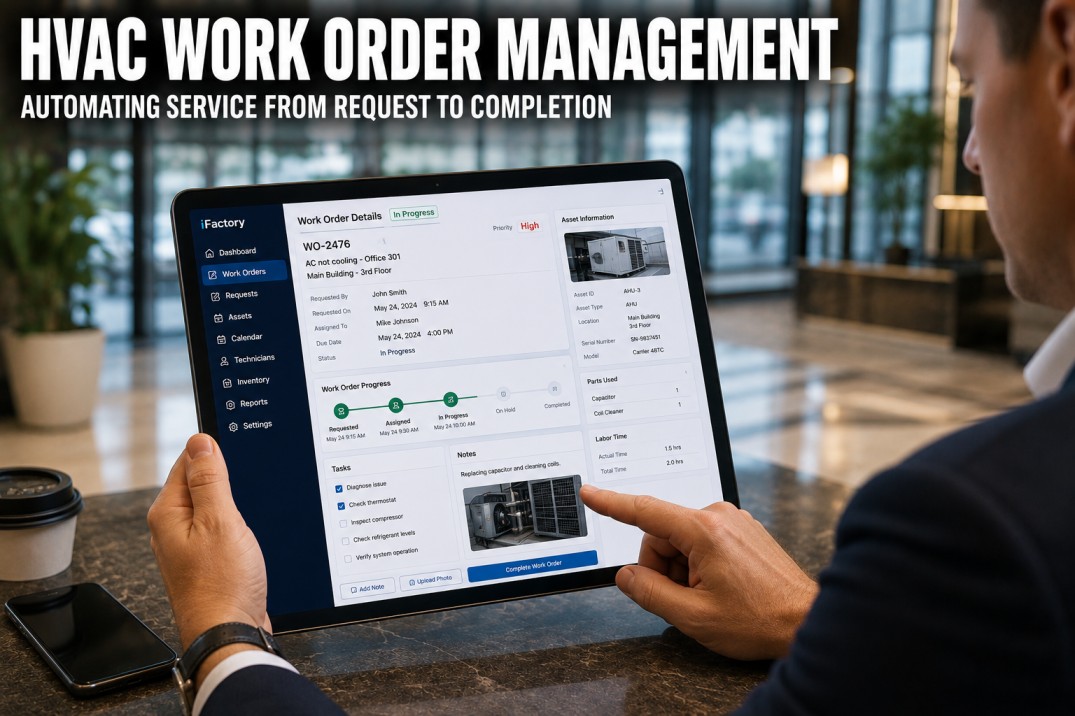
Receive assigned work orders with full details: equipment ID, location, fault description, diagnostic data, required parts, and step-by-step procedures. Update status in real time from dispatched to en route to on-site to in-progress to completed. No paper, no trip back to the shop.
Equipment History Access
Instant access to complete equipment history: manufacturer data, warranty status, past work orders, parts replaced, recurring problems, and condition scores. This context enables technicians to arrive with full knowledge rather than discovering the history on-site.
Photo & Video Documentation
Capture and attach photos, videos, and audio notes to work orders. Before/after documentation provides visual proof of work completed. Photos of nameplates, damaged components, and completed repairs create a rich visual history for future reference.
Parts & Procedure Lookup
Access interactive parts diagrams, exploded views, and cross-reference guides. Look up part numbers, check inventory availability, and order directly from the mobile app. Access procedures, torque specs, and troubleshooting guides without carrying paper manuals.
Offline Capability: Working Without Connectivity
Field technicians regularly work in mechanical rooms, rooftops, and basements with limited or no cellular connectivity.
Offline-First Architecture
The mobile app syncs work orders, equipment data, and parts catalogs to the device when connected. All core functions work offline: view work orders, document completion, capture photos, record parts usage. Changes sync automatically when connectivity returns. No data loss even during extended offline periods.
Background Sync Engine
When connectivity is available, the app syncs in the background without interrupting the technician. Priority sync: work order status updates first, then photos, then analytics data. Sync is incremental only changes are transmitted, not full datasets. Typical sync: under 30 seconds even after 8 hours offline.
Field Continuity Features
Offline maps show equipment locations even without cell service. QR/barcode scanning works offline to identify equipment. Cached equipment history for the days assigned work orders is pre-loaded. Voice-to-text note capture works entirely on-device.
Empower Technicians With AI-Driven Tools in the Field
iFactory's platform includes QR equipment identification, offline capability, photo documentation, and parts lookup. Book a demo to see how mobile tools make every technician faster and more effective.
Mobile Technician Workflow: From Dispatch to Completion
A structured mobile workflow guides each service call from assignment through documentation and closeout.
| Step | Mobile Action | Data Captured | Time Saved vs Paper | Benefit |
|---|---|---|---|---|
| 1. Dispatch | Receive WO with equipment details, route optimized | Accept, ETA to customer | 15-25 min | No shop stop, direct to site |
| 2. Arrival | Check in at site, scan equipment QR code | Arrival timestamp, equipment verified | 5-10 min | Accurate attendance, right equipment |
| 3. Diagnosis | View history, run diagnostics, consult procedures | Diagnostic findings, photos of readings | 10-20 min | Informed diagnosis, no repeat trips |
| 4. Repair | Follow procedure, look up parts, document actions | Parts used, labor hours, photos | 15-30 min | Guided repair, complete documentation |
| 5. Verification | Test operation, verify fault resolved | Post-repair readings, status | 10-15 min | Closed-loop verification |
| 6. Closeout | Customer signature, submit report, next action | Signature, completed WO, recommended follow-up | 20-30 min | Paperless closeout, immediate billing |
Mobile Adoption Strategy: Getting Technicians to Use the Tools
Technology adoption is the most common failure point for mobile field service initiatives.
Start With Super Users
Identify 2-3 technically confident technicians as pilot users. Give them intensive training (2-3 hours) and dedicated support during the first 2 weeks. Have them champion the system to peers. Let them customize their own dashboard layout and workflow preferences.
Make It Easier Than Paper
Ensure the mobile app is genuinely faster and simpler than paper for every common task. Auto-populate equipment data from QR scans. Use voice-to-text for notes. Pre-fill parts from equipment history. Eliminate any step that requires more taps than the paper equivalent.
Measure and Celebrate
Track adoption metrics: WOs completed via mobile vs paper, time to complete, first-time fix rate, data completeness. Share wins: "Technicians saved 4 hours this week with mobile." Address resistance individually: observe workflow, identify friction points, and fix them in the next release.
Mobile HVAC Service ROI: Time, Accuracy & Productivity Gains
Mobile field service delivers measurable returns across technician productivity, data quality, and customer satisfaction.
Technician Productivity
Eliminates 1-2 hours/day of administrative time (paperwork, trip to shop, phone calls). Optimized routing saves 15-30 min/day. Faster diagnosis through history access saves 10-20 min per call.
First-Time Fix Rate
Equipment history access ensures technicians bring right parts. Diagnostic data from analytics helps identify root cause before arrival. Procedure access guides correct repair on first visit.
Data Accuracy & Completeness
Structured forms ensure every field is filled. Auto-population from QR/bar code eliminates transcription errors. Photo documentation provides visual evidence. Real-time validation catches missing data before closeout.
Paper & Admin Cost Reduction
Eliminates paper forms, filing, data entry, and report generation. Reduces office support headcount by 1 per 15-20 technicians. Accelerates billing cycle from 2-3 weeks to 1-2 days.
Frequently Asked Questions
What is mobile HVAC service software?
Mobile HVAC service software is a smartphone or tablet application that gives field technicians access to work orders, equipment history, parts catalogs, procedures, and documentation tools while on the job site. It syncs with a central platform to provide real-time visibility into service operations. Key capabilities: digital work order management, QR/barcode equipment identification, photo documentation, offline operation, parts lookup, and customer signature capture.
How does mobile access improve HVAC maintenance?
Mobile access eliminates the 1-2 hours per day technicians spend on administrative tasks: driving to the shop for paperwork, filling out paper forms, calling the office for part numbers, and returning to file reports. This directly translates to more productive wrench time. Additionally, instant access to equipment history and diagnostic data improves first-time fix rates by 10-20% and reduces repeat visits.
Can HVAC mobile apps work without internet?
Yes, modern mobile HVAC apps are built with offline-first architecture. Work orders, equipment data, parts catalogs, and procedures are pre-loaded to the device. Technicians can complete all tasks offline: view assignments, document work, capture photos, record parts usage. Data syncs automatically when connectivity returns. This is essential since mechanical rooms, rooftops, and basements frequently have poor or no cellular coverage.
How do I get my technicians to use mobile tools?
Successful adoption follows three principles: make it easier than paper (auto-populate data, voice-to-text, QR scanning), start with super users (identify 2-3 tech-savvy technicians as champions), and measure and celebrate (track usage metrics, share wins publicly, address resistance individually). Expect 4-8 weeks for full adoption. Provide dedicated support during the first 2 weeks of rollout.
What is the cost of mobile HVAC service software?
Pricing models: per-technician ($20-60/user/mo), per-building ($100-500/building/mo), or bundled with analytics platform ($0.05-0.12/sq ft/yr including mobile access). Implementation: $5K-20K for setup, data migration, and training. Total year-1 for 10 technicians: $12K-30K. Savings: $2K-8K per technician/year in admin time, 25-40% productivity gain. Payback: 4-10 months.
Complete Mobile HVAC Service With iFactory
iFactory's Mobile Access delivers end-to-end field service capabilities from digital work orders and offline operation through photo documentation and real-time sync. Book a demo to see how mobile access transforms HVAC service operations.