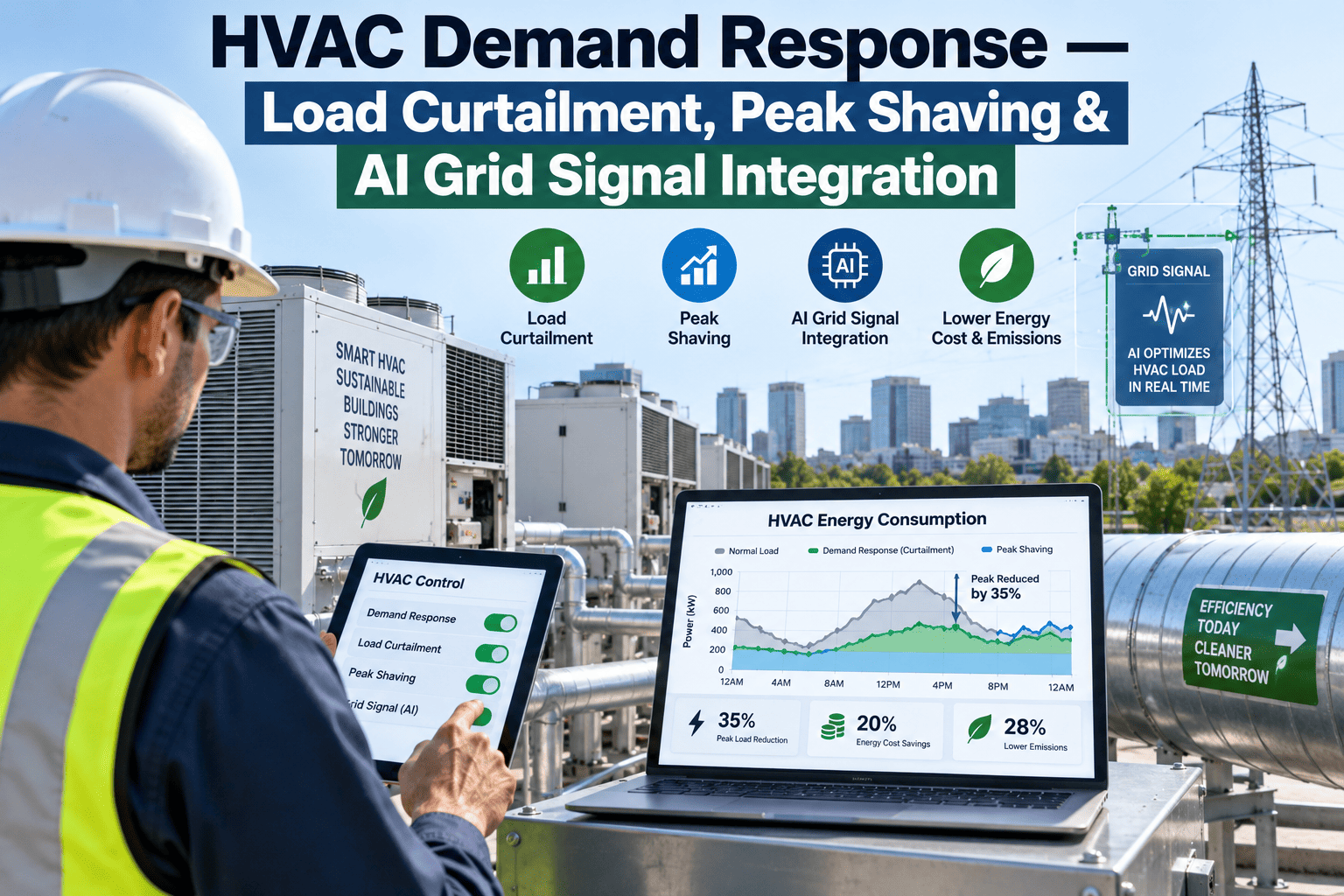
Most commercial HVAC systems still run on a reactive loop — a zone gets warm, a sensor crosses a threshold, equipment responds. By the time that response starts, the building is already playing catch-up, and catching up always costs more energy than staying ahead ever would. Load forecasting flips the sequence: instead of waiting for demand to show up, AI models trained on weather data, occupancy patterns, and historical load curves predict what a building will need one to seventy-two hours out, giving equipment time to pre-cool, pre-heat, or stage itself before the demand actually arrives. The difference between reacting to a spike and anticipating it is the difference between running equipment inefficiently at full tilt and running it calmly ahead of schedule. Facilities wanting to see what a forecast-driven model would predict for their own building can walk through a load forecasting setup with iFactory AI's team.
Predict Demand Before It Arrives — Not After Comfort Complaints Start
iFactory's forecasting engine ingests weather data, occupancy patterns, and historical load curves to predict thermal demand up to 72 hours ahead, giving equipment time to pre-condition instead of react.
Reactive Versus Forecast-Driven: The Same Building, Two Different Days
The gap between reactive control and forecast-driven control isn't about better equipment — it's about timing. The same chiller, the same AHU, running the exact same physical plant, produces very different energy and comfort outcomes depending on whether it's told what's coming or left to find out.
Equipment responds once a zone has already drifted outside its comfort band, forcing a hard ramp to catch up — the least efficient way to run any thermal system, and the moment tenants actually notice discomfort.
Equipment begins pre-conditioning before demand arrives, using the forecast window to spread the load gradually rather than compressing it into a rushed response — lower energy draw, and comfort the occupant never has reason to question.
What Actually Feeds the Forecast
A load forecast is only as good as the signals behind it. Weather alone tells you what's coming outside the building; it takes several data streams together to predict what a specific building will actually need inside it.
Weather Forecast Data
Outdoor temperature, humidity, and solar gain projections feed the thermal load calculation for the hours and days ahead.
Occupancy Patterns
Historical and scheduled occupancy — including calendar events and known building schedules — anticipate internal heat gain and ventilation demand before it happens.
Historical Load Curves
Past building performance under similar weather and occupancy conditions calibrates the model to how this specific building actually behaves, not a generic assumption.
Thermal Mass Characteristics
How quickly a building's structure absorbs and releases heat shapes how far in advance pre-conditioning actually needs to start to be effective.
See a Forecast Model Built From Your Own Building Data
Book a 30-minute session and iFactory AI will walk through what a day-ahead and hour-ahead forecast would look like against your actual weather zone and occupancy pattern.
Day-Ahead Versus Hour-Ahead: Two Forecasts, Two Different Jobs
A forecasting system doesn't run on one time horizon — different decisions need different lead times, and a useful system runs both together rather than picking one.
Sets the broad strategy for the coming day — when to pre-cool ahead of a forecast heat spike, whether to shift load away from peak utility pricing windows, and how to stage equipment for the expected demand curve.
Fine-tunes the plan set by the day-ahead forecast against real conditions as they develop — correcting for a weather forecast that shifted, or occupancy that arrived earlier or later than the schedule assumed.
Pre-Cooling in Practice: What the Forecast Actually Triggers
A forecast on its own doesn't save energy — what a building does with that forecast is what matters. Pre-conditioning strategies translate a predicted demand spike into an action taken well before the spike actually lands.
| Forecast Signal | Pre-Conditioning Action | What It Avoids |
|---|---|---|
| Heat spike predicted tomorrow afternoon | Pre-cool zones overnight while rates are lower | Peak-hour chiller strain and demand charge exposure |
| High occupancy event on calendar | Begin ventilation ramp-up before doors open | A reactive scramble once CO2 levels already climbed |
| Cold snap forecast overnight | Pre-heat thermal mass ahead of the temperature drop | Morning comfort complaints and a hard heating ramp |
| Utility peak pricing window approaching | Shift load into thermal storage or earlier hours | Running expensive equipment during the costliest rate period |
Every one of these actions depends entirely on lead time. A forecast that arrives with only minutes of warning can't shift load anywhere — the value of forecasting is specifically the runway it buys equipment to act gradually instead of urgently.
Equipment Staging: Matching Supply to Predicted Demand
Multi-chiller and multi-boiler plants face a staging decision every hour — which combination of equipment meets expected load at the lowest energy cost. A forecast turns that decision from a reactive guess into a planned schedule.
Avoiding Over-Staging
Running two chillers at partial load when one at peak efficiency would cover forecast demand wastes energy that a known-ahead-of-time load curve would have prevented.
Avoiding Under-Staging
Bringing equipment online only after demand has already arrived sacrifices comfort during the ramp period — a forecast gives the lead time to stage ahead of the need.
Sequencing Around the Forecast Curve
Knowing the shape of tomorrow's demand curve, not just its peak, lets a plant plan when each additional unit comes online rather than staging reactively as load builds.
Thermal Storage Coordination
Where thermal storage exists, the forecast decides when to charge it — overnight, ahead of a predicted peak — so stored capacity is ready exactly when the forecast says it will be needed.
A Composite Scenario: The Peak That Never Became an Emergency
A mixed-use office and retail building had a recurring pattern every summer — a run of consecutive hot afternoons would push the chiller plant into a hard peak-hour ramp, occasionally tripping a demand charge threshold that added a noticeable spike to that month's utility bill.
Once a day-ahead forecast model was running against the building's weather zone and historical load data, the same weather pattern looked different a full day in advance. The model flagged the coming heat spike the evening before, and the plant began pre-cooling overnight when utility rates were lower and the chillers were running well within capacity. By the time the actual afternoon peak arrived, the building's thermal mass had already absorbed a meaningful head start, and the chiller plant never had to ramp past its normal operating range. The demand charge threshold that had triggered almost every summer stopped tripping entirely once the forecast-driven pre-cooling routine was in place.
What Forecasting Needs to Actually Work
Load forecasting isn't a plug-and-play feature — it depends on data the building has to actually be generating, and being honest about that requirement upfront avoids a disappointing first few months.
At least 12 months of interval meter and BAS sensor history
This is the practical minimum to capture a full seasonal cycle; models trained on 24 months or more meaningfully improve accuracy, especially for year-over-year comparisons.
Reliable occupancy data, not just a static schedule
A forecast is only as good as its occupancy input — a building relying on a fixed hours-of-operation assumption misses the actual variation a forecast model needs to learn from.
A BMS or BAS that can act on the forecast, not just display it
A forecast that can't trigger pre-conditioning, staging changes, or setpoint adjustments automatically is a report, not a control strategy — the value is in the action it enables.
iFactory connects to your existing BAS, weather feeds, and occupancy data to build a calibrated forecast model — no new sensors required if your building already has a year or more of interval data. The forecast integrates directly into your existing BMS to trigger pre-conditioning and staging automatically.
Frequently Asked Questions
How far ahead can HVAC load forecasting actually predict demand?
Modern AI forecasting models typically predict thermal demand across a window of one to seventy-two hours, with day-ahead forecasts setting broad pre-conditioning and staging strategy and hour-ahead forecasts fine-tuning that plan against real-time conditions as they develop. The useful horizon depends on what decision the forecast is informing — overnight pre-cooling needs a day-ahead view, while correcting for an occupancy schedule that shifted needs only an hour or two of lead time. iFactory AI's team can review what forecast horizon makes sense for your specific building and equipment.
How much historical data do we need before a forecast model becomes accurate?
A minimum of twelve months of interval meter data and BAS sensor history is generally recommended to capture a full seasonal cycle, since a model trained on only a few months would have no way to learn how the building behaves in conditions it hasn't yet experienced. Models trained on twenty-four months or more show meaningfully better accuracy, particularly for year-over-year forecasting and catching anomalies that a shorter history wouldn't have a baseline for.
What's the actual energy savings from switching to forecast-driven HVAC control?
Reported savings from AI-driven HVAC forecasting and optimization commonly fall in the 20 to 35 percent range on total building energy cost, with some deployments reporting around 20 percent specifically from load prediction and optimized control actions. The mechanism behind the savings is avoiding both over-staging equipment that wastes energy running at poor efficiency and the reactive ramping that comes from responding to demand only after it has already arrived. Book a demo to see a savings estimate built from your own building's load profile.
Does the forecast need to trigger actions automatically, or can staff act on it manually?
Both are workable, but the value compounds significantly when the forecast connects directly into the BMS to trigger pre-conditioning and staging changes automatically, rather than requiring a staff member to read a report and manually adjust setpoints. A forecast that only displays a prediction without an automated response path still has value for planning, but it depends on someone consistently acting on it at the right moment — automation removes that dependency and ensures the pre-conditioning window is never missed.
Can forecasting work in an older building without extensive sensor infrastructure?
It depends on what data already exists. Buildings with a year or more of interval meter and BAS trend data can typically build a working forecast model without new sensors, since that historical record is what the model actually trains on. Facilities with sparse or inconsistent historical data face a harder starting point, since high-quality, granular data is a genuine requirement — the practical path in that case is usually building up a clean data history over the first several months while a simpler rule-based approach runs in parallel.
Give Your Building the Lead Time to Act Ahead of Demand
iFactory's forecasting engine predicts thermal demand up to 72 hours ahead from weather, occupancy, and historical load data — triggering pre-conditioning and staging automatically instead of leaving equipment to react. Book a walkthrough to see it on your own building.