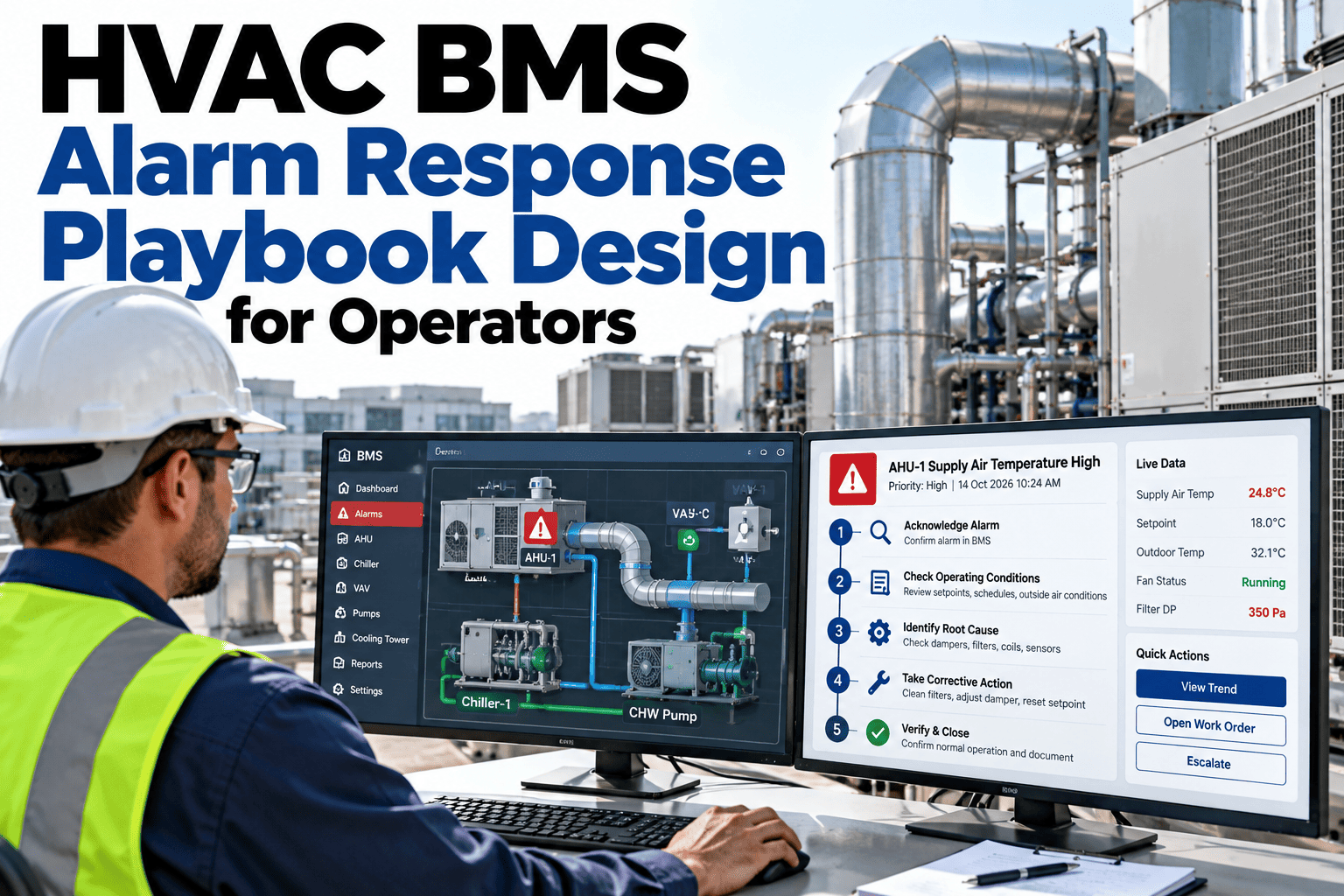
Most building operators receive far more alarms than they can act on, so the real skill is deciding which ones matter first. An alarm priority matrix gives that decision a structure by scoring each alarm on severity, urgency and business impact. When the framework is written down, operators can defend every call, new staff learn faster and critical alarms stop hiding in the noise. To see how a matrix can be built from your own alarm history, you can look at a prioritization example with our team.
HVAC BMS alarm prioritization
Give Operators a Defensible Way to Decide Which Alarm Comes First
iFactory AI helps building teams design alarm priority matrices that balance severity, urgency and business impact, so the right alarm gets the right response.
A simple severity and urgency view
The alarm floodWhen Everything Is an Alarm, Nothing Gets Priority
Operators face long lists, repeated alerts and unclear importance. The cost is quiet but serious.
Floods
Hundreds of alarms in a bad hour
Nuisance
Alerts that never need action
Misses
Critical alarms buried in noise
Fatigue
Operators stop trusting the list
A matrix does not reduce the number of alarms by itself. It makes the order of response clear and repeatable.
Three axesSeverity, Urgency and Business Impact Work Together
Each axis answers a different question, and none is enough alone.
Severity
How bad is the consequence if nothing is done? Think safety, equipment damage and comfort.
Urgency
How fast does the situation get worse? A slow drift and a sudden trip are not equal.
Business impact
Who or what is affected? A server room and a storage room differ.
Keep scales short. Three or four levels per axis are easier to apply under pressure than ten.
The core gridSeverity Against Urgency Gives Four Clear Zones
Plot every alarm on this grid first, then adjust for business impact.
Urgency
Fast
Slow
High severity
Act now
Respond immediately and escalate
Plan
Schedule soon with an owner
Low severity
Watch
Monitor and respond if it speeds up
Log
Record and review in trends
Draft a Priority Matrix for Your Own Site
Share your alarm history and see how iFactory AI scores, groups and ranks alarms using a framework you can defend.
Business impactRaise or Lower Priority Based on What the Alarm Affects
The same fault can matter very differently depending on the space it serves.
Low impact
Storage, back-of-house or unoccupied areas.
Medium impact
Offices, retail floors and general common areas.
High impact
Data rooms, labs, clean areas and critical tenants.
Impact ratings should be agreed with tenants and owners, not guessed. To set yours, ask our team for an impact rating guide.
Scoring in practiceExample Scores for Four Common Alarms
These examples show how the three axes combine. Scales and results are illustrative.
| Alarm | Severity | Urgency | Impact | Priority |
|---|
| Data room temperature high | High | Fast | High | Act now |
| Supply fan failure in office floor | High | Fast | Medium | Act now |
| Filter differential pressure high | Low | Slow | Low | Schedule |
| Sensor out of range in storage | Low | Slow | Low | Log |
From priority to responseTie Each Priority Level to a Response Time
A priority is useful only when it triggers a clear response.
Priority 4: LogReview in weekly trends
Priority 3: SchedulePlan within days
Priority 2: Act soonRespond within hours
Priority 1: Act nowRespond immediately
Times are examples. Set targets that match your staffing, building type and tenant commitments.
PitfallsWhere Alarm Matrices Go Wrong and How to Avoid It
Common mistakes
Too many levels to apply quickly
Scores set once and never reviewed
Impact guessed without tenants
No link to response actions
Good practice
Three or four levels per axis
Quarterly review of rankings
Impact agreed with stakeholders
Each level has a response and owner
Alarm export for the last quarter
Agreed severity and urgency scales
Impact ratings for key spaces
Response time per priority
Owner for matrix upkeep
Quarterly review date
Alarm rationalisationSeven Steps to Clean Up an Alarm List Before Ranking It
A matrix works best on a tidy list. Removing obvious noise first makes every later decision easier.
1
Export the history
Pull at least three months of alarms with counts and durations.
2
Find the top offenders
A small number of points usually cause most of the noise.
3
Fix the causes
Adjust deadbands, delays or sensors before deleting alarms.
4
Remove duplicates
Combine alarms that always fire together.
5
Set sensible limits
Use limits that mean something to operators.
6
Score what remains
Apply the matrix to the cleaned list.
7
Review monthly
Check that new noise has not crept back.
Never delete an alarm without understanding why it fires. Some nuisance alarms are early warnings of a real problem.
Where nuisance comes fromTypical Sources of Alarms That Do Not Need Action
Knowing the sources helps you aim fixes in the right place. This split is an illustrative example.
35 percent: Tight limits
Limits set too close to normal operation.
25 percent: No delay
Brief spikes trigger alarms that clear on their own.
25 percent: Repeats
The same condition raises the same alarm again and again.
15 percent: Sensor faults
Drifting or failed sensors send false readings.
Treat each source differently. Limits and delays are quick fixes, while sensor faults need maintenance.
From alarm to actionHow a Priority Reaches the Person Who Needs It
A score is only useful if it changes what happens next. Routing connects priority to people.
1
Alarm fires
The BMS raises the alarm with equipment and location.
2
Score
Severity, urgency and impact set the priority.
3
Route
Priority decides who is notified and how.
4
Respond
The matching playbook entry guides the response.
Routing rules should match staffing and shift patterns. To link priority to your response process, ask our team about alarm routing.
Proving the effectWhat Better Prioritisation Looks Like in the Numbers
Before and after comparisons keep the effort funded. This example is illustrative.
Track the same measures every month so that improvements and slips are both visible.
Who owns the matrixFour Roles That Keep a Priority Framework Healthy
A matrix without an owner drifts. Sharing responsibility keeps it accurate and trusted.
Operations lead
I own the framework and run the quarterly review.
Operators
We flag rankings that feel wrong and suggest changes.
Tenant representative
We confirm which spaces carry the most impact.
Controls engineer
I tune limits, delays and logic to cut noise.
Hold a short quarterly review and record every change, so the framework stays defensible.
Build in layersFour Layers of a Matrix That Operators Will Use
A priority framework works best when it is built from the bottom up, starting with simple definitions.
Define scales
Agree short, clear levels for severity, urgency and impact.
Score alarms
Apply the scales to each alarm class and critical point.
Set responses
Link every priority level to an action and a time.
Review and adjust
Test against real events and refine quarterly.
Resist the urge to score every point at once. Start with classes and the top fifty alarms by volume.
Hard callsFive Situations Where Ranking Gets Difficult
Real alarms rarely arrive one at a time. These cases show how a matrix helps settle conflicts.
1
Two alarms at once
Rank by priority first, then by time to worsen. The faster-moving one wins.
2
Low severity, high impact
A small fault in a critical space can outrank a bigger fault elsewhere.
3
Slow drift that is getting worse
Raise urgency when the trend shows acceleration.
4
Alarm in an unoccupied area
Lower impact, but check for safety or freeze risk.
5
Repeat alarm after reset
Escalate on repeated returns, not just on the first alert.
Write these rules into the framework so operators are not forced to improvise in the middle of a busy shift.
Alarm volume trendRationalisation Shows Up as a Falling Alarm Count
Cleanup effort should be visible in the data. This illustrative chart shows alarm volume falling as each stage completes.
Stage 1
Top offenders fixed
Do not aim for zero alarms. Aim for alarms that each deserve attention.
Shift effectsPriority Should Account for Who Is on Site
The same alarm needs a different response depending on staffing and occupancy.
Day shift
Full team on site, fast response possible
Evening
Reduced staff, tenants still present
Night
Minimal staff, higher risk of delay
Weekend
Few people, empty spaces, remote support
Consider raising priority at night for alarms that worsen quickly, since the time to arrive on site is longer.
Pilot firstProve the Matrix on One Building Before Rolling It Out
A focused pilot builds confidence and surfaces problems early.
Weeks 1 to 2
Clean the alarm list and draft the matrix with operators.
Weeks 3 to 6
Run the matrix beside current practice and compare decisions.
Weeks 7 to 10
Adjust, train every shift and plan the wider rollout.
Collect operator feedback every week during the pilot. To plan yours, ask our team for a pilot outline.
Expert reviewWhat a Building Operations Lead Would Check First
Expert review
A matrix earns trust when operators can explain a ranking in one sentence. If the logic is hard to state, it is too complicated for a live shift.
VerdictStrong when scales are simple and every level triggers a defined response.
Watch forRankings that drift as equipment and tenants change.
Do nextScore your top fifty alarms, test with operators and refine before rollout.
Frequently asked questionsWhat Operators Ask About Alarm Priority Matrices
How many priority levels are enough?
Most teams use four. Fewer levels can hide differences, while more make decisions slow and inconsistent. Test with real alarms before settling.
See a four-level example.
Can AI set priorities automatically?
AI can propose rankings and group related alarms, but people should approve the framework. This keeps decisions explainable.
Ask about AI-assisted ranking.
How often should the matrix change?
Review it quarterly and after major equipment or tenant changes. Small adjustments keep it accurate.
Plan a review routine.
Who should agree the business impact ratings?
Will a matrix cut nuisance alarms?
It helps separate nuisance from critical alarms, and analysis of the logged ones can guide tuning. Fixing root causes reduces counts further.
See nuisance alarm analysis.
Clear priorities on every shift
Make Every Alarm Decision Easy to Explain
Book a session with iFactory AI to review your alarm history, build a matrix operators can trust and connect priority levels to clear responses.