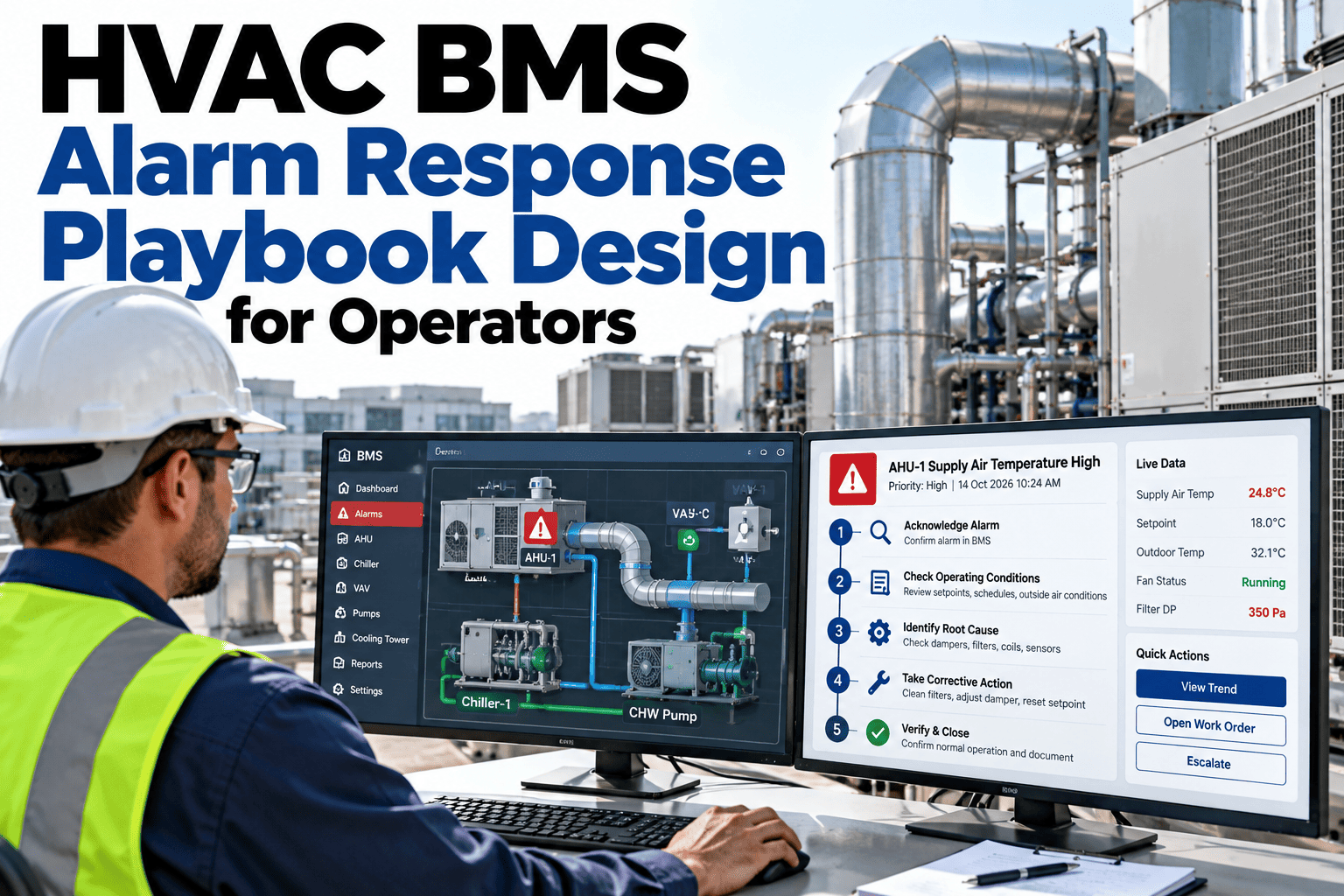
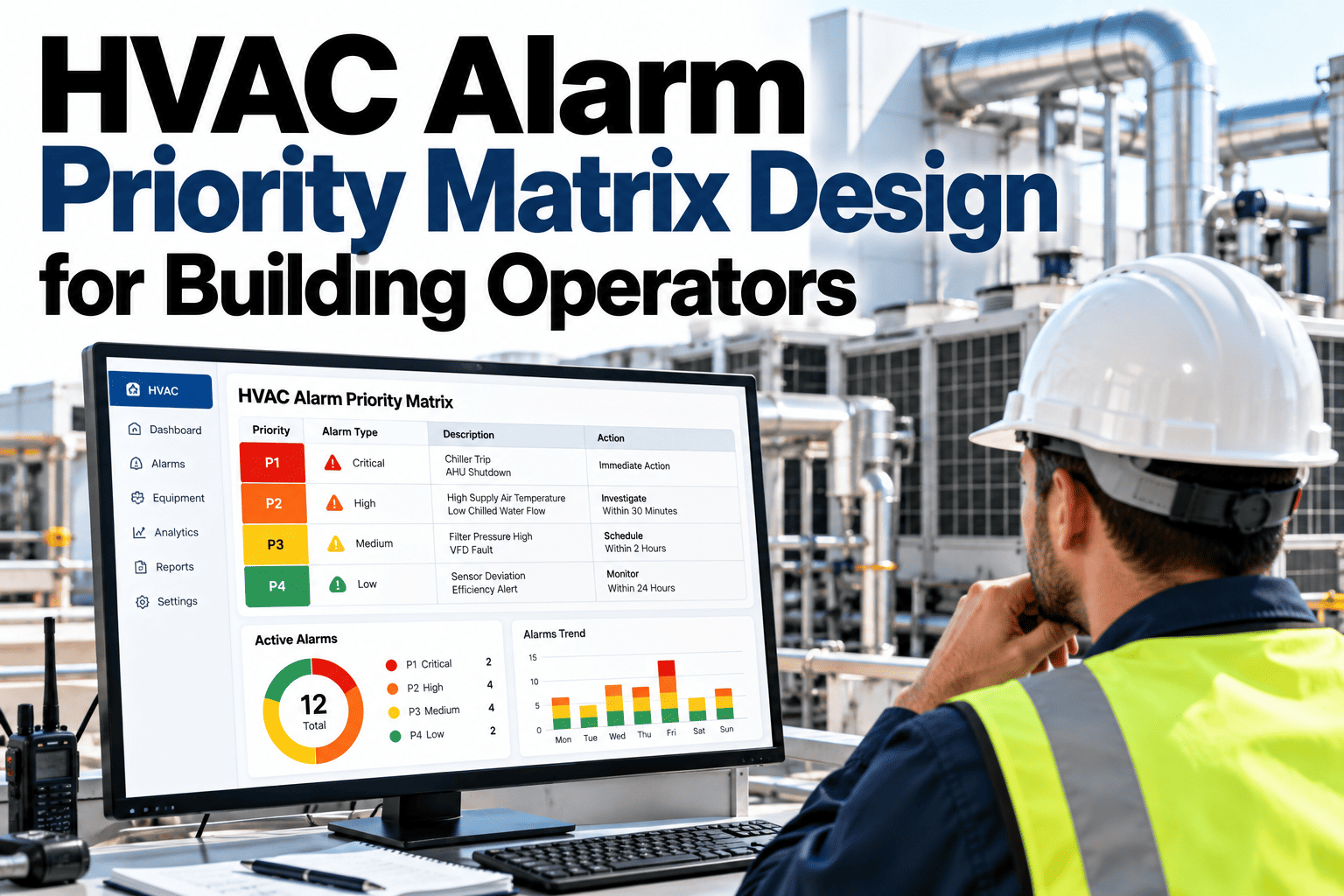
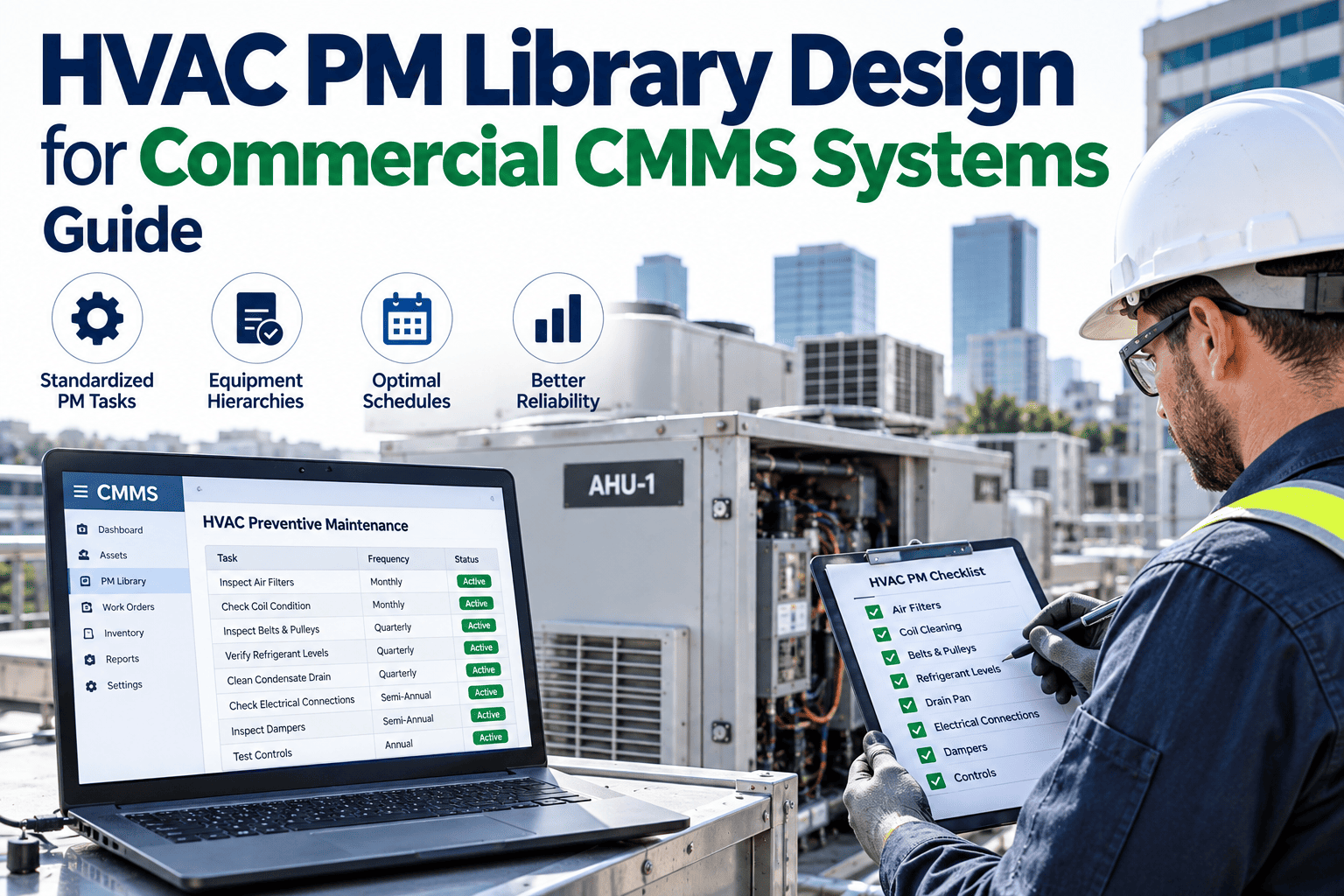
When an HVAC alarm fires at 2 a.m., the quality of the response should not depend on who happens to be on duty. A BMS alarm response playbook gives operators a clear action for each alarm, the safety notes that apply and the exact point at which to escalate. The result is calmer, faster and more consistent responses, with fewer unnecessary call-outs and fewer missed warnings. If you want to see how entries are built from your own alarm list, you can review a sample playbook with our specialists.
HVAC BMS alarm management
Turn Every HVAC Alarm Into a Clear, Confident Next Step
iFactory AI helps building teams design alarm response playbooks with per-alarm actions, safety notes and escalation criteria that every operator can follow.
Every playbook entry follows one path
TriggerFirst checksSafe actionEscalate
Why playbooks matterWithout a Playbook, Every Alarm Becomes a Small Investigation
Experienced operators solve alarms from memory, while newer ones hesitate or over-react. The same alarm gets a different answer on each shift.
Alarm sounds
Is this urgent or routine?
Operator checks
Which manual or contact applies?
Calls start
Who is actually on call?
Time is lost
Same alarm, new answer next week
A playbook does not replace judgment. It captures the best judgment in your building and makes it available to every operator on every shift.
Anatomy of an entryFour Parts Make a Playbook Entry Usable at 2 A.M.
Each alarm gets one short page. The layout never changes, so operators know where to look.
Trigger
What the alarm means and why it matters to comfort, safety or equipment.
First checks
Two or three quick checks that confirm the alarm is real.
Safe action
The step to take, with the limits that must not be crossed.
Escalate
Who to call, when to call and what information to give them.
Keep every entry to one page. If an entry needs more, it is probably covering two alarms and should be split.
See Your Own Alarms Turned Into Playbook Entries
Share your ten noisiest alarms and see how iFactory AI turns them into clear actions, safety notes and escalation steps.
Safety notesSix Safety Notes That Belong in Every Alarm Entry
Safety guidance should sit right beside the action, not in a separate binder. Always follow your site procedures and local regulations.
Isolate before opening
Lock out and isolate equipment before any panel or access door is opened.
Respect interlocks
Never bypass a safety interlock just to clear an alarm.
Refrigerant and pressure
Treat pressure and refrigerant alarms as specialist work.
Electrical hazards
Only qualified staff work on live electrical equipment.
Rooftop and height
Check access, weather and fall protection before going outside.
Log every override
Record who overrode what, why and when it will be reversed.
Short, specific safety notes are read. Long generic warnings are skipped.
Escalation criteriaEscalate on Time and Impact, Not on Feeling
Clear triggers remove hesitation. Operators know when they have done enough and when it is time to hand over.
1
Act
Take the first safe step in the entry.
2
Verify
Check whether the alarm clears or worsens.
3
Escalate
Call the next level if time or impact limits are reached.
4
Record
Note the cause, action and result for the next shift.
Time limits and impact limits differ by building, so templates need tuning. To design yours, ask our team for escalation templates.
A worked exampleExample Entry: High Supply Air Temperature on an Air Handler
This sample shows how a single alarm can be turned into steps, owners and target times. It is an example only.
| Step | Action | Owner | Target time |
|---|
| 1 | Confirm the alarm and compare supply temperature with setpoint | Operator | 5 minutes |
| 2 | Check chilled water valve position and fan status | Operator | 10 minutes |
| 3 | If the valve is open and temperature is still high, escalate to an HVAC technician | Operator | 15 minutes |
| 4 | Record the cause, fix and any override used | Technician | End of job |
Notice that every step has an owner and a time. Entries without both tend to be ignored.
Build it fastDraft in One Week, Then Improve Every Month
A small first version beats a perfect plan that never ships.
Days 1 to 2
Export alarm history and pick the ten alarms that cause most call-outs.
Days 3 to 4
Draft entries with operators and technicians in the same room.
Days 5 to 7
Test with a drill, fix gaps and publish to every shift.
Top ten alarms by call-out count
Named owner for each entry
Safety notes reviewed by the safety lead
Escalation contacts checked this month
Entries stored where operators work
Monthly review date in the calendar
Alarm classesGroup Alarms by Type So Entries Stay Short and Reusable
Writing a unique page for every alarm point is not realistic. Grouping alarms into classes lets one well-designed entry cover many similar points.
1
Temperature deviation
Supply, return or space temperature outside range. First checks look at valve position, fan status and recent setpoint changes.
2
Pressure and flow
Duct, water or refrigerant pressure problems. Operators confirm pump or fan state and look for closed valves or blocked filters.
3
Equipment fault
A drive, compressor or pump reports its own fault. The entry covers safe restart limits and when to stop trying.
4
Communication loss
A controller or sensor stops reporting. First checks cover power, network and whether the equipment is still running.
5
Safety and life-safety
Smoke, freeze or high-limit trips. These entries are short, strict and always escalate quickly.
6
Energy and schedule
Equipment running out of hours or overriding schedules. Usually low urgency but worth fixing for cost.
Each class has a standard layout, and individual points add only the details that differ, such as the equipment tag or contact.
Roles and handoverMake Clear Who Does What at Each Level
A playbook that names actions but not people leaves gaps. Roles remove the guesswork when an alarm needs more than one person.
Operator
I acknowledge, run the first checks and take the safe action in the entry.
Shift supervisor
I decide on escalation, approve overrides and inform tenants if needed.
HVAC technician
I diagnose on site, repair and record the cause and fix.
Controls engineer
I review repeat alarms, change logic and update the playbook.
At shift change, open alarms and overrides should be handed over in writing. A simple handover note prevents the same alarm being rediscovered by the next team.
Good versus weak entriesWhat Separates an Entry People Use From One They Ignore
Most playbook failures come from entries that are too long, too vague or out of date. Compare the two styles below.
Weak entry
Long paragraphs of background
Vague steps such as check the system
No owner or time limit
Contacts that are years old
Strong entry
Short numbered steps
Specific checks with expected readings
Owner and time for every step
Contacts verified every month
Test every entry by handing it to someone who has never seen the alarm. If they can act on it without asking questions, it works.
Measuring resultsTrack Four Numbers to Prove the Playbook Is Working
You do not need a complex dashboard. A few simple measures show whether response is getting faster and more consistent.
Call-outs
Fewer unnecessary after-hours visits
Acknowledge time
Faster first response to alarms
Repeat alarms
Fewer returns of the same fault
Overrides
Fewer long-running manual overrides
Compare the numbers for the month before and the month after launch. Share the results with operators, because visible progress keeps the playbook alive.
Drills and upkeepKeep the Playbook Alive With a Simple Routine
A playbook that is never practised will fail when it is needed. Short drills build confidence and expose weak entries.
1
Pick an entry
Choose a different alarm each month, including a rare critical one.
2
Run a tabletop drill
Walk the team through the steps without touching equipment.
3
Note the gaps
Record unclear steps, missing contacts and slow handovers.
4
Update the entry
Fix issues the same week and tell every shift.
A fifteen-minute drill each month is enough to keep entries sharp. To set up a drill calendar, plan a practice routine with our specialists.
Expert reviewWhat a Building Controls Engineer Would Check First
Expert review
A playbook is only as good as its last update. The strongest ones are short, tied to real alarm names and tested by the people who will use them at night.
VerdictStrong when entries are one page, specific and drilled with operators.
Watch forEntries that go stale after equipment, setpoint or contact changes.
Do nextStart with the ten noisiest alarms and review them after thirty days.
Frequently asked questionsWhat Building Teams Ask About Alarm Playbooks
How many alarms should a playbook cover?
Start with the alarms that cause the most call-outs, usually ten to twenty. Cover rare critical alarms next. Trying to document everything at once delays the first benefit.
See how a first batch is chosen.
Who should write the entries?
Operators and technicians who handle the alarms should draft them, with the safety lead and engineer reviewing. This keeps language practical and accurate.
Ask the support desk for a starter template.
Can the playbook live inside the BMS?
Yes, entries can be linked to alarm names so the right guidance appears when the alarm fires. The exact setup depends on your system.
Discuss integration in a demo.
How often should entries be reviewed?
Review them monthly at first, then after any equipment change, setpoint change or repeated escalation. A short review keeps them accurate.
Ask about review routines.
Does AI help prioritize alarms?
Calm, consistent alarm response
Give Every Operator a Playbook They Trust
Book a session with iFactory AI to review your alarm history, shape per-alarm actions and set escalation rules that work on every shift.