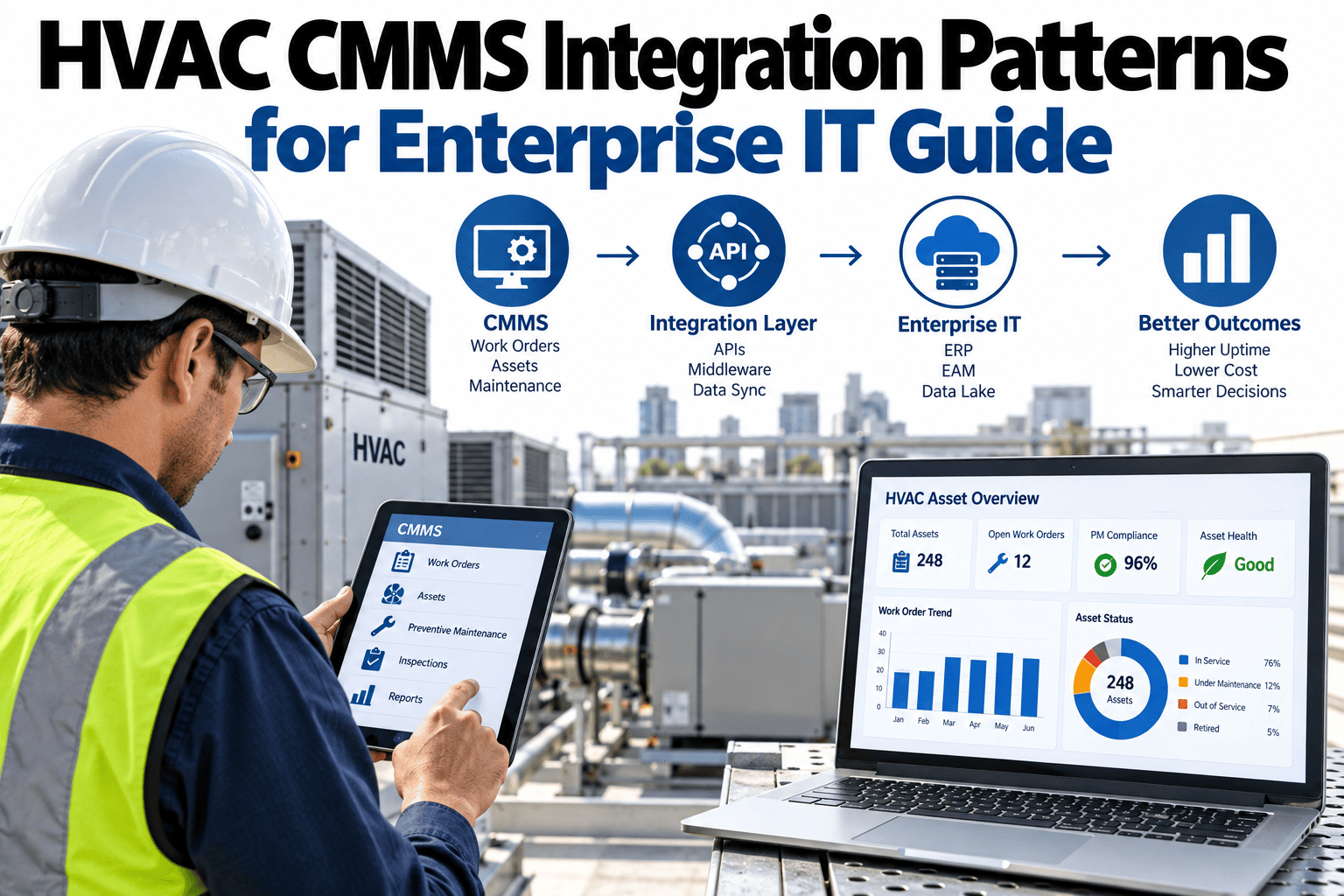
A CMMS that only talks to itself is a glorified spreadsheet with a nicer interface, and the difference between a maintenance system that actually changes how a facilities team operates and one that becomes yet another disconnected tool workers avoid logging into comes down almost entirely to integration — whether the CMMS can pull employee data from HR, cost centers from accounting, asset hierarchies from ERP, and authenticate through the same identity system as everything else the enterprise runs. Facilities and IT teams that treat CMMS integration as an afterthought end up with technicians manually re-entering data that already exists somewhere else in the organization, and that manual re-entry is exactly where data quality problems and abandoned adoption both start. Teams planning a CMMS integration can start with a conversation with iFactory's support team about what a practical integration architecture looks like for a specific enterprise IT environment.
A CMMS That Doesn't Talk to the Rest of the Enterprise Is Just an Expensive Spreadsheet
ERP, HR, accounting, and identity system connections are what turn a maintenance tool into a genuine part of the technology stack, rather than one more disconnected app technicians eventually stop opening.
Why Integration Determines Whether a CMMS Actually Gets Used
A technician who has to look up an asset's cost center in one system, check who is authorized to approve a purchase in another, and log their own hours in a third before they can even close a work order in the CMMS itself will, understandably, start treating the CMMS as the last and least important step in that sequence. Every connection a CMMS is missing to the rest of the enterprise becomes a manual workaround someone has to perform, and workarounds are exactly where data stops being entered accurately or entered at all.
The Four Core Integration Points
Each connection serves a different operational purpose, and a CMMS missing any one of them forces a specific kind of manual workaround onto the team using it daily.
ERP Integration
Asset hierarchies, purchase orders, and inventory data synced with the ERP means a work order can pull real part availability and cost data instead of requiring a separate lookup.
HR System Integration
Employee records, certifications, and organizational structure synced from HR keep technician assignments and skill-based routing accurate without a separate manual roster.
Accounting Integration
Cost center and budget data flowing from accounting lets maintenance spend be tracked and reported against the same financial structure the rest of the organization already uses.
Identity and SSO Integration
Single sign-on through the enterprise identity system removes a separate password technicians have to manage and keeps access provisioning tied to the same process as every other enterprise application.
Make Your CMMS Part of the Real Technology Stack
Book a 30-minute walkthrough of how iFactory connects HVAC CMMS data to ERP, HR, accounting, and identity systems.
Integration Methods Compared
How a CMMS connects to each enterprise system has real consequences for data freshness and maintenance burden, and the options below represent increasing levels of integration maturity.
| Method | Data Freshness | Typical Maintenance Burden |
|---|---|---|
| Manual Export/Import | Stale, only as current as the last manual file transfer | High, requires ongoing manual effort every cycle |
| Scheduled Batch Sync | Periodic, updated on a fixed interval | Moderate, automated but not real time |
| Real-Time API Integration | Current, reflects changes as they happen | Low ongoing burden after initial setup |
Sequencing an Integration Rollout for Maximum Early Impact
Not every integration point delivers equal value on day one, and sequencing the work based on where the most friction currently exists produces faster, more visible results than tackling every connection simultaneously.
Identity and Access
Removing a separate login, as the scenario above demonstrates, often delivers the fastest and most visible adoption improvement relative to the implementation effort involved.
Asset and Cost Data
ERP and accounting connections follow next, removing the manual lookups that slow down work order processing once login friction is no longer the dominant issue.
Personnel and Organizational Data
HR integration typically follows, keeping technician records and skill-based routing accurate without a separate manually maintained roster.
A Composite Scenario: The Work Order Backlog That Was Really a Login Problem
A commercial building portfolio rolled out a new CMMS with strong functionality on paper, but technician adoption lagged badly within the first few months, with work orders frequently closed days after the actual repair was completed rather than in real time. Facilities leadership initially assumed the issue was inadequate training and scheduled additional sessions, which made little difference to the backlog.
Interviews with technicians revealed the real friction: the CMMS required a separate login from every other system they used daily, and because it was not connected to the building's identity system, technicians frequently found themselves locked out after password expiration policies that nobody had synchronized with the CMMS's own separate credential system. Implementing single sign-on through the existing enterprise identity provider eliminated the separate login entirely, and the work order closure backlog dropped substantially within weeks without any additional training investment.
Mistakes That Undermine CMMS Integration Efforts
Treating Adoption Problems as Training Problems by Default
Assuming low adoption means insufficient training, as happened initially in the scenario above, can mean missing a structural friction like a missing SSO connection that no amount of training would fix.
Treating Integration as a Post-Launch Nice-to-Have
Launching a CMMS without core enterprise integrations already in place, planning to add them later, front-loads exactly the kind of adoption friction described in the scenario above.
Relying on Manual Export/Import Between Systems
A manual data transfer process is slow to update and prone to being skipped under time pressure, leaving CMMS data stale relative to the systems it should be synchronized with.
Underestimating Identity Integration as a Minor Detail
A separate login is often dismissed as a small inconvenience, but as the scenario above shows, it can be the single largest driver of poor adoption across an entire technician team.
Is Your CMMS Actually Integrated Into Your Technology Stack
Technicians access the CMMS through the same single sign-on as everything else
A shared identity system removes the kind of login friction that quietly drove down adoption in the scenario above.
Asset, cost, and personnel data flow automatically, not through manual re-entry
Automated data flow from ERP, accounting, and HR removes the manual workaround burden that erodes data quality over time.
Adoption issues are investigated for structural friction, not assumed to be a training gap
Looking for a structural cause first, rather than defaulting to more training, is what would have found the SSO gap faster in the scenario above.
Frequently Asked Questions
Why does single sign-on matter so much for CMMS adoption?
A separate login and password for the CMMS adds friction every single time a technician needs to use it, and that friction compounds across dozens of daily interactions in a way that a one-time training session cannot fix, exactly the dynamic that drove the work order backlog in the scenario above until SSO was implemented and the separate login was removed entirely.
What data typically needs to sync between a CMMS and an ERP system?
Asset hierarchies, spare parts inventory levels, purchase order status, and cost data are the most common categories synced between a CMMS and ERP, since maintenance work orders routinely need to reference part availability and cost information that already lives in the ERP rather than requiring a technician to check a separate system mid-repair.
How long does a typical CMMS integration project take?
Timelines vary considerably based on the complexity of the enterprise systems involved and whether real-time API integration or batch synchronization is used, but prioritizing identity and SSO integration early, given how directly it affects adoption as shown in the scenario above, often delivers the fastest visible impact relative to the effort required compared to other integration points.
Can a CMMS integration be rolled out in stages rather than all at once?
Yes, most organizations phase integration work, and prioritizing based on where the most adoption friction or data quality risk exists, rather than tackling every connection simultaneously, generally produces better results, similar to how addressing the SSO gap alone resolved most of the backlog problem in the scenario above without waiting for every other integration to be complete. Book a demo to see how iFactory sequences a phased CMMS integration rollout.
What is the first step for a facilities team planning a CMMS integration project?
The first step is mapping out which manual workarounds technicians currently perform because the CMMS lacks a connection to another system, since these workarounds, like the separate login that caused the backlog in the scenario above, are usually the clearest signal of where integration will deliver the most immediate value. Teams wanting help with this kind of mapping exercise can reach iFactory support directly.
Turn Your CMMS Into Part of the Real Technology Stack
iFactory connects HVAC CMMS data to ERP, HR, accounting, and identity systems, removing the manual workarounds that erode adoption and data quality. Book a walkthrough to see it running on a live commercial portfolio.