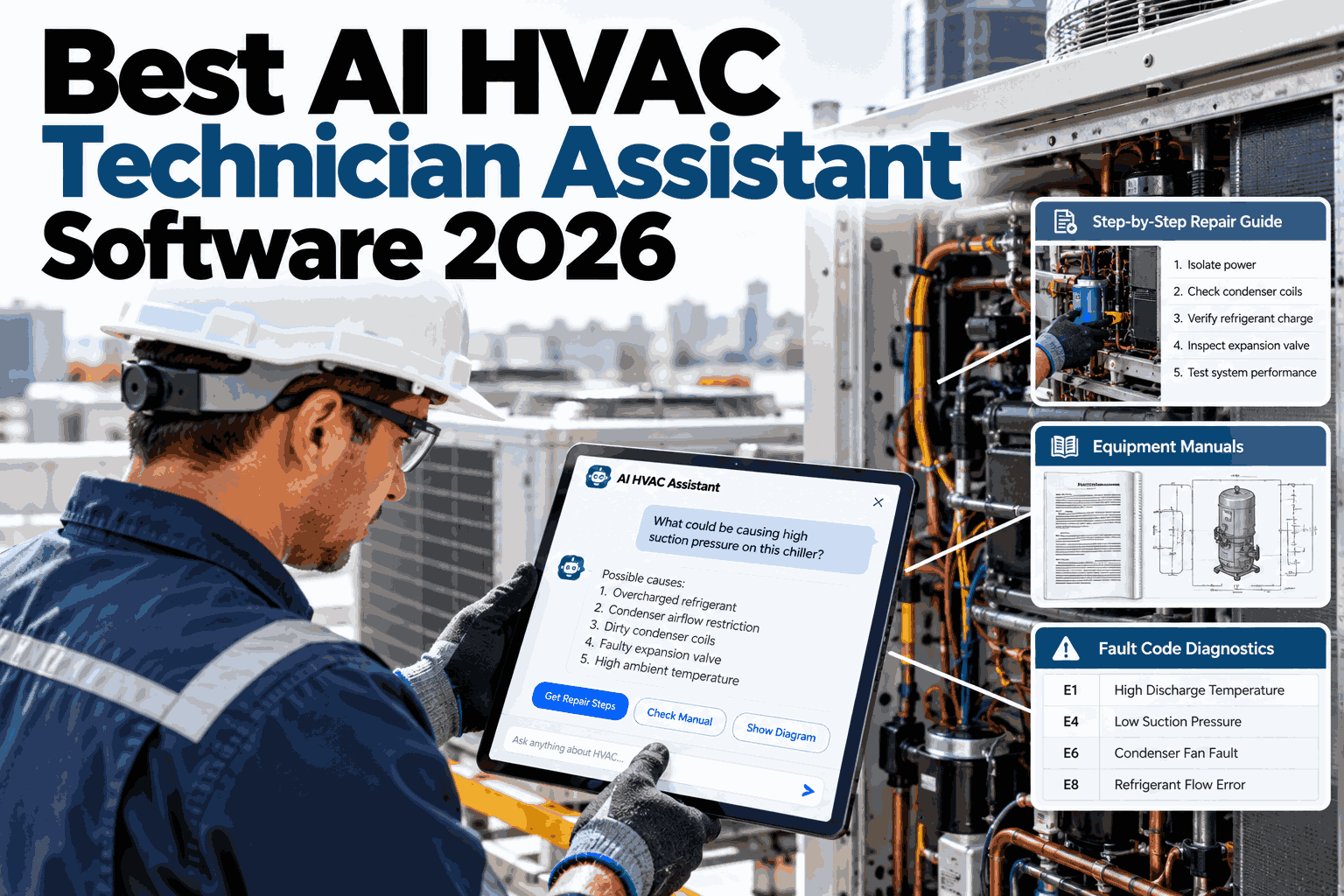
A technician who opens a work order and sees nothing but an equipment tag and a two-line complaint is starting the job blind. Every minute spent reconstructing what happened on the last three visits, which part was swapped in June, and whether this unit has an open refrigerant fault is a minute the customer is paying for and a minute that raises the odds of a callback. HVAC tech assistant integration with CMMS work orders closes that gap by pulling asset history, prior technician notes, and open faults into the work order the moment it opens, so the brief is already built before the truck is in park. Teams evaluating this for their own dispatch stack can start with a conversation with iFactory support about what their CMMS already exposes.
Every Work Order Should Open With the Full Story, Not a Blank Page
Asset context, past visit history, and open-fault surfacing turn a two-line dispatch ticket into a complete technician brief — before the tech ever touches a wrench.
Why the Work Order Is the Wrong Place to Start From Zero
Most CMMS platforms treat a work order as a container for a complaint and a close-out note. Everything useful that happened before this visit — the fault codes, the parts swapped, the tech who was there last time and what they tried — sits in a different tab, a different report, or a different technician's memory. The assistant's job is to stop treating that history as archival and start treating it as the first thing a tech reads.
The cost of skipping this is not abstract. A technician who does not know a compressor fault was flagged two visits ago will re-diagnose from scratch, sometimes reaching a different and wrong conclusion. A technician who does not know which part was already replaced may reorder it. A technician who cannot see that the same complaint has recurred three times in ninety days may treat a systemic failure as an isolated one — and drive right back out when it recurs a fourth time.
What Gets Pulled Into the Brief Automatically
The assistant does not ask a technician to go looking. It assembles four categories of context the moment a work order is assigned, and attaches them directly to the ticket.
Asset Identity and Specs
Model, serial, install date, refrigerant type, and warranty status pulled straight from the asset record, so nothing needs to be looked up on a nameplate in the rain.
Visit History
Every prior work order on this asset, with the complaint, the tech's notes, and what was done, ordered most recent first so a pattern is visible at a glance.
Open Faults
Any unresolved fault code or flagged condition from a prior visit or a connected sensor feed, surfaced before the tech even reads the current complaint.
Parts and Consumables
What was installed, when, and under what warranty terms, so the tech knows immediately whether a part is a likely repeat failure or a fresh install.
See a Real Work Order Open With Full Context
Book a 30-minute walkthrough and we will show the assistant assembling a brief from your CMMS data in real time.
Mapping the Integration: Where Each Field Actually Comes From
Integration is not a single connector — it is a set of fields mapped from specific systems, each with its own refresh cadence and reliability profile. The table below shows how a typical brief is assembled across a CMMS, a fault or sensor feed, and technician-entered notes.
| Brief Field | Source System | Refresh Cadence | Why It Matters |
|---|---|---|---|
| Asset specs | CMMS asset registry | On asset update | Confirms model, refrigerant, and warranty before the tech touches the unit |
| Visit history | CMMS work order log | On work order close | Reveals recurring complaints a single ticket would hide |
| Open faults | Connected sensor or BAS feed | Near real time | Flags conditions that predate the current complaint call |
| Parts installed | CMMS inventory and work order line items | On work order close | Prevents reordering a part that was already swapped |
| Prior tech notes | Voice or text notes captured at close-out | On work order close | Preserves field judgment a formal fault code cannot capture |
A Composite Scenario: The Callback That Never Happened
A regional service contractor running rooftop units across a retail chain was dispatching a tech to RTU-14 for a "not cooling" complaint — the third such ticket in four months on the same unit. Without integrated context, the assigned technician treated it as a fresh diagnosis, found low refrigerant, topped it off, and closed the ticket. The unit failed again within three weeks.
With the assistant integrated into the work order, the fourth dispatch opened with the full pattern visible: three refrigerant complaints in four months, no leak search ever performed, and a compressor fault flagged but never followed up on the second visit. The technician arriving this time saw that history before stepping out of the truck, went straight to a leak search, found a failing schrader valve, and replaced it. The unit has not returned a complaint since. The difference was not technician skill — it was whether the pattern was visible at all.
Common Integration Mistakes That Undercut the Brief
Treating History as an Attachment, Not the Front Page
If a tech has to click into a separate history tab to see prior visits, most will not. The brief only works when the context loads with the ticket, not behind it.
Only Pulling the Most Recent Visit
A single prior visit hides patterns. Recurring complaints across three or four visits are what actually change a diagnosis, and the brief needs that full window.
Ignoring Voice or Free-Text Notes
Formal fault codes rarely capture what an experienced tech actually observed. Skipping unstructured notes throws away the most useful signal in the record.
Letting Sensor Data and CMMS Data Drift Apart
When the fault feed and the work order history are not reconciled, a tech can see conflicting information and default to trusting neither one.
Is Your CMMS Ready for This Kind of Integration
Your work order history is structured, not just free text in a closed ticket
If prior visits exist only as closed tickets with no consistent fields, they can still be pulled — but structuring the key fields first makes the brief far more reliable.
Asset records are kept current when equipment is replaced or upgraded
A brief built from stale asset data can mislead a technician as badly as no data at all. Asset accuracy is the foundation the rest of the integration sits on.
Your team has a sensor or BAS feed, or is willing to start capturing fault flags manually
Open-fault surfacing is the highest-value field in the brief. Where no live feed exists yet, even a manual flag captured at close-out is a meaningful starting point.
Rolling This Out Without Disrupting Active Dispatch
The biggest risk in any CMMS integration project is not the technology, it is the disruption to a dispatch operation that cannot afford downtime. A service contractor running dozens of trucks a day cannot pause operations for a multi-week migration, which is why the most successful rollouts treat this as a phased addition to the existing workflow rather than a replacement of it. The work order screen technicians already open every morning keeps working exactly as it did before, and the assembled brief simply appears alongside it once the integration is live for a given asset group.
A typical phased approach starts with a single asset class or a single customer contract, chosen specifically because it has a clean, well-structured service history in the CMMS already. This lets the team validate that the brief is assembling correctly, that the fault data lines up with what technicians actually observe in the field, and that the visit history window is calibrated to something genuinely useful before expanding further. Technicians working this initial pilot group are usually the ones who become the strongest internal advocates once they experience walking into a job already knowing what happened the last three times.
Training for this kind of rollout tends to be lighter than most software deployments, precisely because the brief appears inside a screen the tech already knows rather than asking them to learn a new interface. Most of the training time goes toward explaining what the brief contains and how to read it quickly under time pressure, plus a short session on providing feedback when a piece of surfaced history turns out to be wrong or unhelpful, since that feedback loop is what keeps the integration accurate as it scales across the fleet.
Measuring success during a pilot should focus on concrete, observable changes rather than abstract satisfaction scores. Time from work order open to first diagnostic action, rate of repeat complaints on the same asset within a defined window, and technician-reported confidence in the brief's accuracy are all metrics that can be tracked before and after the pilot group goes live, giving the team a clear basis for deciding whether and how quickly to expand the integration to the rest of the fleet.
The First Ninety Days: What a Realistic Adoption Curve Looks Like
Contractors who have run this rollout before tend to describe a fairly consistent adoption pattern rather than an overnight transformation, and setting that expectation up front avoids the disappointment of judging the integration too early. In the first two to three weeks, technicians are still building the habit of actually reading the brief before jumping into diagnosis, and it is common to see the tool used inconsistently across the pilot group as old habits compete with the new information sitting right in front of them.
By roughly the four to six week mark, the pattern usually shifts. Technicians who have hit even one or two situations where the brief surfaced something they would have otherwise missed — a compressor fault flagged on a prior visit, a part already replaced that they were about to reorder — tend to become consistent users almost overnight, because the value became concrete rather than theoretical. This is also typically when the feedback loop starts paying off, as technicians begin flagging inaccurate or missing history, which improves the brief's reliability for the next tech on the next job.
Around the ninety-day mark, most contractors running a pilot have enough data to make a real go or no-go decision on wider rollout. The metrics worth reviewing at this point include the rate of repeat complaints on the same asset compared to the same period before the pilot, average time from work order open to first diagnostic action, and a simple survey of technician-reported confidence in the tool. Contractors who track these three data points consistently find the ninety-day review gives them a defensible business case for expansion, rather than relying on anecdotal impressions from a handful of technicians.
It is worth noting that the adoption curve tends to be steeper for newer technicians than for veterans with decades of tribal knowledge already built up. A technician five years into their career who has not yet built the kind of mental catalog a twenty-year veteran carries around tends to lean on the brief more heavily and more quickly, which is worth accounting for when deciding which segment of the crew to include in an initial pilot group.
Where This Breaks Down: Edge Cases Worth Planning For
No integration is flawless from day one, and being upfront about where a brief can mislead rather than help is what keeps technicians trusting the tool over the long run. The most common edge case is a newly acquired asset with little or no service history in the CMMS, where the brief will correctly show that no prior data exists rather than fabricating a history, but a technician expecting a rich brief on every job needs to understand that a thin brief on a new asset is expected behavior, not a system failure.
A second edge case worth planning for is an asset that has changed ownership or location within a customer's facility without the CMMS record being updated to reflect it. A rooftop unit relocated during a renovation, or reassigned a new tag during a facility reorganization, can produce a brief that looks confident but is actually attached to outdated location or identity information. Building a lightweight process for technicians to flag an asset record that looks wrong, right from the work order screen, catches this kind of drift before it compounds across multiple future visits.
Multi-tenant or multi-site customers introduce their own wrinkle, since a fault pattern on one unit at one location should generally not be blended with a similar unit at a different site, even when both belong to the same customer account. Keeping asset-level history strictly scoped to the individual unit, rather than rolling up to a customer-wide pattern, avoids a brief that looks insightful but is actually drawing a false connection between two unrelated pieces of equipment.
Finally, a brief is only as current as the last work order closed, which means a technician working two calls back to back on the same asset within the same day will not see the second call's brief reflect anything from the first call until that first ticket is formally closed out. Encouraging prompt close-out, rather than batching paperwork at the end of a shift, keeps the brief useful in these same-day, same-asset situations.
Vendor Selection Criteria Beyond the Integration Itself
Choosing a technician assistant for this purpose is not solely a question of whether it can read your CMMS data. Contractors evaluating vendors should look closely at how the integration is maintained over time — whether it depends on a brittle one-time export process or a live connection that keeps pace as work orders close and asset records update, since a brief built from data that is even a few days stale loses much of its value on a fast-moving service schedule.
It is also worth asking how a vendor handles a CMMS platform migration, since most service contractors eventually change or upgrade their core systems at some point over a multi-year relationship. A technician assistant tightly coupled to a single CMMS platform's proprietary structure can become a liability during that kind of transition, while one built around a more flexible data mapping layer tends to survive a platform change with far less disruption to the field-facing brief technicians have come to rely on.
Support responsiveness matters more for this kind of tool than for many other back-office systems, precisely because a broken or inaccurate brief affects technicians in the field in real time rather than an office worker who can simply wait for a fix. Contractors should ask directly what response time to expect if the integration produces an incorrect or missing brief on a live job, and whether there is a clear escalation path a dispatcher can use if a pattern of issues starts affecting a specific asset group or customer account.
Finally, contractors should look for a vendor willing to start with a scoped, low-risk pilot on their actual data rather than insisting on a full-fleet commitment up front. A vendor confident in the integration's value should have no hesitation proving it out on a limited asset group first, and reluctance to offer that kind of pilot is worth treating as a signal during the evaluation process.
Frequently Asked Questions
Does this replace our existing CMMS or sit on top of it?
It sits on top of the CMMS you already run rather than replacing it. The assistant reads from the asset registry, work order history, and any connected sensor or fault feed already in place, then assembles that data into a single brief attached to the work order screen the technician already opens. Most contractors keep their existing CMMS as the system of record and treat the assistant as the layer that makes its data usable in the field. Teams can walk through what their specific CMMS already exposes by contacting iFactory support directly.
How far back does the visit history go in a typical brief?
The default window is usually the trailing six to twelve months, weighted toward recency, though this is configurable per asset class and per contract. The goal is showing enough history to reveal a recurring pattern without burying the tech in irrelevant detail from years-old visits. For high-value or safety-critical assets, contractors often extend the window further and include full lifetime service records.
What happens if our CMMS data is incomplete or inconsistent?
The brief surfaces whatever data exists and flags gaps rather than failing silently, so a tech knows when they are looking at a partial history versus a complete one. Incomplete data is common in the first months of any integration, and most contractors see data quality improve naturally once technicians can see the value of what they enter, because their own notes start showing up in the next brief for the next tech.
Can the assistant work without a live sensor or BAS feed?
Yes. Open-fault surfacing is more powerful with a live feed, but the core value of the brief — asset specs, visit history, and parts records — comes entirely from the CMMS itself and works from day one without any sensor integration. A sensor or BAS feed can be added later as a second phase once the CMMS-based brief is already in use and proving out.
How long does a typical CMMS integration take to go live?
Most contractors see a working pilot on a subset of assets within a few weeks, with the timeline driven mostly by how the existing CMMS exposes its data through an API or export rather than by the assistant itself. A full rollout across a fleet typically follows once the pilot has validated the field on a representative sample of equipment. Book a demo to get a realistic timeline based on your specific CMMS platform.
Give Every Technician the Full Story Before They Open the Panel
iFactory's AI technician assistant integrates directly with your CMMS to turn every work order into a complete brief — asset history, open faults, and parts context included. Book a walkthrough to see it built from your own data.