Walk any assembly line and you'll usually find one station drowning in work while the one next to it waits, coffee in hand, for the next unit to arrive. That imbalance doesn't show up cleanly on a shift report — it shows up as idle hands, missed takt, overtime that shouldn't be needed, and an industrial engineer redrawing the same Yamazumi chart every time the product mix shifts even slightly. Most lines were balanced once, during commissioning or a scheduled Kaizen event, against a specific mix and a specific crew — and that balance quietly erodes the moment either one changes. iFactory's AI rebalances station loads continuously as mix, cycle times, and operator skill change, instead of waiting for the next scheduled time study. Book a demo to see your own line's Yamazumi chart rebalanced live.
Assembly Optimization
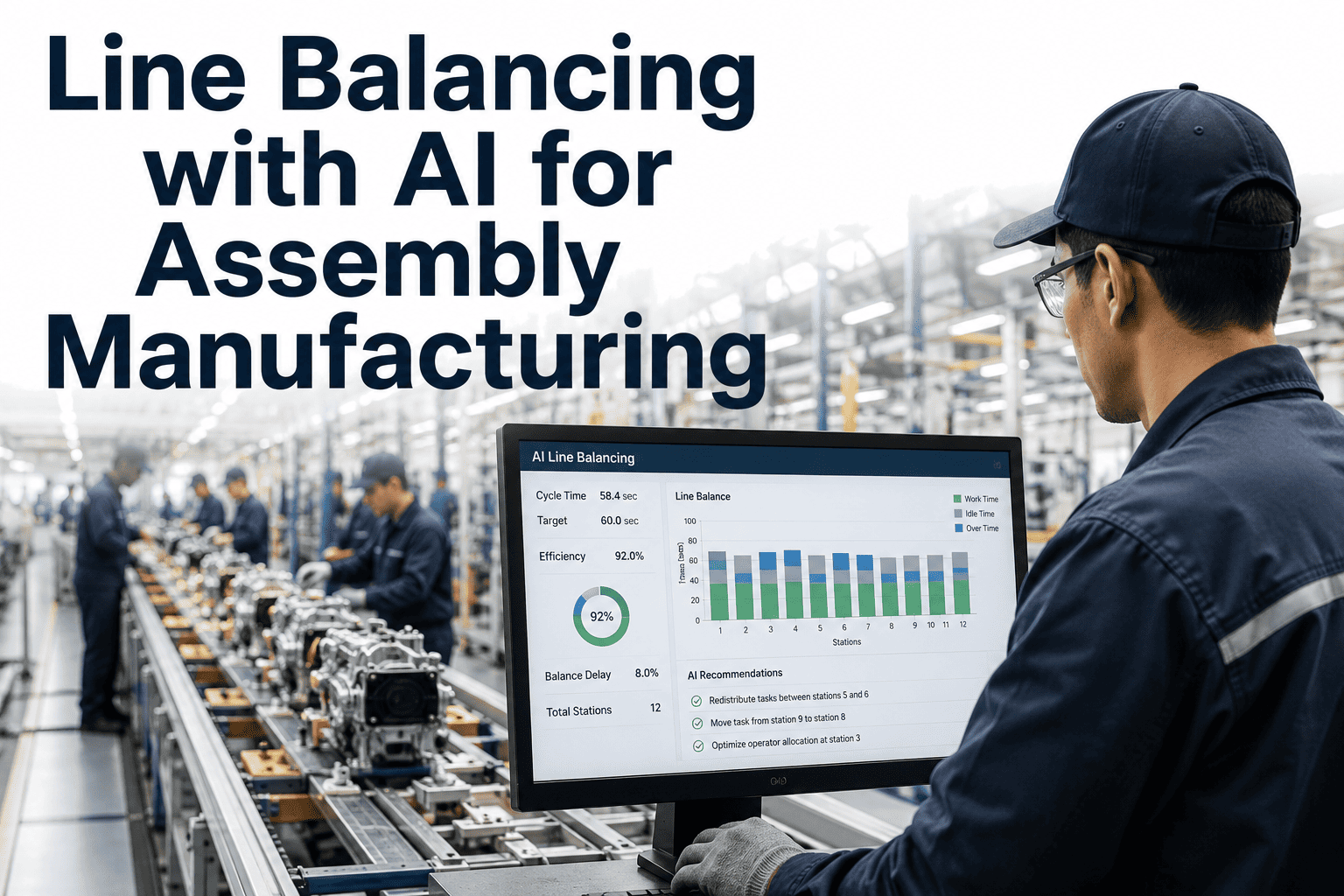
Line Balancing with AI: Keep Every Station at Takt, Every Shift
Manual line balancing captures a snapshot. The moment product mix, an absent operator, or a new variant enters the line, that snapshot goes stale — and the imbalance comes right back.
What an Unbalanced Line Actually Costs
Line balance is measured against takt time — the rate at which a finished unit must leave the line to meet demand. When station workloads aren't balanced against that number, the line's true output is capped by its single slowest station, no matter how far ahead every other station finishes. Published case studies on Yamazumi-based rebalancing report line efficiency gains from the high seventies into the mid-nineties percent range after a proper rebalance, often without adding headcount or capital.
Station Cycle Time vs Takt Time
Takt line — every bar above this level is a bottleneck
The Bottleneck Station Sets the Ceiling for Everyone
Look at the chart above and it's tempting to focus on the stations running comfortably under takt — but those stations don't add capacity, because the line can only move as fast as its slowest point allows. Every second Station 3 runs over takt becomes a second of idle time for Station 5 downstream and a second of missed output for the whole shift, compounding across every unit that moves through the line that day. This is why a rebalance that shaves even a few seconds off a bottleneck station tends to deliver a disproportionately large gain in total line throughput.
78% → 95%
typical line efficiency range reported after a proper Yamazumi-based rebalance
1 station
is usually all it takes to cap total line output, no matter how efficient the rest are
Weekly
how often high-mix lines can see their balance invalidated by a shift in product mix
Why Manual Rebalancing Falls Behind So Fast
Mix Changes Weekly, Studies Happen Yearly
A time study captures one product mix on one day. High-mix lines can see that mix shift meaningfully within the same week, quietly invalidating the balance.
Operator Skill Isn't Uniform
A station balanced for a trained operator runs slow with a trainee, and standard work instructions rarely account for the difference in real time.
Micro-Stoppages Don't Show Up in Averages
Reach, search, and walk waste inside a station rarely gets captured in a stopwatch study, even though it's often the largest recoverable chunk of cycle time.
How the AI Rebalances Stations in Real Time
1
Capture Elemental Work
Vision and sensor data on the line break each station's cycle into elemental work steps automatically, replacing manual stopwatch studies.
2
Detect Drift From Takt
The system compares live station cycle times against current takt, flagging any station trending above or meaningfully below it.
3
Recommend Element Moves
AI proposes which specific work elements to move between adjacent stations, respecting precedence, ergonomics, and tooling constraints.
4
Update Work Instructions
Approved changes push updated standard work instructions to station displays, so operators see the new sequence before the next unit arrives.
Six Signals the AI Uses to Rebalance a Line
None of these signals are exotic — they're the same inputs an experienced industrial engineer already weighs when redrawing a Yamazumi chart by hand. The difference is that the AI tracks all six continuously and per station, rather than sampling them once during a scheduled study and assuming they hold steady until the next one.
Signal
Live cycle time per station
Signal
Current takt time from demand
Signal
Operator skill and certification level
Signal
Task precedence constraints
Signal
Ergonomic load per station
Signal
Tooling and fixture availability
See Your Line's Yamazumi Chart Rebalanced Live
iFactory captures elemental work automatically and proposes station rebalances before your next mix change hits the line.
What Changes for the Industrial Engineering Team
The goal isn't to remove the industrial engineer from the process — it's to remove the part of the job that's pure data collection, so their time goes toward the judgment calls that actually need a person: ergonomics, layout changes, and process improvement ideas the AI wouldn't think to propose on its own.
Before
Manual stopwatch time studies, once or twice a year
Yamazumi charts built and redrawn by hand in spreadsheets
Rebalance only after a visible bottleneck complaint
New hires trained on outdated standard work
After
Elemental work captured continuously from the line
Yamazumi view updates automatically as cycle times shift
Rebalance proposed before takt is missed on the floor
Station displays show current standard work in real time
Frequently Asked Questions
Does this replace our industrial engineers?
No — it removes the slowest part of their job, which is manually re-timing stations every time something changes, so they can spend more time on layout, ergonomics, and process improvement work that genuinely needs a person. Engineers still review and approve every proposed rebalance before it reaches the floor; the AI generates the recommendation, not the final decision.
Ask how this fits your IE team's workflow in a demo.
How does the system know which work elements can move between stations?
Each work element is tagged with precedence rules, required tooling, and ergonomic constraints during setup, the same information an engineer would use to build a Yamazumi chart by hand. The AI only proposes moves that respect those constraints, so it won't suggest moving a step that requires a fixture only available at one station, or one that must happen after another step in sequence.
What happens when an operator with less experience is on a station?
The system tracks actual cycle time by operator, not just by station, so a trainee running slower than standard is detected in real time rather than being averaged away. In that case the AI can propose a temporary rebalance that shifts a small amount of work off that station until the operator's cycle time normalizes, then reverts once it does.
Contact support for details on operator-level tracking.
Do we need new sensors and cameras installed on the line?
Most lines need lightweight vision coverage at each station plus a connection to existing PLC or MES cycle-time data; many plants already have partial coverage from quality or safety systems that can be extended. The exact scope depends on your current instrumentation, and a site walk during onboarding typically identifies the gaps within a day or two.
How long before we see a measurable efficiency gain?
Most lines see their first rebalance recommendation within the first two to three weeks, once enough elemental work data has been captured to build a reliable baseline. Published line-balancing case studies using this same methodology report efficiency gains from the high seventies into the mid-nineties percent range within a few months of sustained rebalancing.
Book a demo to estimate the gain for your specific line.
Put Every Station Back at Takt
iFactory captures elemental work continuously and keeps your Yamazumi chart current, shift after shift, without another manual time study.