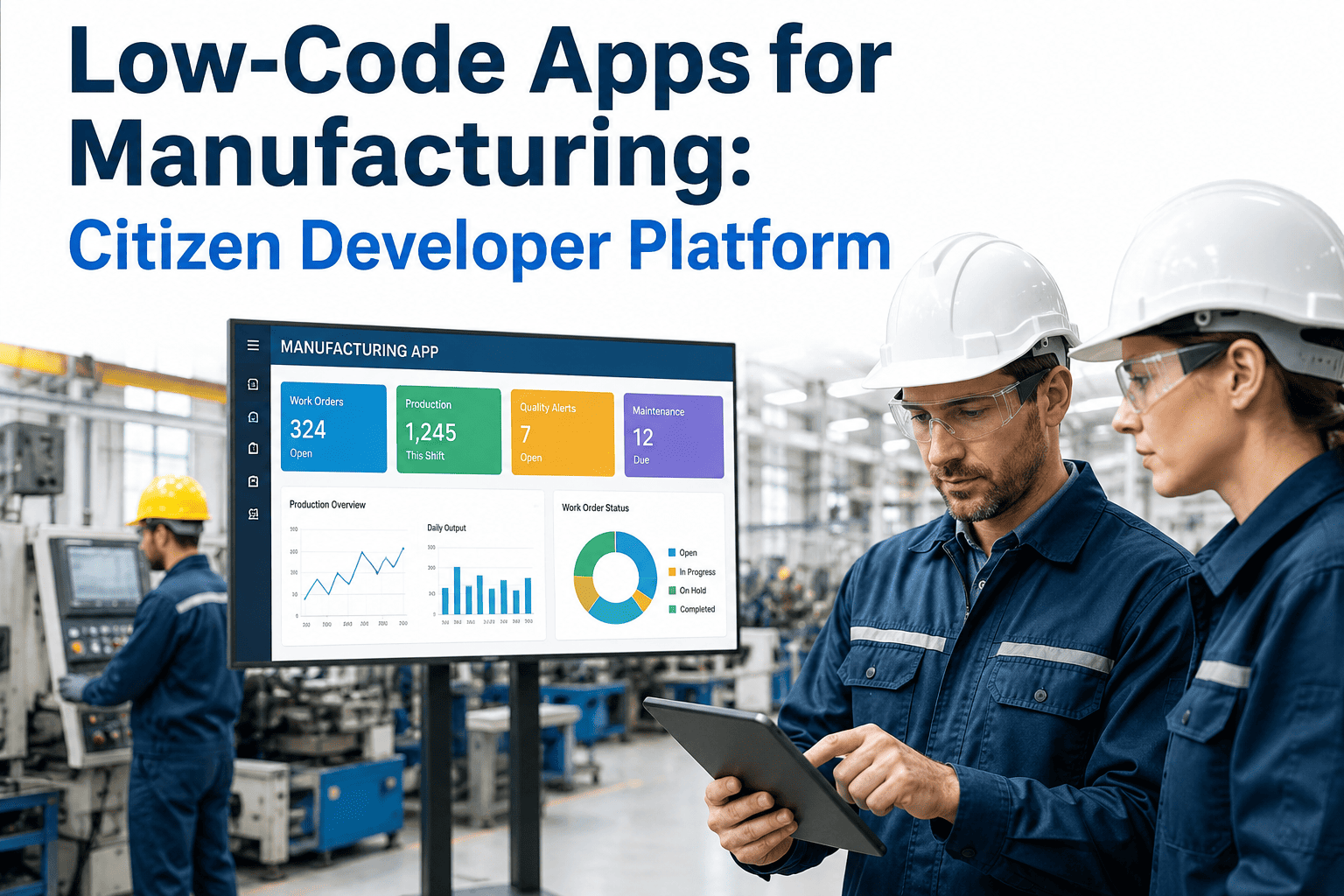
Every plant has the same quiet backlog: a quality engineer who wants a digital inspection form instead of a paper clipboard, a shift supervisor who wants a downtime log that does not live in three different spreadsheets, a maintenance lead who wants work orders that update themselves. None of these requests are complicated to build, but they still sit in the IT queue behind ERP upgrades and security patches for months at a time. Low-code platforms exist to close that exact gap, letting the people who actually understand the shop-floor problem build the tool themselves. Book a demo to see how iFactory turns shop-floor requests into live apps without adding to your IT team's backlog.
Low-Code Apps for Manufacturing: Let Your Shop Floor Build What It Needs
Inspection forms, downtime trackers, and workflow dashboards built by the engineers who use them every day — no custom coding project, no six-month IT queue, no dependency on developers who have never stood on your production line.
80%
of low-code users in 2026 sit outside formal IT teams
50-70%
faster app delivery than traditional development
40%
lower build cost compared to custom-coded tools
The Real Cost of Waiting
Why IT Can't Keep Up With Every Shop-Floor Request
Scenario One
A Quality Inspection Still Lives on Paper
An inspector fills out a paper checklist, walks it back to an office, and someone re-keys the results into a spreadsheet days later — by which point a recurring defect pattern has already produced a full shift of bad parts.
Scenario Two
Downtime Reasons Are Guessed, Not Logged
Operators log downtime on a whiteboard or a shared spreadsheet with inconsistent categories, so the reliability team spends more time cleaning the data than analysing what actually caused the stoppage.
Scenario Three
The IT Backlog Is Measured in Months
A simple internal form request sits behind ERP patches, security work, and enterprise projects, so a tool that could be live in a week instead waits for a development slot that may not open for a quarter or more.
Scenario Four
Every Plant Solves the Same Problem Differently
Without a shared platform, one site builds a shift handover tool in Excel macros while another builds something similar from scratch, and neither can be reused, maintained, or scaled across the wider network.
Built By the People Who Use Them
What Citizen Developers Actually Build on the Shop Floor
Inspection & Quality Forms
Digital checklists that replace paper, capture photos of defects on the spot, and route failed inspections straight to the right engineer for disposition.
Downtime & Andon Alerts
Structured downtime logging with consistent reason codes, plus instant alerts to maintenance the moment a line stops instead of the moment someone remembers to report it.
Maintenance Work Orders
Mobile work order apps that technicians can open on the floor, close out with a signature, and that automatically update equipment history without a paper trail.
Shift Handover Logs
A structured handover form that carries open issues, in-progress jobs, and safety notes from one shift to the next, replacing the whiteboard photo sent over chat.
Inventory & Cycle Counts
Barcode-driven counting apps that reconcile against the ERP in real time, turning a once-a-quarter scramble into a rolling, low-effort process.
Safety Observation Apps
Quick-capture safety observation tools that let any employee flag a hazard from a phone, with automatic routing to EHS and a closed-loop status update.
See a Real App Built Live
Watch a Shop-Floor Form Go From Idea to Live App in One Session
Bring one of your own backlog requests — an inspection form, a downtime log, a work order tool — and we will show you how it comes together on the iFactory platform, connected to the systems you already run, without a single line of custom code.
The Build Process
From a Backlog Request to a Live App on the Floor
1
Identify the Gap
A supervisor or engineer names the exact problem — a paper form, a manual reconciliation, a whiteboard log — that is costing time every single shift.
2
Drag, Drop, Configure
The app is assembled visually from pre-built fields, forms, and logic blocks, with no custom scripting required for the core workflow.
3
Connect to Existing Systems
The app is linked to the ERP, MES, or equipment data it needs to read from or write to, so results flow into systems of record automatically.
4
Pilot on One Line
The app runs on a single line or shift first, so real operators can surface friction points before it becomes part of standard work everywhere.
5
Scale Across the Plant
Once validated, the same app template is rolled out to every line or every site, reusing the same components rather than rebuilding from zero each time.
The Practical Difference
Traditional Custom Development vs. Low-Code Citizen Development
| Factor | Traditional Custom Build | Low-Code Citizen Development |
|---|---|---|
| Time to first working app | Weeks to months, after an IT queue | Days, built directly by plant staff |
| Who builds it | Professional developers, often offsite | Engineers and supervisors who use it daily |
| Cost per app | Full development project cost | A fraction of custom build cost |
| Iteration after launch | Requires a new change request cycle | Adjusted directly by the app owner |
| Reuse across other plants | Rebuilt separately at each site | Same template reused and configured |
What This Looks Like at Scale
The Numbers Behind Citizen Development in Manufacturing
260+
Apps built by citizen developers across ten plants at one global manufacturer, addressing needs no single IT team could have queued fast enough.
480 hrs
Work hours saved by a single app that digitised over 300 raw material cards that were previously tracked manually.
72%
Of business users report launching a working low-code app in three months or less from the initial idea.
4x
More citizen developers than professional coders now exist across the average large organisation, and the gap continues to widen.
These figures describe outcomes at scale, not the outcome of any single tool in isolation. The pattern that shows up consistently across manufacturers who adopt citizen development is not that one dramatic app changes everything, but that dozens of small, specific apps — each solving one narrow, real problem — compound into a meaningful reduction in manual work across an entire plant network, precisely because the people building them are the same people who feel the friction every shift.
Doing It Without Chaos
Keeping Citizen Development Safe, Governed, and Scalable
Data Governance and Access Control
Citizen-built apps still read and write real production data, so role-based access and data governance policies need to apply automatically, not depend on the app builder remembering to set them correctly.
Review Before Floor Deployment
A lightweight review step, owned by a fusion team of IT and operations, catches integration risks or duplicate effort before an app goes live on a real production line.
Reusable Templates and Components
Standardised building blocks for common needs — inspection forms, alert routing, work order flows — mean every new app starts from a proven pattern instead of a blank canvas.
IT and Operations as a Fusion Team
IT retains ownership of integrations, security, and the underlying data layer, while operations owns the workflow logic that only they fully understand, and the two teams share responsibility rather than working in isolation.
Plant Floor Perspective
The engineers I work with are not asking to become software developers, and they should not have to. What they want is a way to turn a problem they already understand completely into a working tool without waiting for someone else's schedule to open up. The best low-code deployments I have seen succeed for exactly that reason — they hand the builder role to the person closest to the problem, and they let IT stay focused on the harder work of governance, integration, and scale rather than fielding an endless queue of small form requests.
Devika Rowntree-Kapoor
Manufacturing Digitisation Lead · 14 years across discrete and process manufacturing · Former Center of Excellence owner for a multi-site citizen development programme
Low-Code Manufacturing Questions
Frequently Asked Questions
Do our shop-floor engineers actually need coding experience to build these apps?
No prior coding experience is required for the vast majority of shop-floor apps, since the core workflow is assembled visually from pre-built forms, fields, and logic blocks rather than written in a programming language. Engineers who are comfortable with spreadsheets and basic process logic typically pick up the app-building workflow within a short training period. More advanced integrations or complex business logic can still benefit from IT involvement, which is why a fusion approach between citizen builders and technical teams tends to produce the strongest results. Book a demo to see the actual builder interface and judge the learning curve for your own team.
Will apps built by plant staff be secure enough to connect to our ERP and MES data?
Security depends on the governance layer sitting underneath the citizen builder, not on the builder's own technical skill, which is why role-based access control, data permissions, and integration rules are set centrally by IT and then apply automatically to every app built on top of the platform. A lightweight review step before any app touches production data further reduces the risk of an unintentional integration mistake. This structure is what allows organisations to open app-building to a wide group of employees without treating every new app as a fresh security review from scratch.
How is this different from just building something in Excel or a shared spreadsheet?
Spreadsheets work for a single person tracking a single list, but they break down quickly once multiple shifts, multiple lines, or multiple sites need to read and write the same data reliably, since version conflicts, broken formulas, and manual re-entry accumulate fast at scale. A low-code app instead runs on a shared, governed data layer, supports mobile and offline use on the floor, and can trigger real actions like alerts or work orders rather than sitting passively as a static file. Contact support to walk through your specific spreadsheet workaround and what replacing it would look like.
How long does it actually take to get a first working app live on the floor?
Most first apps built on a low-code platform are functional within days rather than the weeks or months typical of a traditional development request, since the builder is working with pre-built components instead of writing code from a blank slate. A large share of business users report a working app live within three months of the initial idea, and simple single-purpose tools like inspection forms or downtime logs are often faster still. The exact timeline depends on how many system integrations the app requires and how much review it needs before touching live production data.
What stops every plant from building duplicate, inconsistent versions of the same app?
This is exactly what a shared template library and a light governance layer are designed to prevent, since a standardised inspection form or downtime log template can be reused and configured for each plant's specific needs rather than rebuilt separately each time. A fusion team spanning IT and operations typically owns this template library, reviewing new app patterns before they are published for reuse and retiring duplicate efforts as they are identified. Book a session to see how the iFactory template library is structured across a multi-site rollout.
Stop Waiting on the IT Queue
Give Your Shop Floor a Way to Build the Tools It Actually Needs
iFactory's low-code platform lets engineers and supervisors turn paper forms, spreadsheets, and whiteboard logs into governed, connected apps — built by the people who understand the problem, without adding to your IT backlog.