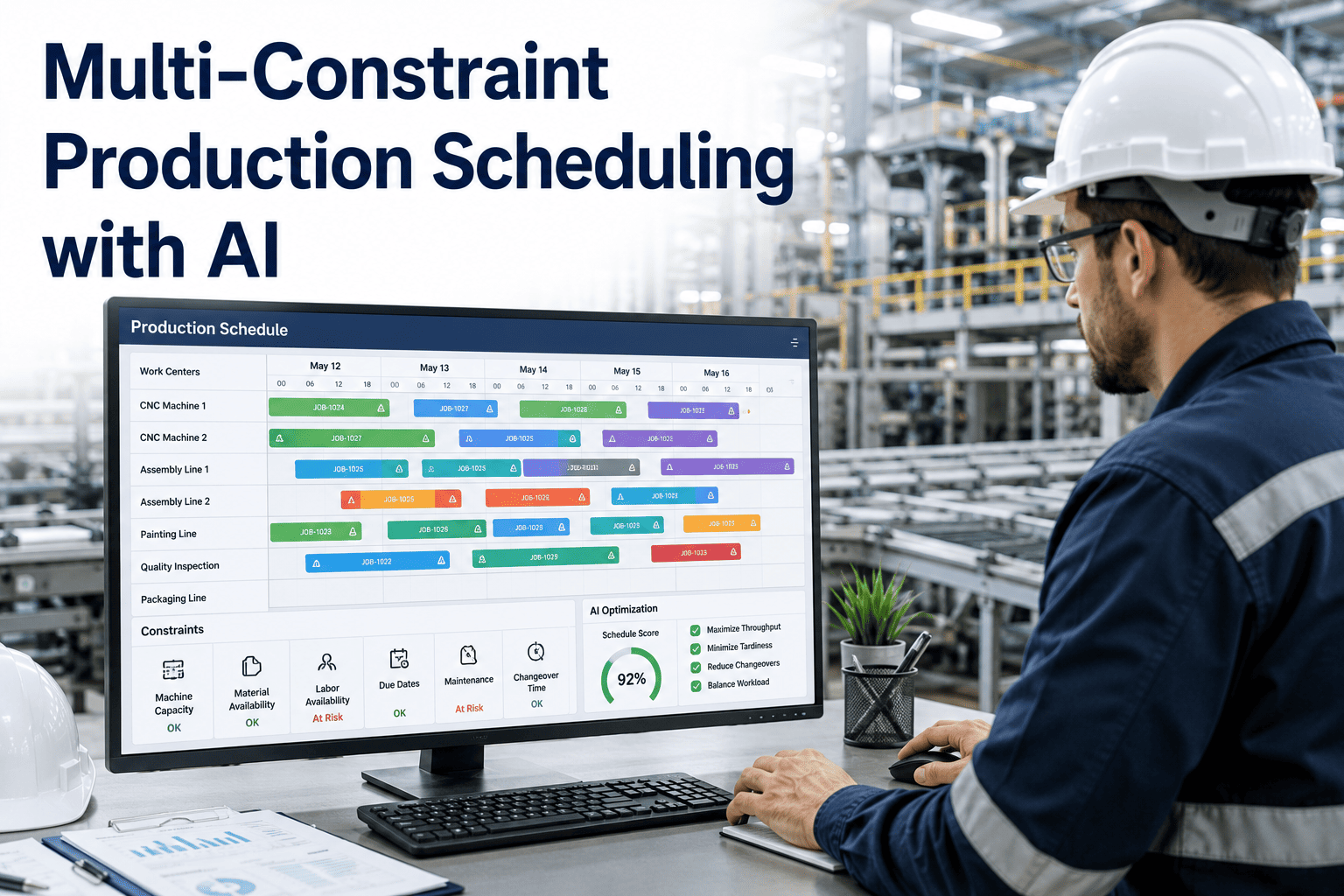
The production scheduler in most manufacturing plants starts the week with a solid plan in a spreadsheet and ends the week running the floor from a whiteboard. The spreadsheet could not predict that the CNC operator would call in sick on Tuesday, that the coating supplier would deliver a day late on Wednesday, or that the customer would move fifty units from Friday to Thursday afternoon. Each disruption invalidates the schedule, and by Thursday the spreadsheet is a historical document while the actual execution is managed through verbal handoffs, text messages, and improvised decisions. AI production scheduling does not eliminate disruptions — it builds a schedule that absorbs them and a rescheduling engine that responds in minutes rather than days. Book a demo to see an AI scheduler rebuild a production plan against your actual constraint data in real time.
PRODUCTION SCHEDULING · AI OPTIMIZATION · MANUFACTURING
The Spreadsheet Schedule Is Dead by Wednesday — AI Scheduling Rebuilds It in Four Minutes
AI production scheduling replaces manual sequence logic with constraint-aware optimization that balances due dates, changeovers, and capacity simultaneously — and reschedules automatically when reality diverges from the plan.
4 Min
Average AI Reschedule Time After a Disruption Event
34%
Reduction in Changeover Time Through Sequence Optimization
96%
Due Date Adherence Reported After AI Scheduling Deployment
8x
More Schedule Scenarios Evaluated Per Planning Cycle vs. Manual
THE SPREADSHEET BREAKDOWN
How a Manual Production Schedule Degrades Over a Five-Day Week
A manual schedule is a static artifact created at a point in time. From the moment it is published, the gap between the schedule and reality begins to widen. The visualization below traces a typical week in a plant running on spreadsheet-based scheduling, showing exactly where the schedule loses its connection to the floor and why the planner ends up improvising by midweek.
MONDAY
Schedule Published
The planner releases the weekly schedule built over the weekend. All orders are sequenced, materials are confirmed, and work centers are assigned. The schedule assumes normal attendance, on-time material delivery, and no equipment failures. On paper, the week looks achievable. The floor receives the schedule and begins execution according to the published sequence.
100% Schedule Integrity
TUESDAY
First Deviation
A key operator calls in sick. A raw material delivery scheduled for 06:00 arrives at 11:00. The CNC station falls two hours behind. The planner adjusts the spreadsheet by moving Tuesday afternoon's work into Wednesday morning, but this pushes Wednesday's sequence and creates a cascade that is not yet visible. The schedule still looks mostly intact but the foundation has shifted.
82% Schedule Integrity
WEDNESDAY
Cascade Visible
The Tuesday spill pushes Wednesday morning's work into Wednesday afternoon. A quality hold on one lot removes four hours from an already compressed window. The customer calls to move a Friday order to Thursday. The planner is now making three simultaneous adjustments, each one invalidating the previous fix. The spreadsheet has multiple versions — the supervisor is working from version three, the planner is on version five, and purchasing is still looking at version one.
51% Schedule Integrity
THURSDAY
Whiteboard Takes Over
The spreadsheet is officially abandoned as the execution document. The shift supervisor is running the floor from a whiteboard, making sequence decisions based on what is physically in front of the work center rather than what the plan says. The planner spends the day processing expedites and answering calls from sales rather than planning. Work centers that could have been productive are idle because the material for the whiteboard sequence was not staged for the spreadsheet sequence.
28% Schedule Integrity
FRIDAY
Firefighting Mode
The plant is in full reactive mode. Orders that could have shipped on time if sequenced correctly on Monday are now at risk. Overtime is authorized to recover the week, but the overtime is applied to the symptom — the late orders — not the root cause, which was the inability to reschedule quickly when the first deviation hit on Tuesday. The planner begins building next week's spreadsheet, knowing it will follow the same trajectory.
12% Schedule Integrity
THE THREE OBJECTIVES
AI Production Scheduling Optimizes Three Objectives Simultaneously — Manual Scheduling Picks One and Hopes for the Others
Every production scheduling decision involves a trade-off between competing objectives. Minimizing changeovers means grouping similar products, which may conflict with due date sequencing. Prioritizing due dates means frequent changeovers, which reduces available capacity. Maximizing utilization means running long batches, which increases WIP and extends lead times. A manual scheduler makes these trade-offs intuitively, optimizing for the objective that feels most urgent and accepting the cost on the others. An AI scheduler evaluates all three objectives simultaneously and finds the sequence that produces the best composite outcome.
The scheduler evaluates every order's due date, remaining lead time, and downstream dependency chain. Orders with the tightest remaining margin — the smallest gap between the current date and the latest possible start date — receive scheduling priority unless a higher-priority trade-off exists. Unlike simple due-date sorting, AI scheduling accounts for the fact that an order due Friday with a four-day lead time has the same urgency as an order due Thursday with a three-day lead time — the remaining margin is identical.
Trade-off: Pure due date sorting often forces frequent changeovers and ignores capacity loading patterns, creating periods of overload and underload.
AI Approach: Due date urgency is weighted alongside changeover cost and capacity balance, finding sequences that protect the most at-risk orders without sacrificing the other two objectives.
02
CHANGEOVER MINIMIZATION
The scheduler uses a changeover matrix — the measured time and cost to transition between every pair of products on every work center — to evaluate the total changeover burden of any candidate sequence. A sequence of Product A to Product B to Product C may require 90 minutes of total changeover, while Product A to Product C to Product B may require 210 minutes for the same three orders. The difference is not marginal — in plants with complex changeovers, sequence optimization alone can recover eight to fifteen percent of available capacity without any capital investment.
Trade-off: Grouping by changeover similarity often delays orders that have earlier due dates but fall in a different product family, increasing the risk of missed deliveries.
AI Approach: The changeover matrix is a constraint in the optimization, not the objective. The scheduler finds sequences that reduce changeovers where the due date margin allows and accepts higher changeovers where the due date risk justifies it.
The scheduler evaluates the load profile that each candidate sequence creates across all work centers. A sequence that front-loads all stamping operations into Monday and Tuesday creates an overload at the stamping press and idle time at assembly later in the week. Capacity balancing spreads the load across the available time window, reducing peak-period congestion and the overtime, expediting, and quality problems that accompany overloaded periods.
Trade-off: Perfect capacity balancing may require sequencing orders out of due-date order or accepting suboptimal changeover sequences, both of which have measurable costs.
AI Approach: Capacity load is a soft constraint with a configurable penalty weight. The optimizer accepts minor load imbalances if they produce significant due date or changeover benefits, but penalizes sequences that create severe overload periods.
CHANGEOVER MATRIX
The Changeover Matrix — The Data Structure That Makes Sequence Optimization Possible
Changeover minimization requires knowing the exact transition cost between every product pair on every work center. This data lives in the heads of operators and supervisors but is rarely captured in a structured format that a scheduling engine can use. The changeover matrix below illustrates the concept for a single work center with six product families — the actual matrix in a production AI deployment may contain hundreds of product-level entries across dozens of work centers.
|
To: Family A |
To: Family B |
To: Family C |
To: Family D |
To: Family E |
To: Family F |
| From: Family A |
0 min |
45 min |
120 min |
90 min |
30 min |
150 min |
| From: Family B |
45 min |
0 min |
75 min |
60 min |
90 min |
105 min |
| From: Family C |
120 min |
75 min |
0 min |
30 min |
135 min |
45 min |
| From: Family D |
90 min |
60 min |
30 min |
0 min |
105 min |
60 min |
| From: Family E |
30 min |
90 min |
135 min |
105 min |
0 min |
120 min |
| From: Family F |
150 min |
105 min |
45 min |
60 min |
120 min |
0 min |
What This Matrix Reveals to the AI Scheduler
Families A and E transition in 30 minutes. Families C and D transition in 30 minutes. Families A and C transition in 120 minutes. A naive sequence of A-B-C-D-E-F requires 525 minutes of changeover. An optimized sequence of A-E-B-D-C-F requires only 255 minutes — a 270-minute saving on a single work center for six orders. At the plant level, with dozens of work centers and hundreds of orders per week, sequence optimization driven by this matrix routinely recovers the equivalent of an entire shift of capacity. The AI scheduler evaluates thousands of candidate sequences against this matrix in seconds — a task that would take a human scheduler days to approximate.
Your Operators Already Know These Changeover Times — The AI Scheduler Is the First System That Actually Uses Them
Building the changeover matrix does not require a consultant or a data science project. It requires a structured capture of what your operators already know, loaded into an optimization engine that can evaluate it at scale. A changeover matrix assessment for your highest-impact work centers takes one session.
CONSTRAINT LAYER MODEL
Every Production Schedule Sits on Top of Five Constraint Layers — AI Sees All Five at Once
A production schedule is feasible only if it satisfies every constraint that governs the shop floor. The problem for manual schedulers is that these constraints live in different systems, different departments, and different formats. The AI scheduler consolidates all five constraint layers into a single optimization model, ensuring that every candidate sequence is checked against the full set of constraints before it is proposed.
Raw material, WIP, and component availability by order, by work center, by time period. The scheduler checks that material is physically available or will arrive before the scheduled start time at each operation. Material constraints are the most frequently violated in manual scheduling because the planner cannot simultaneously track inventory positions for hundreds of components across dozens of orders.
Available hours by shift, by work center, accounting for planned maintenance, operator availability, and historical efficiency. Capacity constraints are typically modeled at an aggregate level in manual scheduling, which misses the routing-specific capacity impacts that occur when different product mixes load different work centers differently.
Dedicated tooling, dies, fixtures, and gauges required for specific operations. Many tooling constraints are shared across work centers — a die used on Press 1 on Monday must be available for Press 3 on Wednesday. Manual schedulers track tooling conflicts informally, and conflicts are often discovered on the floor when the operator cannot find the die they need.
Operator certifications, shift assignments, and cross-training limitations. A welding operation cannot be scheduled unless a certified welder is assigned to that shift. A setup operation cannot begin unless a qualified setup technician is available. Labor constraints are the most common hidden constraint — invisible in capacity models that only count machine hours.
L1
Routing and Precedence
The defined sequence of operations for each order — Operation 10 must complete before Operation 20 begins, Operation 20 before Operation 30. Routing constraints are the most basic and the most reliably modeled, but even here, manual scheduling can fail when rework loops, optional operations, or parallel routing paths exist.
RESCHEDULING ENGINE
The Continuous Rescheduling Loop — How AI Responds to Disruption Without Planner Intervention
The defining capability of AI production scheduling is not the initial schedule creation — it is what happens when the schedule breaks. In a manual process, rescheduling requires the planner to detect the disruption, assess the impact, evaluate alternatives, and publish a revised schedule. This cycle takes hours to days, during which the floor is operating without a valid plan. The AI rescheduling loop compresses this cycle from days to minutes by automating detection, evaluation, and response.
DETECT
Event Monitoring
The system monitors real-time feeds from MES, SCADA, and ERP for events that invalidate the current schedule: equipment downtime, material delays, operator absence, quality holds, and order changes. Each event is classified by type, magnitude, and affected work centers. Not every event triggers a reschedule — a five-minute downtime on a non-bottleneck work center with buffer time may not warrant a schedule rebuild. The detection layer applies severity thresholds to filter noise from genuine schedule-breaking events.
ASSESS
Impact Analysis
For events that exceed the severity threshold, the system traces the impact through the routing network. A two-hour delay at Operation 20 on Work Center 7 affects all downstream operations for that order and may affect other orders queued at the same work center. The assessment calculates the total order-level impact: which due dates are now at risk, how much capacity has been lost, and whether the remaining schedule is still feasible or requires rebuilding.
OPTIMIZE
Schedule Reconstruction
If the assessment determines the schedule is no longer feasible, the optimization engine rebuilds the affected portion of the schedule — not the entire week, but the specific time window and work centers impacted by the event. The rebuild uses the same three-objective optimization as the initial schedule: due date adherence, changeover minimization, and capacity balance. The engine generates the best available sequence given the new constraint set — the equipment is down for two hours, the material is delayed until Thursday, the operator is out for the shift.
PUBLISH
Controlled Release
The revised schedule is published to the floor with a clear delta view: here is what changed, here is why, and here is what each work center should do next. The planner receives a notification with the full reasoning trail and can accept, adjust, or reject the reschedule before it reaches the floor. This human-in-the-loop step ensures that the AI reschedule never bypasses planner judgment — it accelerates the planner's ability to respond rather than replacing it.
METHODS COMPARED
Production Scheduling Methods Ranked — From Whiteboards to AI-Driven Optimization
The term production scheduling covers a spectrum of methods, from fully manual to fully automated. Understanding where your current method sits on this spectrum — and what the next level up actually delivers — is the first step in building a business case for AI scheduling. The comparison below evaluates six methods across the dimensions that determine operational impact.
| Method |
Sequence Logic |
Constraint Coverage |
Respeed on Disruption |
Typical Due Date Performance |
Where It Breaks Down |
| Whiteboard / Verbal |
Supervisor intuition, first-come first-served |
Only what the supervisor can see and remember |
Instant but uncoordinated |
60% — 70% |
Any complexity beyond three work centers or ten orders |
| Spreadsheet |
Manual sorting by due date or product family |
Only what the planner manually tracks |
Hours to days; requires full manual rebuild |
70% — 78% |
Any disruption that invalidates the published sequence |
| ERP Basic Scheduling |
Backward or forward scheduling from due date |
Routing, material availability, work center calendar |
Hours; MRP regeneration required |
75% — 82% |
Does not optimize sequence; no changeover awareness |
| Rule-Based APS |
Configurable priority rules and sequencing heuristics |
Routing, material, capacity, tooling if configured |
Minutes to hours; rule re-evaluation |
82% — 88% |
Rules conflict in complex scenarios; no global optimization |
| AI Constraint Optimization |
Multi-objective optimization across all constraints simultaneously |
All five layers: material, capacity, tooling, labor, routing |
Minutes; automatic rebuild with human approval |
92% — 97% |
Requires accurate constraint data; initial setup investment |
| AI + Autonomous Rescheduling |
Same as above with pre-approved respeed for defined event types |
Same as above plus real-time monitoring feeds |
Seconds to minutes; fully automated for approved events |
94% — 98% |
Governance complexity; requires mature change management |
DEPLOYMENT TIMELINE
From Spreadsheet to AI Scheduler — A Twelve-Week Deployment Mapped to Real Plant Milestones
Deploying an AI production scheduler is not a multi-month IT project that disrupts operations. It is a structured twelve-week process that runs alongside your existing scheduling workflow, proves value in a pilot work center, and expands to the full plant only after the planner team confirms the output is better than what they produce manually. The phases below are the standard deployment sequence used in mid-market manufacturing plants.
Constraint Capture and Changeover Matrix Build
Routing data is extracted from the ERP and validated against actual floor practice. The changeover matrix is built through structured interviews with operators and supervisors — capturing the transition times that exist in practice, not the theoretical times in the routing master. Work center calendars, labor assignments, and tooling constraints are documented in the scheduling model format. This phase typically reveals 15 to 25 percent discrepancies between ERP routing data and actual practice — discrepancies that explain why the current ERP scheduling module produces infeasible plans.
Optimization Engine Configuration and Objective Weighting
The scheduling model is configured with the captured constraint data. Objective weights — how much the optimizer prioritizes due dates versus changeovers versus capacity balance — are set based on the plant's operational priorities and validated against historical schedules. The model is tested against three to four weeks of historical order data to verify that it produces feasible schedules that improve on the manual baseline. Any constraint gaps or data quality issues discovered in testing are resolved before the pilot begins.
AI Scheduler Runs in Parallel With Manual Process
The AI scheduler generates schedules for the pilot work center — typically the bottleneck or the most scheduling-complex area — while the planner continues using the existing method. Both schedules are compared side by side at the end of each shift: which sequence produced fewer changeovers, which hit more due dates, which created a more balanced load profile. The planner team reviews the AI output daily and provides feedback on sequences that look wrong or miss contextual factors the model does not see. This feedback is incorporated into the model configuration in real time.
WK 8-9
OPERATIONAL HANDOFF
Planner Team Adopts AI Output as Primary Schedule
Once the shadow pilot demonstrates consistent improvement over the manual baseline — typically by week seven or eight — the planner team transitions to using the AI output as the primary schedule for the pilot work center. The manual method remains available as a fallback, but the AI schedule is what gets published to the floor. The rescheduling engine is activated for the pilot work center, and the planner begins working in an approve-or-adjust mode rather than a build-from-scratch mode. The time savings at this stage are typically 60 to 80 percent of the planner's previous scheduling effort on the pilot area.
Coverage Expands to Additional Work Centers and Routing Chains
The scheduling model is extended from the pilot work center to adjacent work centers in the same routing chain. As each work center is added, the changeover matrix, labor constraints, and tooling constraints for that work center are captured using the same structured process from weeks one and two. Cross-work-center constraints — shared tooling, shared labor, sequential routing dependencies — are activated as the model expands. By week twelve, the AI scheduler covers the full production routing for the pilot product family, and the extension plan for remaining families is defined based on the lessons learned.
FREQUENTLY ASKED QUESTIONS
What Scheduling Teams and Plant Managers Ask Before Deploying AI Production Scheduling
Does AI production scheduling replace our existing ERP scheduling module, or does it work alongside it?
AI production scheduling works alongside your ERP — it does not replace it. The ERP remains the system of record for orders, routings, material availability, and work center master data. The AI scheduler reads this data from the ERP, applies optimization logic that the ERP's native scheduling engine cannot perform, and writes the optimized schedule back to the ERP as planned production orders with assigned start times and work centers. Your procurement, inventory, and cost accounting processes continue to run on the ERP unchanged. The AI scheduler adds a layer of optimization capability that sits between the MPS output and the shop floor execution, which is precisely the gap that ERP-native scheduling leaves open in every major manufacturing ERP system.
Book a demo to see the ERP integration architecture for your system.
How accurate does our routing and changeover data need to be before AI scheduling can produce useful results?
The AI scheduler needs routing and changeover data that reflects actual practice, not necessarily data that is perfectly precise. A routing that says an operation takes 45 minutes when it actually takes 48 minutes will produce a usable schedule — the three-minute error is well within the scheduling buffer. A routing that says an operation takes 30 minutes when it actually takes 90 minutes because a secondary setup step was never documented will produce an infeasible schedule. The data foundation phase in weeks one and two is specifically designed to identify and correct these magnitude-level discrepancies before the model runs. In practice, most plants find that 80 percent of their routing data is close enough and 20 percent needs correction — and the correction process itself generates immediate value because it exposes the same inaccuracies that make their current ERP scheduling unreliable.
Talk to our support team about a routing data health assessment.
What happens when the AI scheduler proposes a sequence that the planner knows is wrong based on context the model cannot see?
The planner overrides the specific order or sequence and the override is executed. More importantly, the override is logged with the planner's reasoning — for example, "Customer X will reject this product if it follows Product Y on the same line due to contamination risk" — and that reasoning is incorporated into the constraint model so the AI does not propose the same invalid sequence again. This is the human-in-the-loop design principle: the planner's domain knowledge improves the model over time rather than being lost in a side conversation. In early deployments, override rates of 15 to 25 percent are common. Within six to eight weeks, as the model absorbs planner feedback, override rates typically drop below 10 percent — and the remaining overrides are genuinely novel situations that no model could have anticipated.
Book a demo to see the override and feedback workflow in a live environment.
Can the AI scheduler handle plants with high mix and low volume where every order may be unique?
High-mix, low-volume environments are where AI scheduling delivers the most value relative to manual methods. In a high-volume, low-mix plant, the optimal sequence is often obvious — run the same product all day, change over once. In a high-mix plant, the number of possible sequences grows factorially with the number of orders, and the difference between a good sequence and a bad sequence can be hours of changeover time and multiple missed due dates. The AI scheduler evaluates thousands of candidate sequences in seconds, which is precisely the computation that a human scheduler cannot perform. The changeover matrix becomes even more critical in high-mix environments because the transition costs vary widely between product pairs, making sequence selection the dominant lever for performance.
Contact support to discuss high-mix scheduling scenarios relevant to your product profile.
How does the rescheduling engine decide when to rebuild the schedule versus when to let the floor absorb a minor disruption?
The rescheduling engine uses configurable severity thresholds that define when an event is large enough to warrant a schedule rebuild. These thresholds are set during the model configuration phase based on the plant's actual tolerance for deviation. A five-minute downtime on a non-bottleneck work center with thirty minutes of buffer in the schedule may fall below the threshold — the floor absorbs it. A two-hour downtime on the bottleneck work center with orders due the next day will far exceed the threshold and trigger an immediate rebuild. The thresholds are not static — they can be tightened or loosened by time period. A plant may accept larger deviations in the flexible zone of the planning horizon and require tighter adherence in the frozen zone. The key design principle is that the planner defines the rescheduling policy, and the AI executes it consistently.
Book a demo to see the rescheduling threshold configuration for a plant like yours.
SEE THE OPTIMIZER RUN
Stop Rebuilding Your Schedule Every Wednesday — Let the AI Do It in Four Minutes While Your Planner Focuses on the Decisions That Actually Require a Human
An AI scheduling demonstration against your actual order book, routings, and changeover matrix takes one session. You will see the optimizer evaluate sequences, the rescheduling engine respond to a simulated disruption, and the delta between the AI schedule and your current manual output — quantified in changeover minutes, due dates at risk, and capacity utilization.