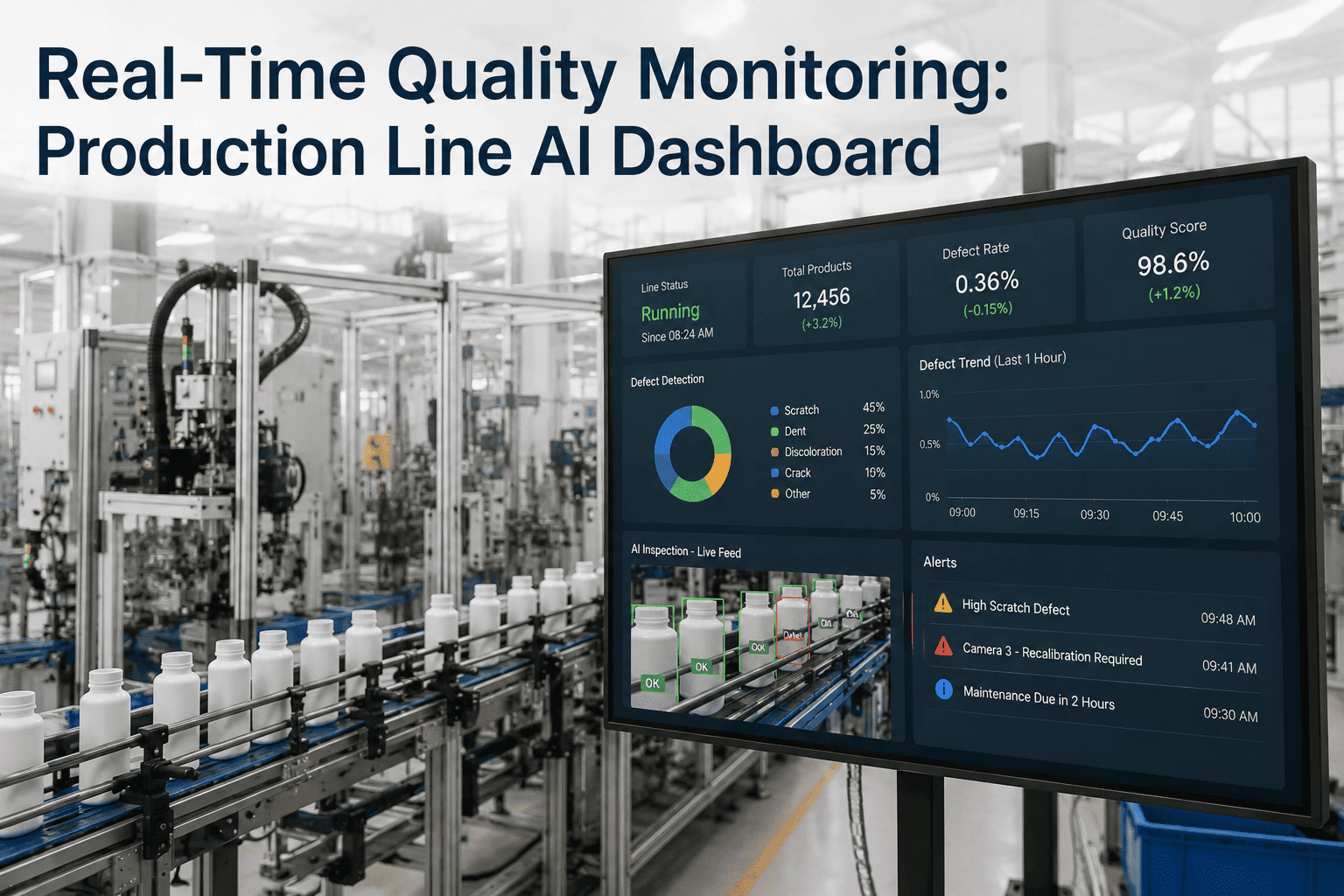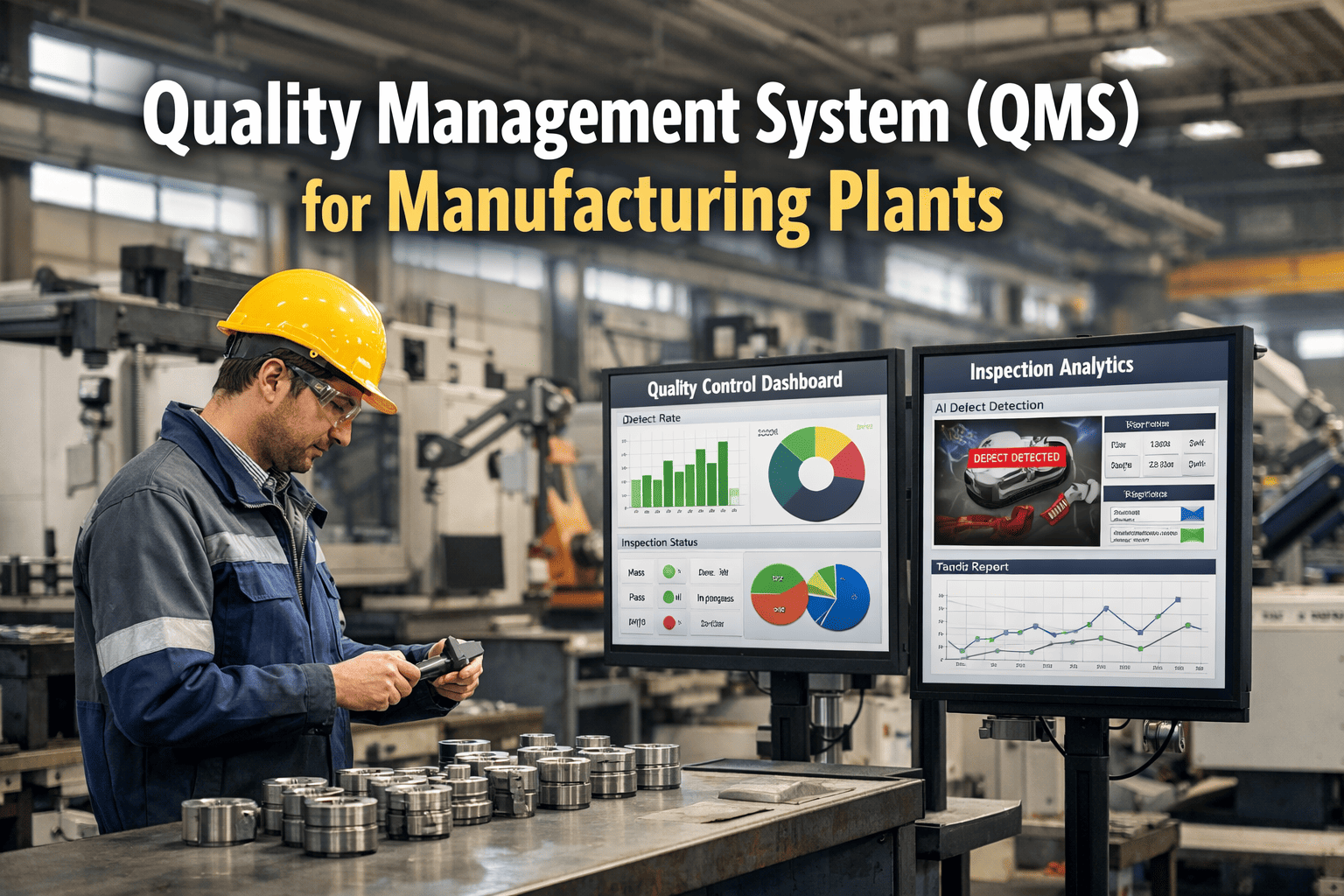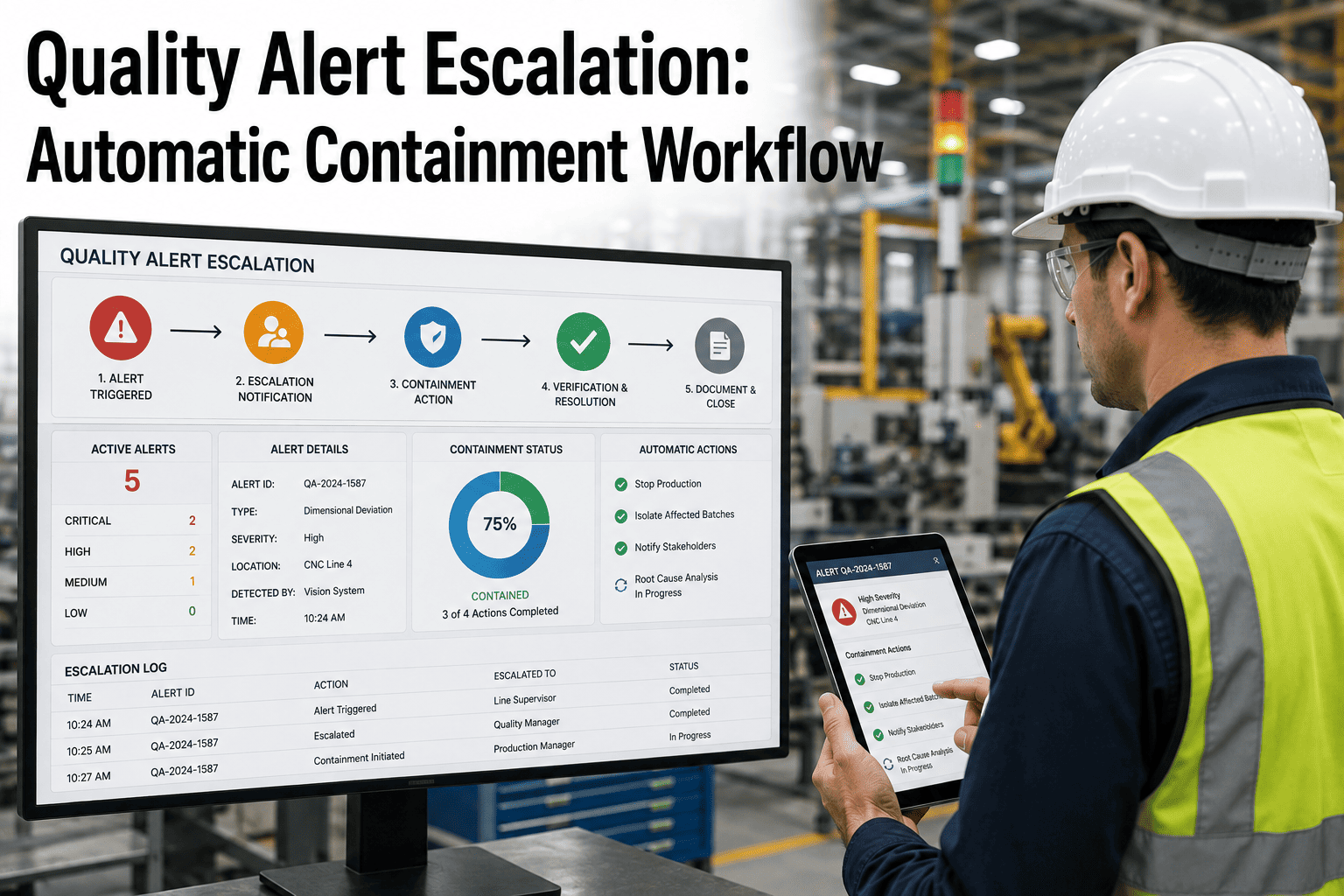
A quality deviation that gets caught but not escalated correctly is barely better than one that gets missed entirely. The sensor flags it, the dashboard shows it, and then it sits — waiting for someone to notice the alert, waiting for someone to decide it's serious enough to act on, waiting for the right person to actually see their phone. Every one of those waits is production time spent making more of whatever just went wrong. The plants that contain problems fastest are rarely the ones with the most sensors; they are the ones whose alerts know exactly who to reach next if the first person doesn't respond. Book a demo to see how automatic escalation and containment closes that gap in your own operation.
Real-Time Quality Monitoring
Detecting A Quality Problem Is Not The Same As Stopping It
An alert that nobody acknowledges is just a notification. A quality alert escalation workflow with automatic containment turns that same detection into a production hold, a routed notification, and a documented response — without waiting for someone to be looking at the right screen at the right moment.
Why The Response Gap Matters
Every Minute Between Detection And Response Has A Cost
Minutes
Not Hours
Traditional escalation relying on paper logs, email chains, and verbal handoffs routinely takes far longer than the production line does to turn a single flagged unit into a full batch of defective output.
Compounding
Not Linear
A defect that continues through even a handful of additional cycles before the line stops does not add a fixed cost — it multiplies scrap, rework, and downstream inspection load with every extra minute of undetected drift.
Silent
Not Obvious
Without an enforced escalation path, an alert can sit unacknowledged in an inbox or on a dashboard nobody is watching, and the gap between detection and response never shows up in any report until the batch is already shipped.
Not Every Alert Deserves The Same Response
Building A Severity Framework Before You Automate Anything
Critical
Safety Or Immediate Line Stop
Defects with safety implications or that indicate a process is actively producing unusable output trigger an automatic hold and immediate escalation with no waiting period.
Major
Significant Quality Deviation
Findings that clearly exceed tolerance but do not present an immediate safety risk trigger a short acknowledgment window before automatic escalation begins.
Minor
Borderline Or Trending Deviation
Findings near a tolerance edge, or a pattern building across several consecutive readings, are logged and surfaced to the shift supervisor without necessarily halting production.
Observation
Logged For Trend Analysis
Small variations within acceptable range are recorded for pattern analysis, giving quality teams visibility into drift long before it becomes a defect worth escalating.
This classification step is the foundation everything else is built on. An escalation workflow that treats every alert with the same urgency either desensitizes the team to genuine emergencies through constant low-value interruptions, or misses a genuine emergency because it looks like just another notification in a crowded queue.
What Actually Triggers An Alert
The Detection Layer Behind Every Escalation Decision
An escalation workflow is only as good as the detection feeding it, and the source of that detection varies more than most quality teams initially plan for. Some alerts come from a machine vision system flagging a visible defect on a part as it passes a camera station. Others come from process parameter monitoring — a temperature, pressure, or speed reading drifting outside its qualified range well before the drift produces a visible defect. Still others originate from a human operator who notices something a sensor was never configured to catch and submits a manual quality alert from the floor. A mature escalation system does not care which of these three sources triggered the alert; it applies the same severity classification, the same acknowledgment timers, and the same containment logic regardless of origin. This matters because plants that build separate, inconsistent response paths for machine-detected versus operator-reported issues tend to end up with two different standards of urgency for problems that deserve the same level of response, and that inconsistency is exactly the kind of gap that lets a serious issue slip through simply because of which channel happened to catch it first. It also means an operator's manual report should never feel like a lesser-priority path than an automated sensor trigger — the person standing at the station is often the earliest and most reliable detector of a problem a camera has not been trained to recognize yet, and a workflow that treats their report as equally actionable tends to surface real issues faster than one relying on sensors alone.
Configure Once, Enforce Every Time
iFactory Applies Your Severity Rules Automatically, Every Shift
Set your severity tiers, acknowledgment windows, and escalation contacts once, and every future alert is classified and routed consistently — no dependence on which supervisor happens to be walking the floor that day.
The Escalation Ladder
What Happens If Nobody Responds In Time
0:00
Alert Fires
Threshold breach detected. Notification sent to the first responder tier — typically the line operator or shift technician.
→
3:00
Tier One Timeout
If unacknowledged, escalation routes automatically to the shift supervisor with the original alert context attached.
→
8:00
Tier Two Timeout
Still unacknowledged, the alert escalates to the plant quality manager, and containment actions begin automatically regardless of acknowledgment status.
→
15:00
Tier Three Timeout
Plant leadership is notified directly, and the full escalation history — every timestamp, every contact, every response gap — is logged for post-incident review.
These specific windows are configurable, but the principle is not: every tier has a defined timeout, and every timeout has a defined next action. Nothing waits indefinitely for a human who might be on a call, on break, or simply not looking at the right screen. Setting these windows well requires a bit of honest calibration against your actual shift patterns — a three-minute tier-one timeout only makes sense if a first responder is realistically reachable within that window on every shift, including nights and weekends, and a ladder built around daytime staffing assumptions will quietly under-perform the moment a genuine issue happens at 2 a.m.
Automatic, Not Requested
What Containment Actually Does While Escalation Is Running
Production Hold
The affected line, station, or fixture is placed on hold automatically for critical-severity alerts, stopping further output before a person has to make that call under pressure.
Batch Or Lot Quarantine
Units produced since the last known-good reading are flagged and segregated in inventory systems, preventing suspect product from moving to the next process step or shipping stage.
Downstream Process Block
Where stations are connected, a containment event at one point can automatically block downstream operations from consuming the affected material until disposition is confirmed.
Evidence Capture
Sensor readings, images, timestamps, and the full escalation trail are attached to the containment record automatically, so the investigation starts with data instead of memory.
Containment is deliberately not a request for someone to act — it is the action itself, executed the moment severity rules call for it. A supervisor can still review and release a hold once disposition is confirmed, but the default state while an issue is unresolved is contained, not running. This default matters more than it might sound, because the alternative — waiting for explicit human authorization before containment begins — reintroduces exactly the delay the whole workflow was built to eliminate. The minutes spent waiting for a hold decision are minutes the line keeps producing whatever triggered the alert in the first place, and those minutes are the ones that turn a single flagged unit into a batch that has to be sorted, reworked, or scrapped in full.
The Practical Difference
Manual Escalation vs. Automatic Escalation And Containment
| Factor | Manual Escalation | Automatic Escalation And Containment |
|---|---|---|
| Time to first notification | Depends on who notices and when | Immediate, at the moment of detection |
| Response if first contact is unavailable | Alert can sit unaddressed indefinitely | Automatically routes to next tier on a timer |
| Containment action | Requires a person to decide and act | Executes automatically for critical severity |
| Documentation | Reconstructed after the fact, if at all | Logged in real time with full timestamp trail |
| Consistency across shifts | Varies with individual judgment and workload | Same rules applied identically every time |
The Trap Worth Avoiding
Why More Alerts Do Not Mean Better Quality Control
An escalation system that fires constantly for low-severity findings trains its own team to stop trusting it. Once an operator has silenced a dozen notifications that turned out to be nothing, the thirteenth one — the one that actually matters — gets the same half-attentive response as the previous twelve. This is the single most common reason automated quality alert systems get quietly disabled a few months after a promising launch: not because the detection was wrong, but because the escalation rules were tuned for maximum sensitivity instead of maximum trust. The fix is not fewer sensors or less monitoring. It is a severity framework that reserves urgent, escalating notifications for findings that genuinely warrant them, routes lower-severity observations to a dashboard or daily digest instead of an interrupt, and gets reviewed and retuned periodically as real-world alert patterns reveal where the thresholds were set too tight or too loose. Tracking a simple acknowledgment-to-relevance ratio over the first few months of deployment — how many alerts were acted on versus dismissed as noise — gives quality teams the evidence they need to recalibrate thresholds with data instead of gut feeling, and revisiting that ratio quarterly keeps the system tuned as production conditions, product mixes, and tolerance requirements change over time.
A Plant Quality Manager's View
The first version of our alert system paged me for everything, and within two weeks I had started reading the notifications instead of acting on them, which is exactly the failure mode you're trying to prevent. What actually fixed it was accepting that most alerts do not need a human in the loop at all — they need a rule. Critical ones still page me directly, but the system now handles the routine escalation and containment on its own, and I only get pulled in when the automated response genuinely needs a judgment call a machine cannot make.
Marcus Ellery
Plant Quality Manager · 11 years across automotive and electronics assembly · Has implemented automated escalation workflows across three manufacturing sites
Measuring Whether It's Working
Four Metrics That Show An Escalation Workflow Is Paying Off
Mean Time To Acknowledgment
The average time between an alert firing and a human confirming they have seen it. A sustained drop here is the clearest sign the escalation chain is reaching the right people fast.
Mean Time To Containment
The average time between detection and an affected line, batch, or station actually being contained. This is the metric that most directly reflects how much defective output escapes before the response takes hold.
Escalation Tier Distribution
The share of alerts resolved at tier one versus escalating further. A rising share of alerts climbing past tier one over time can signal a first-response gap worth investigating separately from the alerts themselves.
False-Positive Rate By Severity
The proportion of alerts at each severity tier that turned out not to require the response they triggered, tracked separately so critical-tier tuning does not get diluted by noise from lower tiers.
Escalation Workflow Questions
Frequently Asked Questions
How do we decide what counts as a critical alert versus a minor one when we first set this up?
Start by mapping alert types against two questions — does this create a safety risk, and does this mean the current output is already unusable — since findings that answer yes to either question belong in the critical tier by default. Everything else can generally start in a lower tier and move up if real-world experience shows it was misclassified. Book a demo to walk through severity mapping for your specific process.
Does automatic production hold risk stopping the line unnecessarily for something that turns out to be a false alarm?
This is a real risk if severity thresholds are set too aggressively, which is exactly why the classification step has to come before automation is switched on, not after. A well-tuned system reserves automatic hold for findings with a genuinely high confidence of being a real defect, routes borderline findings to a fast human confirmation step instead of an automatic stop, and tracks false-positive rates over time so thresholds can be adjusted based on evidence rather than guesswork.
Who should be the first contact in an escalation chain — the operator, the supervisor, or the quality manager directly?
The person closest to the affected process is usually the right first contact, because they can act on it fastest and with the most context, while the escalation chain exists specifically to protect against the case where that first person is unavailable. Skipping straight to a manager for every alert tends to create the same fatigue problem as over-alerting in general, since managers end up buried in notifications that a line-level response could have resolved. Contact support to discuss a contact structure that fits your shift patterns.
What happens to a containment record once the issue is resolved — does the documentation just disappear?
A properly built system keeps the full record, not just the final disposition. The original alert, every escalation step and timestamp, who acknowledged what and when, the containment action taken, and the eventual release or corrective action all stay linked together, which is what makes the record useful for root cause analysis and for demonstrating a defensible response history during an audit.
Can escalation and containment rules be different for different production lines or product types within the same plant?
Yes, and in most real operations they should be. A line running a high-consequence product may warrant tighter tolerances and faster automatic escalation than a line running a lower-risk item, and a single uniform rule set across a whole plant usually ends up either too strict for low-risk lines or too loose for high-risk ones. Book a demo to see how per-line configuration works in practice.
Stop Relying On Someone Noticing In Time
Give Every Quality Alert A Defined Path To Resolution
iFactory's real-time quality monitoring pairs detection with automatic escalation and containment, so a flagged deviation becomes a production hold and a routed notification the moment it happens — not whenever someone gets around to checking.