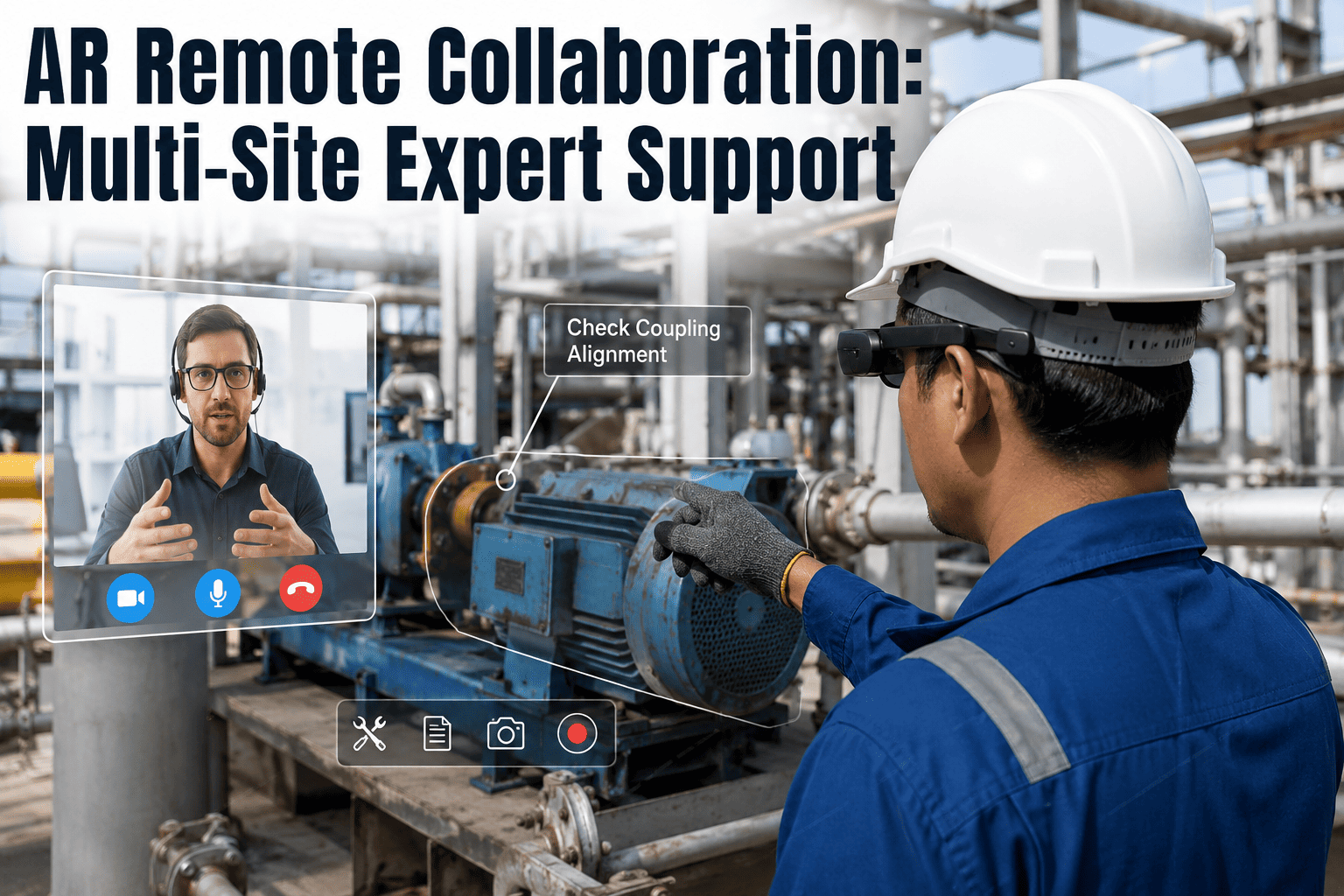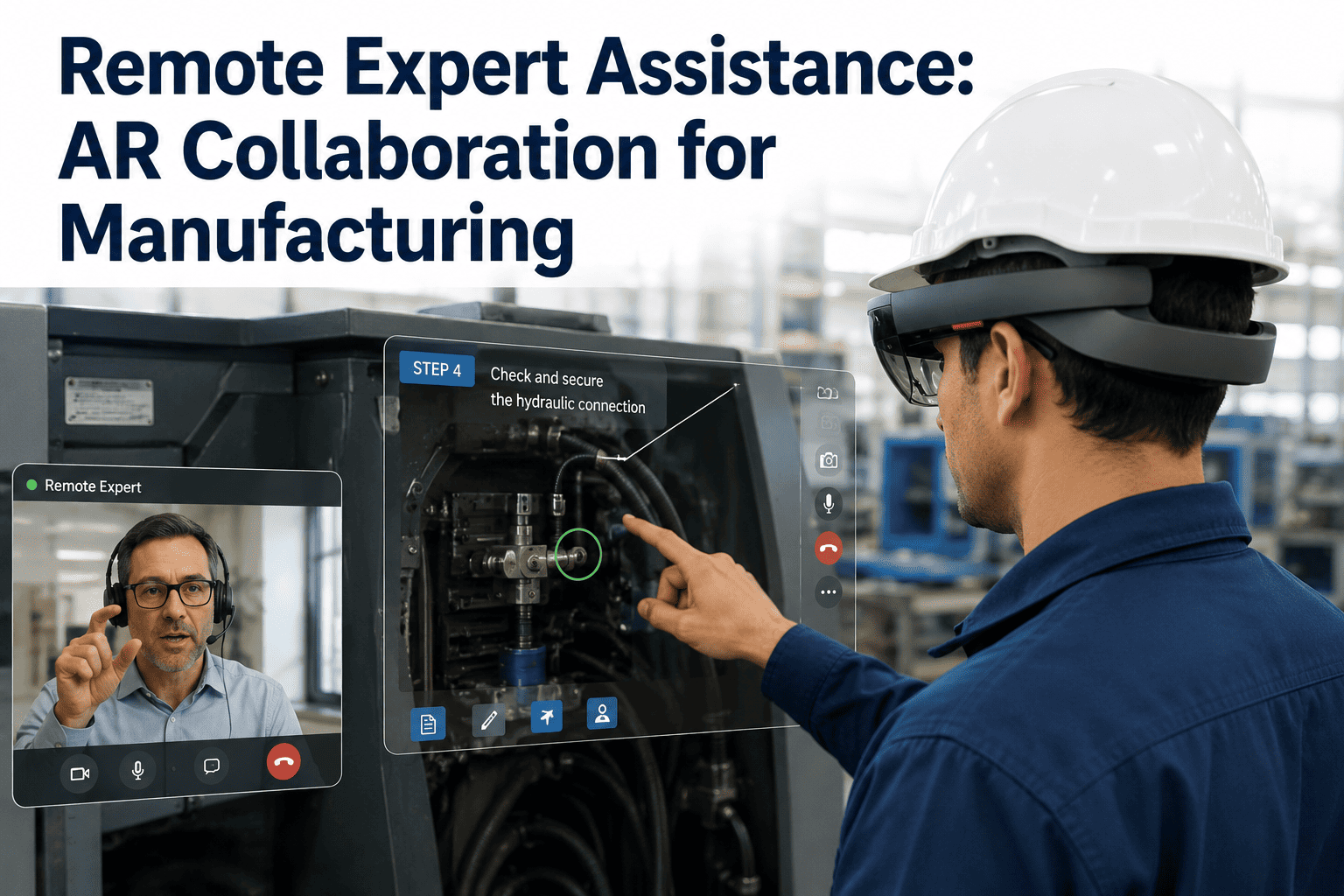
A packaging line goes down at 2 a.m. on a Sunday. The technician on shift has never seen this fault before, and the one engineer who has retired eighteen months ago. In the old model, this means hours of downtime while someone tries to reach a specialist by phone, describes what a blinking light looks like, and hopes the guess is right. In the new model, the technician puts on a headset or opens a tablet camera, an expert anywhere in the world sees the exact same fault in real time, circles the failed component on screen, and walks the technician through the fix in minutes. iFactory brings that see-what-I-see AR collaboration into your existing maintenance workflow, and you can book a demo to see it running on your own equipment.
Your Best Expert Doesn't Need to Be On Site Anymore, Just Connected
iFactory's AR remote expert assistance puts a live, annotated view of the equipment in front of any specialist, anywhere, so troubleshooting knowledge stops living in one person's head and starts scaling across every shift and every site.
Why the Expertise Gap Is Now the Biggest Threat to Uptime
Experienced technicians are retiring faster than plants can train replacements, and the specialists who remain are stretched across too many sites to be everywhere a fault occurs. The numbers below describe a workforce problem that no amount of hiring alone can solve fast enough, which is why the expertise itself needs to become mobile instead of the person carrying it. A plant that loses its most experienced technician to retirement does not just lose a person, it loses years of pattern recognition that never got written down anywhere, and no onboarding manual fully replaces the instinct built from having seen a hundred variations of the same failure.
From a Stuck Technician to a Guided Fix in Four Steps
See-what-I-see collaboration replaces the old phone-tag model, where a technician describes a fault in words and an expert guesses at the cause, with a shared live view that removes the guesswork entirely. Here is what happens from the moment a fault is called in to the moment the line is running again.
What makes this different from a standard video call is anchoring. A circle or arrow the expert draws does not float on top of the screen, it locks onto the physical component itself, so the technician can move the camera, walk around the machine, or lean in closer, and the annotation stays exactly where it was placed. This is the detail that turns a confusing verbal exchange into an instruction that is impossible to misread.
What a Remote Expert Can Actually Do Once They Are Looking Through Your Technician's Eyes
A phone call gives an expert ears but no eyes. A standard video call gives them eyes but no hands. AR remote assistance gives the expert both, letting them mark up the physical world in front of the technician as precisely as if they were standing next to the machine themselves.
Together, these capabilities close the gap that made remote troubleshooting unreliable for decades. A phone call forces two people to build a shared mental picture out of words alone, and that picture breaks down the moment the equipment has more than a few components in view. AR collaboration removes the translation step entirely, because both people are already looking at the same thing.
Stop Losing Hours Waiting for a Specialist to Get on a Plane
iFactory connects your technicians with the right expert the moment a fault occurs, sharing a live annotated view instead of a phone description, so first-time-fix rates go up and travel costs go down. Book a demo to see a live AR session on equipment like yours.
Choosing the Right Device for Your Plant Environment
The AR device market for industrial use splits into a few practical tiers, and the right choice depends on the environment more than on preference. A clean assembly line has very different requirements from a wet chemical plant or a hazardous area, and matching the device to the environment is what determines whether adoption actually sticks on the floor. Many plants start with whatever hardware technicians already carry and layer in dedicated headsets only for the specific roles and areas where hands-free operation genuinely changes the outcome of a repair.
| Device Type | Best Environment | Key Consideration |
|---|---|---|
| Smart Glasses | Hands-free repair work, tight spaces, overhead equipment access | Lightest and least intrusive, but shorter battery life on long sessions |
| Tablet or Mobile | General maintenance, quality inspection, quick onboarding | No special hardware required; fastest to deploy across a large workforce |
| Industrial Headset | Complex multi-step repairs, training, hazardous or washdown zones | Needs IP67 or higher rating and explosion-proof certification where required |
Four Places AR Remote Assistance Pays for Itself Fast
AR remote assistance is not limited to emergency breakdowns. Once the workflow is in place, plants find recurring uses for it across training, inspection, and vendor support that compound the value of the initial investment. The plants that get the most value are the ones that stop thinking of it as an emergency tool and start treating it as a standing channel between the floor and every kind of expertise the organization has access to.
Phone Calls, Video Calls, and AR Collaboration Are Not the Same Thing
It helps to be precise about why AR remote assistance outperforms the tools plants already have. A phone call is audio only, which means every instruction has to be translated into words, and complex machinery rarely translates cleanly into a sentence. A standard video call fixes the visibility problem but not the pointing problem, since a caller can see the equipment but still has no way to indicate a specific component without narrating directions that are easy to misinterpret under pressure. AR collaboration solves both at once: the expert sees exactly what the technician sees, and can mark up that exact view with an annotation that stays locked to the physical part it refers to, closing the gap between describing a fix and actually showing one.
This distinction matters most in the moments where accuracy is critical, such as a high-voltage electrical fault, a pressurized line, or a piece of rotating equipment where working on the wrong component is not just inefficient, it is dangerous. Removing ambiguity from remote guidance is a safety improvement as much as it is a productivity one.
What Manufacturers Report After Rolling Out AR Remote Assistance
These figures come from documented deployments of AR remote assistance across manufacturing, energy, and heavy industry, reflecting the operational impact once the workflow becomes a normal part of how faults get resolved rather than a one-time pilot. The improvement tends to compound over the first year, as the library of recorded sessions grows and fewer faults require a live expert at all because the recorded guidance already covers them.
How Plants Successfully Introduce AR Remote Assistance Without Disrupting Operations
The plants that get the fastest return are rarely the ones that try to deploy AR remote assistance everywhere at once. A staged rollout builds confidence in the workflow before expanding it, and it gives the team time to build a library of recorded sessions that starts reducing the need for live expert time almost immediately.
The organizations that treat this as a phased capability rather than a one-time software rollout are also the ones that see adoption hold up a year later. Technology introduced only for a crisis tends to get forgotten once the crisis passes; technology woven into daily training and inspection routines becomes part of how the plant simply operates.
Questions Plant Teams Ask Before Rolling Out AR Remote Assistance
Your Expertise Should Not Be Grounded by Geography
iFactory's AR remote expert assistance turns every technician into someone who can see exactly what your best specialist would see, guided in real time, with every session captured for the next person who needs it. Book a demo to put your own experts in front of your own equipment remotely.