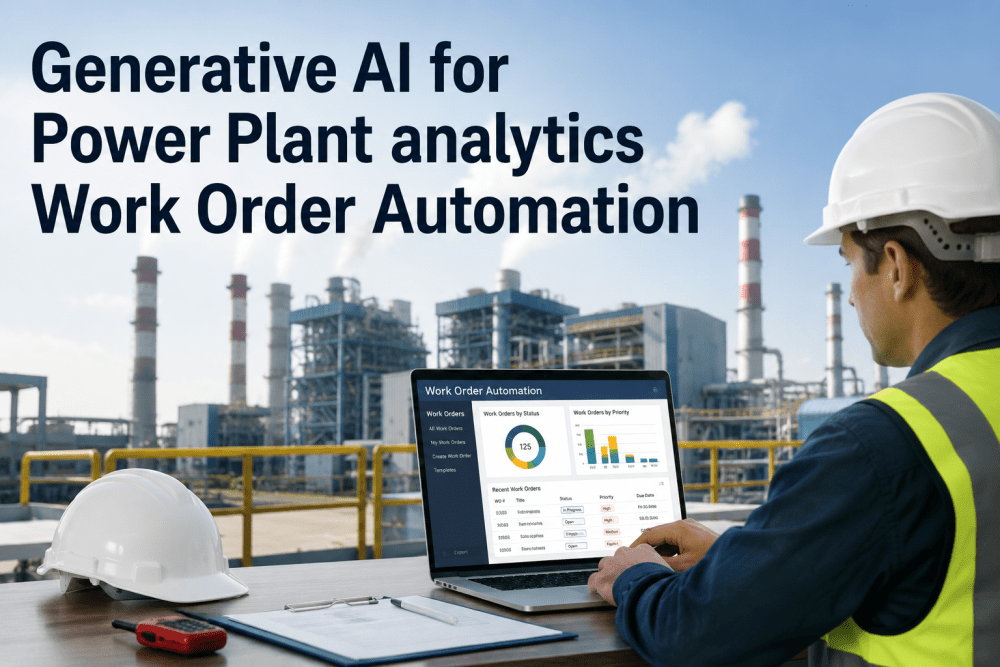
Every plant floor generates the same warning signs before a failure — a slow pressure drift, a rising vibration reading, a temperature trend that's crept up over three weeks — and the entire question of maintenance maturity comes down to how fast that signal turns into someone actually doing something about it. A pressure transducer on a compressed air line crosses its threshold at 2:47 AM. In a traditional maintenance operation, that reading sits quietly in the historian until an operator notices something feels off during rounds, mentions it to a supervisor, the supervisor writes it up or emails maintenance planning, a planner transcribes the request into the CMMS the next morning, and a technician finally gets the assignment — sometimes a full day after the sensor first saw the problem. Every one of those handoffs is a place where the fault can sit untouched while it quietly gets worse. Sensor-triggered, AI-generated work orders collapse that entire chain into a single automated path: the same threshold breach that used to wait for a human to notice it now creates a structured, prioritized, fully-documented work order and routes it to the right technician in under a minute, and iFactory connects this pipeline directly to the sensors and CMMS data your plant already has rather than requiring a separate monitoring buildout.
AI Work Order Generation: Sensor-Triggered Auto-Dispatch
Generate maintenance work orders automatically from sensor data and AI predictions — condition-triggered work creation complete with parts, procedures, and the right crew assigned, before a human ever has to notice the problem.
Four Layers Between a Sensor Reading and a Technician on Site
Automated work order generation isn't one piece of software — it's a stack of four connected layers, each adding structure and intelligence to what starts as a raw voltage change on a transducer. Understanding the stack matters because it shows exactly where AI adds value and where existing plant instrumentation is doing the heavy lifting already.
It's worth being precise about what each layer is actually responsible for, because vendors sometimes blur the line between "AI-powered" and simple rule-based automation. The sensing layer is pure instrumentation and doesn't need machine learning at all — it's the classification and prioritization layers where AI genuinely adds judgment beyond a fixed if-this-then-that rule, by weighing asset history, criticality, and pattern similarity to past failures together rather than reacting to a single threshold in isolation.
What Actually Changes Between Detection and Dispatch
The clearest way to see the value of automation is to line the two paths up side by side, hour by hour, starting from the exact same fault condition. The gap isn't about technicians working harder — it's about removing every manual relay in the chain between a fault and the person who fixes it.
Every step in the manual path also has a cost independent of time — the operator's attention pulled away from other rounds to make a verbal report, the supervisor's time spent relaying a request instead of managing the floor, the planner's time re-keying details that already existed on a sensor reading somewhere. None of these steps add information; they just move the same information slowly and with a real chance of something getting lost or garbled along the way.
A Generated Work Order Isn't Just a Ticket — It's a Briefing
The real productivity gain isn't just faster creation — it's that a technician receiving an automated work order arrives already informed instead of starting a diagnosis from zero. A blank paper ticket tells a technician a problem exists; a properly assembled digital work order tells them what the problem probably is and what they'll need to fix it.
This distinction compounds across a shift. A technician who spends the first ten minutes of every call re-establishing context that already existed somewhere in the plant's own data loses an enormous amount of productive time over a month, multiplied across every call they run. Removing that repeated ramp-up isn't a minor convenience — it's the single biggest lever available for improving how many calls a fixed-size maintenance crew can actually complete in a shift.
Why "First Come, First Served" Fails Under Automation
Once alerts start arriving faster than a dispatcher can manually triage them, priority scoring stops being a nice-to-have and becomes the mechanism that decides whether the system is actually helping or just generating noise. A well-built priority model weighs both how critical the asset is to production and how severe the specific fault reading is — a minor alert on a bottleneck asset can outrank a moderate alert on a redundant one.
Getting the asset criticality tiers right in the first place is a one-time exercise worth taking seriously, because everything downstream in the priority model depends on it. This usually means a joint session between reliability engineering, operations, and maintenance planning to agree on which assets genuinely halt production if they fail versus which have standby redundancy or slack capacity elsewhere in the process — a conversation that surprisingly often hasn't happened formally even at sites that have run the same equipment for years.
| Asset Criticality | Minor Alert | Moderate Alert | Severe Alert |
|---|---|---|---|
| Redundant / low impact | Log, schedule routine | Next available slot | Same-shift dispatch |
| Standard production asset | Next available slot | Same-shift dispatch | Immediate dispatch |
| Bottleneck / single point of failure | Same-shift dispatch | Immediate dispatch | Immediate dispatch, escalated |
This is also where AI earns its keep beyond simple rule matching. A static rules table like the one above is a reasonable starting point, but a model trained on actual failure history can learn that a specific combination of readings on a specific asset type has historically preceded failure faster than the generic severity label suggests — and adjust priority accordingly, ahead of what a fixed threshold table alone would catch.
Every Untracked Emergency Repair Costs More Than a Planned One
Automated, prioritized dispatch means fewer faults sit undetected long enough to escalate into emergency repairs — the highest-cost category of maintenance work on any plant floor.
You Don't Need Sensors on Everything to Start
Most maintenance teams don't move from fully manual dispatch to fully sensor-triggered automation in one step, and they shouldn't try to. A phased path lets the CMMS foundation mature first, so the automation layer has clean structured data to work with once sensor integration is added on top of it.
Skipping straight to Stage 2 or 3 without a solid CMMS foundation is the most common reason ambitious deployments stall out mid-project. Sensor data connected to an asset registry full of duplicate entries, missing locations, or outdated parts lists doesn't produce a reliable automated work order — it produces a fast, confident-looking work order that happens to be wrong, which is arguably worse for technician trust than the slow manual process it was meant to replace.
Technician trust is the variable that determines how fast a site actually moves through these stages. If the first several automated work orders turn out to be false alarms or missing the right parts, technicians quickly revert to treating them as noise — which is why getting classification accuracy and priority scoring right on a smaller asset population first matters more than rushing full plant-wide coverage.
Where Automated Work Order Programs Actually Fail
Most failed automation rollouts don't fail because the underlying technology doesn't work — they fail because of avoidable planning gaps that show up in the first few weeks of live operation. Knowing these ahead of time is the difference between a smooth adoption curve and a technician workforce that quietly stops trusting the system.
The fix for all four is largely the same: start with a smaller, high-confidence asset population, tune thresholds against real historical operating data rather than generic defaults, and build the technician feedback step into the workflow from day one instead of treating it as a later enhancement. A system that learns from its own misses gets better every month; one that doesn't just accumulates the same errors at scale.
The Business Case Isn't Just Speed — It's Avoided Escalation
Faster dispatch is the most visible benefit of sensor-triggered work orders, but it isn't the only one, and on many sites it isn't even the largest one. The real financial case rests on how many faults get caught and resolved while they are still routine maintenance, before they escalate into the far more expensive category of emergency repair or unplanned downtime.
Frequently Asked Questions
Turn Every Sensor Reading Into an Actionable, Assigned Work Order
iFactory connects fault detection directly to work order creation and dispatch — cutting the coordination lag that turns small problems into unplanned downtime.