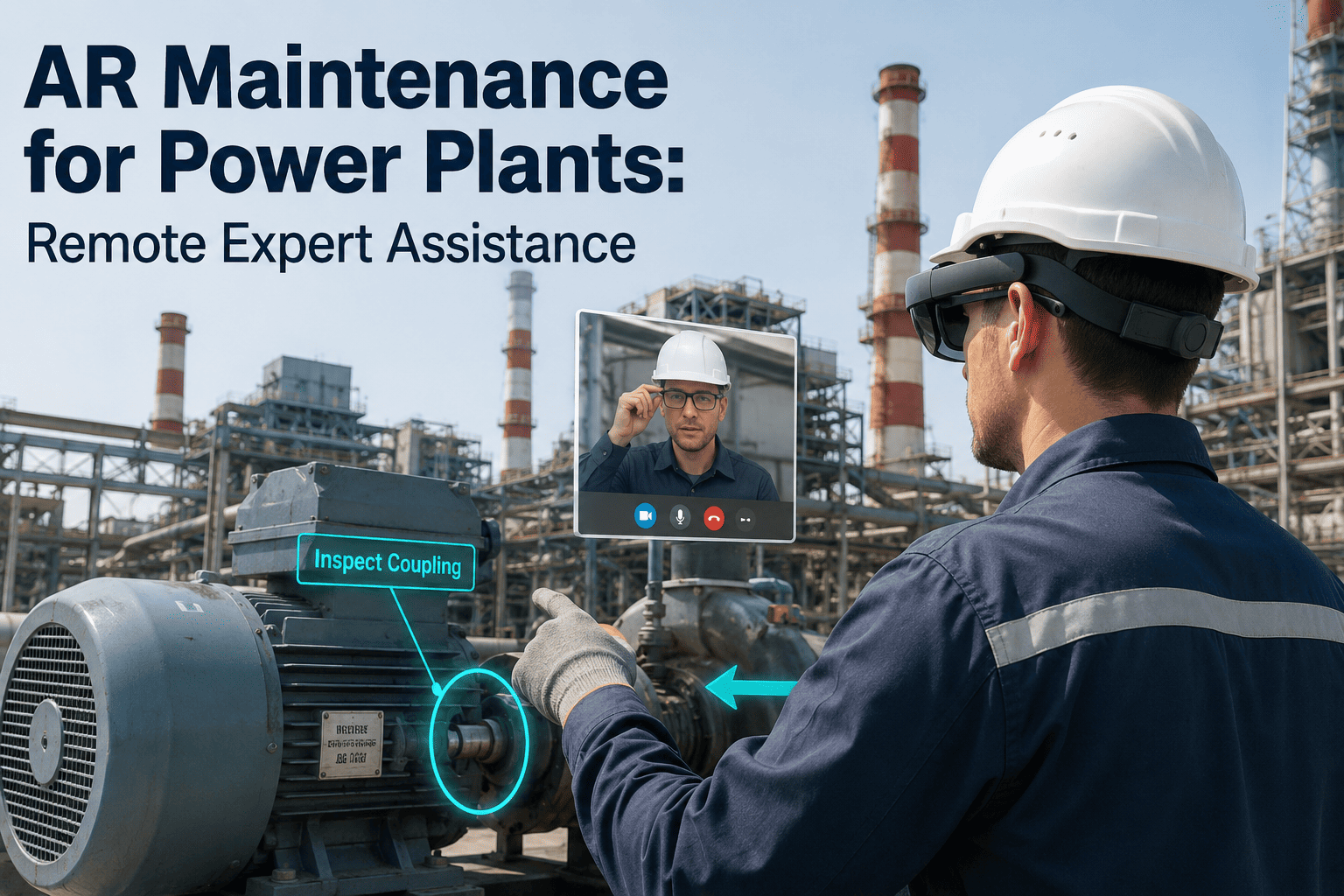
When a boiler feed pump vibration alarm trips at two in the morning and the specialist who last serviced that exact model is three states away, a plant's options come down to a phone call built on guesswork or a multi-hour wait for a truck to arrive. That gap between diagnosing a failure and getting the right expertise onto the equipment is where unplanned downtime compounds fastest, turning a routine repair into an extended forced outage. Augmented reality closes that gap by letting a remote specialist see exactly what the on-site technician sees, pin annotations directly onto the live view of the equipment, and walk the crew through the fix in real time instead of describing bolts and gauges over a crackling line. Plants running turbines, boilers, and switchgear around the clock are increasingly treating AR-guided remote assistance as core operating infrastructure rather than a side pilot. Teams evaluating the approach can Book a Demo to see it running on a live equipment walkthrough.
Your Best Expert Doesn't Need To Be On Site To Fix It
AR work instructions, see-what-I-see collaboration, and live digital overlays let a remote specialist guide any technician through a plant repair as if they were standing next to the equipment.
Why Phone-and-Photo Troubleshooting Breaks Down at Scale
Most plants still fall back on the same escalation path when a technician hits a problem outside their experience: call the vendor hotline, describe what a gauge looks like, text a blurry photo, and wait for someone to interpret it correctly from a description alone. That path works occasionally, but it depends entirely on the technician's ability to translate a physical fault into words a person on the other end of a phone can picture accurately. A misdescribed valve position, a missed nameplate detail, or a photo taken from the wrong angle sends the whole exchange back to square one, and every round trip adds minutes or hours to a repair that may already be holding a unit offline.
The cost is not just the repair time itself. Every hour a generating unit sits down for a fault that a specialist could have resolved in twenty minutes with clear visual context is an hour of lost output, a strained maintenance schedule, and a technician standing idle waiting for direction. Plants that rely on flying in a specialist face the same problem from the opposite direction — the equipment sits untouched while travel time stacks up, and the specialist's expertise is unavailable to every other plant in the fleet for that same window. AR remote assistance removes the translation step entirely by giving the remote expert the technician's actual field of view.
Four Ways AR Puts a Remote Expert Inside the Plant
AR-guided remote assistance is not one feature but a set of capabilities that work together during a session. Each one removes a specific point of friction that traditional phone or video support cannot solve on its own.
AR Work Instructions
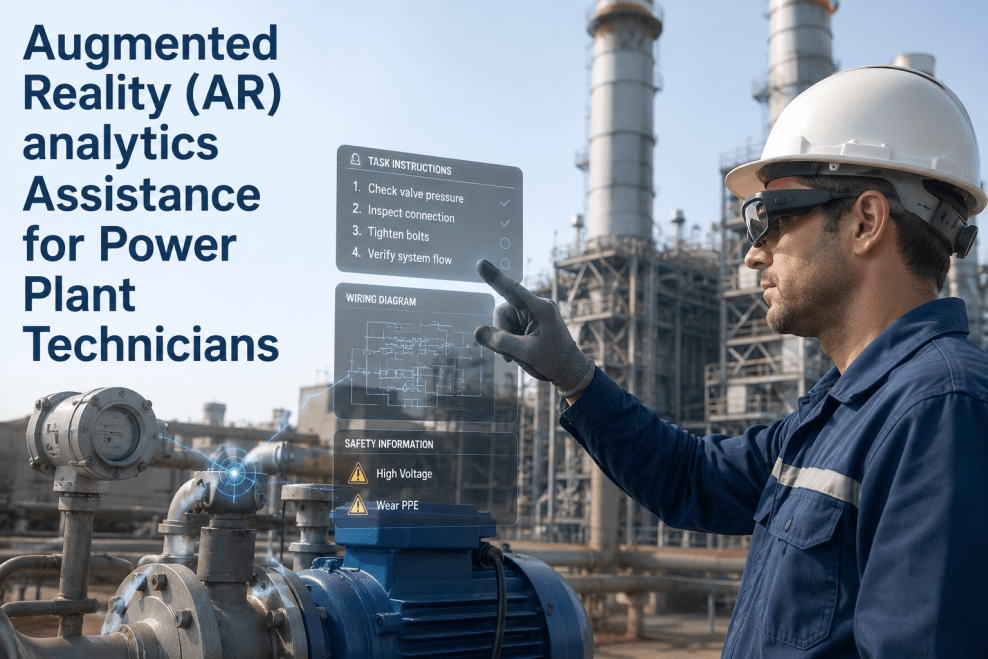
Step-by-step procedures are overlaid directly onto the equipment in the technician's view, anchored to the actual component rather than shown on a separate screen the technician has to look away to read.
See-What-I-See Collaboration
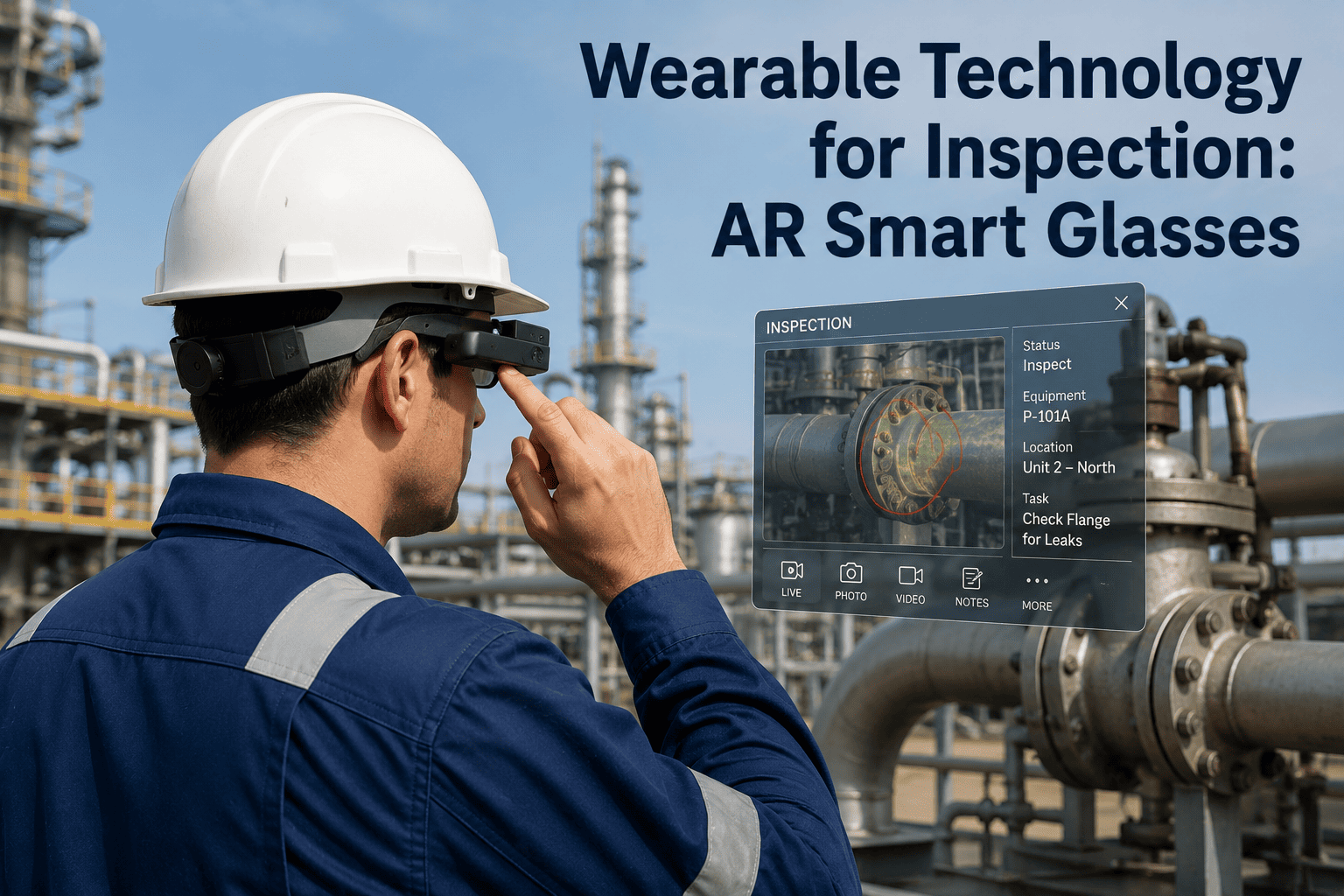
A live camera feed from the technician's headset or tablet streams to the remote expert, so the expert is looking at the exact same nameplate, wiring terminal, or leak that the technician is standing in front of.
Digital Overlay of Plant Data
Sensor readings, P&ID references, and asset history from the CMMS are pulled into the same view, so the expert can cross-check a live reading against the equipment's service record without switching applications.
Hands-Free Guidance
Smart glasses and voice commands let the technician keep both hands on tools and PPE in place while receiving spoken and visual direction, which matters in confined spaces and arc-flash-rated areas.
From Alarm To Resolution: How A Session Runs
An AR remote assistance session follows a consistent path regardless of which system triggered it, whether that is a DCS alarm, a failed rounds check, or a technician simply getting stuck mid-repair.
Request
The technician opens a session from a headset or tablet and is routed to the specialist on call for that equipment class.
Connect
A live audio and video link opens between the field device and the expert's screen, wherever the expert happens to be.
See
The expert views the same field of view as the technician and pulls up asset history, drawings, or sensor trends alongside it.
Guide
The expert draws annotations that anchor to the physical component, marking the exact bolt, valve, or terminal to act on.
Resolve
The session, annotations, and outcome are logged automatically against the work order for the next technician to reference.
What Changes When Remote Support Becomes AR-Guided
| Factor | Phone or Video Call | AR Remote Assistance |
|---|---|---|
| Visual context | Described verbally or shown in a static photo | Live shared field of view, updated as the technician moves |
| Guidance precision | General directions like left, right, the big valve | Annotations anchored to the exact component |
| Hands availability | One hand often holding a phone | Fully hands-free with headset and voice control |
| Documentation | Notes written up after the call, if at all | Session and annotations logged automatically to the work order |
| Escalation path | Restart the explanation with each new expert | New expert joins the same live session mid-stream |
Stop Flying Specialists To Read A Nameplate
iFactory connects your field technicians to the right expert instantly, with a shared view and anchored instructions that turn a guessing game into a guided repair.
AR Remote Assistance Across The Plant
Different areas of a power plant create different constraints for a technician working alone, and AR remote assistance adapts to each one rather than forcing a single workflow everywhere.
Turbine Hall
Bearing and coupling work benefits from an expert reviewing alignment readings and vibration trends live, alongside the technician's view of the shaft, before any coupling is broken.
Boiler & Furnace
Refractory and tube inspections during an outage move faster when a metallurgist can mark the exact section of a photo-shared wall in real time instead of waiting for a written report.
Switchyard & Electrical
Protection relay settings and breaker troubleshooting benefit from hands-free guidance so the technician's hands stay on rated tools and PPE stays fully in place throughout.
Control Room & DCS
Screen-sharing an HMI alongside a live camera feed lets an OEM support engineer correlate a control logic issue with what is physically happening at the field device.
The Numbers Behind Remote AR Assistance
Published field studies and vendor deployments of AR-guided remote assistance consistently point in the same direction: less travel, faster fixes, and fewer repeat visits for the same issue.
Improvement in guidance accuracy reported when technicians were directed through AR annotations instead of a standard video call.
Fleets with AR remote assistance route far more issues to a screen-based session before ever dispatching a specialist to site.
Typical time from a technician requesting help to a qualified expert joining the live session and viewing the equipment.
Justifying The Investment To Plant Leadership
AR remote assistance is easiest to justify when the case is built around costs the plant is already tracking, rather than a new metric nobody has baselined before. Most of the savings show up in categories finance teams already scrutinize closely.
Reduced Travel Spend
Flights, lodging, and per diem for a specialist dispatched to site are avoided entirely when the same expertise can be delivered through a live session instead.
Fewer Repeat Visits
A correct first-time diagnosis, guided by an expert seeing the actual fault, cuts down on the second truck roll that a miscommunicated repair often triggers.
Faster Return To Service
Every hour shaved off a forced outage has a direct value in avoided lost generation, which is usually the single largest line item in the cost of downtime.
Reusable Knowledge Capture
Logged sessions become a searchable record for training newer technicians, shortening the ramp-up time for the next hire on that equipment class.
Deploying AR Remote Assistance Without Disrupting Operations
AR remote assistance is introduced as a support layer on top of existing maintenance workflows rather than a replacement for them, which is why plants typically phase it in around the equipment classes where waiting on a specialist is already the most expensive.
Pilot Equipment Class
One high-value asset class, such as turbine generators, is selected and paired with headsets and a defined expert roster.
CMMS & Data Integration
Work orders, drawings, and sensor feeds are connected so the expert has full context the moment a session opens.
Crew Onboarding
Field crews are trained on requesting sessions and using hands-free controls under normal, low-pressure conditions.
Fleet Expansion
Coverage extends to additional equipment classes and sites once the first rollout shows measurable time savings.
Where AR Remote Assistance Programs Go Wrong
Treating It As A Video Call
Rolling out headsets but skipping annotation and overlay features leaves the technology no more useful than a phone camera.
No Expert Roster Defined
Sessions stall when nobody is clearly on call for a given equipment class, so requests sit unanswered during the exact moment they matter most.
Ignoring Network Conditions
Plant areas with poor connectivity need bandwidth-adaptive streaming planned in advance, not discovered mid-outage.
Sessions Never Logged
Without automatic logging to the CMMS, the guidance given in a session is lost instead of becoming a reusable reference for the next repair.
AR Remote Assistance — Common Questions
Do technicians need special headsets to use AR remote assistance?
Most deployments start on tablets or phones the crew already carries, since the see-what-I-see and annotation features work through a standard camera and screen without any dedicated hardware. Smart glasses are typically introduced later for hands-free tasks in confined or PPE-heavy areas where holding a device is impractical. Teams can review which device path fits their crews best with the iFactory Support team before committing to hardware.
How is this different from a standard video call with screen share?
A standard video call shows the expert a flat image with no way to point at a specific bolt without describing it verbally, and any note taken lives outside the maintenance record. AR remote assistance anchors annotations to the physical component so they stay in place as the technician moves, and the entire session is captured against the work order automatically. That anchored, logged context is the core difference from a generic video tool.
Can the remote expert pull up equipment history during a live session?
Yes, work order history, prior repair notes, and relevant drawings from the plant's CMMS are surfaced alongside the live camera feed, so the expert is never guessing at what was done during the last outage. This lets the expert compare a current reading against known baseline behavior for that exact asset in real time. Integration with existing plant systems is scoped during setup with the support team.
What happens if network connectivity is poor in a specific plant area?
The video stream automatically adjusts quality to match available bandwidth, and audio and annotation data are prioritized over high-resolution video so guidance keeps flowing even in weak-signal zones like basements or switchyards. Sessions can also fall back to lower frame rates without dropping the connection entirely. Plants with known dead zones can plan supplemental connectivity as part of the rollout scope.
How quickly can a pilot AR remote assistance program be running?
A single-asset-class pilot, covering device setup, expert roster definition, and basic CMMS integration, typically becomes operational within a few weeks rather than months. Crew onboarding runs in parallel so technicians are comfortable requesting sessions before the pilot goes live for real repairs. Teams ready to scope a pilot can Book a Demo to walk through timing for their specific equipment.
Put Your Best Expert In Every Technician's Field Of View
Talk to iFactory about piloting AR-guided remote assistance on your highest-value equipment and cutting the wait between a fault and a fix.