Most refractory lifecycle records still live in a mix of paper logbooks, shift-handover notes, and a spreadsheet someone updates when they remember to. That works fine until the person who remembers the details of a specific vessel's install date, heat count, and repair history leaves, retires, or is simply on leave the week a critical decision needs to be made. Digital lifecycle tracking exists to remove that dependency, turning scattered records into a single, queryable history for every lining in the plant. Getting that system implemented well, rather than as another spreadsheet with extra steps, is where iFactory's refractory lifecycle tools come in.
Refractory Lifecycle · Digital Tracking
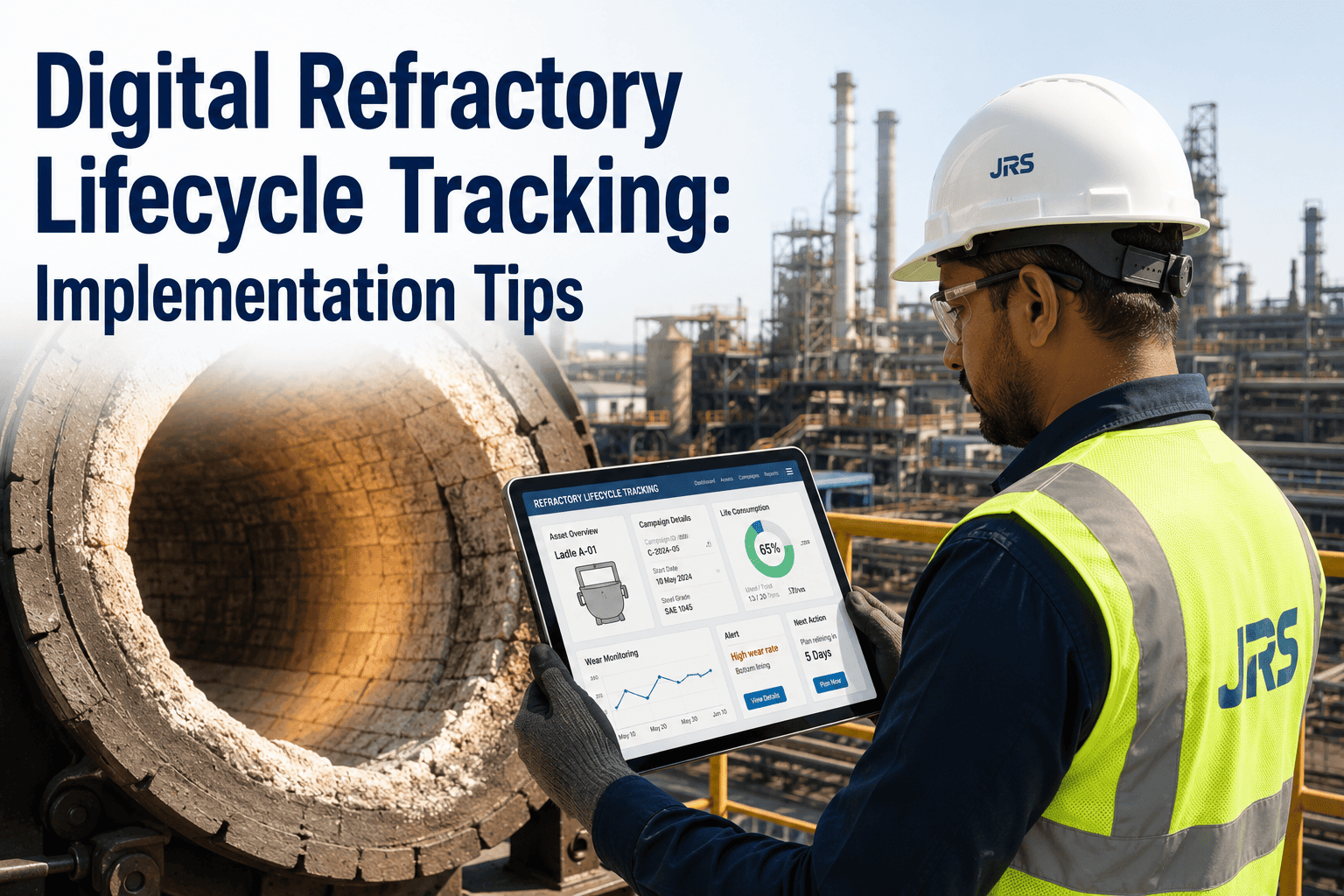
Digital Refractory Lifecycle Tracking: What a Real Implementation Actually Involves
A spreadsheet can hold refractory data, but it can't flag a vessel approaching its predicted end-of-life, correlate wear against heat count automatically, or survive a shift handover without someone remembering to update it. Digital lifecycle tracking replaces that manual dependency with a system that updates itself.
Why Plants Make the Switch
What Digital Tracking Solves That Spreadsheets Don't
Nothing Depends on One Person Remembering
Installation dates, heat counts, and repair history are captured at the point of activity, not reconstructed later from memory or scattered notes.
Automatic Heat Cycle Counting
Heat counts accumulate against each lining automatically as production data flows in, instead of being tallied manually at the end of a shift or campaign.
Remaining Life Estimates That Update Themselves
As wear and usage data accumulate, remaining life predictions refine automatically rather than sitting static until someone manually recalculates them.
One History, Not Several Versions
Everyone from the shift supervisor to the plant manager looks at the same lifecycle record, eliminating the mismatched spreadsheet copies that used to cause confusion.
The Rollout Path
How a Digital Lifecycle System Actually Gets Implemented
1
Inventory Every Lined Asset
Build a complete list of vessels and linings that need lifecycle tracking, including current install date and last known thickness where available.
2
Define the Data Points That Matter
Agree on which fields, installation date, grade, heat count, thickness readings, repair events, actually drive decisions before building the system around them.
3
Connect Data Capture to Existing Workflow
Tie data entry to steps operators already perform, such as heat logging or inspection rounds, rather than adding a separate manual entry task.
4
Run Parallel With the Old Process Briefly
Keep the existing spreadsheet or logbook running alongside the new system for a short overlap period to confirm data accuracy before retiring it.
5
Turn On Predictive Views
Once history has accumulated, enable remaining-life estimates and replacement planning views that depend on that accumulated data.
See What Your Records Are Missing
Bring Your Current Refractory Logs for a Gap Review
We will walk through your existing tracking method and show you exactly where a digital system would catch what your current records are missing.
The Real Difference
Spreadsheet Tracking vs. Digital Lifecycle System
| Capability | Spreadsheet | Digital Lifecycle System |
|---|---|---|
| Heat count tracking | Manual tally, easy to miss updates | Accumulates automatically from production data |
| Remaining life estimate | Static, recalculated only when someone remembers | Updates continuously as new data arrives |
| Access during shift handover | Depends on the right file being open and current | Same live record accessible to every shift |
| Cross-vessel comparison | Requires manual pulling and reformatting | Built-in view across the whole fleet |
What Slows Implementations Down
Common Mistakes When Rolling Out Digital Tracking
Trying to Digitize Everything at Once
Attempting to bring every asset class and data field online in one phase instead of starting with the highest-value vessels first.
Adding Data Entry Instead of Removing It
Building a system that requires a whole new manual entry step rather than capturing data from workflows operators already perform.
Skipping the Parallel Run Period
Cutting over from the old tracking method immediately without a short overlap to confirm the new system's data is accurate.
No Clear Owner for Data Quality
Leaving nobody responsible for checking that entries are complete and correct, letting gaps accumulate unnoticed until a decision depends on bad data.
A Composite Scenario
A Multi-Vessel Fleet, Two Ways
Before
A plant with six ladles tracked refractory life in individual spreadsheets maintained by different shift supervisors. When a key supervisor went on extended leave, the plant lost track of two vessels' actual heat counts and had to estimate remaining life conservatively, pulling one ladle for replacement earlier than necessary.
After
With heat counts and thickness readings flowing into a shared digital record, every vessel's lifecycle status stayed visible regardless of who was on shift. The plant extended one vessel's service by two additional weeks with confidence, based on data rather than a conservative guess.
Before You Roll Out
Readiness Checklist for Digital Lifecycle Tracking
List every lined vessel that currently relies on manual or spreadsheet-based tracking
Identify which existing workflows, like heat logging, could feed data automatically instead of adding new entry steps
Agree on the specific fields, install date, grade, heat count, thickness, repairs, that matter most for decisions
Name who owns data quality once the system is live
Common Questions
Digital Refractory Lifecycle Tracking — FAQ
How long does implementation usually take?
A focused rollout on a single vessel type, such as a ladle fleet, can typically be running within a few weeks, including a short parallel run against existing spreadsheets to confirm data accuracy. Expanding to the full plant's asset base is usually done in phases after the first vessel type proves out. Our team can help scope a realistic timeline for your fleet.
Do we need new sensors or hardware to start tracking digitally?
Not necessarily. Many plants start with existing data sources, heat logs, inspection records, and thickness measurements already being collected manually, and simply bring that data into a shared digital system. Sensor-based automation can be added later for the highest-priority vessels once the basic system is proven.
Will operators need extensive retraining to use a new system?
A well-implemented system ties data capture to steps operators already perform, so the learning curve is usually minor rather than a full retraining effort. The bigger adjustment tends to be for supervisors and planners who move from checking a spreadsheet to checking a live dashboard.
Can a digital system predict remaining refractory life accurately?
Predictions improve as more historical data accumulates in the system, since remaining life estimates depend on wear patterns specific to your own vessels and process conditions rather than generic assumptions. Book a demo to see how these predictions are built from your own operating history.
What happens to our existing historical records during migration?
Existing logbook and spreadsheet history can typically be imported to preserve past installation dates and repair events, giving the new system a running start instead of beginning with an empty history for every vessel.
Stop Losing Refractory History to a Spreadsheet
Give Every Lined Vessel One Shared, Live Lifecycle Record
iFactory turns scattered refractory logs into a single digital history that updates itself and flags what needs attention before it becomes urgent.