A 4 MTPA integrated steel plant carries between ₹85 crore and ₹220 crore of spare parts inventory in its MRO warehouse at any given time. And yet, on the night a continuous caster segment seal fails at 2 AM, the maintenance supervisor's first call is not to the warehouse — it is to an emergency sourcing agent who can fly a part from Germany in 72 hours at 4× the catalogue price, plus air freight, plus an expedite fee, plus three days of production at reduced throughput while waiting. The spare part was available from an OEM distributor's warehouse in Pune — a 6-hour journey. The plant's inventory system did not have it flagged as a critical spare. The reorder point was set wrong. Nobody had updated the BOM after the caster upgrade two years ago. iFactory's Spare Parts Management platform connects equipment criticality data, maintenance work order history, AI demand forecasting, and SAP MM inventory data into a single system that ensures the right part is in the right location before the failure happens — eliminating the emergency procurement cycle that costs Indian steel plants an estimated ₹340 crore in avoidable spend annually.
Spare Parts Inventory Management for Steel Plants: Avoiding ₹1Cr+ Emergency Procurement
MRO inventory classification, min-max optimisation, AI demand forecasting, and SAP MM integration — the complete spare parts management strategy for integrated steel plants.
4 Ways Poor Spare Parts Management Costs Steel Plants Millions
The cost of poor spare parts management is not just the emergency purchase price premium. It compounds through extended downtime, incorrect parts installed under pressure, obsolete stock consuming working capital, and maintenance planners spending hours sourcing parts instead of planning jobs. Schedule a spare parts audit to quantify the full cost in your plant.
Emergency Price Premium
Emergency procurement of critical spares — bearings, seals, hydraulic components — typically costs 2.8–4.2× the planned procurement price, plus expedited freight. A single emergency bearing purchase for a continuous caster equals 6 months of planned inventory carrying cost for the same item.
Extended Downtime Waiting for Parts
In steel plants with poor spare parts availability, 34–47% of unplanned downtime hours are attributable to parts wait time — not the actual repair time. The equipment could be fixed in 4 hours; it stays down for 28 hours because the seal is on order. At ₹18–₹45L per hour of downtime, parts delays are the most expensive line item in maintenance budgets.
Dead Stock and Obsolescence
While critical parts are out of stock, Indian steel plant warehouses routinely carry 18–26% of MRO inventory as dead stock — parts for equipment that was decommissioned, replaced, or upgraded, consuming working capital, warehouse space, and insurance costs with zero operational value.
Planner Productivity Loss
In plants without integrated parts management, maintenance planners spend 2–3 hours per day on spare parts sourcing activities — checking availability across multiple warehouses, calling vendors for lead times, following up on purchase orders — instead of performing maintenance planning work that directly reduces downtime.
Spare Parts Classification — The VED × ABC Matrix for Steel Plants
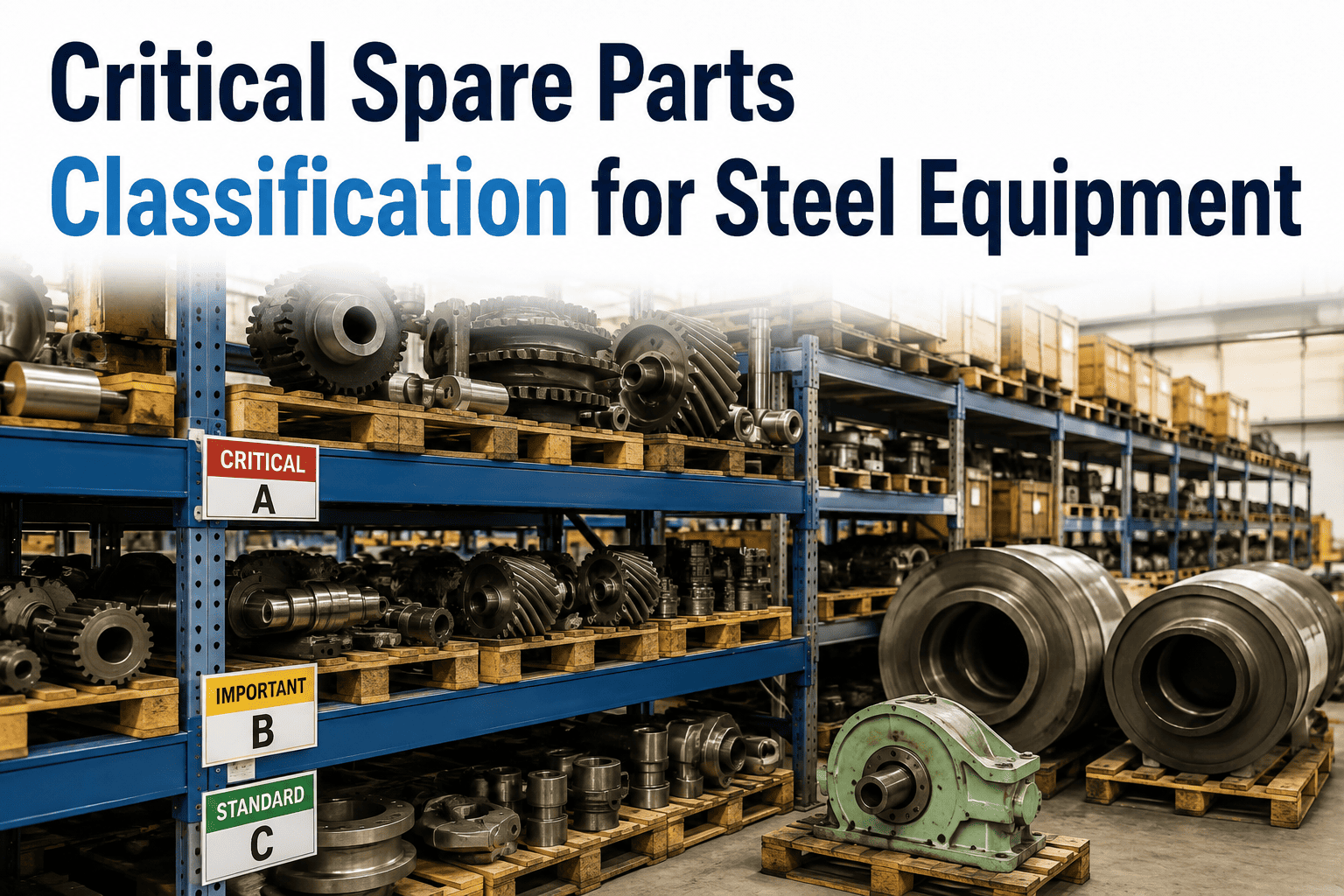
iFactory classifies every spare part across two dimensions: Vital/Essential/Desirable (by equipment criticality impact) and A/B/C (by annual consumption value). The intersection of these two dimensions determines the stocking strategy, reorder policy, and inventory investment priority for each part — concentrating capital and attention on the parts that matter most.
| Part Classification | V — Vital Production stops without it |
E — Essential Significant impact if unavailable |
D — Desirable Minor / deferrable impact |
|---|---|---|---|
| A — High Value >70% of annual spend |
Hold minimum 1 unit on-site. Vendor-managed replenishment. Dedicated storage, monthly condition check. | Hold 1 unit. Quarterly reorder review. Consignment stock contract with OEM preferred. | No stocking. Order only when needed. Pre-agree lead time with vendor. |
| B — Medium Value 20–70% of annual spend |
2–3 units on-site. Min-max with AI reorder. Cross-plant transfer enabled. | 1–2 units. Min-max reorder. Monthly stock review in iFactory. | 0–1 unit. Order on WO creation. 4-week lead time acceptable. |
| C — Low Value <20% of annual spend |
Buffer stock 5–10 units. Bulk procurement. Auto-reorder at minimum level. | 3–5 units. Standard reorder. Consume and replenish quarterly. | 1–2 units or just-in-time. Low priority in working capital allocation. |
iFactory Min-Max Inventory Strategy — 4-Step AI Optimisation Process
Min-max is the standard stocking strategy for MRO parts — but only works when the minimum and maximum levels are set correctly and updated as equipment condition and failure rates change. iFactory's AI engine continuously recalculates min-max levels based on actual consumption data, predictive maintenance forecasts, supplier lead times, and equipment criticality — making min-max truly dynamic rather than a one-time exercise that grows stale.
iFactory maps every spare part to the equipment it supports via the asset BOM — connecting part numbers, OEM references, interchangeable alternatives, and SAP MM material codes. Equipment criticality scores from the maintenance database feed into the initial VED classification for each part.
iFactory analyses 24–36 months of SAP MM goods issue history to calculate actual consumption rates per part — stripping out emergency purchases, returns, and one-time project consumption to arrive at the maintenance-driven demand baseline. This corrects the most common error in min-max setting: using total historical consumption rather than steady-state maintenance demand.
iFactory's predictive maintenance module feeds forward-looking failure probability data into the parts demand forecast — if the AI model shows 78% probability of a specific bearing failing within 45 days, the parts system increases the minimum stock level for that bearing automatically, before the failure occurs and before the emergency procurement cycle begins.
When stock falls below the AI-calculated minimum, iFactory automatically triggers a Purchase Requisition in SAP MM — routed to the approved vendor with the correct lead time, quantity, and cost centre — eliminating manual monitoring and ensuring the reorder happens before stock-out, not after a breakdown has already started.
How iFactory AI Demand Forecasting Works — 6 Data Sources Used
Traditional spare parts forecasting uses only historical consumption. iFactory's AI demand model uses six data sources simultaneously — making it the first spare parts system that knows a part will be needed before maintenance planning raises the work order. See a live AI forecasting demo for your specific equipment types.
Vibration & Condition Signals
iFactory's predictive maintenance AI continuously reads bearing vibration, temperature, and oil analysis data — translating degradation trends into probability-weighted parts demand forecasts. If bearing vibration is rising toward failure threshold on a rolling mill roll neck, the parts demand for that bearing designation increases automatically.
Planned Maintenance Schedule
Every PM task in iFactory's maintenance schedule has an associated parts list with quantities. iFactory aggregates the parts demand from the forward 12-week PM schedule and uses this as a confirmed demand signal — allowing procurement to plan ahead of scheduled shutdowns without manual BOM review work from planners.
Historical WO Consumption
iFactory analyses actual parts consumed per completed work order type — not just catalogue estimates. When a continuous caster segment repair historically consumes 3 seals not 1 (as per BOM), the AI model uses the actual consumption figure, correcting the BOM error that standard SAP forecasting would miss.
Production Campaign Data
High-production campaigns accelerate equipment wear rates. iFactory reads the production schedule and campaign intensity data from the ERP/MES and scales parts consumption forecasts accordingly — a plant producing at 105% capacity for 8 weeks will consume consumable parts 15–20% faster than the baseline model predicts.
Supplier Lead Time Feed
iFactory maintains a live lead time database for every approved vendor — updated from actual purchase order delivery performance. Parts with volatile lead times (imported components, single-source OEM parts) receive higher buffer stock recommendations automatically. Seasonal lead time changes (monsoon, festival period) are factored in.
Cross-Plant Inventory Pooling
For multi-plant groups, iFactory provides a consolidated view of spare parts across all plant warehouses — enabling inter-plant transfers for critical parts before sourcing from vendors. A part in emergency demand at Plant A but overstocked at Plant B can be transferred overnight, avoiding emergency procurement costs entirely.
iFactory ↔ SAP MM Integration — What Connects and What Automates
iFactory's spare parts module connects to SAP MM via RFC — not a batch export, not a file-based integration, not a nightly sync. Every transaction in iFactory is reflected in SAP MM in real time, maintaining SAP as the system of record for procurement, finance, and audit purposes while giving the maintenance team the operational interface they need. See the SAP MM integration demo.
| Transaction | Direction | SAP Transaction | What iFactory Does |
|---|---|---|---|
| Parts Issue to WO | iFactory → SAP | MIGO / Goods Issue | When technician confirms part used in iFactory field app, automatic goods issue posted in SAP MM against PM order — stock levels updated in real time. |
| Stock Replenishment | iFactory → SAP | ME51N / Purchase Requisition | When AI-calculated minimum level is breached, iFactory creates a PR in SAP MM automatically — routed to correct vendor, cost centre, and purchase group without planner involvement. |
| Stock Level Sync | SAP → iFactory | MB52 / Warehouse Stock | Real-time stock levels pulled from SAP MM into iFactory — technicians see live availability when raising or planning a work order, not stale data from a morning report. |
| GR / Parts Receipt | SAP → iFactory | MIGO / Goods Receipt | When a PO is received and goods receipt posted in SAP, iFactory is notified automatically — updating the availability view and resolving any open parts reservation for planned WOs. |
| Material Master Sync | SAP → iFactory | MM03 / Material Master | Part descriptions, vendor data, lead times, and reorder parameters defined in SAP MM are synchronised to iFactory — ensuring both systems maintain consistent master data without dual entry. |
What a Materials Manager Said
We were spending ₹2.8 crore per year on emergency procurement — parts that were genuinely available from our approved vendors, but that our system had not flagged for reorder in time. Within 8 months of iFactory, that number dropped to ₹47 lakhs. The AI demand forecasting was the change — it started creating SAP purchase requisitions 45–60 days before a part ran out, based on the predictive maintenance data, not just the consumption history. We have not had a production stop due to parts unavailability in 14 months.
Frequently Asked Questions
How does iFactory handle spare parts for equipment that has multiple interchangeable part numbers?
iFactory's parts master supports alternate part number groups — OEM part numbers, local equivalent numbers, and superseded part numbers are all linked to the same asset BOM position. When checking stock, iFactory searches across all alternate numbers and shows total available quantity. When a technician selects a part, they can choose any alternate from the group; iFactory automatically records the specific part number used for traceability. SAP MM material codes for all alternates are maintained and the correct material code is used in the goods issue posting.
What happens to inventory stocking recommendations when a predictive maintenance alert is raised?
When iFactory's predictive maintenance module raises a high-confidence failure alert for a specific asset, the spare parts system automatically reviews the current stock of all parts associated with that asset's BOM. If any part is below its recommended pre-failure stock level — typically 2× the maintenance stock minimum — iFactory generates an expedited parts reservation and, if stock is insufficient, creates an urgent Purchase Requisition in SAP MM flagged for expedited processing. This means the maintenance team arrives at the job with all required parts already staged — not waiting for a stock check during the repair.
How does iFactory identify and flag dead stock for disposal or reclassification?
iFactory runs a monthly dead stock analysis — identifying parts with zero consumption in the past 24 months and no planned work orders that require them in the forward 12-month schedule. These parts are flagged in a disposal recommendation report that includes current book value (from SAP MM), storage cost estimate, and disposition recommendation (return to OEM, sell as surplus, scrap). For parts linked to decommissioned equipment, iFactory cross-references the asset register and flags all associated BOM parts for mandatory review when an asset is retired.
Can iFactory manage vendor-managed inventory (VMI) or consignment stock arrangements?
Yes — iFactory supports vendor-managed inventory configurations for critical A-class parts. In VMI mode, iFactory shares consumption data directly with the vendor's planning system (via API or scheduled report), and the vendor maintains ownership of the stock until consumed. SAP MM consignment stock functionality is used for the financial settlement. iFactory tracks VMI stock separately and includes it in availability checks while flagging it with the correct ownership classification to prevent it being counted as owned inventory in working capital reports.
See iFactory Spare Parts Management Live for Your Plant
Demo built around your equipment types, SAP MM configuration, and current inventory pain points.