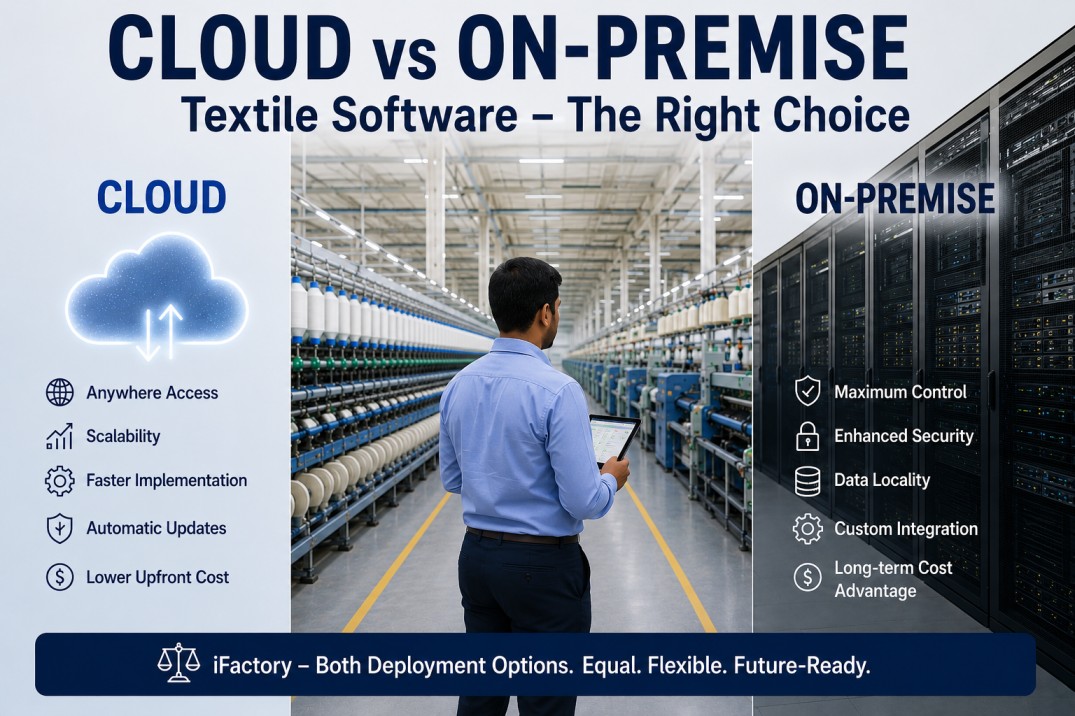
Textile mills evaluating manufacturing software platforms face a fundamental architectural decision that affects everything from upfront investment and monthly operating costs to data security posture, system latency, and long-term scalability: cloud or on-premise. Cloud deployment hosts the software on vendor-managed servers accessed through a web browser or thin client, shifting infrastructure management, security patching, and disaster recovery to the vendor in exchange for a recurring subscription fee. On-premise deployment installs the software on servers within the mill's own network, giving the mill complete control over data, security policies, and system availability but requiring upfront capital investment and in-house IT capability to manage and maintain the infrastructure. The choice is not a matter of one being universally better than the other — it depends on the mill's IT maturity, network reliability, regulatory requirements, capital availability, and operational priorities. iFactory is one of the few textile platforms that offers both cloud and on-premise deployment as equal first-class options, with identical feature sets, update cadence, and API capabilities regardless of deployment model, so mills can make the decision based on their specific needs rather than being forced into a vendor's preferred architecture.
Cloud, On-Premise, or Hybrid — iFactory Supports Every Deployment Model
iFactory offers identical features, APIs, and support regardless of deployment choice. Discuss your mill's requirements with our deployment architects.
Decision Factor Spectrum — Where Cloud and On-Premise Each Excel
Each decision factor falls on a spectrum between favoring cloud and favoring on-premise deployment. The balance depends on the mill's specific circumstances, and most mills find that different factors pull in different directions, requiring a weighted decision framework rather than a binary choice.
Cloud vs On-Premise Architecture — How Each Deployment Model Works
Both deployment models use the same iFactory application software, the same machine connectivity layer, and the same API interfaces. The difference is where the server infrastructure lives and how data flows between the mill floor and the application server.
Total Cost of Ownership Comparison — Cloud vs On-Premise Over 5 Years
The total cost of ownership for cloud versus on-premise deployment converges over time. Cloud typically has lower year-1 cost but higher cumulative cost by year 5. On-premise requires higher upfront investment but lower ongoing costs after the initial deployment. The crossover point is typically between year 2 and year 4 depending on server utilization and IT staffing costs.
Get a Deployment Recommendation Based on Your Mill's Profile
iFactory deployment architects will analyze your mill's IT infrastructure, network reliability, budget, and regulatory requirements to recommend the optimal deployment model — cloud, on-premise, or hybrid.
Mill Profile Recommendations — Which Deployment Fits Your Situation
The right deployment model depends on the mill's specific circumstances. Below are common mill profiles with deployment recommendations based on the factors that matter most for each scenario.
Frequently Asked Questions
Can we switch from cloud to on-premise or vice versa after deployment?
Yes — iFactory supports migration between deployment models with no data loss and minimal downtime. The iFactory application software is identical in both cloud and on-premise deployments, so the migration process is primarily a data transfer operation rather than a reimplementation. The standard migration process works as follows: iFactory deploys a new server instance in the target environment (cloud or on-premise), performs a full database export from the current instance, imports the data into the new instance, validates data integrity across all modules (production, quality, maintenance, inventory), and switches the DNS endpoint to point to the new instance. The migration window typically requires 4–8 hours of planned downtime, scheduled during a maintenance shift or weekend. Historical data — including production records, quality test results, maintenance work orders, and shift reports — is preserved in full during the migration. The most common migration scenario is mills that start with cloud deployment to minimize upfront investment and later migrate to on-premise as their data volume grows and IT capability matures, but migrations in both directions are supported. iFactory provides a migration planning checklist and technical support throughout the process at no additional cost for active subscription customers.
How does iFactory handle internet outages in cloud deployment?
Cloud deployment includes an edge gateway appliance installed at the mill that acts as a local buffer and data relay. The edge gateway connects to the mill floor PLCs and sensors through the plant network and continuously collects machine data regardless of internet connectivity status. When the internet connection is active, the edge gateway forwards data to the iFactory cloud server in near real-time with configurable batch intervals (typically 5–60 seconds). When the internet connection is lost, the edge gateway stores data locally in an on-board buffer that can hold 7–30 days of production data depending on the gateway model and data volume. When the internet connection is restored, the edge gateway automatically uploads the buffered data to the cloud server in chronological order, with deduplication to prevent double-counting. The edge gateway also runs a local instance of the iFactory HMI (human-machine interface) that displays real-time machine status and KPIs on plant-floor screens even when the cloud connection is down, so operators and supervisors always have access to current production data. For mills where even a momentary data loss is unacceptable, the edge gateway can be configured with a redundant cellular backup connection that automatically activates when the primary internet connection fails, providing 99.9% uptime for data transmission.
Does iFactory use the same software version and update cycle for cloud and on-premise?
Yes — iFactory maintains a single codebase for both cloud and on-premise deployments, which means both deployment models receive the same features, bug fixes, security patches, and performance improvements on the same release cadence. Cloud customers receive updates automatically during the weekly maintenance window (typically Sunday 2–4 AM local time) with no action required from the mill. On-premise customers receive the same update package and can choose when to apply it — most mills schedule updates monthly or quarterly to align with planned maintenance downtime. The update package includes release notes, a pre-update validation script that checks server health and database integrity, and a rollback procedure in case any issues are detected after the update. On-premise customers can also opt into iFactory's early access program to receive updates at the same time as cloud customers if they want the latest features immediately. The key difference is that cloud updates are applied by iFactory's operations team, while on-premise updates are applied by the mill's IT team (with remote assistance from iFactory if needed). iFactory provides a test environment for on-premise customers so updates can be validated in a sandbox before being applied to the production system.
What happens to our data if we stop subscribing to the cloud service?
iFactory guarantees full data portability for cloud customers. At any point during the subscription, the mill can request a complete data export that includes all production records, quality test results, maintenance work orders, shift reports, configuration settings, and user accounts. The export is delivered as a compressed database dump in standard SQL format accompanied by CSV exports of all tables for maximum interoperability. The export process is typically completed within 48 hours of the request and is provided at no charge for active customers. After the subscription ends, iFactory retains the mill's data for an additional 90 days in a read-only archive, during which the mill can request an export at any time. After 90 days, the data is securely deleted with a certificate of destruction provided upon request. For mills that are migrating from iFactory cloud to an on-premise deployment (either iFactory on-premise or a different system), the export can be loaded directly into the new on-premise server as part of the standard migration process. iFactory does not charge data export fees, does not require proprietary tools to access the exported data, and does not claim any ownership of the mill's production data — the data belongs to the mill at all times.
Can we run a hybrid model where some modules are cloud and some are on-premise?
Yes — iFactory supports hybrid deployment where different components run in different environments based on latency requirements, data sensitivity, and integration needs. The most common hybrid configuration runs the real-time machine connectivity and plant-floor HMI on an on-premise edge server (for sub-second latency and offline resilience) while running analytics dashboards, reporting, and multi-plant consolidation in the cloud (for centralized access and lower infrastructure cost). Another common pattern runs quality and production modules on-premise (where data is most sensitive and latency-critical) while running maintenance, inventory, and HR modules in the cloud (where data is less sensitive and integration with enterprise systems is more important). The iFactory platform is designed with a modular, microservices architecture that allows components to be deployed independently across environments, with the edge gateway managing data synchronization between the on-premise and cloud components automatically. The hybrid model gives mills the flexibility to start with cloud deployment for non-critical modules while keeping sensitive production data on-premise, then migrate additional modules to the preferred environment over time as confidence and experience grow. iFactory provides a hybrid deployment assessment during the planning phase that identifies which modules are best suited for each environment based on the mill's specific latency, security, and integration requirements.
Choose Your Deployment Model — iFactory Supports Every Option Equally
Cloud, on-premise, or hybrid — iFactory delivers the same features, same APIs, and same support regardless of your deployment choice. Book a deployment architecture review to find the right model for your mill.