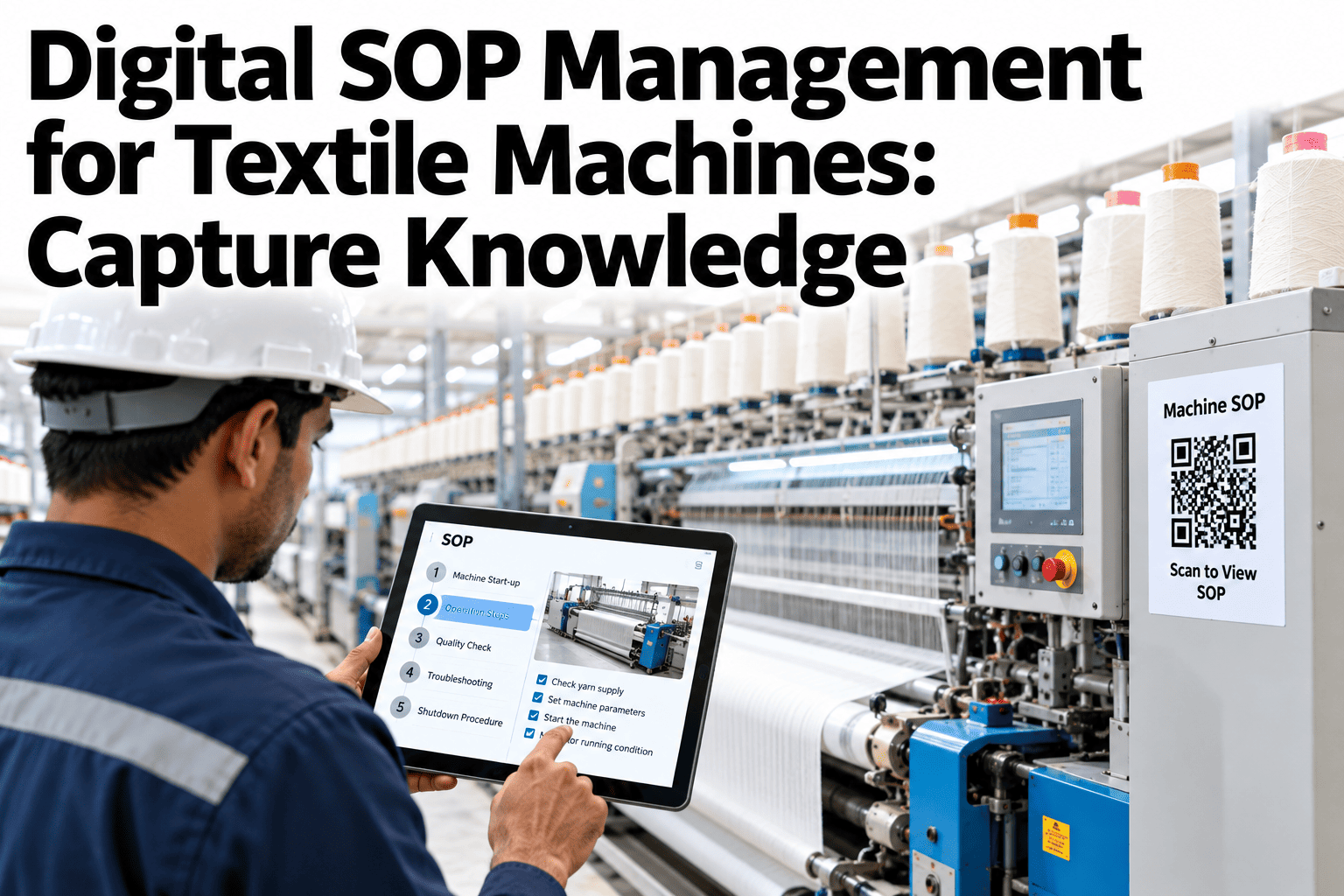
The most valuable knowledge in a textile mill rarely sits in a manual. It sits in the heads of the people who know how a loom behaves on a humid day, how to nudge a dye recipe or what a certain sound means on a carding machine. When those people retire or move on, the knowledge leaves with them, and the written SOP, if one exists, is a pale copy. Digital SOP management captures that expertise and puts it at the machine. Mills that want to start can ask iFactory AI how digital SOPs are captured and delivered to operators.
Capture Expert Operator Knowledge and Put It at the Machine
iFactory AI helps turn what experienced operators know into clear, controlled, easy-to-follow SOPs, delivered where the work happens and linked to training records.
Where Textile Knowledge Gets Lost
Knowledge disappears in predictable ways. The chart shows an illustrative view of how often each route causes a loss.
From Expert to Procedure in Six Stages
Capturing know-how is a short, repeatable process. Each stage has a clear output.
What a Good Machine SOP Contains
A useful SOP is short and visual. These sections cover most textile machines.
| Section | What It Holds | Why It Matters |
|---|---|---|
| Purpose and scope | Which machine, task and product | Stops SOPs being used in the wrong place |
| Safety and PPE | Hazards, lockout steps and protective equipment | Keeps people safe before anything else |
| Steps with images | Numbered actions with photos or short clips | Reduces misreading and training time |
| Settings and checks | Key parameters and how to verify them | Protects quality and consistency |
| Warning signs and reaction | What to watch and what to do if it goes wrong | Captures the expert's early-warning instinct |
Paper Binders or Digital SOPs
The difference shows up on the night shift, when nobody senior is around.
Keep Your Best Operator's Knowledge in the Mill
Book a 30-minute session and iFactory AI will review your key machines and procedures to show how expert know-how can be captured before it walks out.
Control: Versions, Approval and Access
A digital SOP is only trustworthy if it is controlled. Four rules cover most needs.
One current version
Operators always see the latest approved procedure and nothing else.
Approval before release
A named reviewer approves each change before it reaches the floor.
Change history
Every revision records what changed, who changed it and why.
Link to training
Each SOP connects to the people trained and signed off on it.
Capturing Knowledge in Five Steps
A first project works best on a few critical machines.
Pick the machines where an expert's absence would hurt most.
Record steps, photos and warning signs with the expert.
Turn them into short visual SOPs.
Have a newer operator follow the SOP and note gaps.
Release at the machine and record sign-offs.
SOP Quality Checklist
Use this list before releasing any SOP. Each box should be answerable by the reviewer.
A Composite Scenario: The Setting Nobody Wrote Down
This is a composite example, not a named mill. It shows what capture changes.
Mistakes That Make SOPs Fail
These habits turn good procedures into shelfware.
Writing SOPs at a desk
Without the machine and the expert, key steps are missed.
Long documents with no images
Operators will not read them at the machine.
No owner for updates
Procedures drift out of date quietly.
Training without sign-off
There is no proof anyone learned it.
What iFactory AI Adds to SOP Management
iFactory AI is smart manufacturing and industrial software for textile operations. Explore digital SOPs in a live product tour on realistic machine procedures.
A 30-Day Plan to Start
A month is enough to capture and publish a first set of SOPs.
Review of Digital SOP Management
A practical review of what makes machine SOPs useful, written as editorial guidance rather than a named expert quote.
Capture at the machine
The expert, the machine and a camera together give the best SOP.
Keep it short and visual
An operator at a machine needs a glance, not a document.
Control and train
An uncontrolled or untrained SOP is only a suggestion.
Frequently Asked Questions
What is digital SOP management?
It is creating, approving and delivering standard procedures digitally, with version control and training records. See a digital SOP in a live demo with a realistic textile machine. It keeps the right instruction at the point of work.
How do we capture an expert operator's knowledge?
Observe them at the machine, record steps and settings with photos or video, and ask why for each adjustment. Then review the draft with them. Testing with a newer operator reveals missing steps.
Will operators actually use digital SOPs?
They do when SOPs are short, visual and quick to open at the machine. Ask support how operators access SOPs at the machine in practice. Long documents are the main reason SOPs are ignored.
How do we keep SOPs up to date?
Name an owner, set review dates and publish changes through one controlled process. Operator feedback should flow back easily. Out-of-date SOPs are worse than none.
How soon can we start?
Many mills capture and publish a first set within a month. Book time to scope an SOP pilot on your critical machines. Early success makes it easier to extend.
Make Your Best Knowledge the Standard on Every Shift
iFactory AI helps capture expert know-how, control procedures and prove training, so every shift works the best known way. Book a walkthrough to see it on your own machines.