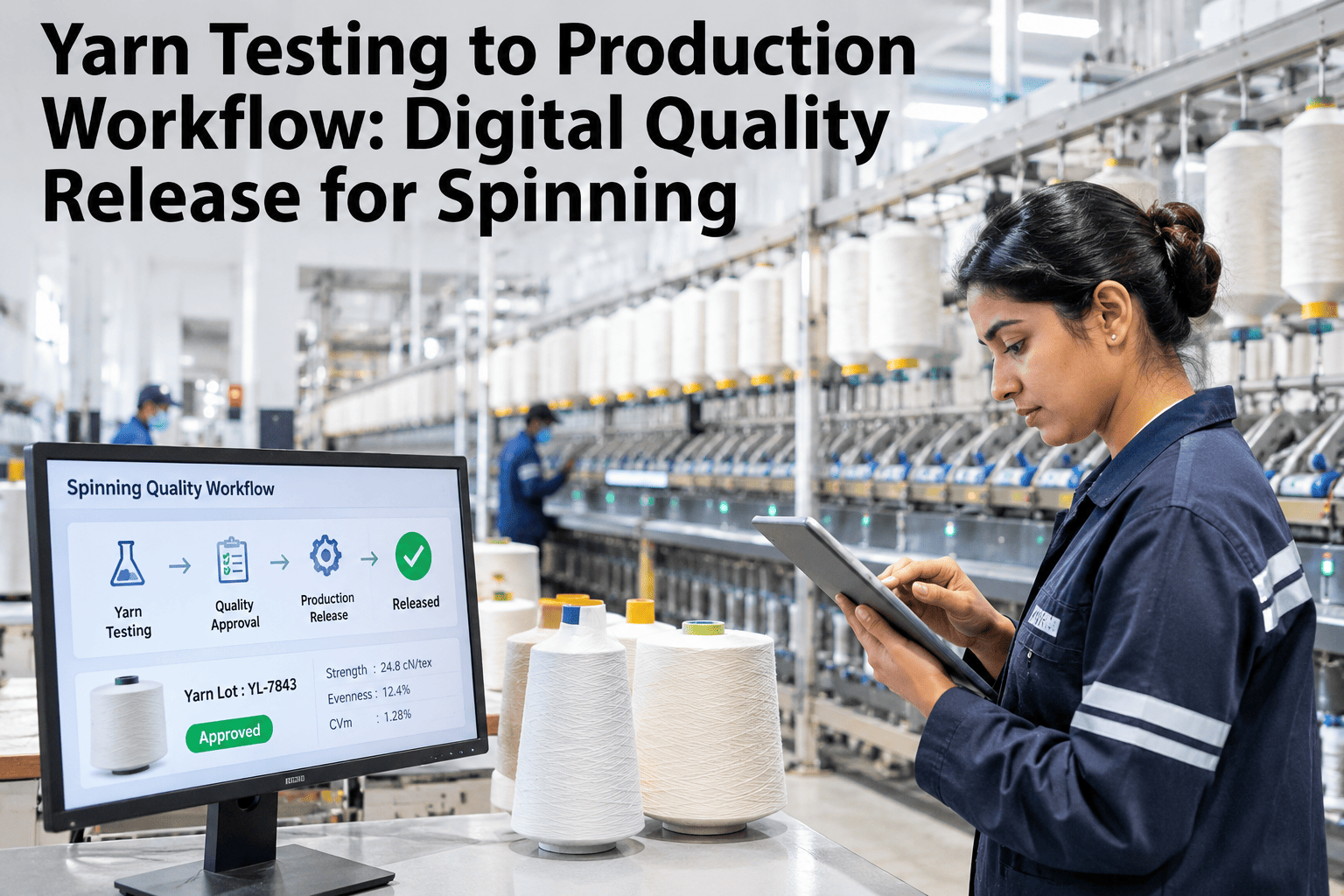
In most spinning mills, yarn test results and production dispatch decisions live in two separate worlds. A quality technician generates Uster data, prints a report or stores it on the instrument, and the supervisor authorises release based on experience or a verbal call. The gap between what the instrument measured and what the plant decided is where quality escapes, traceability breaks down, and customer claims become impossible to investigate. A digital quality release workflow closes that gap — linking test results, specifications, hold decisions, batch records and release authorisations into a single traceable chain. Teams that want to see this built around their own instruments and count structure can review a workflow design session with our team at no cost.
From Test Result to Release Decision — Without the Manual Gap
iFactory AI builds the digital chain connecting Uster and Classimat data to specifications, holds, release decisions and traceability records — every lot with a complete, auditable quality history.
What Is a Digital Yarn Quality Release Workflow?
A digital yarn quality release workflow is a structured, software-enforced process that connects laboratory test results to the decision authorising a lot for dispatch. It replaces printed reports, verbal confirmations and manual sign-offs with a single auditable record — linking the test result, the specification it was compared against, the hold or pass decision, and the person who made it, all timestamped and searchable.
Where the Manual Gap Costs the Mill Money
Every step in the manual workflow that depends on a person remembering to check, compare or communicate is a step where a quality problem can slip through. These are the four failure modes that drive most spinning mill customer claims.
The Five Layers of a Complete Spinning QMS Workflow
A quality management workflow for spinning needs five connected layers. Each can function independently, but the full value — traceability from raw material to dispatch — only appears when all five are linked.
Every Release Decision Needs a Trail That Doesn't Rely on Paper
iFactory AI builds the five-layer quality release workflow on top of your existing test instruments — no instrument replacement, no ERP replacement.
Designing the Quality Hold Process for Spinning
A quality hold is a decision gate with a time cost. Every hour a lot sits on hold has a carrying cost, so the process must be fast to investigate and clear, not only rigorous to trigger. The hold workflow must answer four questions: who receives the alert, what is the review window, who can release, and what happens if the hold is not resolved in time.
| Hold Scenario | Alert Recipient | Review Window | Release Authority | Escalation if Unresolved |
|---|---|---|---|---|
| Single parameter outside spec | Quality manager | 2–4 hours | Quality manager | Production manager after 4 hours |
| Multiple parameters outside spec | Quality + production manager | 4–8 hours | Joint authorisation required | Plant director after 8 hours |
| Outlier rate above hold threshold | Quality manager | 4 hours | Quality manager + investigation note | Lot quarantined pending root cause |
| Customer-specific spec breach | Quality + account manager | 2 hours | Account manager sign-off required | Sales director after 2 hours |
The hold process design matters as much as the trigger. A hold that stays in the quality system without reaching dispatch is a held lot that ships. iFactory AI pushes hold status into the dispatch view, not just the quality log — and our team can review your current hold communication process to identify where status visibility breaks down.
Traceability: Answering the Customer Query in Minutes
When a fabric converter calls with a barré complaint on a lot received three weeks ago, the mill needs four answers quickly. Without a connected digital workflow, each takes hours of cross-referencing. With it, each takes seconds.
Specification Management: The Overlooked Foundation
The release workflow is only as good as the specifications it compares results against. Most mills maintain specifications in fragmented spreadsheets with no version history and no customer-specific override structure. Digital specification management resolves this without requiring a new ERP.
Frequently Asked Questions
Does a digital quality release workflow require replacing existing Uster instruments?
No. iFactory AI integrates with existing Uster Tester and Classimat instruments through standard data output connections — no instrument replacement required. If a direct export is unavailable, a structured manual entry interface serves as the intake while a direct connection is configured. Review your instrument configuration in a session before any commitment.
How are customer-specific specs managed when a count runs for multiple customers?
The count specification is the base; customer-specific overrides are applied automatically when a lot is assigned to a customer order. A count running for three customers has three effective specifications, selected by the system without relying on a technician to pick the right sheet. Ask our team how customer specification management is structured for multi-market mills.
What happens when a lot fails spec but the customer needs it urgently?
The workflow supports conditional release — a lot can ship outside specification with a mandatory exception record capturing the out-of-spec parameters, the business reason, and the authoriser. This is a documented decision, not a bypass, and creates a full record that materially changes any subsequent claim discussion. See how exception release is configured in a live walkthrough.
How long does it take to implement the full five-layer workflow?
iFactory AI typically goes live within six to twelve weeks. The most time-consuming step is specification migration — converting existing paper or spreadsheet specs into the digital format. Mills with well-organised existing specifications complete this faster. Our team can review your current documentation to estimate migration effort before any commitment.
Can the workflow integrate with an existing ERP or production management system?
Yes. iFactory AI connects to existing ERP and production systems via standard interfaces — pulling order and lot information from the ERP and pushing hold and release status back so dispatch teams work from current lot status without a separate quality system check. Book a session to map your current system landscape and the integration points needed.
Build the Quality Chain From Test Instrument to Dispatch Record
iFactory AI connects your Uster and Classimat data to specifications, holds, release decisions and traceability records — on-premise, without replacing your existing instruments or ERP.