A control plan is the one quality document that is supposed to live at the machine. It names every characteristic that matters, how it is measured, how often, and what the operator does when a reading goes wrong. Too often it lives in a binder instead, written for the PPAP and rarely opened on shift. This guide builds a control plan template around one moulded part, then shows how a digital control plan turns each line into work on the floor. To see your own plan drive inspections, book a demo.
DIGITAL CONTROL PLAN
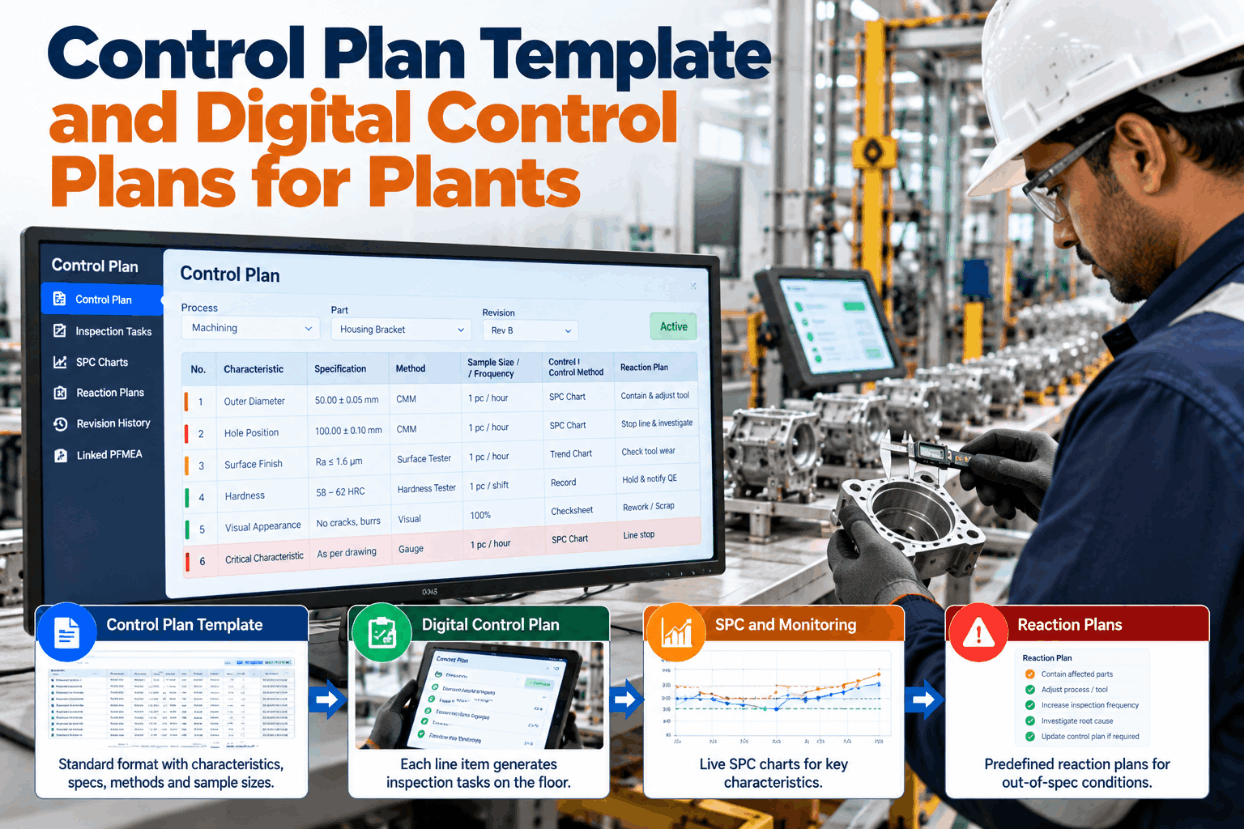
Every Control Plan Line Becomes a Task, a Chart and a Reaction
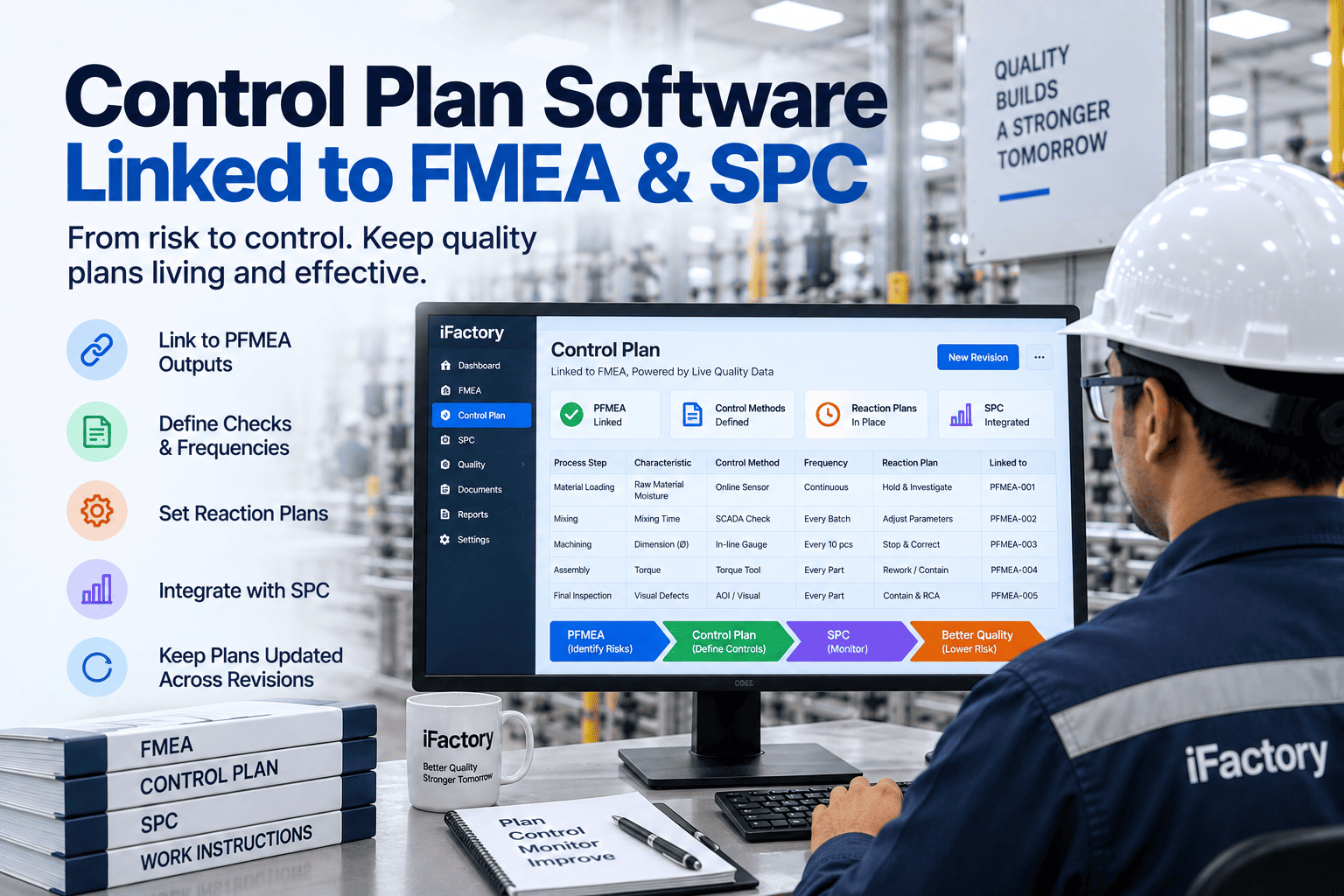
iFactory Digital Control Plan turns each line item into inspection tasks, SPC charts and reaction plans on the floor. Revision history stays tied to the PFMEA, so the plan at the press is always the approved one.
CONTROL PLAN TEMPLATE
A Filled Control Plan for a 12-Way Connector Housing
The part is a 12-way automotive connector housing, moulded in glass-filled PA66 on a 4-cavity tool, then loaded with terminals. The excerpt shows how the columns work together: product characteristics are what the customer can measure, process characteristics are the settings that produce them, and every line ends in a reaction. Values are illustrative. Our support team can share this layout as a blank file.
APQP CONTROL PLAN PHASES
One Characteristic Through Four Phases
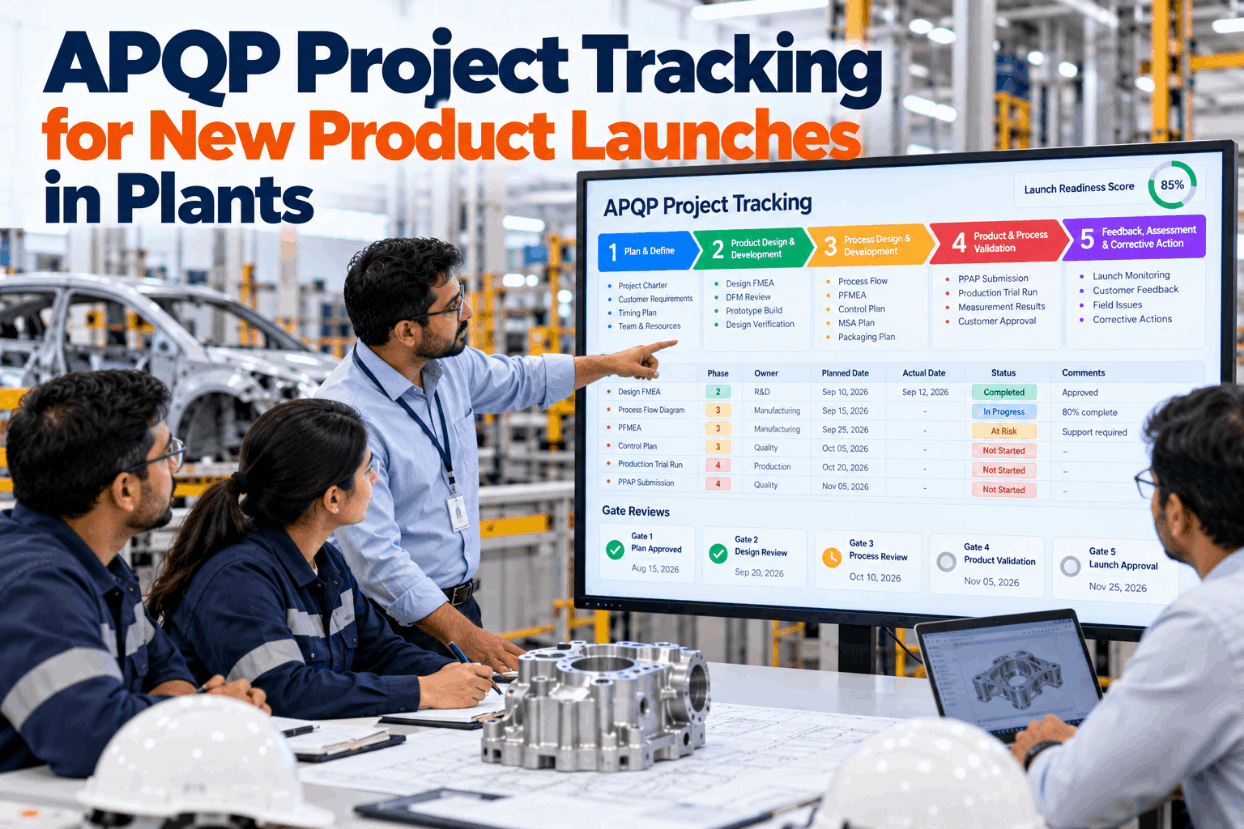
AIAG published its Control Plan manual as a standalone first edition in March 2024, separate from the APQP manual. Its most visible change is a Safe Launch phase between pre-launch and production. Here is how control of terminal retention force could tighten and then settle as the connector moves through the phases. Exit criteria are agreed with the customer, not chosen by the plant alone. Walk through your launch plan in a short session.
Prototype
Every sample pulledPrototype tool parts, each one tested and recorded to prove the design and terminal fitPre-launch
Capability study on the production toolPull tests per cavity during run-at-rate, results feed the PPAP packageSafe launch
Extra containment checkA second, separate 100% push test before packing until the agreed exit criteria are metProduction
Sample plus chart5 pieces per shift and after each terminal reel change, charted for trends
SPECIAL CHARACTERISTICS
Same Feature, Different Symbol for Each Customer
IATF 16949 asks suppliers to mark special characteristics with each customer's own symbol, or with an equivalent internal notation and a conversion list. Aerospace uses its own language too: AS9103 calls them key characteristics. If you supply three customers from one plant, keep one internal class and translate it per customer, rather than maintaining three plans that slowly drift apart. Ask our quality team how conversion lists are held in iFactory.
Internal class SSafety or regulation
Automotive customer ACC on drawing
Automotive customer BOwn safety symbol, per its CSR
Aerospace customerCritical item or key characteristic
Minimum in our plan: 100% check or error-proofing, verified each shift
Internal class FFit or function
Automotive customer ASC on drawing
Automotive customer BOwn function symbol, per its CSR
Aerospace customerKey characteristic under AS9103
Minimum in our plan: SPC with a capability target agreed per customer
SAMPLE FREQUENCY
Frequency Decides How Much Product Is at Risk
Sample size answers how many parts you check. Frequency answers a harder question: if this check fails, how far back must we go? Every part made since the last good check is suspect. That makes frequency a cost decision as much as a statistical one. The numbers below use assumed press figures. Size your own windows in a planning call.
Cycle time30 s, assumed
Cavities4
Parts per hour3,600 ÷ 30 × 4 = 480
Suspect parts if a check failsEvery 2 h: 960 · every 30 min: 240
Check per cavityA 4-cavity tool is four processes. One sample per shot hides a drifting cavity.
Add event checksMould change, new resin lot, terminal reel change and restart after a stop all get a first-part check.
Let capability set the paceA stable, capable characteristic can be checked less often. A marginal one needs more checks or a better process.
The Reaction Plan Opens the Moment a Reading Fails
Operators enter readings by voice or scan, iFactory checks them against the plan line and charts them by cavity. When a value falls outside spec, the right reaction plan opens with the hold window already worked out.
Press P-7 · Operator and iFactory
Operator"Latch hook, cavity three, zero point seven four."
iFactory0.74 mm is below the 0.76 limit. Reaction plan for line 3 is open: stop P-7, hold parts since the 10:00 check, call the moulding engineer.
Operator"Press stopped. Bin tagged."
iFactoryLogged at 11:52. The hold covers 112 minutes, 896 parts. Engineer paged.
REACTION PLAN
Four Triggers, Four Different Reactions
"Notify supervisor" is not a reaction plan. A good one tells the person at the press what to do with the machine, what to do with the product already made, who to call and what must be true before restarting. It also tells different failures apart, because a drifting chart, a bad part and a broken gauge need different responses. See how reactions are routed in a support call.
1Chart signal, still in spec
MachineKeep running, setter adjusts
ProductNo hold, next sample early
Restart ruleNext two samples centred
2Reading out of spec
MachineStop
ProductHold back to last good check, sort 100%
Restart ruleCause found, first parts approved by QE
3Gauge fails its check
MachineStop checks with that gauge
ProductRecheck parts since its last good verification
Restart ruleGauge replaced and verified
4Error-proofing master fails
MachineStop or switch to manual 100%
ProductManual check back to last good master
Restart ruleDevice repaired, masters pass
Name the owner on every line
IATF 16949 also asks for the test frequency of error-proofing devices to be in the control plan. That is why row 4 exists. Each reaction should name a role, such as setter or moulding engineer, so nobody waits to find out whose call it is.
CONTROL PLAN TEMPLATE TO FILL IN
A Blank Line Item You Can Fill In
Tick the phase, fill in the header once, then copy the line block for each characteristic. If a box is hard to fill, the plan is probably missing a decision. Turn it into a digital plan with our team.
CONTROL PLAN TEMPLATE EXAMPLES
Three Line Items From Other Industries
The same columns work well beyond automotive. These illustrations show one line each from three other sectors. They are not case studies, and each plant's limits come from its own drawings and specifications. Our support team can help adapt the columns to your sector.
Medical devices · catheter
Tip-to-shaft bond strengthDestructive pull test on a sample from each lot. A fail holds the lot and opens a nonconformance before any release.Electronics · SMT line
Solder paste volume on fine-pitch padsSolder paste inspection on every board, charted per pad group. A trend stops the printer for a stencil clean and a first-board check.Aerospace · machined fitting
Fastener hole diameter, key characteristicBore gauge on each part with results charted. A point outside limits holds the batch and calls the manufacturing engineer.
CONTROL PLAN TEMPLATE FOR PLANT MANAGERS
Four Questions to Ask at the Press
A control plan is only as good as its match with what happens on the floor. These four questions take ten minutes at any station and show whether the plan is being followed or just filed. Ask them at a different press each week. Review your answers with our quality engineers.
01Is the gauge here the one the plan names?Check the gauge ID and its calibration label against the line.
02Do the timestamps match the frequency?Look for gaps around breaks, shift changes and mould changes.
03Can the operator explain the reaction?Ask what they would do with the parts already made.
04Does the plan revision match the PFMEA?A newer PFMEA with an older plan means a control never reached the floor.
CONTROL PLAN TEMPLATE COST AND ROI
Tighter Checks Shrink Every Hold
Moving a check from every 2 hours to every 30 minutes cuts the suspect window by three quarters, but manual checks take time. Weigh both sides with your own numbers. All inputs below are assumed. Our support team can help you gather real ones.
Out-of-spec events per year, all presses40, assumed
Parts held per event, 2 h vs 30 min check960 vs 240, from the calculation above
Sort and handling cost per held part$0.40, assumed
Sort cost avoided per year40 × (960 − 240) × $0.40 = $11,520
Extra manual checks per press per day, 24 h running48 − 12 = 36
Minutes per check2, assumed · 72 min per press per day unless measured in-line
TURNKEY AI DEPLOYMENT
Your Control Plans, Running on the Floor in Weeks
iFactory ships Digital Control Plan as a turnkey package. A pre-configured NVIDIA AI server ships racked and ready, with plan import, SPC and reaction logic loaded and connectors for your gauges and machine monitors set up in advance. You rack it, plug in power and Ethernet, and the AI is live. Price it for your plant with a turnkey quote.
What's Included
- Pre-configured NVIDIA AI server, racked and ready
- Import of existing control plans from spreadsheets
- Inspection tasks generated per line, per operation
- SPC charts by characteristic and cavity
- Reaction plans with hold windows and named owners
- Revision history tied to the PFMEA
- Voice or scan entry, plus 24×7 remote monitoring
Live in 6–12 weeks
Wk 1–4
Import and Connect
Server racked, plans imported, gauges and press monitors connected.
Wk 5–8
Pilot One Cell
Tasks, charts and reactions run on one press cell alongside paper.
Wk 9–12
Go-Live and Training
Paper retired for the pilot cell, operators and engineers trained.
HOW iFACTORY FITS
A Plan That Runs the Checks Instead of Describing Them
iFactory keeps your plan format and makes every line act on the floor. Our support team can help you choose a pilot cell.
1
Tasks from lines. Each line item produces the checks, at the right station and frequency.
2
Charts without setup. Readings land on SPC charts by characteristic and cavity.
3
Reactions that start themselves. A failed reading opens the right reaction with the hold window filled in.
4
One revision trail. Plan changes are tied to the PFMEA revision behind them.
1000+
Industrial clients running iFactory
99.9%
Platform uptime on 24-hour lines
6-12 wks
From racked server to live plans
FREQUENTLY ASKED QUESTIONS
What Plants Ask About Control Plan Templates
What is a control plan?
It is a written description of how a process and its product are controlled. For each operation it lists the product and process characteristics, specifications, measurement methods, sample sizes, frequencies, control methods and reaction plans. In automotive it is part of APQP and PPAP, and IATF 16949 requires one for each relevant site and product.
How is a control plan different from a PFMEA?
The PFMEA analyses what could go wrong and how risky it is. The control plan lists the controls that the analysis decided on and how they run each day. The two should change together. You can
see them linked in a short demo.
What changed in the 2024 AIAG control plan manual?
It became a standalone first edition rather than part of the APQP manual. It added a Safe Launch phase, more guidance on reaction plans, examples for highly automated processes and advice on managing plans in software. Reported guidance at launch said existing plans did not need to be redone just to match it. To check what your customers now expect,
talk to our team.
When should a control plan be reviewed?
IATF 16949 lists triggers: shipped nonconforming product, changes to the product or process, customer complaints, and a review frequency based on risk. In practice, also review it whenever the PFMEA it follows is revised.
Can we keep our Excel control plans?
You can import them as they are. Each line is then mapped to a station, a gauge and a chart, so the spreadsheet becomes a working plan rather than a reference. Our
support team can review a sample file with you first.
Where should we start?
Pick one part with special characteristics and a recent quality issue. Digitise its plan, run it on one cell for a few weeks, and compare hold sizes and check timing with the paper version.
Plan that pilot with our engineers.
Put the Control Plan Back at the Machine
Turn every line item into a task, a chart and a reaction plan, with revision history tied to the PFMEA. Hardware and software arrive as one package, running on your floor within 6 to 12 weeks.
Example plan status · Connector line
Lines in plan7, all mapped to stations
Checks due this shiftOn time, by cavity
Open reactions1, latch hook, cavity 3
Plan revisionMatches PFMEA revision
Every reading tied to its plan line