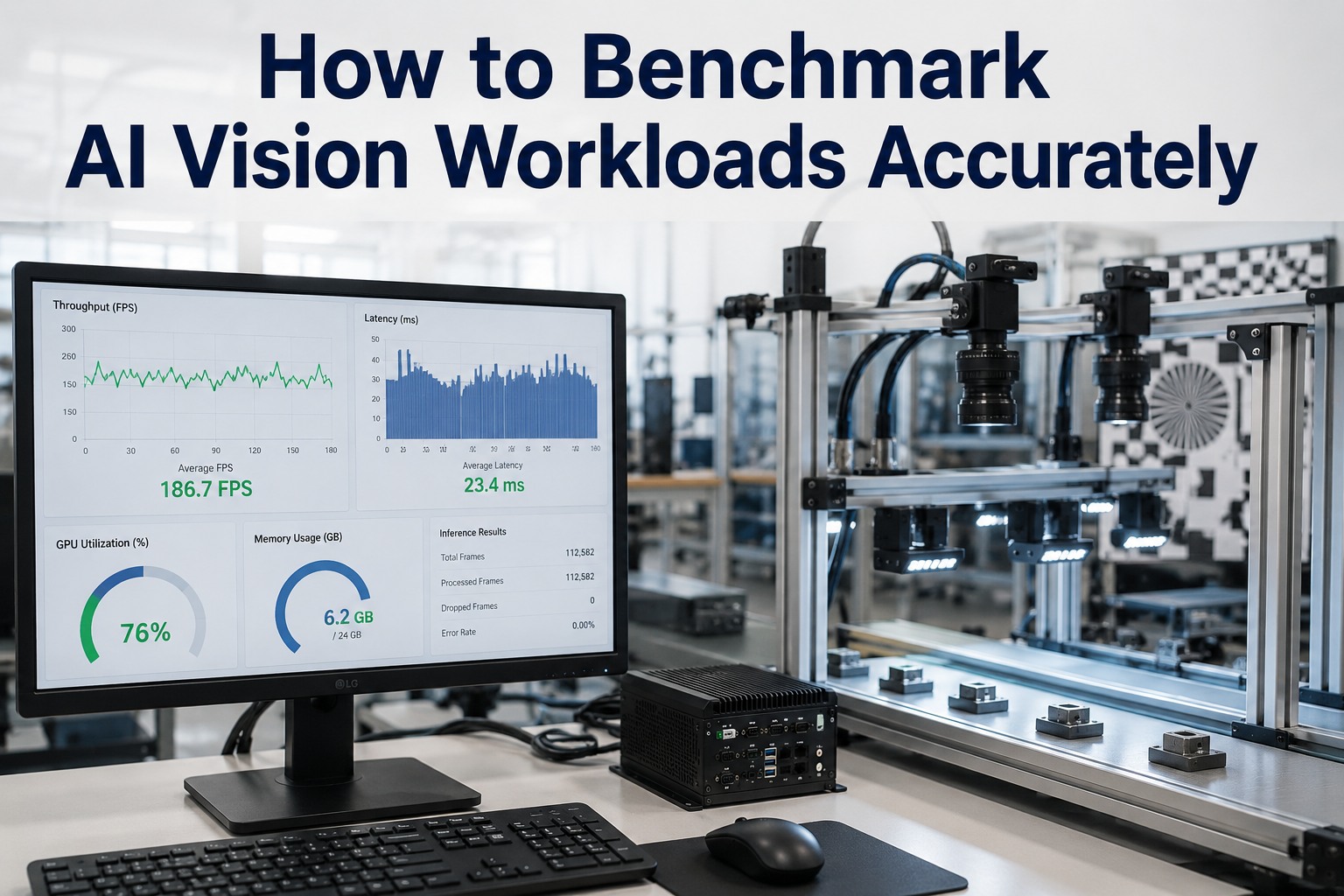
Most AI vision benchmarks lie — not on purpose, but by leaving out everything that makes a real inspection line hard. A vendor quotes thousands of inferences per second, you deploy, and the system chokes at a fraction of that. The gap is almost always the same: the benchmark ran one model on a single low-resolution image with no preprocessing, while your line runs several models on full-resolution frames from many cameras at once, with capture, decode, and reject logic all in the loop. Benchmarking AI vision workloads accurately means measuring the whole pipeline under production conditions, not a lab-clean best case. This guide covers how to benchmark AI vision workloads the right way — production resolution, real preprocessing, concurrent models and camera streams, and end-to-end latency versus throughput — so the numbers you get predict what you'll actually deploy, whether that's an on-premise appliance or a cloud service.
How to Benchmark AI Vision Workloads Accurately
A benchmark only matters if it predicts production. That means measuring the full pipeline — production resolution, real preprocessing, concurrent models, many camera streams, and end-to-end latency, not just raw model speed. Get the methodology right and the numbers hold up on the floor. iFactory benchmarks on your workload, then deploys the result on-premise or in the cloud.
Why Naive Benchmarks Mislead
The number that looks great in a slide is usually measured in the friendliest possible conditions. Real inspection lines are not friendly. Here's the gap between what gets benchmarked and what actually runs — and why the two rarely match.
- One model, run alone
- Single low-resolution image
- No preprocessing in the loop
- One stream, one frame at a time
- Model inference time only
- Warm cache, ideal conditions
- Several models concurrently
- Full production-resolution frames
- Capture, decode, resize, normalize
- Many cameras streaming at once
- End-to-end: capture to reject signal
- Sustained load, real variance
Every line in the right-hand column adds load the left-hand number never saw. That's why a benchmark can be off by an order of magnitude — and why accurate benchmarking is really about reproducing the right-hand column as closely as possible before you commit to hardware.
The Five Things a Real Benchmark Must Include
Accurate vision benchmarking comes down to putting the production realities back into the test. Miss any one of these and the number drifts from what you'll actually see.
Production resolution
Benchmark the actual megapixel count your cameras produce. Higher resolution means far more pixels per inference — testing on downscaled images can overstate throughput several times over.
Real preprocessing
Capture, decode, resize, normalize, and color-convert all cost time and compute. A benchmark that skips preprocessing measures a fraction of the real pipeline.
Concurrent models
Lines often run multiple models — detect, classify, measure — at once. Running them together, contending for the same GPU, is very different from timing each alone.
Multiple camera streams
Decode and inference load scales with camera count. Benchmark the full number of concurrent streams the line will feed, not a single representative one.
End-to-end measurement
Measure from frame capture to reject decision, not just the model forward pass. The full path is what determines whether you keep line pace.
Want a benchmark run on your actual cameras and models? Book a 30-minute demo — iFactory will benchmark your workload at production resolution with real preprocessing and concurrent streams, and show the numbers you'd actually get. Sessions available this week.
Latency vs Throughput — Measure Both
The single most common benchmarking mistake is treating these as one number. They're not, and a line can be great at one while failing the other. You need both, because they answer different questions.
Latency
"Can I reject this unit in time?"
The time from capturing one frame to producing its decision. Low latency is what lets you divert a defective unit before it passes the reject gate. Critical for fast lines.
Throughput
"How many streams can one card carry?"
The total inferences per second across all streams. High throughput is what lets one GPU serve many cameras. Determines how much hardware you need for the line.
A card can post high throughput by batching frames while individual latency quietly climbs past your reject window — or hit low latency on one stream but not scale to many. Measuring both, under concurrent load, is the only way to know a system fits the line.
A Sound Benchmarking Method
Put together, accurate vision benchmarking follows a repeatable sequence. Each step exists to close the gap between the test and the deployed reality.
Not sure your current benchmark reflects reality? Ask iFactory Support to review your methodology or run an independent one on your workload, and the team will show where the numbers diverge from production — typically a response within 3 business days, no obligation.
How iFactory Benchmarks — On Your Workload
Rather than quote a lab number, iFactory benchmarks on your actual conditions and sizes hardware to match. The result predicts production because it's measured under production conditions — then the same validated configuration is what gets deployed.
On-Premise or Cloud — Benchmarked the Same
The methodology doesn't change with deployment, and neither does iFactory's engine. On-premise is the default where inspection images carry batch genealogy or process IP and reject decisions need line latency — a pre-configured appliance benchmarked and deployed inside your fence. Cloud suits multi-site programs managed centrally. Either way, the benchmark is run on your workload and the deployed system matches it.
iFactory On-Premise The default — images stay in-fence
- Benchmarked on-site — measured on the appliance you'll actually run.
- Lowest latency — local inference, no round-trip, ideal for fast reject.
- Images never leave — full data residency behind your firewall.
- Sized to your line — hardware matched to the benchmarked load.
iFactory Cloud For multi-site, centrally managed vision
- Fully managed — no on-site GPU hardware to maintain.
- Same vision engine — identical models and measurement.
- Cross-site consistency — one benchmarked config everywhere.
- Elastic scale — add cameras and sites as measured.
Benchmark like production, or don't trust the number.
Accurate AI vision benchmarking means production resolution, real preprocessing, concurrent models and streams, end-to-end measurement, and both latency and throughput under sustained load. iFactory benchmarks on your actual workload, sizes the hardware to match, and deploys the exact validated configuration — on-premise inside your fence or as a managed cloud service. ROI proven on one line first.
Frequently Asked Questions
Why do vendor benchmarks rarely match real performance?
Because they're usually measured in ideal conditions that a production line never sees: one model run alone on a single low-resolution image, no preprocessing, one stream, and model inference time only. A real line runs several models concurrently on full-resolution frames from many cameras, with capture, decode, and reject logic in the loop. Each of those adds load the vendor number never captured, so real performance can be an order of magnitude lower.
What resolution should I benchmark at?
The actual resolution your cameras produce in production. Higher-megapixel frames mean far more pixels per inference, so benchmarking on downscaled images can overstate throughput several times over. If your line runs 12-megapixel cameras, benchmark at 12 megapixels — testing at a lower resolution gives a number you can't deploy against.
What's the difference between latency and throughput?
Latency is the time from capturing one frame to producing its decision — it answers "can I reject this unit in time?" Throughput is total inferences per second across all streams — it answers "how many cameras can one card carry?" They're different and can diverge: batching frames can raise throughput while individual latency climbs past your reject window. Measure both, under concurrent load, because a line needs to pass on both.
Why measure end-to-end instead of just model time?
Because the model forward pass is only part of the pipeline. Frame capture, decode, resize, normalization, and the reject signal all take time, and it's the full path — capture to decision — that determines whether you keep line pace. A benchmark that measures only inference time can look fast while the real end-to-end latency misses units on the line.
How does iFactory benchmark a workload?
On your actual conditions, not a lab default. iFactory benchmarks representative images at your production resolution, with your concurrent stream count and models, measuring both latency and throughput end-to-end under sustained load — and reports the variance honestly. The hardware is then sized to the measured load, and the validated configuration is exactly what deploys, so the benchmark predicts production because it is production conditions.
Does benchmarking differ on-premise versus cloud?
The methodology is identical, and so is iFactory's engine. On-premise is the default where images carry genealogy or process IP and reject decisions need line latency, benchmarked and deployed on a pre-configured appliance in-fence. Cloud suits multi-site programs managed centrally. Either way the benchmark runs on your workload and the deployed system matches the validated numbers. Contact iFactory Support to choose the right deployment.
A number you can deploy against — measured on your line.
Benchmark AI vision workloads at production resolution, with real preprocessing, concurrent models and streams, end-to-end, measuring both latency and throughput under sustained load — that's the only number that predicts the floor. iFactory runs exactly that benchmark on your workload and ships the validated configuration, on-premise or in the cloud, ROI proven on one line first. The next step is a 30-minute demo benchmarking your own cameras and models. Sessions available this week.