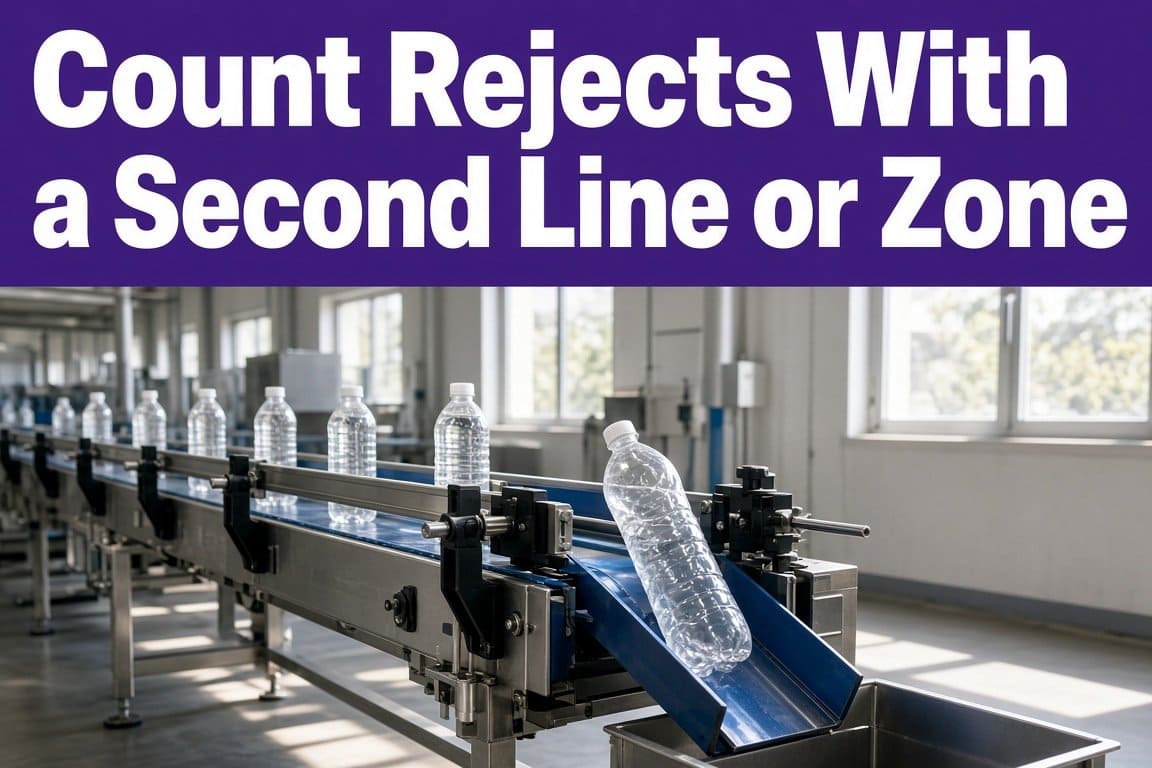
The quality factor of OEE is only as good as the reject count behind it. In Line OEE, each counting device can have an optional second line or zone for rejects. Point the camera so it also sees the reject path, draw the reject line or zone, and units that cross it are counted as rejects instead of good units. You can sign up to access Line OEE and add a reject zone to your first line, with 14 days of Pro features and no card.
iFactory Tools · Production · Counting sources
Count rejects, not just good units
A second line or zone on the same camera turns pushed-off units into a real quality figure.
Rejects on the line card
Good and rejects, side by side
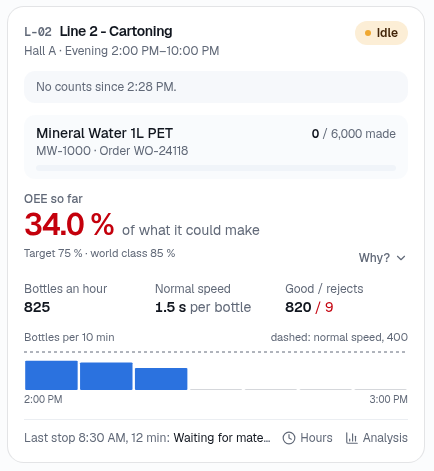
In the test account, Line 2 showed 820 good bottles and 9 rejects for the shift so far. The rejects lower the quality factor straight away, and the same numbers flow into Hour by hour, Analysis and the shift report.
Three ways to record rejects
Use the reject zone where a camera can see the reject path; use entry or upload where it cannot. Without any of the three, quality reads 100 %.
Set up a reject zone
Frame both paths
Place the camera so the picture shows the main line and the place where rejects leave it.
Draw the counting line
Units crossing it are counted as good.
Draw the reject line or zone
Units crossing it are counted as rejects instead of good units.
Check against a real count
Run a few minutes and compare with a hand count before you rely on it.
Make the quality factor real
Count rejects on the same camera that counts good units. Pro features are free for 14 days, no card required.
Where rejects show up
| View | What you see |
|---|---|
| Line card | Good / rejects for the shift so far |
| Hour by hour | A Rejects column for each hour and the shift total |
| Analysis waterfall | Rejects as the last loss before fully productive time |
| Analysis By product | Good, rejects and good % per product |
| Shift report (PDF) | Rejects with output and stops for the shift |
Rejects hour by hour and by product
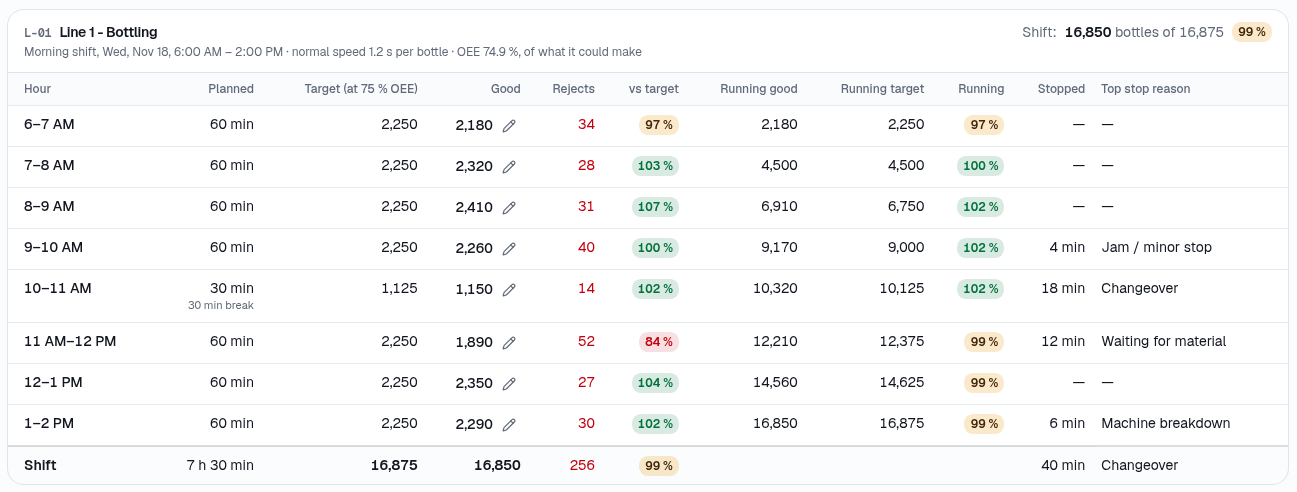
In the test account, the morning shift on Line 1 had 256 rejects, and the last 7 days across lines showed 481 rejects against 30,800 good units, 98.5 % good.

What reject counting does not do
No defect types
Line OEE counts rejects; it does not classify them by defect. Keep reasons in your quality system.
No rework or first-pass yield
A reject is a reject. Rework and first-pass yield are not tracked separately.
Expert review
A close review of the counter and the data model shows rejects handled simply and consistently: a second line or zone per device, or entered counts, feeding one quality formula used everywhere.
The gap to plan for is the default. A line with no reject source shows 100 % quality, which flatters OEE. Set up a reject zone or a manual routine on every line where rejects happen. Figures shown are from a test account.
Reject counting questions
Why does quality read 100 % on my line?
Quality is good units divided by good plus rejected units. A line with no reject line, zone or entered rejects records good units only, so quality reads 100 %.
Can one camera count good units and rejects?
Yes, if it can see both paths. Each counting device can have an optional second line or zone for rejects, drawn on the same picture. You can sign up to access Line OEE and set one up.
What if the camera cannot see the reject path?
Enter rejects with Add counts for a line and a period, or bring them in with a spreadsheet upload. They feed the same quality factor.
Does Line OEE record why a unit was rejected?
No. It counts rejects; it does not classify reject or defect types. Keep defect reasons in your quality system.
Where do rejects appear?
On the line card next to good units, in the Rejects column of Hour by hour, in the Analysis waterfall and By product table, and in the shift report. You can get started with Line OEE and see them on your line.
Count rejects on your first line
Add a reject zone or enter rejects by hand, and watch the quality factor become real.
- Second line or zone per device
- Rejects in every view and report
- Manual entry where cameras cannot see
Free for 14 days · no card needed