Your maintenance technicians are on an 8-hour shift. They spend 2.5 hours actually repairing equipment. The other 5.5 hours? Walking back to the office for work order printouts. Waiting for parts nobody told them were out of stock. Re-entering data they already recorded on paper. Searching for asset manuals that should be at their fingertips. This is the reality in facilities without mobile work order management — an average wrench time of just 25-35%, meaning your most skilled and expensive workers spend two-thirds of their day not doing the work you hired them for. A mobile-first work order app does not add a feature to your maintenance process. It removes the friction that has been stealing your technicians' productive hours for decades.
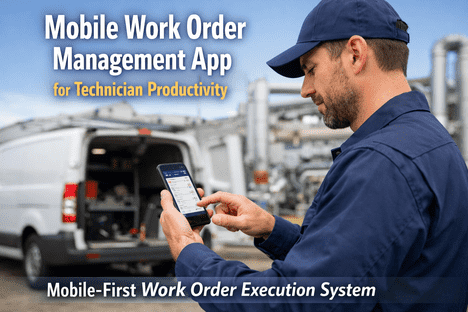
Mobile-First Work Order Execution System
Put Every Work Order in Every Technician's Pocket. Instantly.
AI-powered mobile app that gives technicians live work orders, asset history, parts inventory, and digital checklists — with full offline capability where Wi-Fi does not reach
58 min
Saved daily per technician with mobile tools
34%
Productivity boost from mobile-first workflows
90 min
Recovered per tech per day by eliminating paperwork
55%
Of maintenance teams now rely on mobile devices daily
Where Your Technicians' Time Actually Goes
The average maintenance technician spends only 25-35% of their shift with tools in hand. The rest disappears into paperwork, walking, waiting, and searching. This is not a people problem — it is a systems problem. Mobile work order apps attack every one of these time drains simultaneously.
Anatomy of an 8-Hour Technician Shift — Without vs. With Mobile
Without Mobile App
Wrench Time2.2h
Travel / Walking1.4h
Paperwork1.3h
Waiting for Parts / Info1.1h
Searching Manuals1.0h
Breaks / Meetings1.0h
28% Wrench Time
With Mobile App
Wrench Time4.2h
Travel / Walking0.8h
Digital Logging0.4h
Coordinating0.6h
Proactive PM Tasks1.0h
Breaks / Meetings1.0h
52% Wrench Time
Wrench time benchmark: 25-35% average, 45% good, 55%+ world-class. Mobile apps move teams from average to good within 90 days.
What a Mobile Work Order App Puts in Your Technician's Hands
A mobile work order app is not a miniature version of your desktop CMMS. It is a purpose-built tool designed for the way technicians actually work — standing at an asset, wearing gloves, in a noisy environment, sometimes with no internet connection. Every feature exists to reduce the time between receiving a task and completing it.
01
Instant Work Order Dispatch
New work orders appear on the technician's phone the moment they are created — with full task details, priority level, asset location, and estimated time. Push notifications ensure nothing sits in a queue unnoticed. No more walking to the office to collect a printout.
Impact: Response time drops from hours to minutes
Technician scans a QR tag on the equipment. Instantly sees full maintenance history, last three inspections, failure patterns, attached wiring diagrams, and open work orders. No searching through binders. No guessing what was done last time. Full context in seconds.
Impact: Diagnostic time reduced by up to 40%
03
Full Offline Capability
Boiler rooms, basements, cable vaults, remote sites — connectivity dies but the work does not stop. All assigned work orders, asset records, and checklists are cached locally. Technicians complete tasks offline. Data syncs automatically when signal returns. Zero data loss.
Impact: 100% productivity in zero-connectivity zones
04
Photo & Voice Documentation
Attach photos of completed repairs, damaged parts, or safety hazards directly to the work order. Use voice-to-text for hands-free notes when typing is impractical. Every piece of documentation is timestamped, geotagged, and permanently linked to the asset record.
Impact: Eliminates "pencil whipping" and post-shift data re-entry
05
Digital Checklists & Compliance Forms
Guided step-by-step checklists with mandatory fields, conditional logic, and e-signature capture. Technicians cannot skip critical safety steps. Every completed checklist becomes an audit-ready compliance record — no manual log assembly required.
Impact: Audit preparation time cut from days to minutes
06
Real-Time Parts & Inventory Check
Before walking to the storeroom, the technician checks parts availability on their phone. Sees stock levels, storage location, and alternatives if the primary part is unavailable. No wasted trips. No surprises. Parts can be reserved or requested directly from the work order.
Impact: Parts-related delays reduced by up to 70%
See how the mobile app works on your own device. Schedule a hands-on walkthrough.
A Day in the Life — Mobile vs. Paper Maintenance
The gap between paper-based maintenance and mobile-first workflows is not gradual — it is dramatic. Here is what the same technician's shift looks like under both systems, hour by hour.
6:00 AM
Walk to office, collect printed work orders, check whiteboard for priorities
Open app — all assigned WOs, priorities, and PM schedules load instantly including offline cache
6:45 AM
Arrive at first asset, look through binder for last inspection notes
Scan QR tag — last 3 inspections, failure history, and wiring diagram appear in seconds
8:30 AM
Need a bearing. Walk to storeroom. Part not in stock. Wait for supervisor approval to order
Check inventory on phone — bearing in stock, Bin C-14. Reserve it. Pick up on route to next task
10:00 AM
Emergency WO radioed in. No details on what was already tried. Arrive unprepared
Push alert with asset location, urgency level, failure history, and required safety isolation steps
12:30 PM
After lunch, try to remember morning tasks. Start writing up paperwork from memory
All morning tasks auto-documented — photos, time logs, parts used. Zero post-shift data entry
3:00 PM
No signal in cable vault. Cannot radio supervisor. Guess at procedure, hope it is correct
Offline mode active. Full procedure checklist cached. Complete task, data queues for sync
Stop Losing Hours to Paperwork
Your Technicians Were Hired to Fix Machines. Let Them.
iFactory's mobile work order app gives every technician instant access to work orders, asset history, parts inventory, and compliance checklists — even where Wi-Fi does not reach.
37%
Productivity increase in first year of mobile CMMS
32%
Reduction in unplanned downtime
50%
Improvement in maintenance productivity
2 wks
Average deployment to fully operational
The Measurable Impact of Going Mobile
Mobile work order management is not a technology upgrade — it is an operational transformation. These are the documented outcomes from facilities that replaced paper and desktop-only systems with mobile-first maintenance workflows.
Eliminating print-room trips, manual data entry, and binder searches. Redirected straight into productive maintenance hours.
Fewer emergency repairs, better parts planning, reduced overtime. More planned work means lower cost-per-fix across the board.
When preventive tasks are easier to complete on mobile, they actually get completed. PM compliance rises, emergencies fall.
Better shift-to-shift handover through digital records means problems get resolved during business hours instead of triggering emergency callbacks.
Real-time inventory visibility from the field eliminates emergency rush orders, duplicate purchases, and parts hoarding that inflate MRO spend.
Frequently Asked Questions
How quickly can technicians adopt the mobile app?
Most teams are fully operational within one to two weeks. Technicians adopt mobile apps faster than desktop alternatives because the interface works like the consumer apps they already use daily. One-hour training sessions are typically sufficient to get started.
Does the app work without internet connection?
Yes — full offline capability is built in. All assigned work orders, asset records, checklists, and manuals are cached locally on the device. Technicians complete tasks, log data, and attach photos offline. Everything syncs automatically with conflict resolution when connectivity returns.
What devices are supported?
Native apps for both Android and iOS, plus a responsive web app accessible from any browser-enabled device. Facilities with existing ruggedised device programs can deploy immediately without hardware changes. The same account works across phone, tablet, and desktop.
Can the app integrate with our existing CMMS or ERP?
Yes. iFactory connects to all major CMMS platforms, ERP systems, IoT sensor networks, and building automation systems via standard APIs. Data flows bidirectionally so your mobile app reflects the complete operational picture across all systems in real time.
What is the ROI timeline for mobile work order management?
Most organisations see positive ROI within six to twelve months. The fastest gains come from reduced paperwork time (visible in week one), improved PM compliance (month two to three), and fewer emergency call-outs (month three to six). The app cost is a fraction of the labour hours it recovers.
Ready to Give Your Team Time Back?
Every Hour Lost to Paperwork Is an Hour Not Spent Preventing the Next Breakdown.
iFactory's mobile work order app recovers 90+ minutes per technician per day — turning lost time into productive maintenance that prevents failures, extends asset life, and cuts costs.
3-5h
Lost daily per tech to paperwork without mobile
$1.4B
Global CMMS market driven by mobile adoption
55%+
World-class wrench time target achievable with mobile
1 week
Time to first measurable productivity gain