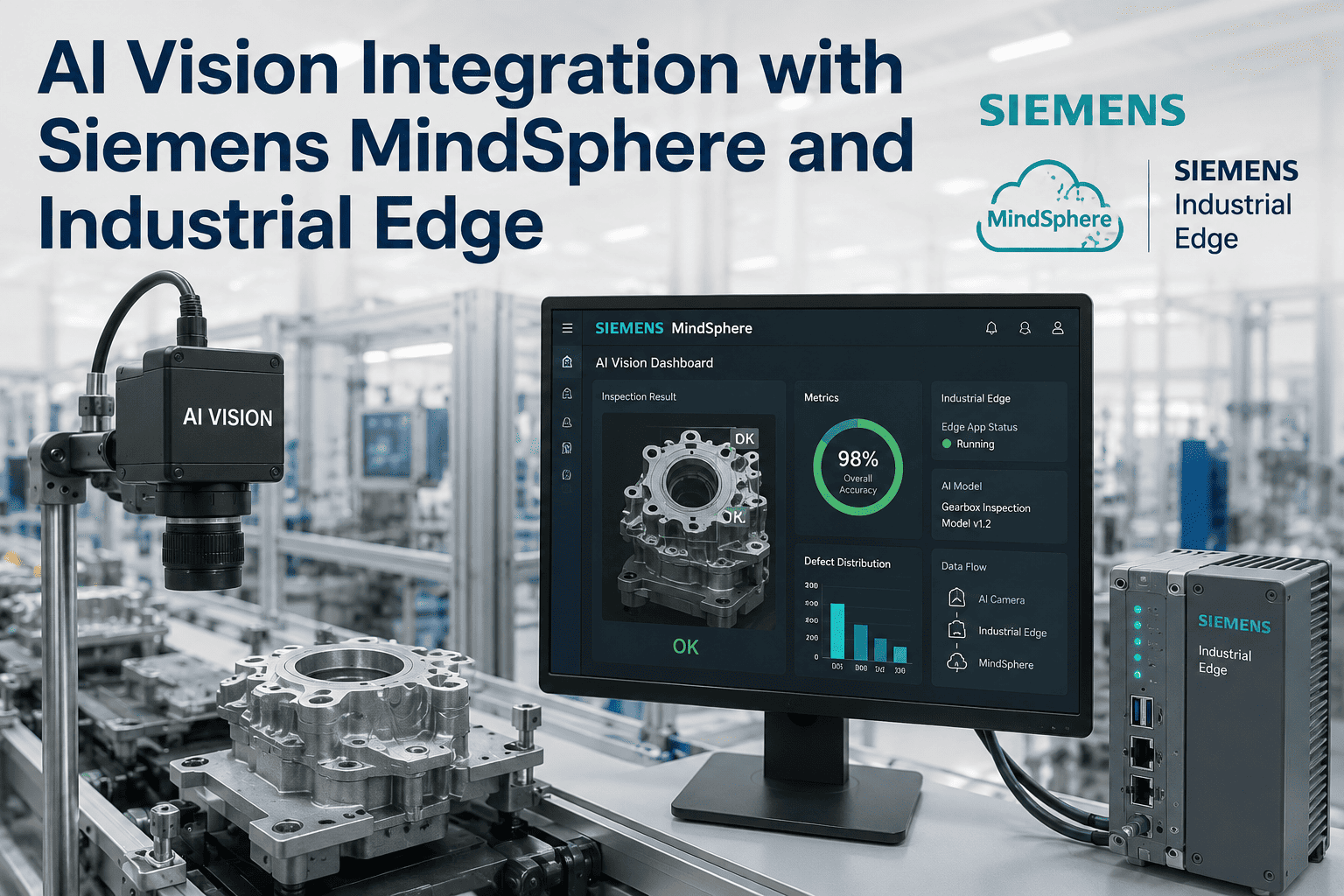
Siemens-equipped manufacturing plants running SIMATIC controllers, WinCC Unified, and Insights Hub (formerly MindSphere) are sitting on the fastest possible route to production-grade AI vision — and most of them are still treating vision as a bolt-on project instead of a native Industrial Edge workload. In 2026, that gap closed decisively: Siemens Industrial Edge is now a certified container platform capable of hosting AI vision inference next to the PLC, streaming defect events into Insights Hub for enterprise analytics, and pushing model updates back down to the shopfloor without a truck roll. For plant IT and OT teams already invested in the Siemens ecosystem, running AI vision through Industrial Edge and Insights Hub means faster inference, tighter PLC integration, and one less standalone system to secure. Plant leaders ready to see this architecture running on a live line can book a demo and walk through the full edge-to-cloud data flow.
SIEMENS INDUSTRIAL EDGE · INSIGHTS HUB · AI VISION · 2026
AI Vision, Deployed as a Siemens Industrial Edge App
Run inference on the edge next to your SIMATIC PLC. Stream defect events, OEE impact, and asset health into Insights Hub. One platform, one security model, one lifecycle — no bolt-on vision silo.
under 50ms
Vision inference latency on Industrial Edge with NVIDIA-accelerated hardware next to the SIMATIC controller
IEC 62443-4-2
Cybersecurity certification level Siemens Industrial Edge is aligned to, including air-gapped operation support
Edge → Cloud
Full-lifecycle data path: local inference, PLC feedback, Insights Hub analytics, remote model updates
6-10 Weeks
Typical deployment window from first camera to Insights Hub dashboard, including model training and shadow-run validation
Why Siemens Plants Need a Native Vision Architecture
Every Siemens-run plant already has the ingredients for world-class AI vision: SIMATIC PLCs producing structured process data, PROFINET carrying deterministic control signals, WinCC Unified visualising line state, and Insights Hub aggregating asset performance across sites. The problem is that most vision projects arrive as an outsider — a separate industrial PC, a separate network segment, a separate operations dashboard, and a separate security perimeter. That parallel stack is expensive to secure, expensive to maintain, and almost impossible to correlate cleanly with the OEE, quality, and asset-health data already flowing through Insights Hub.
Deploying vision as a native Industrial Edge app inverts that model. The inference container runs on Siemens-certified edge hardware sitting on the same network as the PLC. The vision events land in the same Insights Hub tenant as your OEE and asset data. The same Industrial Edge Management console that updates your WinCC Unified app updates your vision model. One platform, one security posture, one lifecycle — with the deterministic PLC integration Siemens plants are built around. This is what the Siemens Industrial AI Suite, generally available since Hannover Messe 2026, was designed to enable.
The Edge-to-Cloud Stack, Top to Bottom
The architecture below is how iFactory deploys AI vision across Siemens plants. Read it top to bottom: raw pixels enter at the camera layer, get inferred on the Industrial Edge device, feed the PLC in real time, and surface as structured business events in Insights Hub. Every layer uses a Siemens-native interface — no custom middleware, no unmanaged network jumps.
What makes the tower model different from a traditional vision deployment is the direction data flows. In a classic bolt-on vision setup, data flows one way only: camera to inspection PC to standalone dashboard. In a Siemens Industrial Edge native deployment, every tier is bi-directional. Insights Hub pushes asset context down. Industrial Edge Management pushes signed model updates down. The PLC pushes changeover signals up. The camera pushes frames up. That two-way flow is what turns vision from a passive sensor into an active participant in production logic — the same principle Siemens applies to every other automation asset on the shopfloor.
TIER 5 · ENTERPRISE CLOUD
Siemens Insights Hub
Multi-site OEE dashboards, defect trend analytics, asset health scoring, and Mendix low-code apps built on aggregated vision data across every connected plant.
HTTPS · MQTT · Insights Hub Ingest
TIER 4 · MANAGEMENT
Industrial Edge Management
Central console for deploying, updating, and monitoring the vision inference app across every Industrial Edge device in the fleet — same workflow as any other Siemens Edge app.
Signed Container Registry
TIER 3 · EDGE INFERENCE
Industrial Edge Device + NVIDIA GPU
Siemens-certified edge hardware running the vision inference container next to the PLC. Sub-50ms local decisions, on-premise image storage, air-gapped operation supported.
OPC UA · PROFINET · S7 Comm
TIER 2 · CONTROL
SIMATIC S7-1500 / ET 200SP
Reject actuators, reject-station signalling, line stop commands, and product changeover triggers — all coordinated with vision decisions in deterministic PLC scan time.
GigE Vision · USB3 Vision · RTSP
TIER 1 · CAPTURE
Industrial Cameras + Lighting
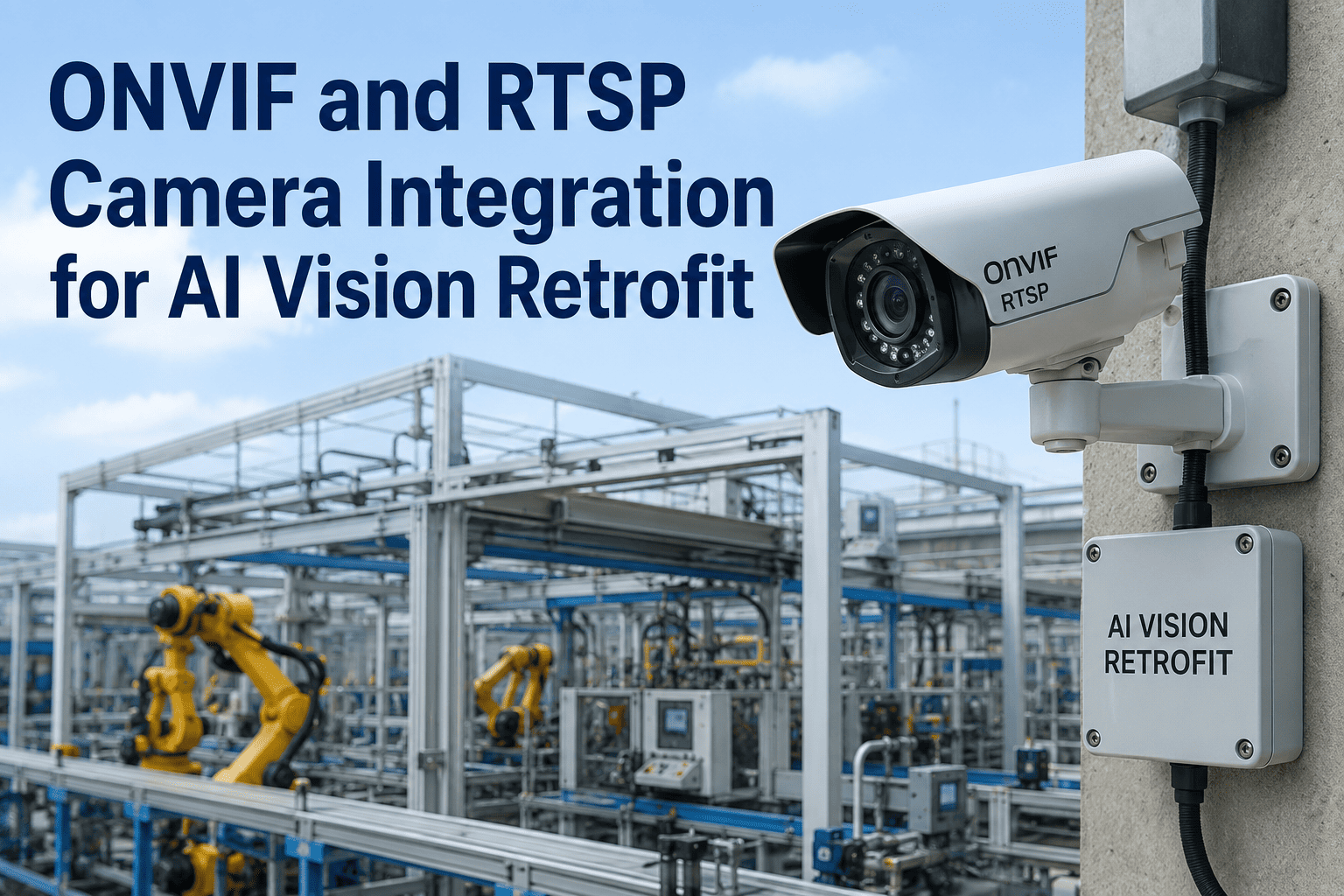
GigE Vision, USB3 Vision, or existing IP cameras via ONVIF and RTSP. iFactory works with the cameras you already own — no rip-and-replace of installed capture hardware.
Siemens Industrial Edge Apps Behind the Integration
Industrial Edge is a container platform, and every capability in the integration ships as a versioned, signed Industrial Edge app. That is the single biggest operational difference from a standalone vision box: each function is independently deployable, independently updatable, and independently auditable — through the same Industrial Edge Management workflow your team already uses for WinCC or Databus apps.
01
Vision Inference App
Runs the AI model on the Industrial Edge device. NVIDIA GPU acceleration, sub-50ms per part, on-premise image and metadata storage. Model version, hash, and confidence logged for every inference.
02
OPC UA Connector App
Publishes structured inspection events — PartID, DefectClass, Confidence, Timestamp — as OPC UA nodes for SCADA, historian, and MES clients to subscribe to natively.
03
S7 Comm PLC Bridge App
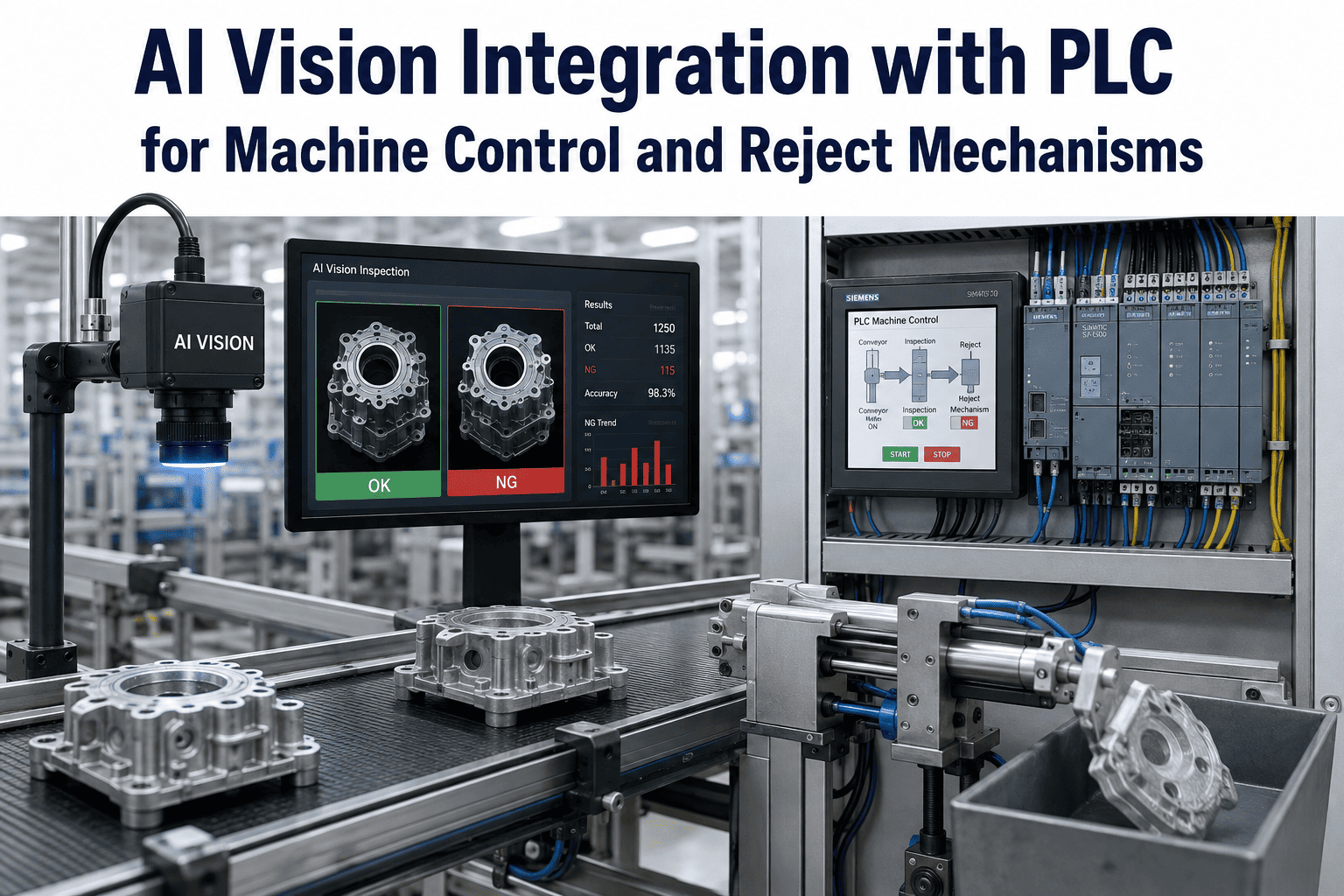
Talks to SIMATIC S7-1500 controllers over native S7 protocol. Sends reject decisions to the PLC and reads product changeover signals to trigger inspection model reloads.
04
Databus + Insights Hub Bridge
Aggregates vision events into the Industrial Edge Databus and forwards structured payloads to Insights Hub for cross-site OEE, quality trend, and asset health analytics.
05
Model Lifecycle App
Handles signed model updates pushed from Industrial Edge Management. Supports rollback, A/B model comparison, and canary deployments across the edge device fleet.
06
Audit & Traceability App
Logs every inference, PLC command, and Insights Hub event with tamper-evident timestamps for IATF 16949, AS9100, and FDA-regulated production environments.
SIEMENS INDUSTRIAL EDGE · INSIGHTS HUB · AI VISION · 2026
See the Full Edge-to-Cloud Flow on a Live Line
Walk through a running Industrial Edge deployment: vision inference on Siemens-certified hardware, PLC reject decisions, and Insights Hub dashboards populated in real time from a production line.
Protocol Matrix: Which Interface Handles Which Job
A Siemens-native vision integration uses a specific protocol for every data flow — and choosing the right one for each hop is what separates a deterministic architecture from a fragile one. The matrix below is the reference iFactory uses across Siemens deployments. Every interface listed is native to either Siemens Industrial Edge, SIMATIC, or the Insights Hub cloud, so nothing depends on a third-party middleware.
| Protocol |
Where It Sits |
What It Carries |
Latency Target |
| PROFINET |
PLC ↔ Reject actuators |
Deterministic reject commands, line stop signals |
Sub-4ms cycle time |
| S7 Communication |
Industrial Edge ↔ SIMATIC S7-1500 |
Inspection results to PLC, changeover signals to edge |
Under 50ms round trip |
| OPC UA |
Industrial Edge ↔ SCADA, MES, Historian |
Structured event tree: PartID, DefectClass, Confidence, ImageRef |
Sub-second subscription |
| MQTT (Databus) |
Edge apps ↔ Edge apps |
High-frequency event fan-out to multiple consumers on the device |
Under 100ms |
| HTTPS / REST |
Industrial Edge ↔ Insights Hub |
Aggregated business events, OEE deltas, defect summaries |
Batched, configurable interval |
| GigE Vision |
Camera ↔ Edge device |
Raw image frames from industrial cameras |
Line-rate streaming |
| Signed Registry |
Edge Management ↔ Edge device |
New model versions, app updates, config changes |
On-demand, cryptographically verified |
Before and After: Standalone Vision vs Industrial Edge Native
The clearest way to see why Industrial Edge deployment matters is to compare it against the standalone-vision-box architecture most plants are running today. Both approaches inspect the same parts. Only one of them behaves like a Siemens-native system when the audit, the security review, or the second-plant rollout arrives. The side-by-side below covers the six dimensions that plant IT, OT, and reliability teams ask about most in the first architecture review, and it is where the case for Industrial Edge native deployment is usually won or lost inside the organisation.
BEFORE · STANDALONE VISION BOX
HardwareSeparate industrial PC, separate network segment, separate physical footprint
PLC IntegrationBespoke driver or middleware; often non-deterministic and hard to certify
Security PerimeterAdditional attack surface outside the Siemens security posture
Model UpdatesManual USB drop or vendor-specific portal; no central fleet control
Data to Insights HubCustom ETL job; no native asset context; delayed and lossy
Scale-OutEvery new site is a fresh project with its own risks
AFTER · INDUSTRIAL EDGE NATIVE
HardwareSiemens-certified Industrial Edge device on existing OT network
PLC IntegrationNative S7 comm and OPC UA; deterministic and PROFINET-aware
Security PerimeterIEC 62443-4-2 aligned, air-gapped operation supported
Model UpdatesSigned containers via Industrial Edge Management, fleet-wide
Data to Insights HubNative Databus bridge; asset context preserved end to end
Scale-OutTemplated deployment across every Industrial Edge site in days
Deployment Journey: Camera to Insights Hub in 10 Weeks
The journey below is the standard iFactory rollout for a first line inside a Siemens-run plant. The zigzag pattern is intentional — each phase has a technical owner and a business owner, and the handoff between them is where projects usually stall. This structure keeps both sides synchronised through every gate. Plants coming from a mature Siemens landscape with existing Industrial Edge Management infrastructure often compress this to six or seven weeks, while landscapes with legacy WinCC versions or non-standard PROFINET topologies may add two to three weeks in the discovery phase. The one variable that consistently determines timeline is the quality of historical defect image data available for model training — plants that have been logging inspection results have a significant head start.
WEEK 1
Siemens Landscape Discovery
Map existing SIMATIC controllers, Industrial Edge devices, WinCC Unified stations, and Insights Hub tenants. Confirm PROFINET topology and camera inventory.
WEEK 2
Edge Device Provisioning
Deploy Siemens-certified Industrial Edge hardware next to the target PLC. Onboard into Industrial Edge Management. Install core connector apps and verify PLC reachability.
WEEKS 3-4
Vision Model Training
Collect historical and live defect images from the target line. Train the AI model on plant-specific defect classes. Package as a signed Industrial Edge app.
WEEKS 5-6
Shadow-Run Validation
Model runs in parallel with existing inspection. Inference results log to Insights Hub without triggering PLC reject decisions. Quality team validates accuracy against ground truth.
WEEKS 7-8
PLC Cutover
Reject decisions go live to the SIMATIC controller via S7 Comm. Reject-station actuators respond in deterministic scan time. Manual override remains available to the operator.
WEEKS 9-10
Insights Hub Dashboards Live
OEE, quality trend, and asset-health dashboards go live in Insights Hub. Cross-site aggregation enabled. Templated deployment pattern documented for scale-out.
Real-World Numbers Siemens Plants Are Seeing
The value case for Industrial Edge native vision is built on four measurable outcomes. Every plant will see a different mix depending on line speed, defect economics, and existing Siemens maturity, but the shape of the return is consistent across deployments. The numbers below reflect what iFactory has observed across discrete manufacturing lines in the first two quarters after go-live, and match the industry benchmarks published by Siemens and third-party analysts covering the Industrial AI Suite rollout through 2026.
Two of these outcomes — escape defect reduction and lower total cost of ownership — usually show up first in the finance review. The other two — faster root-cause analysis and rapid new-site rollout — show up as strategic advantages once the second and third lines come online. Plants that started their Industrial Edge vision programme in early 2026 are now running it across four to six lines, and the marginal cost of each new line has dropped by more than half compared to their first deployment. That compounding effect is what makes the native architecture strategically different from a series of standalone vision projects.
30-45%
Fewer Escape Defects
Inline vision inspects 100% of parts at line speed, replacing sample-based manual inspection that misses intermittent defects.
2-5x Faster
Root-Cause Analysis
Asset-linked defect trends in Insights Hub let reliability teams tie quality problems back to specific SIMATIC-controlled equipment.
50%+
Lower Total Cost of Ownership
One Industrial Edge platform replaces a separate vision stack — one security review, one lifecycle, one operations team.
Days, Not Months
New-Site Rollout Speed
Templated Industrial Edge apps deploy across new sites through the same management console, without a fresh integration project.
Voice from a Siemens-Run Plant
The best way to understand what changes when vision moves onto Industrial Edge is to hear it from a plant that has made the transition. The perspective below comes from a global electronics contract manufacturer running Siemens across every site.
We already had SIMATIC everywhere, WinCC on every line, and Insights Hub running across three sites — but our vision inspection lived on a completely separate industrial PC with its own network segment and its own security headache. Moving inference into an Industrial Edge app changed the whole picture. It runs on the same hardware model our team already knows, it updates through the same Industrial Edge Management console we use for every other Edge app, and the defect data lands in the same Insights Hub tenant as our OEE. Our second-site rollout took days instead of a new project.
Head of Digital Manufacturing · Global Electronics Contract Manufacturer · Siemens Industrial Edge Landscape
Frequently Asked Questions
The questions below are the ones OT architects, plant IT leads, and Siemens Basis teams ask most often in the first scoping call for an Industrial Edge vision deployment. Each answer is written for technical readers who need enough detail to make a real architectural decision, not a marketing summary. If your specific SIMATIC landscape, Insights Hub tenant configuration, or Industrial Edge fleet raises a question that is not covered here, the fastest path to a precise answer is a walkthrough with the iFactory integration team against your own environment.
Do we need a specific Industrial Edge device model to run AI vision?
The vision inference app runs on Siemens-certified Industrial Edge devices that include GPU or accelerator capability — typically NVIDIA-backed edge hardware. iFactory supports the current generation of Siemens Industrial Edge devices designed for AI workloads, and works with the existing Industrial Edge management infrastructure your team is already running. For lower-throughput lines, less powerful edge hardware is often sufficient; for high-speed inspection lines, the GPU-accelerated variants deliver sub-50ms inference. A landscape audit during Week 1 of deployment confirms which device tier matches your specific line speed and defect complexity. Teams can
book a demo for a hardware-tier recommendation based on their line.
How does the vision app integrate with Insights Hub without duplicating data?
The Industrial Edge Databus is the aggregation point on the edge device — every vision inference event, PLC command, and audit record publishes to Databus, and a single Insights Hub bridge app forwards structured business events upward. This means Insights Hub receives contextualised, deduplicated events tagged with the correct asset ID, not raw inference logs. Raw images and full inference metadata stay on the edge device for on-premise storage and audit access, while Insights Hub gets exactly the summarised events its OEE, quality, and asset-health apps need. The bridge is bidirectional, so Insights Hub asset context flows back to the edge and enriches every subsequent vision event.
Can this run in an air-gapped Siemens environment?
Yes. Siemens Industrial Edge supports air-gapped operation under its IEC 62443-4-2 aligned security posture, and the iFactory vision app is designed to run without any external internet dependency. Model updates travel through the Industrial Edge Management console via signed container registry, which can operate against an on-premise registry mirror in fully air-gapped environments. Insights Hub connectivity is optional — plants that cannot send any data off-premise can run the vision app with local dashboards on Industrial Edge, and connect to Insights Hub only when their security policy permits. Regulated sectors like aerospace, defence, and pharmaceutical often deploy in this configuration.
How does the vision system talk to our SIMATIC S7-1500 controllers?
Directly, over native S7 Communication, from the Industrial Edge device. Vision inference results write reject decisions to specific data blocks in the PLC, and the PLC's product changeover signals are read back from a mirrored data block to trigger inspection model reloads on the edge — typically completing the reload in under two seconds. Because the Industrial Edge device sits on the same OT network as the PLC, the round trip is deterministic and stays within the timing budget of the line. For plants standardised on OPC UA rather than S7 Comm, the same integration works over the SIMATIC OPC UA server without any application-side changes.
What happens to existing WinCC Unified dashboards after Industrial Edge vision goes live?
They stay exactly as they are, and get richer. The vision app publishes structured events over OPC UA and the Industrial Edge Databus, which means WinCC Unified can subscribe to the same events and render defect counts, first-pass yield, and inspection status alongside the existing HMI screens the operators are already using. There is no need to rebuild dashboards, retrain operators, or replace WinCC — the vision data becomes another data source in the same visualisation your team already relies on. Plants using WinCC OA or older WinCC versions have similar options through the OPC UA layer. For a live walkthrough on your specific WinCC version, reach the team via
support.
SIEMENS INDUSTRIAL EDGE · INSIGHTS HUB · AI VISION · 2026
Ready to Run AI Vision Natively on Siemens Industrial Edge?
See a live deployment: signed Industrial Edge app, SIMATIC S7 Comm integration, Insights Hub dashboards, and a Weeks 1-10 rollout plan mapped to your specific Siemens landscape.