A barcode that will not scan stops a case at the warehouse. A barcode that scans but carries the wrong lot is worse, because nobody notices until a recall or a retailer complaint. Most fixed scanners only answer "did it decode?" and struggle with damaged codes. AI vision reads 1D and 2D codes and the printed text around them, tracks print quality through the shift, and checks every label against the order before it leaves the line. To try it on one of your lines, book a label check session.
AI Vision Barcode, QR Code and Label Verification
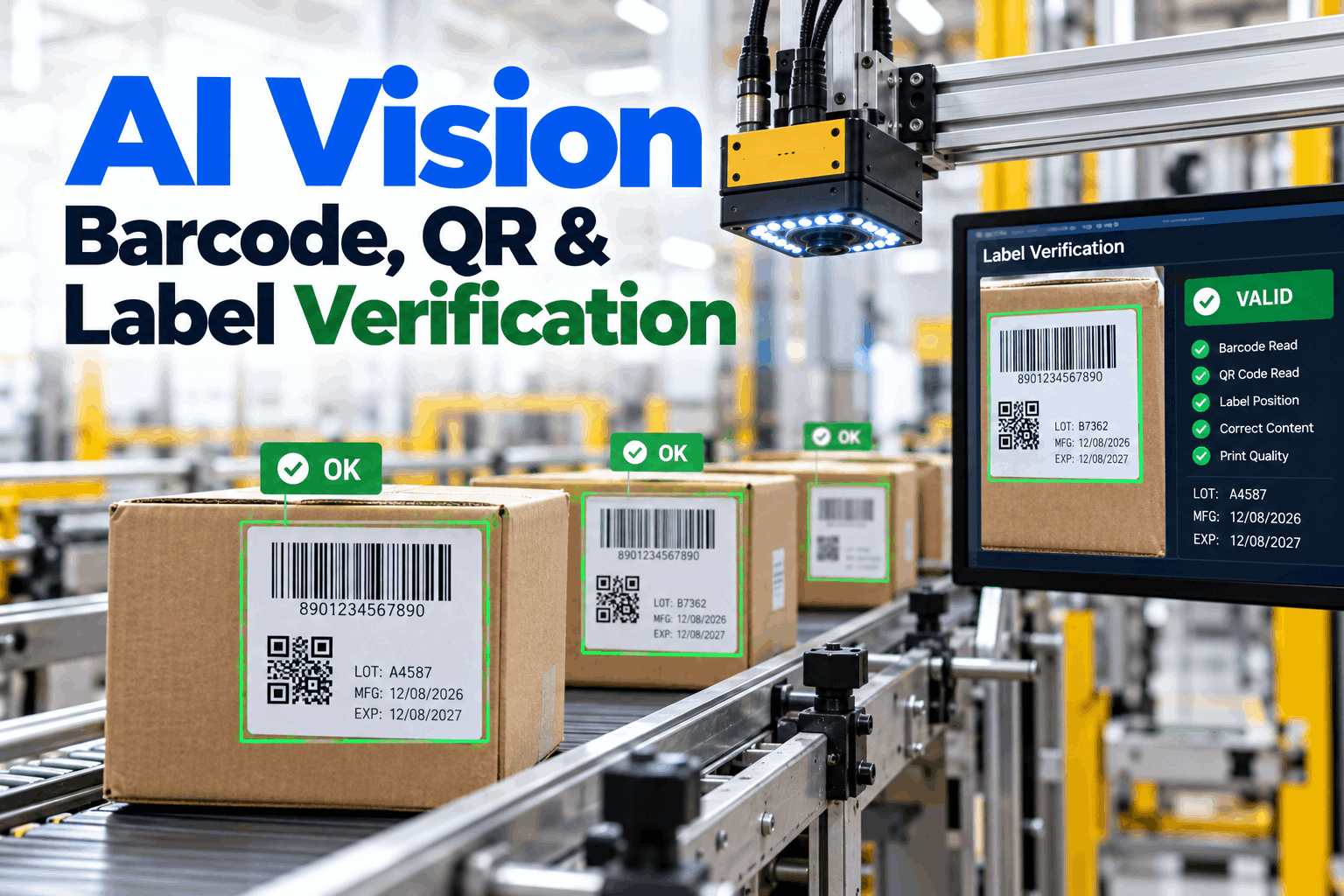
One camera reads the barcode, the QR or DataMatrix code and the printed text on every label, grades how well the code is printed, and checks that all three agree with the order running. Labels that fail are rejected before they ship.
- The difference between reading, grading and verifying a code
- Why codes fail on the line, and how to catch the drift early
- How a three-way match stops the wrong label shipping
- A · 3.5 and above
- B · 2.5 to 3.4
- C · 1.5 to 2.4
- D or F · below 1.5
Reading, Grading and Verifying Are Three Different Jobs
A code can pass one test and fail the other two.
Most lines have a scanner that reads codes. Fewer grade them, and fewer still check that what the code says is actually right for the product in the box. Each job catches a different fault, and each fault costs money in a different place: at the scanner, at the customer's dock, or in a recall. Our vision support team can help you see which jobs your line covers today.
Read
Decode the code and get the data out. Answers one question: can this code be read right now, by this reader?
Grade
Measure print quality against the ISO scale. Answers: will this code read anywhere down the supply chain?
Verify content
Check the data and printed text against the order. Answers: is this the right label for this product?
Formal ISO grading uses a calibrated verifier with controlled lighting and set measurement conditions. An inline camera grades codes on the moving line, which makes it very good for spotting print quality drift on every code, but it does not replace an offline verifier for formal checks or customer audits.
A basic scanner tells you
- The code decoded, or it did not
- The data inside the code
- Nothing about print quality or trend
AI vision adds
- Reads on damaged or wrinkled codes
- A quality trend on every code
- The printed text, checked against the code and the order
Why Codes Fail on the Line
Most bad codes are made slowly, not suddenly.
A printhead gathers dirt, a ribbon runs low, a label goes on with a wrinkle, or a carton gets scuffed on a guide rail. Most of these faults lower the grade a little at a time before any code fails to scan. Others, such as wrong data or a wrong label roll, never show up in the grade at all. To map the failure points on your lines, book a line review call.
A label from the last lot, a date left over from yesterday, or the wrong product's label roll can all print with an A grade. Only a check of the content against the order running catches them, which is why grading on its own is not enough.
What No-Reads Cost Downstream
Here is one day of cases leaving a plant, with a small no-read rate at the customer's warehouse. Every case that will not scan has to be pulled and handled by hand.
The A-to-F Grade Scale, in Plain Terms
Know what each grade means before a customer tells you.
ISO/IEC 15416 grades 1D barcodes by scanning ten lines across the code and averaging them. ISO/IEC 15415 grades 2D codes such as QR and DataMatrix across the whole grid. Both give a grade from A to F, or 4.0 to 0. GS1 adds its own rules on data format, so a code can grade well and still be wrong for GS1. If you want help setting grade targets, our engineers can help.
If customers need C, alert when the hourly average falls below B. That gives the line time to clean a printhead or change a ribbon at the next break, rather than discovering D-grade codes after a pallet is wrapped.
Mislabeling: When the Code Reads but Is Wrong
The safest label is one checked three ways.
A three-way match compares what the code says, what the printed text says and what the order says should be on the label. If any one of the three disagrees, the pack is rejected and the line is told why. It is the simplest way to stop a wrong lot, date or product label from reaching a customer. To see how it would fit your labels, book a label mapping session.
Read the code
Barcode, QR or DataMatrix decoded, including GS1 data fields such as GTIN, lot and date.
Read the text
Printed lot, date and product name read by OCR, character by character.
Compare to the order
Both matched against the product, lot and date the line should be running.
Reject and record
Mismatch rejected with an image kept, so the cause can be traced.
Damaged Codes: Where Deep Learning Helps
Some codes are hard to read. AI is better at reading them, not at making them good.
Traditional decoders follow strict rules, so a wrinkle, glare, a curved surface or a few missing modules can stop a read. Deep learning models trained on real images from the line can still find and decode many of these codes. That cuts no-reads at your own scanners, but the code is still damaged, and a basic scanner further down the chain may still fail on it. So the aim is to read it now and fix the cause soon.
Deep learning helps with
- Wrinkled, curved or skewed labels
- Glare on shiny film and foil
- Low-contrast or partly scuffed codes
- Faint or uneven printed text for OCR
It does not fix
- The print fault that made the code bad
- Codes that customers' scanners cannot read
- Wrong data printed perfectly
- The need for formal verification
The best use of a hard read is a warning. If the camera had to work hard to decode a code, the label is marked for attention, and the trend of hard reads becomes an early sign that the printer or applicator needs a look.
How iFactory Vision OCR Inspection Works
Every code read, every label checked, every result kept.
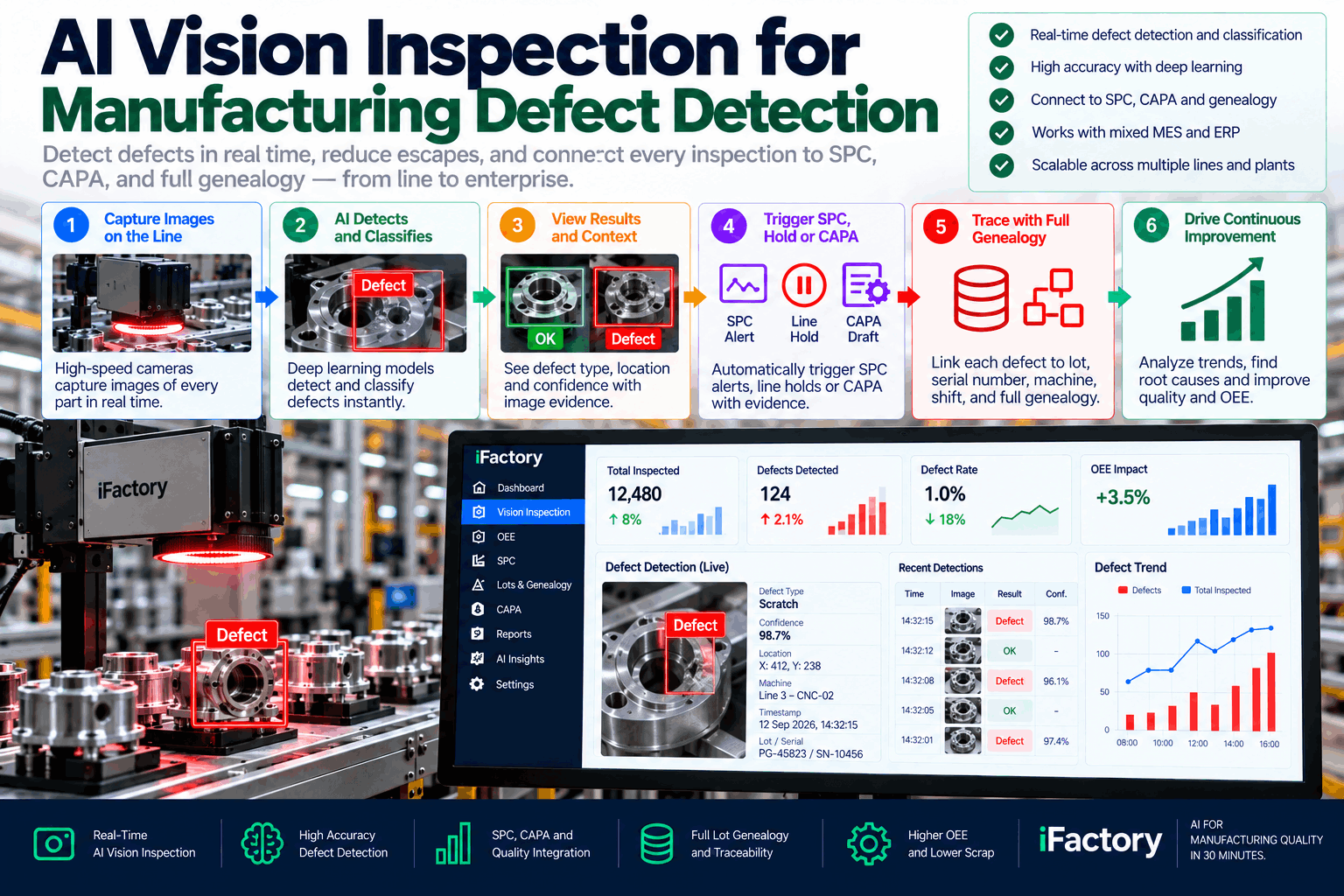
iFactory's Vision OCR Inspection runs deep learning models on an edge server next to the line. It reads 1D and 2D codes and printed text on every label, tracks print quality through the shift, matches each label to the order running, and sends reject signals to your existing reject unit. Questions on fit go to our support desk.
Capture
Camera triggered by each pack or case at line speed.
Read
Codes and text decoded, including hard reads.
Grade
Print quality scored and trended per printer.
Match
Code, text and order compared field by field.
Reject
Failures removed before palletising.
Record
Images and results kept by lot for traceability.
What the line team sees
- Rejects by reason, live
- Grade trend for each printer
- Alerts before the grade reaches the pass mark
What QA sees
- Label results for every lot
- Images to answer customer queries
- Records ready for audits
Read rates and grade accuracy depend on the label, print method, surface and line speed. We measure them on your own labels during the pilot, against your current scanner and offline verifier, rather than promising a general figure.
Turnkey AI: Delivered, Connected and Live in 6–12 Weeks
You do not build this. It arrives ready.
iFactory ships as a pre-configured NVIDIA AI server, racked and ready, with the software pre-loaded. Rack it, plug in power and Ethernet, and the AI is live on your network.
Our team handles cabling, network setup, PLC and SCADA integration, operator training and 24×7 remote monitoring. The server sits inside your own network, so images and production data stay on site. For a scope matched to your lines, request a turnkey quote.
Ship, network and data
Server and cameras installed on the pilot line. Reject unit, printers and order data connected.
Model training and pilot
Models trained on your own labels and run beside current scanners. Results compared with your offline verifier.
Go-live and training
Automatic rejects switched on once results are agreed. Line and QA teams trained. 24×7 remote monitoring begins.
Frequently Asked Questions
Can AI vision read damaged barcodes and QR codes?
It can read many codes that rule-based scanners miss, such as wrinkled, skewed, low-contrast or partly scuffed codes. It flags them too, because a code that was hard to read at the plant may still fail at a customer's scanner.
Which codes can it read?
Common 1D barcodes such as EAN, UPC, GS1-128 and Code 128, and 2D codes such as QR and DataMatrix, along with printed text like lot numbers, dates and product names.
Does it grade codes to ISO standards?
It scores print quality inline using the same A-to-F scale, which is ideal for spotting drift on every code. Formal ISO/IEC 15416 and 15415 grading for audits still needs a calibrated offline verifier.
How does it prevent mislabeling?
It reads the code and the printed text and compares both with the product, lot and date in the order running. Any mismatch is rejected and recorded with an image.
Will it keep up with our line speed?
It is designed to check every pack or case at full line speed, with decisions made on a server beside the line. Timing is tested during the pilot before automatic rejects are switched on.
Does it replace our existing scanners?
Not necessarily. It can run beside them or take over their job, depending on the line. Many plants keep their scanners at first and compare results during the pilot.
How do we start?
With the line that has the most no-reads, chargebacks or label errors, so the gains are easy to see. A 6-week pilot installs cameras, trains models on your labels and runs them beside your current checks. To plan it, contact our team.
Read Every Code, Check Every Label
In thirty minutes we look at your labels, no-reads and customer complaints, pick the line most likely to pay back first, and sketch the checks a camera could take on. You keep the plan whether or not you go further with iFactory.
- 1Samples or photos of your labels
- 2No-read and reject data by line
- 3Customer chargebacks or label complaints
- 4Your customers' grade requirements
- 5How orders and lots reach the printers