Food Plant Condition Monitoring Rollout: A 12-Week AI Plan

By James C on October 26, 2026

food-plant-condition-monitoring-rollout-12-week-ai-plan

Condition monitoring only pays off when a warning reaches the right person early enough to plan the repair. In a food plant that means sensors that survive sanitation, baselines that can tell a washdown from a fault, and alerts that land in the work order system instead of an inbox. This 12-week plan shows what happens each week, from server and network to a monitored pilot line and 24x7 remote monitoring. Walk through it for your own site in a rollout planning call.

TURNKEY CBM · FOOD PLANTS

A 12-Week Plan From First Sensor to Live Condition Alerts

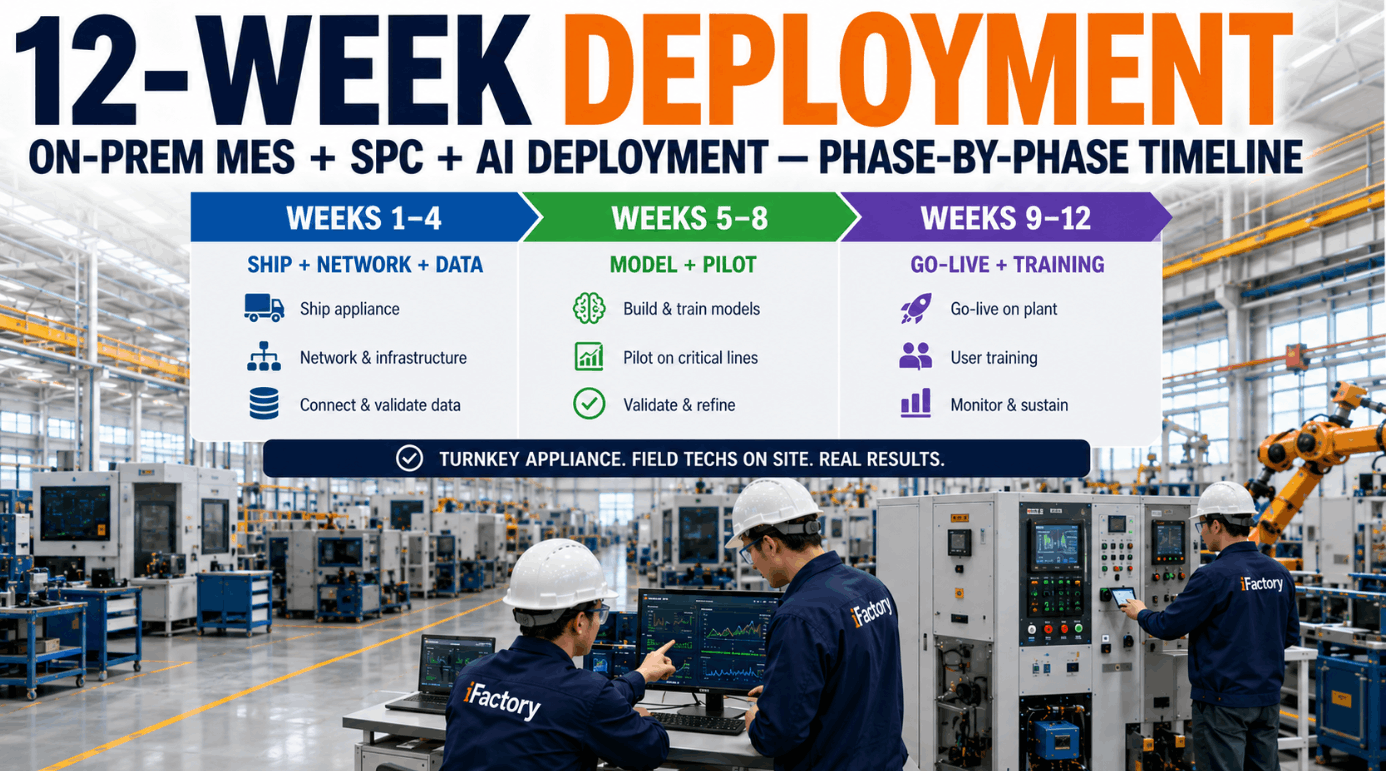
iFactory Turnkey CBM Deployment runs in three blocks: server, network and data in weeks 1–4, model training on a pilot line in weeks 5–8, then go-live, training and 24x7 remote monitoring in weeks 9–12. Every alert opens a work order with the evidence attached.

Pilot line 2 · Week 7 of 12Shadow mode
Readings against baseline · product run, washdown masked
Filler gearbox · vibration2.1 mm/s · Zone B
Seal jaw motor · current14.2 A · normal
Infeed conveyor bearing · ultrasound+9 dB · watch
Pump motor · bearing temperature41°C · normal
Ultrasound rise flagged · lube work order proposed
ASSET CHOICE FOR CBM

Choose Pilot Assets on Three Tests

Start small. One pilot line is far easier to baseline and prove than a whole plant. If you already rank assets with a criticality matrix, start from the top class and apply two more tests, because monitoring only helps where a failure gives warning and that warning lasts longer than the gap between checks. Talk your shortlist through with our reliability team.

01
CriticalityHigh consequence for food safety, uptime or people. Use your existing ranking rather than redoing it.
02
Failure historyRepeat failures in the CMMS with a mode a sensor can see: bearings, misalignment, imbalance, lubrication, motor faults.
03
P-F intervalTime from the first sign a sensor can pick up (P) to functional failure (F). It must be long enough to plan a repair.
How often to check

Reliability guidance suggests checking at a half to a third of the P-F interval, or a quarter to a fifth for critical assets, so there are at least two chances to catch a fault. Continuous sensors meet this easily. Monthly routes often don't.

SENSOR DEPLOYMENT

Match Each Sensor to the Failure It Can See

No single sensor covers every fault. Vibration finds imbalance, misalignment and looseness. Ultrasound often hears lubrication problems and early bearing friction first. Motor current shows rotor and load problems, and temperature confirms heat from friction or poor connections. Most food plant pilots combine two or three sensor types on each asset. Review sensor mixes with our CBM engineers.

Sensor
What it catches
Reference point
Food plant note
Vibration
Imbalance, misalignment, looseness, bearing wear with enveloping
ISO 20816 zones (replacing ISO 10816), RMS velocity over 10–1,000 Hz
Gearboxes, fans, pumps, mixers
Ultrasound
Lubrication starvation, friction, early bearing defects, leaks
Rise over the asset's own baseline, such as +8 dB for lubrication and +16 dB for a defect
Conveyor and slow bearings, steam traps, air leaks
Motor current
Broken rotor bars, air gap eccentricity, overload, jams
Trend against baseline current at the same load
Fitted in the MCC, outside the washdown zone
Temperature
Friction heat, lubrication starvation, loose connections
Rise over ambient and over baseline
RTDs on bearing housings, IR checks on panels
WASHDOWN RATED SENSORS

Sensors and Mounts That Survive Sanitation

Sanitation is the hardest test a sensor faces in a food plant. The IP69K test sprays 80°C water at 80–100 bar from 10–15 cm, close to a real high-pressure washdown. The mount matters as much as the housing, because a sensor in the food zone must not trap soil or become a foreign body. Check your zones with our support team.

IP69K
Hot, high-pressure spray80°C water, 80–100 bar, 14–16 L/min, at 0°, 30°, 60° and 90° for 30 seconds each
316L
Hygienic housingStainless bodies and sealed glands, with smooth, crevice-free shapes that drain
Stud
Mount for clean dataStud mounts give the widest frequency range. Adhesive pads come close where drilling is not allowed. Magnets suit routes, not fixed installs
Zone
Food-zone mountingNo loose tags or cable ties near product, cables routed away from the line, every sensor on the device register
WIRELESS VS WIRED

Wireless or Wired: Decide Asset by Asset

Wireless sensors are quick to fit and avoid new cable runs through washdown walls. But most battery units take readings at intervals rather than continuously, and signal can be weak in metal-clad rooms. Wired sensors stream all the time and suit fast or high-value machines. Most pilots use both. Map coverage with our network engineers.

WIRELESS, BATTERY POWERED
  • Fast to install, with no new conduit in wet areas
  • Readings in snapshots, spaced to suit the battery
  • Mesh protocols such as WirelessHART (IEC 62591) or ISA100
  • Battery changes go on the PM schedule
WIRED TO A CABINET
  • Continuous data for fast or high-value machines
  • Powered from the cabinet, so no batteries to plan
  • Cable runs need hygienic routing and sealed glands
  • Best for fillers, homogenisers and large compressors

Ask Your Pilot Line How It Is Running

During the pilot, maintenance leads can ask iFactory about any monitored asset in plain words. Answers come from live readings and the baseline, with the trend behind every alert.

Line 2 · Maintenance lead and iFactory
Maintenance leadWhy is the infeed conveyor bearing on watch?
iFactoryUltrasound is 9 dB over its baseline since Tuesday. Vibration and temperature are normal, which usually points to lubrication.
Maintenance leadRaise a job for the next sanitation window.
iFactoryWork order raised for Thursday's window with the trend attached. I'll recheck the reading after greasing.
FOOD PLANT CONDITION MONITORING ROLLOUT IMPLEMENTATION GUIDE

Twelve Weeks, One Pilot Line, Week by Week

Each week ends with a check that someone signs off. The plan assumes one pilot line. A larger first scope adds fitting time in weeks 2–4 and more baselining in weeks 5–6. Fit it to your calendar in a scoping review.

Week
Block
Main work
Exit check
1
Server and data
Kickoff, pilot assets agreed, failure history pulled from the CMMS
Asset list and success criteria signed
2
Server and data
Network survey, gateway positions, OT segment and firewall rules
Network design approved by IT and OT
3
Server and data
NVIDIA server racked, sensors fitted around a sanitation window
Every sensor reporting to the server
4
Server and data
Data checks on timestamps, units and tag names, line state read from the PLC
Clean data from all assets for five days
5
Models and pilot
Baselines built per line state, washdown and CIP masked
Baseline report per asset
6
Models and pilot
Models trained on normal running, past failures labelled where data exists
Anomaly scores reviewed with maintenance
7
Models and pilot
Shadow mode: alerts logged, not sent, each checked by a technician
False alert list and threshold changes
8
Models and pilot
Alert routing and work order templates tested end to end
Pilot sign-off against week 1 criteria
9
Go-live and 24x7
Alerts switched on for the pilot line, planners own the queue
First live alerts handled
10
Go-live and 24x7
Training for technicians, planners and supervisors
Each role passes a short practical
11
Go-live and 24x7
24x7 remote monitoring of models, sensors and server confirmed
Escalation contacts agreed
12
Go-live and 24x7
Results against the week 1 baseline, next lines chosen
Phase two plan approved
DATA BASELINING

Baseline by Line State, Not by Calendar

A filler gearbox vibrates differently at high speed than at low speed, and very differently during a hot washdown. If the baseline mixes these states, alerts either fire all the time or never come. iFactory reads the line state from the PLC and builds one baseline per state, with sanitation masked. The figures below are illustrative. See state baselines in a live walkthrough.

Filler gearbox · RMS velocityBaseline by line state, mm/s
Product A, high speed1.9
Product B, low speed1.3
Changeover0.9
Idle0.2
Built inWeeks 5–6, normal running
MaskedWashdown and CIP
RefreshedAfter repairs or speed changes
ALERT THRESHOLDS

Four Alert Levels, Each With One Action

Thresholds work best in layers. ISO 20816 zone limits set an absolute ceiling for vibration. A rise against the asset's own baseline catches change long before that ceiling, and the AI anomaly score catches patterns across several sensors. Each level maps to one action, so nobody has to guess. Agree your levels with our support team.

Normal
Inside the baseline band. No action, trend kept
Watch
Rise over baseline or a high anomaly score. Recheck on the next round
Plan
Sustained rise or ISO Zone C. Work order for the next planned stop
Act
Zone D or a fast rise. Planner and supervisor called now
ISO 20816-3 example

For group 2 machines (15–300 kW) on rigid foundations, the zone boundaries sit at 1.4, 2.8 and 4.5 mm/s RMS. Your machine group and foundation decide the right numbers.

ALERT WORKFLOW

How an Alert Becomes a Work Order

An alert nobody owns is just noise. In the pilot, every Plan or Act alert goes to the planner's queue with the evidence attached, and the work order is raised in your CMMS through its interface. Technicians close it with what they found, which teaches the model. Test the loop in a work order demo.

1DetectA reading crosses a level for longer than the confirm time
2CheckLine state and other sensors checked to rule out washdown or changeover
3RouteAlert to the planner with trend, asset and likely fault
4RaiseWork order raised in the CMMS for the next planned stop
5LearnThe technician's finding closes the loop and tunes the model
FOOD PLANT CONDITION MONITORING ROLLOUT FOR PLANT MANAGERS

Pilot Success Criteria You Can Measure

Agree the pass marks in week 1, before anyone sees data. The targets below are illustrations of measures that work well. Set your own from your current figures. Get a criteria worksheet from our reliability team.

Data coverageShare of sensor-hours with valid readings. Illustrative target: 95% or more
Alert precisionShare of Plan alerts confirmed by a technician's finding. Illustrative target: 7 in 10
Alert to work orderHours from a Plan alert to a raised work order. Illustrative target: under 24
Planned shareRepairs on monitored assets done in planned stops rather than breakdowns
Missed failuresFailures in monitored modes with no prior alert. Target zero, each one reviewed
Team useAlert work orders closed with a finding recorded by the technician
FOOD PLANT CONDITION MONITORING ROLLOUT TEMPLATE

One Sheet per Monitored Asset

Fill in one sheet for every pilot asset before sensors are ordered. It keeps maintenance, sanitation and IT working from the same facts. Ask for a blank copy from our rollout team.

AssetFiller 2 gearbox, line 2
Criticality classA, from the site ranking
Failure modesBearing wear, gear mesh, lubrication
P-F estimateWeeks, from failure history
SensorsTriaxial vibration, ultrasound, temperature
Mount and ratingStud, 316L, IP69K
LinkWired to cabinet 4
Alert ownerLine 2 planner, weekly review
FOOD PLANT CONDITION MONITORING ROLLOUT EXAMPLES

Three Pilot Alerts and What Followed

These are illustrations of typical pilot alerts, not case studies. Your own procedures decide the response. Walk through your scenarios with our support team.

Conveyor bearing · ultrasound
Lubrication, fixed in a sanitation windowUltrasound rose about 9 dB with vibration flat. The bearing was greased during sanitation and the reading went back to baseline.
Mixer gearbox · vibration
Plan alert, repair at the weekend stopVelocity moved into Zone C over two weeks. A bearing was changed at the planned stop instead of mid-batch.
Pump motor · current
False alert, baseline addedCurrent rose on a new product's first run. The state map was missing that product, so a new baseline was added.
FOOD PLANT CONDITION MONITORING ROLLOUT COST AND ROI

Size the Case With Your Own Downtime Figures

The value comes from failures that turn into planned repairs. This worksheet uses assumed inputs to show the arithmetic only. Swap in your own CMMS history and cost per hour, and build your version with our CBM team.

Unplanned stops a year on pilot assets, monitorable modes6, assumed
Average breakdown stop length3 hours, assumed
Cost per hour of lost line time$5,000, assumed
Current exposure6 × 3 × $5,000 = $90,000 a year
Stops caught early and moved to a planned stop2, assumed
Line hours saved per caught stop (3 h breakdown, 1 h planned)2 hours, assumed
Illustrative value2 × 2 × $5,000 = $20,000 a year

Add parts and overtime avoided only if your records show them, then set the total against sensor, install and subscription costs from your quote.

TURNKEY AI DEPLOYMENT

Server, Sensors and Rollout in One Package

iFactory delivers condition monitoring as Turnkey CBM Deployment. A pre-configured NVIDIA AI server ships racked and ready with the CBM models loaded, so readings are processed on site. You rack it, plug in power and Ethernet, and the AI is live. Request a scoped plan from our support team.

What's Included
  • Pre-configured NVIDIA AI server, racked and ready
  • Washdown-rated vibration, ultrasound, current and temperature sensors
  • Wireless gateways and wired cabinet links
  • Baselines per line state, with sanitation masked
  • Alert levels and work order links to your CMMS
  • Role training for technicians, planners and supervisors
  • 24x7 remote monitoring of models, sensors and server
Live in 6–12 weeks
Wk 1–4
Server, Network and Data

Server racked, network segment approved, sensors fitted and data checked.

Wk 5–8
Model Training and Pilot Line

Baselines built, models trained, shadow alerts reviewed on the pilot line.

Wk 9–12
Go-Live, Training and 24x7 Monitoring

Alerts live, teams trained, remote monitoring running around the clock.

HOW iFACTORY FITS

Condition Monitoring Built Around the Sanitation Schedule

iFactory is designed for the wet, shift-driven routine of a food plant, where alerts must respect washdowns and turn into planned work. See it on a pilot line in a short demo.

1
Knows every line state. Baselines per product and speed, with sanitation masked.
2
Washdown-ready hardware. IP69K sensors on hygienic, crevice-free mounts.
3
Alerts become work orders. Evidence attached, raised for the next planned stop.
4
Watched 24x7. Remote monitoring of models, sensors and server from week 11.
1000+
Industrial clients running iFactory
99.9%
Platform uptime for continuous production
6-12 wks
From racked server to live CBM alerts
FREQUENTLY ASKED QUESTIONS

What Plant Managers Ask About a CBM Rollout

What is a food plant condition monitoring rollout?
It is the planned move from calendar or run-to-failure maintenance to repairs triggered by measured condition on chosen assets. It covers choosing assets, fitting sensors, building baselines, setting alert levels and linking alerts to work orders, usually starting with one pilot line.
Which assets should go first?
Assets that rank high on criticality, have a failure history in the CMMS, and fail in a way a sensor can detect early. If the P-F interval is shorter than the time you need to respond, monitoring will not help that asset.
Do sensors need an IP69K rating?
In areas cleaned with high-pressure hot water, yes, or a protected position. Dry areas such as plant rooms can use lower ratings. Mounts and cables matter too: smooth stainless shapes that drain, with nothing loose that could fall into product.
Should we use wireless or wired sensors?
Both have a place. Wireless suits slower assets and wet areas where new cable runs are hard. Wired suits fast or high-value machines that need continuous data. Most pilots mix the two.
How long does baselining take?
In this plan, baselines are built in weeks 5 and 6 from normal running in each line state. Assets that run many products, or rarely run at full speed, need longer. Baselines are refreshed after repairs.
How do we start?
Agree a pilot line and success criteria, pull the work order history for its assets and book a site survey. Our support team can plan week 1 with you.

Move One Line From Breakdowns to Planned Repairs

Fit washdown-ready sensors, build baselines per line state and send every alert to the planner as a work order. Delivered turnkey and live in 6 to 12 weeks.


Example week 12 summary · Pilot line 2
Pilot assetsFiller, seamer, conveyors, pumps
SensorsAll reporting, washdown masked
AlertsRouted to the planner queue
Work ordersRaised with the trend attached
Remote monitoring 24x7 from week 11

Share This Story, Choose Your Platform!