Food Plant Mobile CMMS: Voice, Offline and Washdown-Ready

By James C on October 19, 2026

food-plant-mobile-cmms-voice-offline-washdown-ready

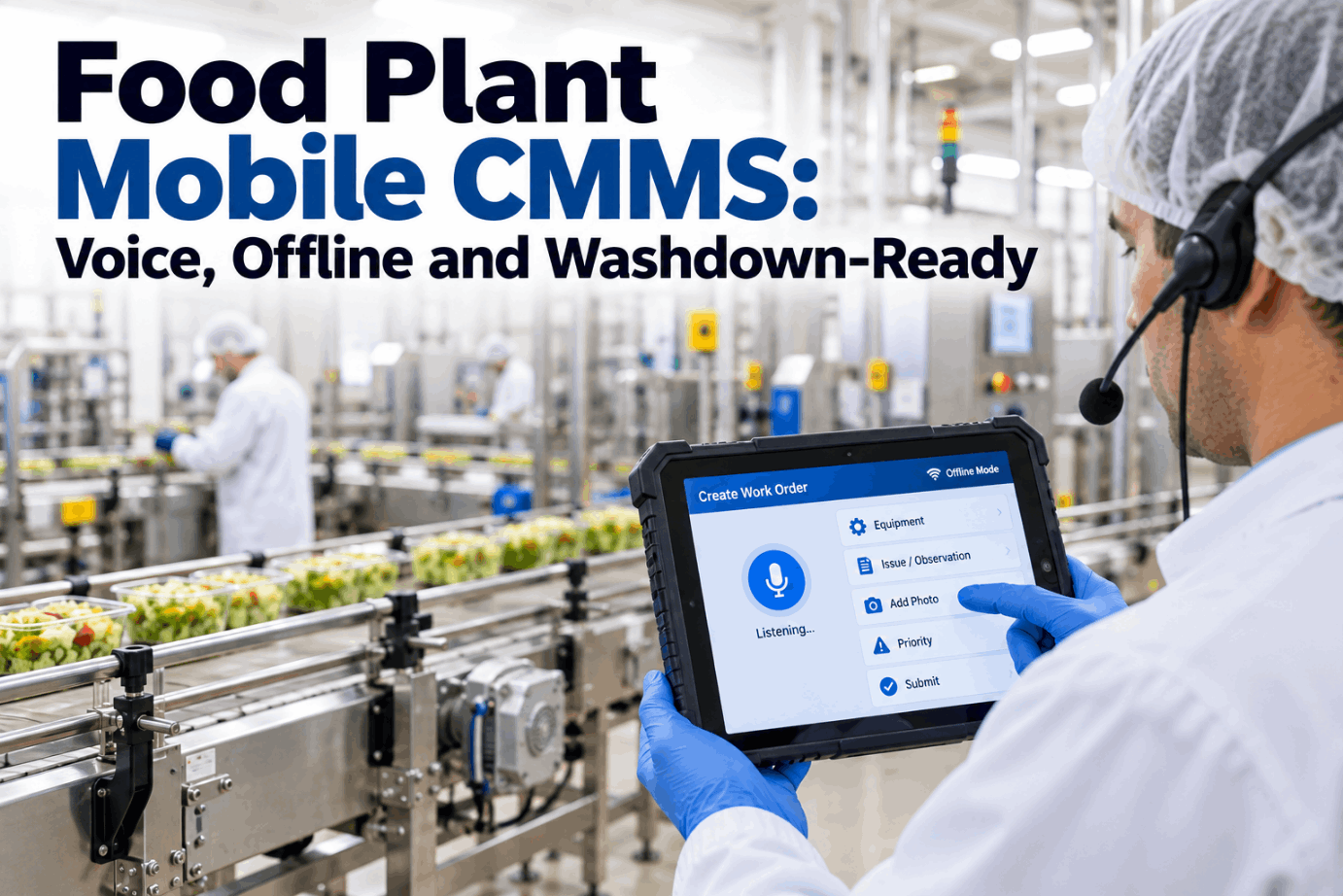
In a food plant, one technician may start a shift in a 4°C chill room, cross a washdown zone and finish a job in a -25°C freezer, all while wearing gloves. A mobile CMMS that works well on an office laptop often fails on that route: wet screens stop responding, Wi-Fi fades behind insulated panels and batteries sag in the cold. This guide sets out what a food plant mobile CMMS needs zone by zone, and how voice entry and an offline queue keep every record complete. See it on a gloved, offline round in a short mobile CMMS demo.

MOBILE + VOICE · FOOD PLANTS

A Mobile CMMS That Keeps Working in Wet, Cold and Gloved Hands

iFactory Mobile + Voice lets technicians close work orders hands-free through a headset, holds records in an offline queue inside cold rooms and plays every voice record back for confirmation. It runs on the IP-rated devices your sanitation plan already allows.

WO-4471 · Spiral freezer 2Offline · -24°C
Headset + handheld · Technician R. Okafor
Technician said"Spiral freezer two, belt tension set, guard refitted, close the job."
iFactory read backClosing WO-4471. Belt tension set, guard refitted. Say confirm.
Offline queue · 3 records
WO-4471 closedConfirmed 09:42
Evaporator 3 frost readingConfirmed 09:38
Photo of belt guardWaiting
Syncs on its own at the next access point
THREE ZONES, ONE ROUND

Where a Food Plant Mobile CMMS Has to Work

A mobile maintenance app for food plants is not judged in the office. It is judged at the end of a sanitation shift, in a freezer doorway and next to a packing line with the operator waiting. Each zone puts a different strain on the device and on the person holding it, so the right setup is usually a small mix of devices and input methods rather than one model for everyone. Our support team can help you map your own zones.

Wet and washdown zones
Raw processing, cooking and filling rooms cleaned daily with hot water, foam and chemicals.
  • Sealed device or case rated for close jets
  • No open ports or loose covers
  • Wipeable with your approved chemicals
  • Listed on the glass and hard plastic register
Cold rooms and freezers
Chill rooms near 0 to 5°C, storage freezers at -18°C or colder, blast freezers colder still.
  • Battery and screen rated for the cold
  • Heater or anti-fog to fight condensation
  • Offline queue for weak or no signal
  • Headset voice so gloves stay on
Dry and ambient areas
Packaging halls, stores, plant rooms and the workshop, often with good Wi-Fi.
  • Glove-friendly screen and large buttons
  • Barcode or QR scan to find the asset
  • Photos and parts lookup
  • Full work order history on screen
IP RATED DEVICES

What IP65, IP67 and IP69K Actually Test

An IP code has two digits. The first is protection against solids and dust, the second against water. IEC 60529 defines the codes, and its 2013 amendment added a plain IPX9 test. The IP69K rating comes from ISO 20653, which grew out of the German standard DIN 40050-9. Each code describes one specific test, so a higher number does not always cover the tests below it. Check your sanitation method against the right test in a device fit review.

IP65
Dust-tight, low-pressure jetsWater from a 6.3 mm nozzle, 12.5 L/min at about 30 kPa from 3 m, for at least 3 minutes.
Splash and light hosing
IP66
Dust-tight, powerful jetsA 12.5 mm nozzle, about 100 L/min at 100 kPa from 3 m, for at least 3 minutes.
Heavier hosing, cool water
IP67
Dust-tight, short immersionSubmerged with its lowest point 1 m down for 30 minutes. Not a jet test.
Falls into a sink or tank
IP69K
Close, hot, high-pressure sprayWater at 80°C, 80 to 100 bar, 14 to 16 L/min from 10 to 15 cm, at four angles for 30 s each.
Daily washdown zones
Ratings don't stack on their own

An IP69K device is not proven for immersion unless it also carries IP67 or IP68, so look for a dual rating such as IP67/IP69K. The tests also leave out cleaning chemicals, steam and repeated hot and cold cycles. Ports, chargers and accessory cases are the usual leak paths, so check them too.

VOICE ENTRY WITH GLOVES

Gloved Hands, Wet Screens and Why Voice Wins

Most handheld screens are capacitive, so they need a conductive touch. Thick freezer gloves, cut-resistant gloves and water on the glass all make taps miss or land in the wrong place. Rugged devices help with glove modes and physical keys, but the most reliable input in a cold or wet zone is no touch at all. With a headset, the technician speaks the finding, iFactory turns it into fields and reads it back before anything is saved. Ask our support team which headsets suit your hearing protection.

1 · Spoken
"Line four slicer, blade guard sensor loose, tightened, tested, fine. Parts none. Close it."
2 · Fields filled
AssetLine 4 slicer
FindingGuard sensor loose
ActionTightened and tested
PartsNone
StatusClose
3 · Confirm-back
"Line 4 slicer. Guard sensor loose, tightened and tested. No parts. Closing the job. Confirm or change?"
"Confirm""Change action"
Why the read-back matters

Plant noise, accents and similar asset names cause mishears. Playing the record back puts the technician in charge of the final wording, and nothing is filed as complete until they say confirm.

FREEZER ROOM CONNECTIVITY

Batteries, Signal and Condensation Below Zero

Cold changes how a device behaves. Lithium-ion internal resistance rises in the cold, so runtime falls. Consumer-grade cells should not be charged below 0°C, because metallic lithium can plate onto the anode and cause permanent damage. Many consumer phones are rated only down to 0°C. Insulated rooms with metal skins also weaken Wi-Fi, and moving from a freezer into a warm corridor fogs screens and lets moisture reach the ports. Plan cold-room coverage in a freezer workflow session.

20°CAmbient areas
BatteryNormal runtime
SignalUsually good Wi-Fi
RiskCold devices fog when they return
0 to 5°CChill rooms
BatteryShorter runtime
SignalPatchy behind panels
RiskWet screens and gloves
-18°CStorage freezers
BatteryCold-rated pack needed
SignalOften none inside
RiskDo not charge in the room
-25°C and belowBlast and spiral freezers
BatteryShort stays, warm spares
SignalPlan for offline
RiskFrost on screen and keys
Charge outside the coldKeep chargers and spare batteries in an ambient room.
Warm up before useLet a cold device sit in a holster or warm area before opening ports.
Put access points at doorsCorridor coverage lets the queue sync on the way out.

Speak It in the Freezer, Sync It at the Door

With iFactory Mobile + Voice, technicians keep their gloves on, speak each finding through a headset and hear it read back before it is saved. Records wait safely in the offline queue and reach the work order the moment a signal returns.

Blast freezer 1 · Technician and iFactory
TechnicianEvaporator three, heavy frost on the coil. Open a defrost check for day shift.
iFactorySaved offline. Evaporator 3, heavy coil frost, defrost check for day shift, medium priority. Confirm?
TechnicianConfirm.
iFactoryDone. Four records are queued and will sync at the corridor access point.
OFFLINE WORK ORDERS

What Happens When the Offline Queue Syncs

Offline mode is easy to promise and hard to get right. The difficult part is not storing records on the device. It is what happens when the device reconnects and the office has changed the same work order in the meantime. Good rules keep every field reading, never let a later edit quietly erase an earlier one, and send real clashes to a person. Review your sync rules with our support team.

Situation on sync
What should happen
Why it matters
Reading logged offline
Added with the device time and the sync time, never overwritten
Audit trails need the time the reading was taken
Two technicians add notes
Both notes kept, in time order
Nothing said on the floor is lost
Job closed offline, reassigned in office
Close kept, clash flagged to the planner
A real fix should not be undone by a desk edit
Parts used offline
Stock reduced on sync, shortfalls flagged
Store counts stay honest
Voice record not confirmed
Held as a draft, not filed as complete
Only confirmed records become history
Device off for days
Queue count shown on screen and to the supervisor
Old records are chased before they are lost
FOOD SAFETY AND DEVICES

A Handheld Is Also a Foreign-Body Risk

A device carried into production is a piece of glass and hard plastic near open food. BRCGS Food Safety clause 4.9.3 asks sites to control glass, brittle plastic and ceramics where product is handled, with a register, risk-based condition checks and a breakage procedure. Most sites treat handhelds, screens and headsets the same way. Check your own policy, then see how device checks fit into rounds in a hygiene rounds demo.

1Register each deviceDevice ID, zone and screen material on the register.
2Check at start-upScreen, case and headset condition recorded, even when fine.
3Clean with approved chemicalsSame chemicals as the zone, checked against seal materials.
4Breakage means stopIsolate the area, quarantine product and record every action.
FOOD PLANT MOBILE CMMS TEMPLATE

A Zone Spec Sheet for Devices and Input

Fill in one sheet per zone before you buy devices. It turns sanitation, temperature and glove rules into a clear device spec, and it gives quality, sanitation and maintenance the same document to sign off. Ask our support team for a blank copy.

Zone spec · Raw meat cutting roomExample values
TemperatureAround 4°C, wet
SanitationDaily hot water and foam
Minimum ratingIP67/IP69K device or case
Gloves wornCut-resistant plus nitrile
Main inputHeadset voice, scan backup
SignalPatchy, offline queue on
Battery planSpare swap at break
Register IDGBP-CR-014
Cleaning methodWipe with zone sanitiser
Sign-offQuality, sanitation, maintenance
FOOD PLANT MOBILE CMMS IMPLEMENTATION GUIDE

Best Practices for a Zone-by-Zone Rollout

Start where paper fails worst, not where Wi-Fi is best. If the app works in the freezer and the washdown room, the dry areas are easy. Keep the first group small, listen to the technicians and fix the voice phrases they actually use before you widen the rollout. Plan your first zone in a rollout planning call.

1
Walk the routesMark wet, cold and dry zones, dead spots and where devices are stored and charged.
2
Fill the zone sheetsAgree ratings, gloves, input and cleaning with quality and sanitation.
3
Pilot the hardest zoneOne freezer or washdown area, a few technicians, offline queue switched on.
4
Tune the phrasesAdd local asset names and shorthand so voice records parse first time.
5
Widen and reviewAdd zones, then track queue age and read-back corrections each week.
FOOD PLANT MOBILE CMMS COST AND ROI

Size the Time Saved With Your Own Numbers

The clearest saving is the write-up time after a job, when a technician walks to a terminal or fills a paper sheet that someone types in later. The worksheet uses assumed inputs to show the arithmetic only. Swap in your own figures, and get help with a fuller case from our support team.

Technicians on mobile12, assumed
Jobs per technician per shift6, assumed
Minutes of write-up per job today4, assumed
Shifts per year250, assumed
Write-up time per shift12 × 6 × 4 = 288 min = 4.8 h
Write-up time per year4.8 h × 250 = 1,200 h

Voice entry won't remove all of that time, so apply your own share after a pilot. Then add the benefits that are harder to price: readings taken at the asset rather than from memory, fewer missing records at audit and faster closure of food safety jobs.

TURNKEY AI DEPLOYMENT

Voice Models on Site, Not in a Distant Cloud

iFactory is delivered as a turnkey hardware and software bundle. A pre-configured NVIDIA AI server ships racked and ready with the voice and work order models pre-loaded, so speech is processed inside the plant. You rack it, plug in power and Ethernet, and the AI is live. Scope it for your site with a turnkey quote.

What's Included
  • Pre-configured NVIDIA AI server, racked and ready
  • iFactory Mobile + Voice software pre-loaded
  • Network, Wi-Fi and cabling for cold and wet zones
  • PLC/SCADA links for asset and alarm data
  • Headset and IP-rated device setup
  • Technician and supervisor training
  • 24×7 remote monitoring
Live in 6–12 weeks
Wk 1–4
Ship and Connect

Server racked, network and access points at freezer doors, asset list loaded.

Wk 5–8
Pilot One Zone

Voice phrases tuned, offline queue tested in the coldest room.

Wk 9–12
Go-Live and Training

All zones on, technicians trained, weekly queue review started.

HOW iFACTORY FITS

Built for the Food Plant Floor

iFactory Mobile + Voice is made for gloves, cold and daily washdown, with the technician always in control of what is saved. Our support team can walk you through a pilot.

1
Hands-free entry. Findings, readings and closures spoken through a headset.
2
Offline queue. Records held safely in cold rooms and synced when a signal returns.
3
IP-rated device support. Runs on the rugged devices your sanitation plan allows.
4
Confirm-back playback. Every voice record is read back before it is filed.
1000+
Industrial clients running iFactory
99.9%
Platform uptime for round-the-clock plants
6-12 wks
From racked server to live voice rounds
FREQUENTLY ASKED QUESTIONS

Food Plant Mobile CMMS Questions for Plant Managers

Do we need IP69K devices everywhere?
No. IP69K matters where devices face close, hot, high-pressure washdown. Dry packaging halls and stores can use lower ratings. Match each zone to the test that reflects its cleaning method, and look for a dual rating such as IP67/IP69K where devices may also fall into water.
Can technicians use the app with freezer gloves?
Touch is unreliable with thick or wet gloves, even on glove-mode screens. That is why voice through a headset is the main input in cold and wet zones, with barcode scanning as a backup. Screens are still used for photos, history and longer notes in warmer areas.
What happens to records made with no signal?
They are held in an offline queue on the device with the time they were made. When the device reaches an access point, the queue syncs on its own. Readings and notes are added, not overwritten, and genuine clashes with office edits are flagged to the planner.
How accurate is voice entry in a noisy plant?
Noise and similar asset names do cause mishears, which is why every voice record is read back for confirmation before it is saved. Noise-cancelling headsets that work with hearing protection, plus local asset names added during the pilot, cut corrections over time.
Can devices be charged inside the freezer?
They should not be. Standard lithium-ion cells must not be charged below 0°C, because lithium plating causes permanent damage. Keep chargers and spare batteries in an ambient room, and let cold devices warm up before opening ports to limit condensation.
How do we start?
Walk the technician routes, fill a zone sheet for each area and pilot in the hardest zone, often a freezer or washdown room. Run the offline queue and voice read-back there for a few weeks before widening. Book a pilot planning call to map it out.

Every Job Recorded, Whatever the Zone

Give technicians a mobile CMMS that works with gloves on, holds records in the cold and confirms every voice entry. The full system is delivered turnkey and goes live in 6 to 12 weeks.
Example round summary · Freezer and washdown
Jobs closed by voiceRead back and confirmed
Records made offlineQueued, then synced
Devices usedIP-rated, on the register
Clashes on syncFlagged to the planner
Every record timed at the asset

Share This Story, Choose Your Platform!