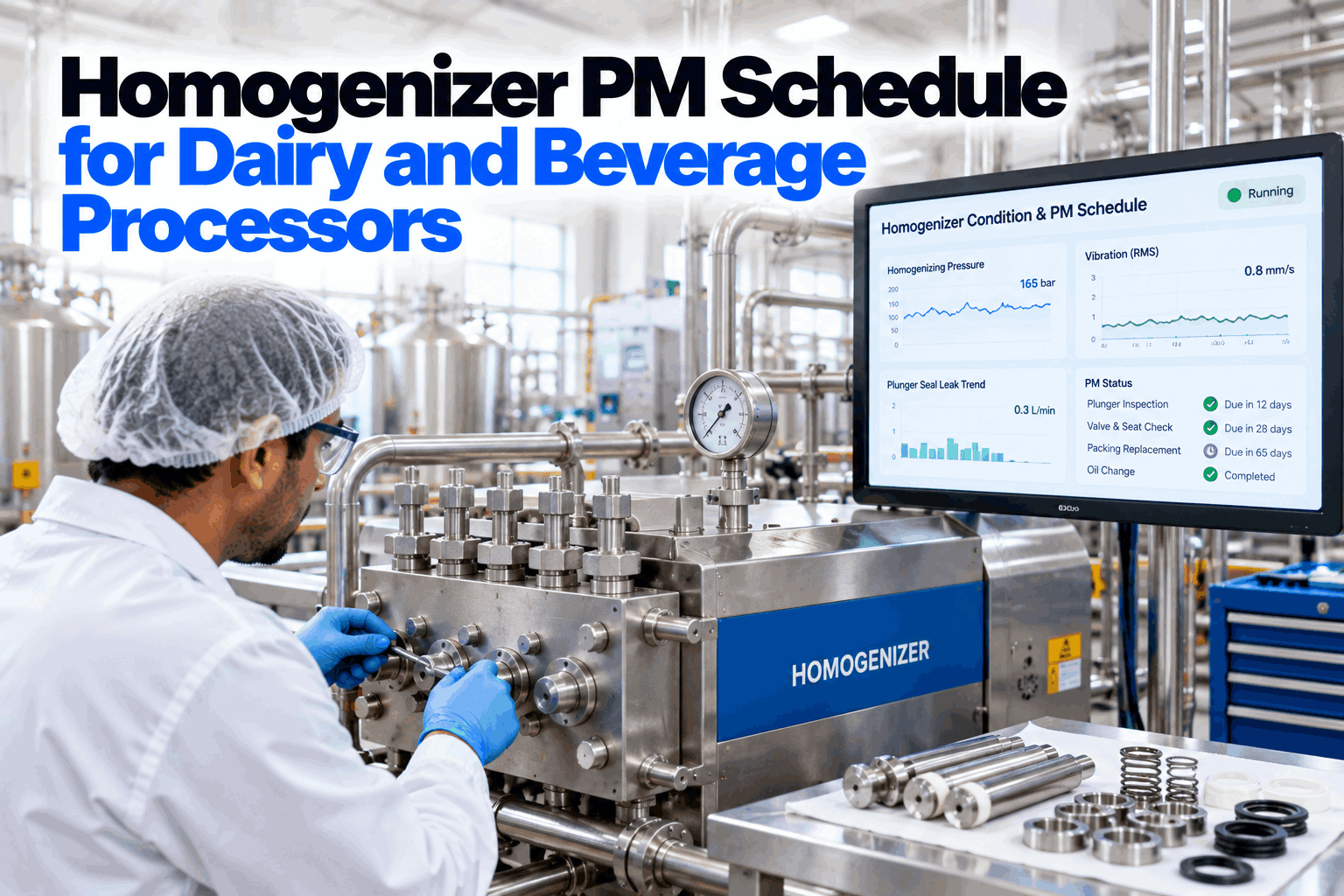
A homogenizer is one of the hardest-working machines in a dairy or beverage plant. It pushes product through a narrow gap at high pressure, hour after hour, with plungers, seals and valves wearing a little on every stroke. When maintenance is done by calendar alone, some parts are changed too early and others fail mid-run, with product at the seals and pressure swinging off specification. This guide sets out a homogenizer PM schedule by component and run hours, with AI watching pressure and seal trends. Review your schedule with our reliability team.
Homogenizer PM Schedule for Dairy and Beverage Processors
Plungers, seals, pump valves, seats and the homogenizing valve maintained by run hours and condition, with AI watching seal leakage and pressure pulsation to trigger service before a failure mid-run.
- Daily to annual tasks by component
- Run-hour and condition triggers
- Rebuild history for every valve position
How a Homogenizer Wears
A high-pressure pump and a valve, both under constant load.
A homogenizer is a positive displacement plunger pump feeding a homogenizing valve. The plungers push product through suction and discharge valves into a high-pressure block, and the homogenizing valve then forces it through a very small gap to break up fat globules or particles. Milk is often homogenized at pressures in the region of 100 to 250 bar, depending on the product and temperature. Each part wears in its own way, and each gives its own warning signs. Abrasive products, such as some juices with pulp or products with added minerals, wear parts faster than plain milk, so the same model can need very different intervals on different lines. Our dairy maintenance specialists can review your units.
Plungers and seals
Scoring on plungers wears seals and lets product leak.
Valves and seats
Worn or stuck valves cause pressure swings.
Homogenizing device
Forcer, seat and impact ring wear opens the gap.
Crankcase and drive
Bearings, oil, belts or gearbox carry the load.
Homogenizer PM Schedule by Interval
Short checks often, deeper work by run hours and condition.
The schedule below is a starting point built on common practice. Your manufacturer's manual sets the actual intervals and limits, and your own history will show where to adjust them. Daily checks are short and can be done by operators, as long as they know what normal looks like and where to report what they see. Deeper work is best tied to run hours and to what the condition data shows, rather than to fixed calendar dates. Build your schedule in a working session.
Intervals are general starting points. Always follow the manufacturer's manual for your model.
Why Run Hours Beat Calendar Dates
A homogenizer wears with strokes, not with weeks.
Two identical homogenizers on different lines can run very different hours. A calendar PM treats them the same, so one is serviced too often and the other too late. Tracking run hours, and the life each part actually achieves in your plant, gives a fairer trigger. Take a seal set that, in your own history, lasts about 1,500 run hours. On a unit running 20 hours a day for six days a week, that is about 12.5 weeks. On a unit running 16 hours a day for five days, it is closer to 19 weeks. These figures are illustrative. Set your run-hour triggers with our planning team.
Reading Pressure, Pulsation and Leaks
The homogenizer tells you what is wearing, if you listen.
Most homogenizer problems show up first in three places: the pressure reading, the way it moves and what comes out at the plunger seals. A swinging pressure needle usually points to a pump valve problem or a feed problem rather than the homogenizing valve. Product in the seal flush water points to seals or scored plungers. Learning to read these signs, and trending them, turns surprises into planned work. A pressure gauge that is not calibrated can hide all of this, so include gauge checks in the yearly tasks. Talk through your symptoms with our service team.
Service Homogenizers When They Need It
Seal leakage and pressure pulsation trended for every unit, run-hour triggers for every part and rebuild history for every valve position, logged by voice.
Condition Triggers for Seals and Valves
Let the machine call for service.
Two signals do most of the work in condition-based PM for homogenizers. Seal leak flow, measured in the plunger flush water, shows seal and plunger wear building up. Pressure pulsation, measured by a fast pressure transducer, shows pump valve and feed problems. The AI learns the normal pattern for each unit and product and raises a service request when a trend moves away from it, timed to the next CIP or planned stop where possible. Ask our analytics team how the models are set.
Building a Life History for Every Valve
Rebuild records are the data that make the schedule smarter.
Every rebuild tells you something: which parts were changed, which seats were turned, what the wear looked like and how many hours the parts ran. Recorded by position, this becomes a life history for each valve and seal, which sets fairer run-hour triggers and shows when one position wears faster than the rest. Technicians can log rebuild details by voice while they work, so nothing is left for a form at the end of the shift. Some homogenizer designs use reversible seats and forcers, which can extend part life, so recording whether a part was turned matters too. See a rebuild log in a short demo.
Example entry, illustrative.
Safety and Hygiene During Homogenizer PM
High pressure and food contact both demand care.
A homogenizer stores energy as pressure, and its wetted parts touch product. Every PM task should start with lockout and confirmed depressurizing, and end with the right cleaning and a hygiene release before product runs again. Lubricants used near product-contact areas should be food grade. Agree these steps with our food safety team.
Lock out and depressurize
Isolate power and confirm zero pressure before opening.
Clean handling
Clean tools, food-grade lubricants, parts kept off the floor.
CIP and release
Clean, inspect and sign off before production.
Homogenizer PM Checklist
Eight checks for a complete PM program.
Use this checklist to review PM on one homogenizer first. Tick items already in place. Get help with the gaps from our reliability team.
Homogenizer PM Mistakes to Avoid
Most homogenizer failures were announced in advance.
These are the patterns that most often turn homogenizer wear into downtime. A short PM review can find them.
What works
- Run-hour triggers per part
- Seal leakage checked every run
- Pressure and pulsation trended
- Rebuilds logged by position
What fails
- Same calendar PM for busy and quiet units
- Seal leaks ignored until product loss
- Swinging pressure blamed on the gauge
- No record of which seats were turned
How iFactory Runs Condition-Based Homogenizer PM
Condition-Based PM, on your own network.
iFactory's Condition-Based PM uses plunger seal leak and pressure pulsation models to trigger service, and voice-logged rebuild details build a life history for every valve position. It runs on an on-prem AI server inside your plant.
Seal leak model
Leak flow trended per plunger.
Pulsation model
Pressure swings tracked per unit.
Run-hour triggers
Service by hours, not dates.
Voice rebuild logs
Parts, turns and wear spoken in.
Valve life history
Every position, every rebuild.
Stop-aware timing
Service fitted to CIP windows.
Intervals, limits and release decisions remain with your maintenance and QA teams and your manufacturer's guidance. Figures on this page are worked examples.
Turnkey AI: Delivered, Connected and Live in 6–12 Weeks
You do not build this. It arrives ready.
iFactory ships as a pre-configured NVIDIA AI server with the software pre-loaded, racked and ready. Rack it, plug in power and Ethernet, and the AI is live on your network. Our team handles cabling, network setup, PLC, SCADA, DCS and CMMS integration, CMMS and line control links, operator training and 24×7 remote monitoring. Data stays on your network. For a scope matched to your plant, request a turnkey quote.
Ship, network and data
Server installed. Pressure transducers, leak sensors, run hours and CMMS connected.
Model training and pilot
Seal leak and pulsation models trained. Run-hour triggers and voice logs set up.
Go-live and training
Condition-based PM live. Technicians trained. 24×7 monitoring begins.
Frequently Asked Questions
How often should homogenizer seals be changed?
By run hours and condition rather than calendar date. Your manual gives a starting point, and leak trends and your own history refine it.
What causes homogenizer pressure to swing?
Most often worn or stuck pump valves, air in the feed or low inlet pressure, rather than the homogenizing valve itself.
Why does product appear in the seal flush water?
Usually worn plunger seals or a scored plunger letting product past. It should be checked before it becomes product loss or a hygiene issue.
What daily checks should operators do?
Seal leakage, cooling or flush water flow, homogenizing pressure and its movement, and crankcase oil level and temperature.
Can valve seats be reused?
Some designs use reversible seats and forcers that can be turned. Your manual sets the rules, and the rebuild log should record each turn.
What sensors does condition-based PM need?
A fast pressure transducer for pulsation, a way to measure seal leak flow and run-hour data from the control system.
Does this work for beverage homogenizers too?
Yes. The same parts wear in the same way, though abrasive products may need harder materials and shorter intervals.
How is hygiene handled after PM?
With cleaning, inspection and a hygiene release before product runs again, as set by your food safety program.
How do we start?
Start with one homogenizer. A 6-week pilot connects sensors and run hours and sets up triggers and voice logs. To plan it, contact our team.
Stop Homogenizer Failures Mid-Run
In thirty minutes we review your homogenizer PM and show which tasks could move to run-hour and condition triggers. You keep the review either way.
- 1Current homogenizer PM tasks
- 2Model and manual for each unit
- 3Run hours per unit per week
- 4Recent seal and valve rebuild records
- 5One failure that stopped a run