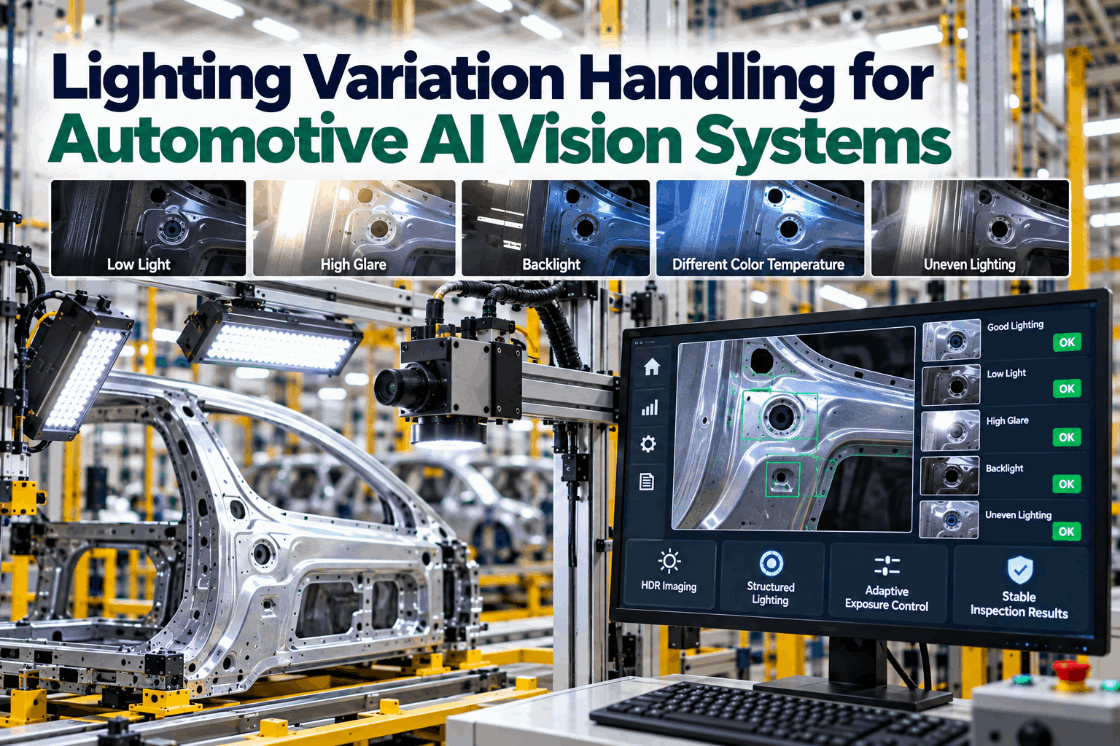
When an AI vision system starts making strange calls, the model usually gets the blame. Often the real culprit is light. Daylight through a skylight changes the image between the morning and night shifts. An LED bar loses brightness month by month. A dark metallic paint reflects the lamps as bright streaks that look like scratches. Automotive surfaces are among the hardest to light, and lighting variation is one of the most common reasons vision accuracy drifts. This guide explains where lighting variation comes from, the lighting geometries that suit automotive surfaces, how to block ambient light, how HDR imaging and adaptive exposure help, and how to catch drift before it affects results. To see a lighting audit of your stations, book a short walkthrough.
Lighting Variation Handling for Automotive AI Vision: Keep Detection Stable Every Shift
Lighting designed for paint, chrome and plastics, ambient light shut out, exposure adapted to each colour and drift caught with reference targets before accuracy slips.
Why Lighting Is Behind So Many Accuracy Problems
A vision model only sees what the camera records, and the camera records light. Change the light and the same part produces a different image. Deep learning models tolerate some variation, but when the change is large or new, the model sees something it has not learned and responds unpredictably: false rejects on good parts, misses on real defects, or both.
The effects can be large. A Roboflow review of machine vision lighting cites a 2025 study finding that traditional machine vision accuracy can fall to 70% or lower in industrial environments with variable illumination, and notes that direct sunlight can be around a hundred times brighter than indoor lighting. The same article makes a point every plant should hear: LED aging, dust on lenses and shifted mounts often cause accuracy to slide slowly enough that teams retrain the model when the real problem is hardware.
Handling lighting variation is therefore a hardware, software and maintenance problem at once. We can review your stations’ lighting on a call.
Where Lighting Variation Comes From
Lighting variation has a small number of sources. Naming them is the first step to controlling them.
Skylights, windows, open doors and overhead lamps add light that changes by hour, season and shift.
LED output falls gradually, and dust, oil mist or overspray builds up on lenses and diffusers.
Metallic and dark paints, chrome and glossy plastics reflect light very differently from matte parts.
A mixed line may run black, white and red bodies back to back, each needing different exposure.
Curved panels and deep features catch light unevenly, creating hotspots and shadows.
Loosened mounts or shifted fixtures change angles, moving reflections into inspection regions.
Seasonal change is easy to underestimate. A station commissioned in winter may meet low morning sun through a skylight in spring that never appeared in its training images, and results can shift without anything in the cell being touched.
Most stations face several sources at once. A lighting audit identifies which dominate at each station before any hardware is changed. Audits are part of every site survey.
Lighting Geometries for Automotive Surfaces
Choosing the right lighting geometry does more for stability than any software setting. Each geometry suits different surfaces and defects.
Geometry is chosen per defect, not per station, so one station may carry more than one light.
Paint inspection tunnels often combine structured light for dents and waviness with diffuse or dark field light for surface defects. The right mix is tested on your parts and colours during a pilot.
Shutting Out Ambient Light
Advanced Illumination’s practical guide names three ways to deal with ambient light: high-power strobing with short pulses, physical enclosures and pass filters. Most automotive stations use at least two.
- Image brightness follows daylight and plant lights
- Results differ between shifts and seasons
- Longer exposures blur moving parts
- Reflections from nearby lamps appear in images
- Hard to prove stability to customers
- Model must learn every lighting condition
- Short, intense pulses overpower ambient light
- Strobe overdrive can give about 8× intensity
- Bandpass filters matched to the LED block other light
- Enclosures or curtains shield the station
- Same image at noon and midnight
- Model sees consistent input
There is one catch with filters. A bandpass filter only works when inspection uses a narrow band of light. Colour cameras that need full-spectrum white light cannot use one, so for colour-critical checks the enclosure does the work instead.
Strobing also freezes motion, which lets stations inspect moving bodies without blur. Strobe timing is set with your line rate during commissioning.
HDR Imaging and Adaptive Exposure for Mixed Colours
A mixed line may present a black body, then a white one, then a silver metallic. One exposure setting cannot suit all of them: dark paint looks underexposed, light paint washes out, and chrome saturates. Two techniques handle this.
High dynamic range imaging captures several exposures of the same area, or uses sensors with wide dynamic range, and combines them so both dark and bright areas keep detail. It is useful where a single image contains black paint and bright chrome side by side.
Adaptive exposure changes camera settings per vehicle. Because the build data tells the station the paint colour before the body arrives, the system can choose the exposure and light intensity profile for that colour in advance, rather than reacting after the image is taken. This is simple, fast and very effective on mixed lines.
| Paint type | Typical challenge | Exposure approach |
|---|---|---|
| Solid dark | Low contrast, defects hard to see | Longer exposure or higher light intensity |
| Solid light | Washout, faint defects lost | Shorter exposure or lower intensity |
| Metallic and pearl | Sparkle mimics small defects | Diffuse light, model trained on flake texture |
| Chrome and bright trim | Saturation and reflections | HDR capture or polarization |
Each colour profile is validated on the golden set, so a new colour is added with evidence rather than guesswork. See colour profiles in a demo.
Catching Lighting Drift Before It Costs Accuracy
Even well-designed lighting drifts. The goal is to notice before the model does.
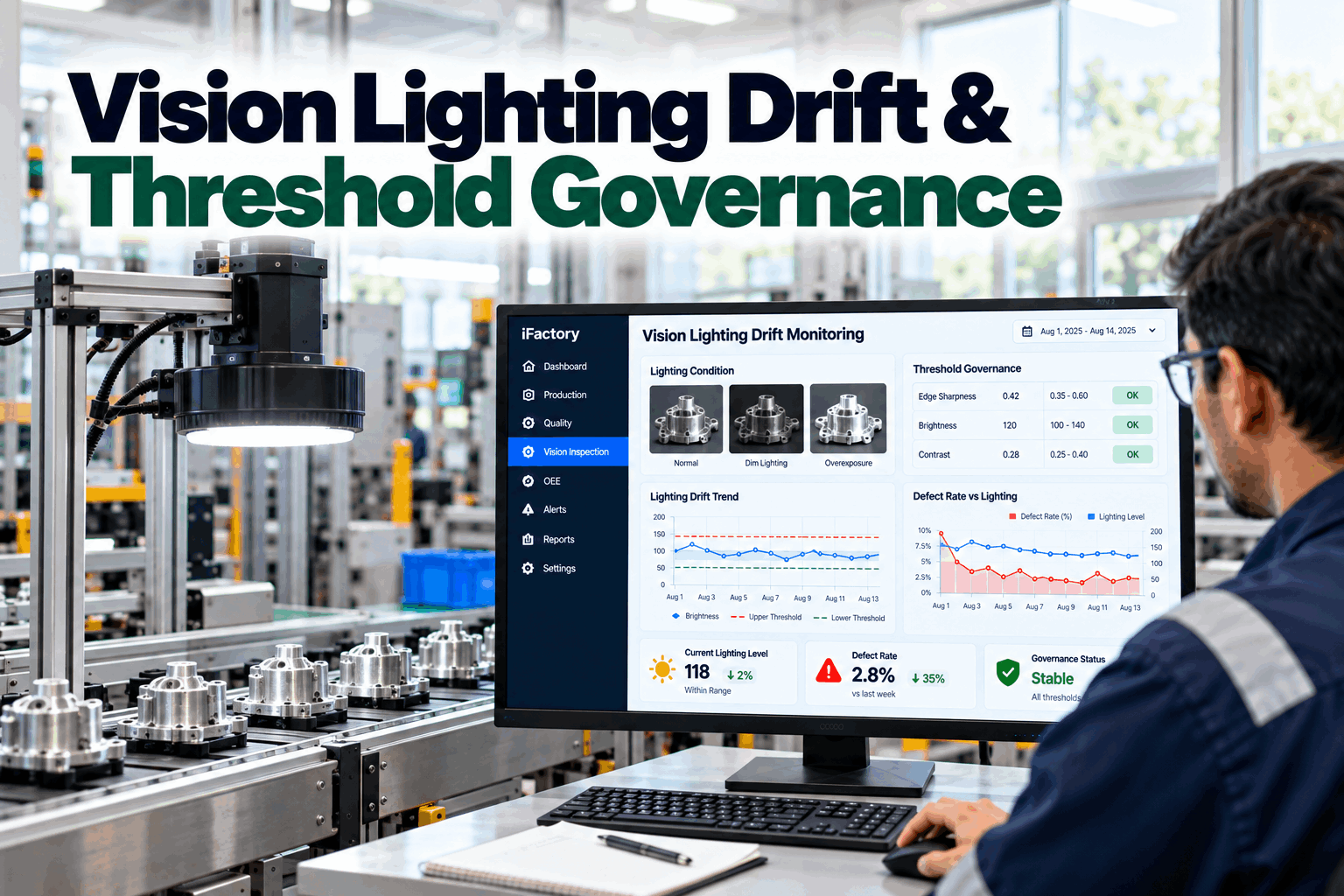
A fixed target with known grey levels and sharp edges sits in or near the field of view.
Brightness, contrast and sharpness of the target are measured automatically at set times.
Readings are compared with the values recorded at commissioning.
A fall in brightness or sharpness beyond a limit raises a maintenance alert, not a retraining job.
Lamps are replaced, lenses cleaned or mounts tightened, then the target is checked again.
This separates hardware problems from model problems. If the target has drifted, fix the hardware. If the target is stable but results change, look at the parts, the data or the model. That simple rule saves a great deal of unnecessary retraining.
Lighting checks fit naturally into your preventive maintenance plan, with work orders raised automatically. Ask our support team how the alerts connect.
Training Models to Tolerate the Variation That Remains
Hardware removes most variation. Training handles what is left. This checklist covers the data side.
A stable system shows near-equal recall across all conditions. Uneven results point to the condition that needs more data or better light, which our engineers can help diagnose.
How iFactory Handles Lighting Variation
Dome, dark field, polarized or structured light per surface.
Strobes, filters and enclosures sized to each station.
Exposure and intensity set from build data per vehicle.
Detail kept on dark paint and bright chrome together.
Brightness and sharpness checked every shift.
Recall compared across shifts, colours and lines.
It works with your existing cameras where they suit, and adds lighting where they do not. Bring your most troublesome station to a session.
Find Out What Light Is Doing to Your Results
We audit lighting at your vision stations, compare day and night results on a golden set and show which fixes, from geometry to strobes to reference targets, will stabilize detection.
Image brightness on the reference target fell 18% since the last check. Pattern matches LED aging on the left light bar.
A Lighting Problem Caught by the Reference Target
This exchange shows how a vision engineer might handle a lighting alert with iFactory.
iFactory ships as a pre-configured NVIDIA AI server, racked and ready with the lighting-robust defect detection models loaded. Rack it, plug in power and Ethernet, and the AI is live on your network. Our scope covers cameras and lighting at inspection stations and cells, PLC/SCADA and MES integration, cabling and network setup, operator and quality team training, and 24×7 remote monitoring.
Server installed, cameras and lighting mounted, PLC and MES links live, existing defect images and records loaded.
Models trained on your own parts, paint and variants, then run in shadow on one line with your quality team reviewing every call.
Rollout to the agreed stations under your change control, team training and 24×7 remote monitoring in place.
Hardware, software and integration come as one package. For pricing on your stations, contact our sales team.
Frequently Asked Questions
The model only sees the image the camera records. When light changes, the same part looks different, and a model may flag good parts or miss defects. Large or new changes cause the biggest problems.
The three main methods are high-power strobing with short pulses, bandpass filters matched to the LED wavelength and physical enclosures. Filters do not suit colour cameras that need full-spectrum light.
Paint inspection often combines structured light or deflectometry for dents and waviness with diffuse or dark field lighting for surface defects. The best mix is tested on your colours.
High dynamic range imaging combines several exposures, or uses wide-range sensors, so dark and bright areas in the same image both keep detail, which helps with dark paint beside bright chrome.
Place a reference target in the field of view and measure its brightness, contrast and sharpness every shift. A change beyond a set limit points to hardware maintenance rather than retraining.
A lighting audit takes days. Hardware changes and validation usually fit within a 6–12 week rollout, often during planned shutdowns. Plan it with our engineers.
Make Detection Stable at Noon and Midnight
iFactory designs lighting for automotive surfaces, shuts out ambient light, adapts exposure to every colour and catches drift early, so your models see the same world every shift.
Recall on the same golden set under each condition. A stable system shows near-equal bars.