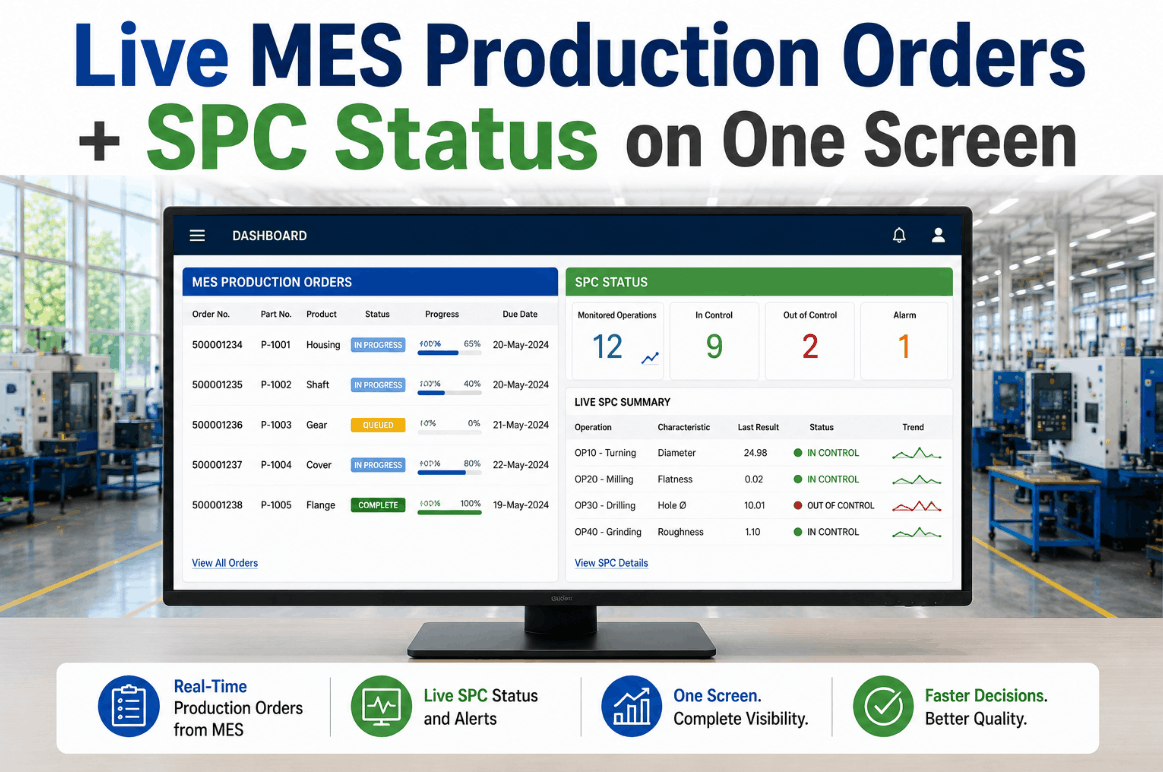
Every plant running an MES knows the production order status problem. The executing orders screen shows a list, the SPC charts are in a separate application, the PLC status requires a different login, and the operator assignment is tracked on a whiteboard near the line supervisor's desk. The information needed to answer the single most important question in production management — "What is happening right now on every active order?" — is distributed across four disconnected systems, each with its own update frequency and its own definition of "real time." The gap between what the MES reports and what is actually happening on the floor is not a technology limitation; it is an architecture design failure that costs plants hours of latency in order confirmation, delayed quality issue detection, and operator decision-making based on incomplete information. iFactory's Active Production Orders panel solves this by consolidating every executing, queued, and inspection-stage production order into a single live dashboard — with full SAP sales order context, recipe status, PLC telemetry, and operator assignment data — all visible in real time without toggling between systems. Book a Demo to see your production orders live in one screen.
Stop Toggling Between Systems to Find Your Production Status
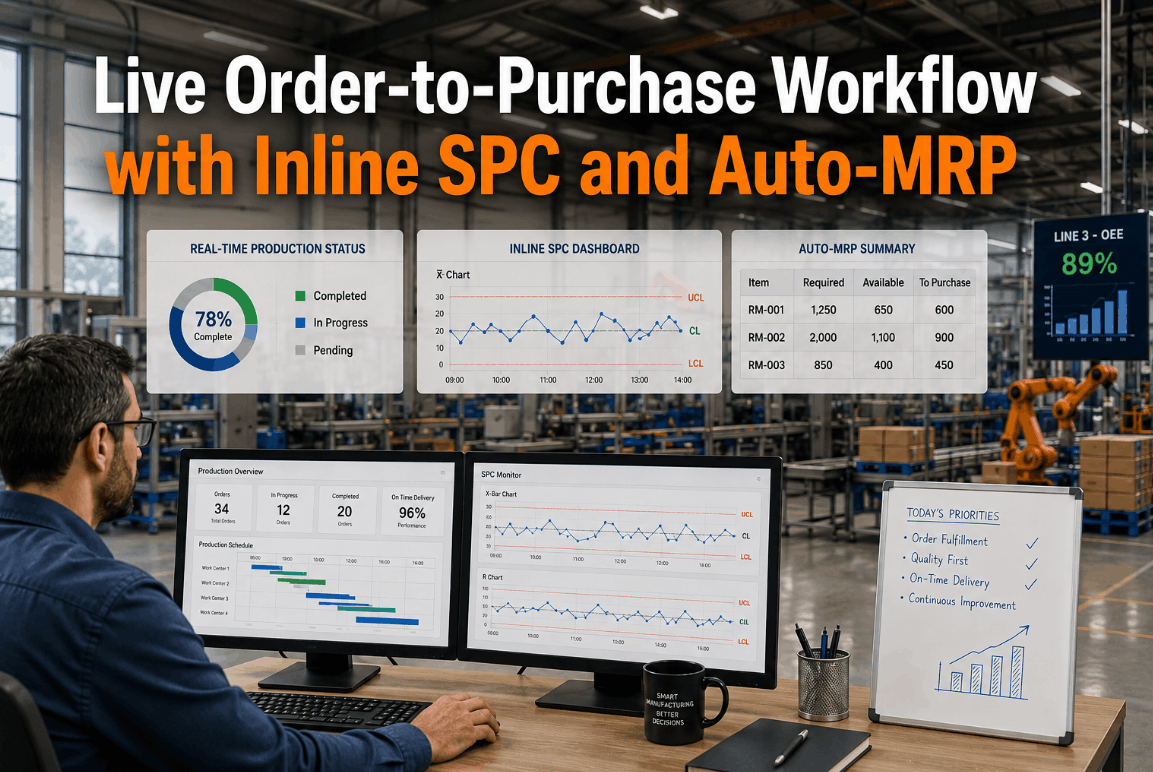
iFactory's Active Production Orders panel consolidates every executing, queued, and inspection-stage order with full SAP context, PLC telemetry, operator assignment, and real-time SPC status — one dashboard, no toggling.
Live MES Production Orders: Every Executing, Queued, and Inspection-Stage Order in One View
A technical reference for deploying a unified production order dashboard that consolidates MES status, SPC quality data, PLC recipe context, operator assignments, and SAP sales order linkage into a single real-time interface — eliminating the system-toggling latency that slows decision-making on the plant floor.
Six Production Order Blind Spots That Slow Your Floor
Most MES implementations provide production order lists that update on a shift-end or order-completion basis — not on an event-driven basis. The result is a set of structural blind spots that delay decisions, extend changeovers, and leave supervisors managing production with information that is hours out of date. Book a Demo to see a live side-by-side comparison with your current MES view.
Executing Order Blind Spots
Orders remain "in process" in the MES for hours after completion because status updates are batch-processed rather than event-triggered. iFactory confirms order completion the moment the last operation is closed on the PLC or operator terminal.
Queue Visibility Gaps
Downstream operators and material handlers cannot see what orders are queued next, causing extended changeover delays and idle line time. The live queue panel shows every pending order with priority, recipe, and material availability in real time.
Inspection Hold Blindness
Orders awaiting quality inspection are invisible to production supervisors until the end-of-shift handoff. iFactory surfaces every order in inspection hold with real-time SPC status and estimated clearance time for each characteristic.
Operator Assignment Gaps
Shift supervisors spend the first 30 minutes of every shift reconciling who is assigned to which order. The live dashboard shows operator-to-order assignments with skill certification checks and training compliance data.
PLC & Recipe Disconnect
The recipe running on the PLC and the recipe recorded in the MES drift during high-mix production runs. iFactory correlates real-time PLC recipe parameters with MES production order data to flag discrepancies the moment they occur.
SAP Sales Order Linkage
Production orders are executed without visible linkage to the originating sales order, creating confusion when customer priority changes mid-shift. The panel displays the full SAP order chain — inquiry to delivery — on every order card.
Operations Benchmarks: Traditional MES vs. Live iFactory Dashboard
Quantifying the impact of consolidating production order status, SPC data, operator context, and SAP linkage into a single live interface.
How a Live MES Production Orders Dashboard Works
iFactory's Active Production Orders panel ingests data from four source domains — MES production order status, SPC inspection results, PLC recipe telemetry, and SAP sales order chain — and consolidates them into a single live interface that updates within seconds of any event on the shop floor. The architecture is designed to work with any MES and any SAP deployment model through standard integration interfaces. Maintenance and operations teams often choose to book a demo to review the integration architecture against their specific MES landscape.
MES Connector Foundation
Live production order ingestion from the MES through REST or MSMQ interfaces. Every order status transition — created, released, executing, held, completed, closed — is captured as an event and reflected on the dashboard within seconds.
SPC Status Integration
Real-time SPC inspection results per order and per characteristic are displayed alongside order status. Operators and supervisors see quality status — in spec, out of control, awaiting inspection — without opening a separate quality application.
Operator & PLC Context
PLC recipe parameters and operator assignments are correlated to each order. Supervisors can see which operator is running which order, what recipe is loaded on the PLC, and whether the recipe matches the MES production order specification.
SAP SO End-to-End Chain
Each production order card displays the originating SAP sales order, customer, delivery date, and priority. Order changes from SAP — priority shifts, quantity adjustments, delivery date changes — appear live on the dashboard, eliminating surprise mid-shift reprioritization.
Full Production Visibility Without System Toggling
iFactory's Active Production Orders panel connects to your MES, SPC systems, PLCs, and SAP instance — delivering every executing, queued, and inspection-stage order with full context in a single live dashboard. No custom integration development required.
Regulatory & Audit Frameworks Supported by Live Order Tracking
Live production order visibility provides the auditable data trail required for compliance with quality management standards, traceability requirements, and customer-specific audit protocols across regulated manufacturing sectors.
| Framework | Data Requirement | iFactory Dashboard Value |
|---|---|---|
| ISO 9001 | Production order traceability with verifiable timestamps | Immutable order status history with sub-second event timestamps per operation. |
| IATF 16949 | Real-time SPC linkage to production order records | Live SPC status per inspection characteristic visible on each order card. |
| FDA 21 CFR Part 11 | Electronic records with audit trail integrity | Complete audit trail of order events with operator attribution and timestamps. |
| AS9100D | Full product genealogy from raw material to finished good | End-to-end order genealogy visible from SAP sales order through production to delivery. |
"We were running three monitors at every supervisor station — one for the MES order list, one for the SPC charts, and one for the SAP transactions — and the supervisors still could not answer basic questions about order status because the data never matched across screens. The MES showed 'in process,' the SPC system showed 'awaiting inspection,' and SAP showed 'not yet confirmed.' The iFactory Active Production Orders panel consolidated all of that into a single row per order with live status that actually matched what was happening on the floor. Our order confirmation latency dropped from hours to seconds, and our operators stopped calling the supervisor to ask what to run next because the queue panel shows every order with its priority and material status. It changed the way our production control room operates."
Closing the Production Visibility Gap
The gap between what your MES reports and what is actually happening on the shop floor is not a data availability problem — it is a data integration problem that is solvable with the systems you already have in place. Your MES generates order events, your SPC systems capture inspection results, your PLCs run recipes with measurable parameters, and your SAP instance holds the complete order chain from sales order through delivery. The missing layer is a dashboard that brings these data streams together at the resolution of a single production order, updated within seconds of any change on the floor. iFactory's Active Production Orders panel delivers that layer without requiring changes to your MES, your SAP configuration, or your shop floor systems. The integration architecture connects through standard interfaces — REST, MSMQ, IDoc, and OPC-UA — and can be deployed in under three weeks for most manufacturing plants. Book a Demo to see your production orders live in a single unified dashboard.
See Every Production Order with Full Context — Live, in One Dashboard
iFactory's Active Production Orders panel connects your MES, SPC, PLC, and SAP systems into a single real-time view of every executing, queued, and inspection-stage order. No system toggling, no end-of-shift reconciliation, no guesswork.
Frequently Asked Questions
Q: What data sources does the live MES production orders dashboard connect to?
The dashboard connects to MES, SAP ECC or S/4HANA, PLC systems, SPC quality inspection platforms, and operator assignment systems through standard REST, MSMQ, IDoc, and OPC-UA interfaces.
Q: How often does each production order's status update on the live dashboard?
Every order status transition — executing, queued, inspection hold, completed — updates on the dashboard within 2 to 10 seconds of the event on the shop floor.
Q: Can the dashboard filter orders by work center, production line, or product family?
Yes, the panel supports multi-dimensional filtering by work center, production line, product family, customer, order priority, SPC status, and operator assignment — configurable per user role.
Q: Does the dashboard integrate with SAP production orders and sales orders?
Yes, each order card displays the originating SAP sales order, customer, delivery date, priority, and production order number — with live updates when SAP order data changes.
Q: How quickly can a live MES production orders dashboard be deployed?
Initial deployment connecting MES order data to the live dashboard typically takes 2 to 3 weeks, with full SPC and SAP integration completed within 4 to 6 weeks.