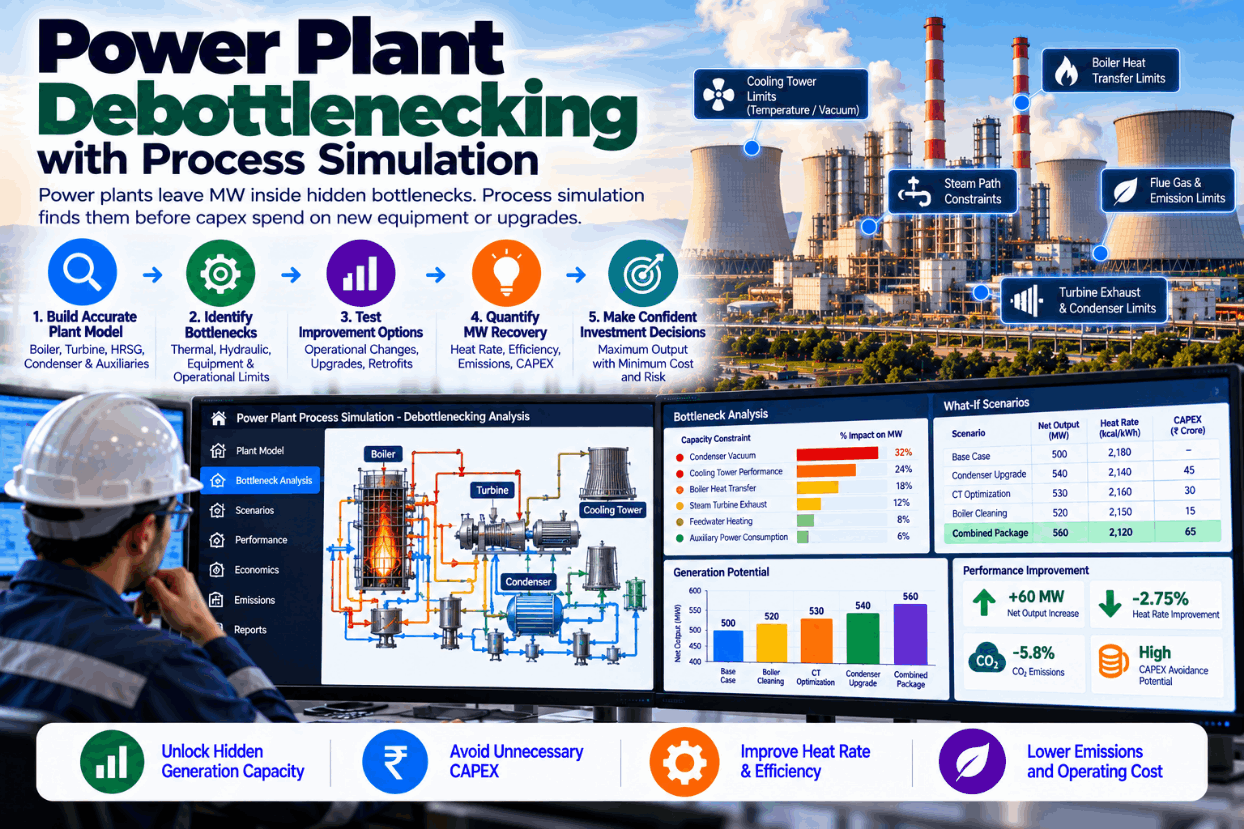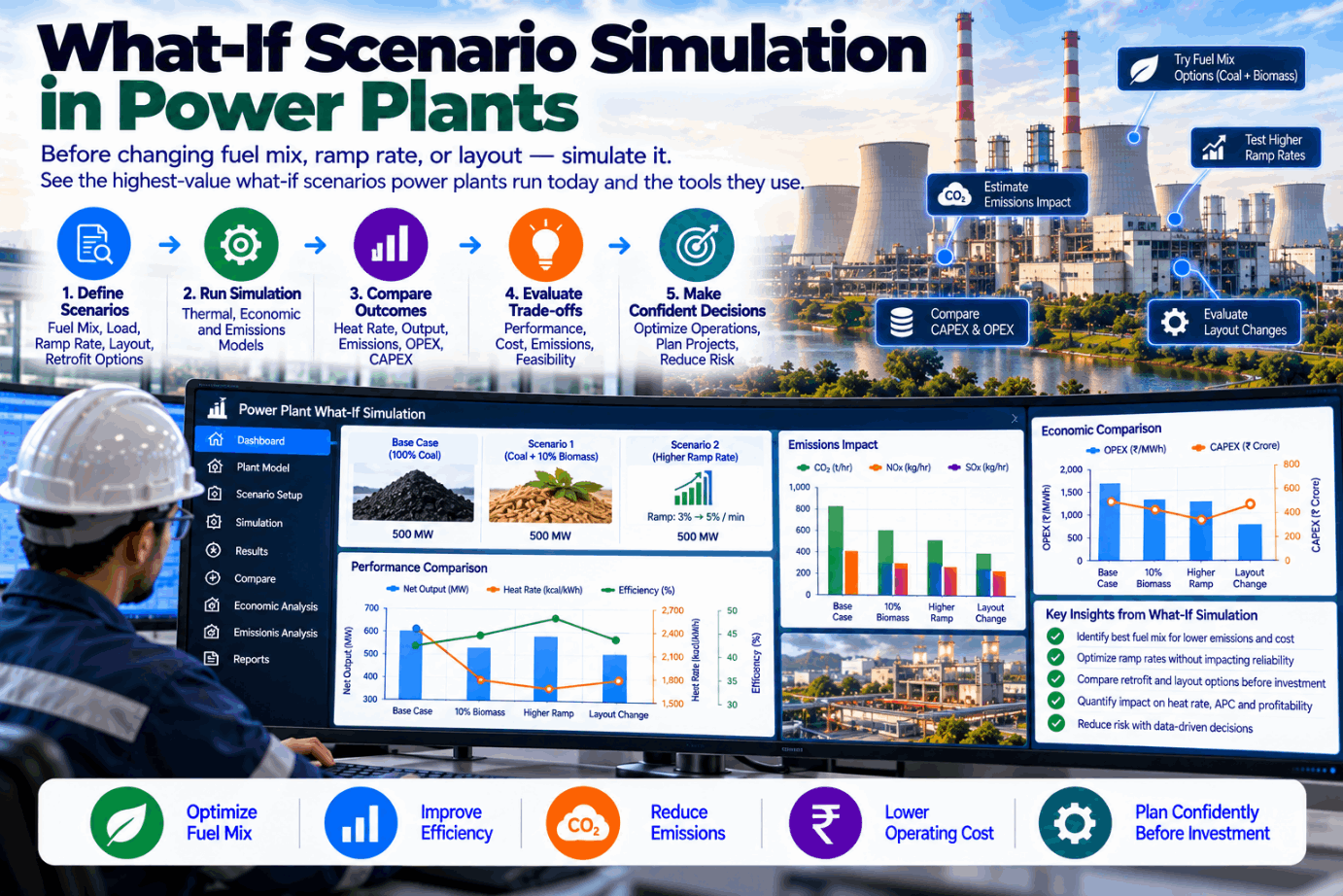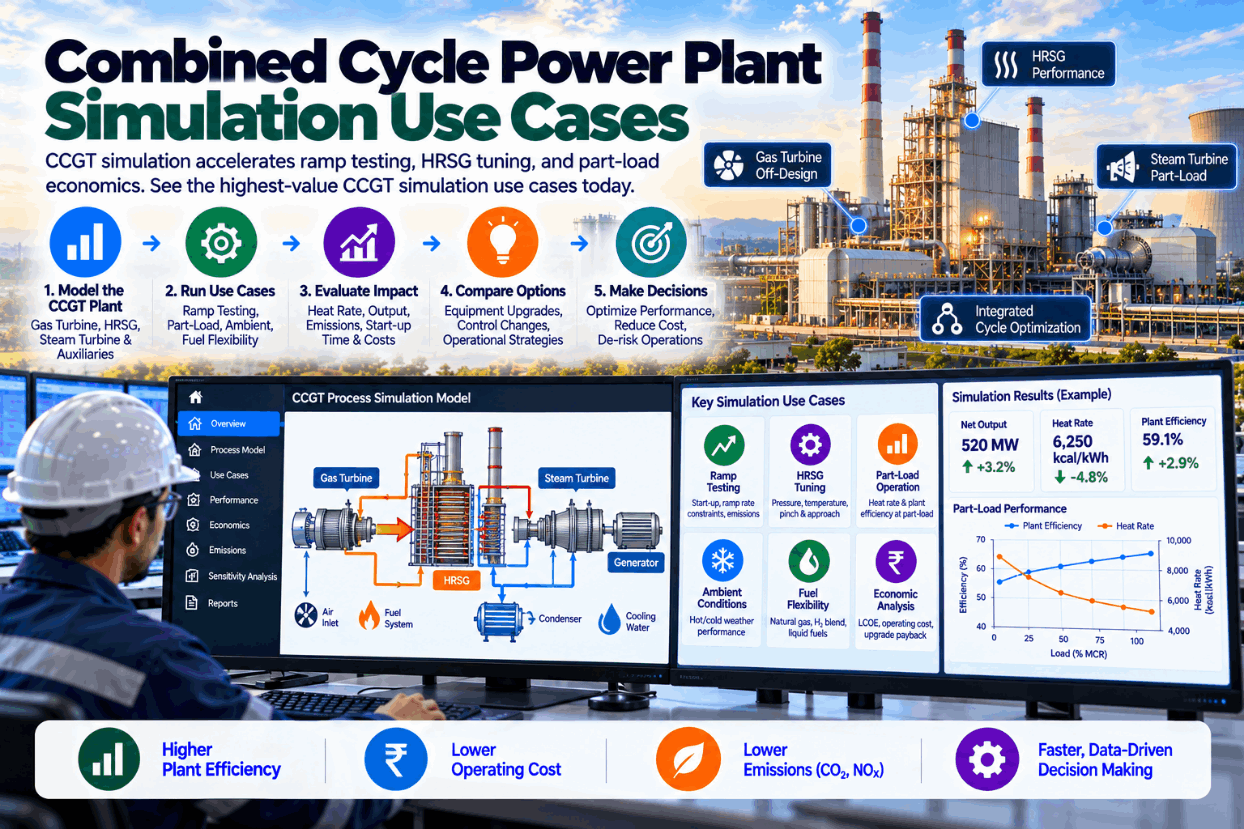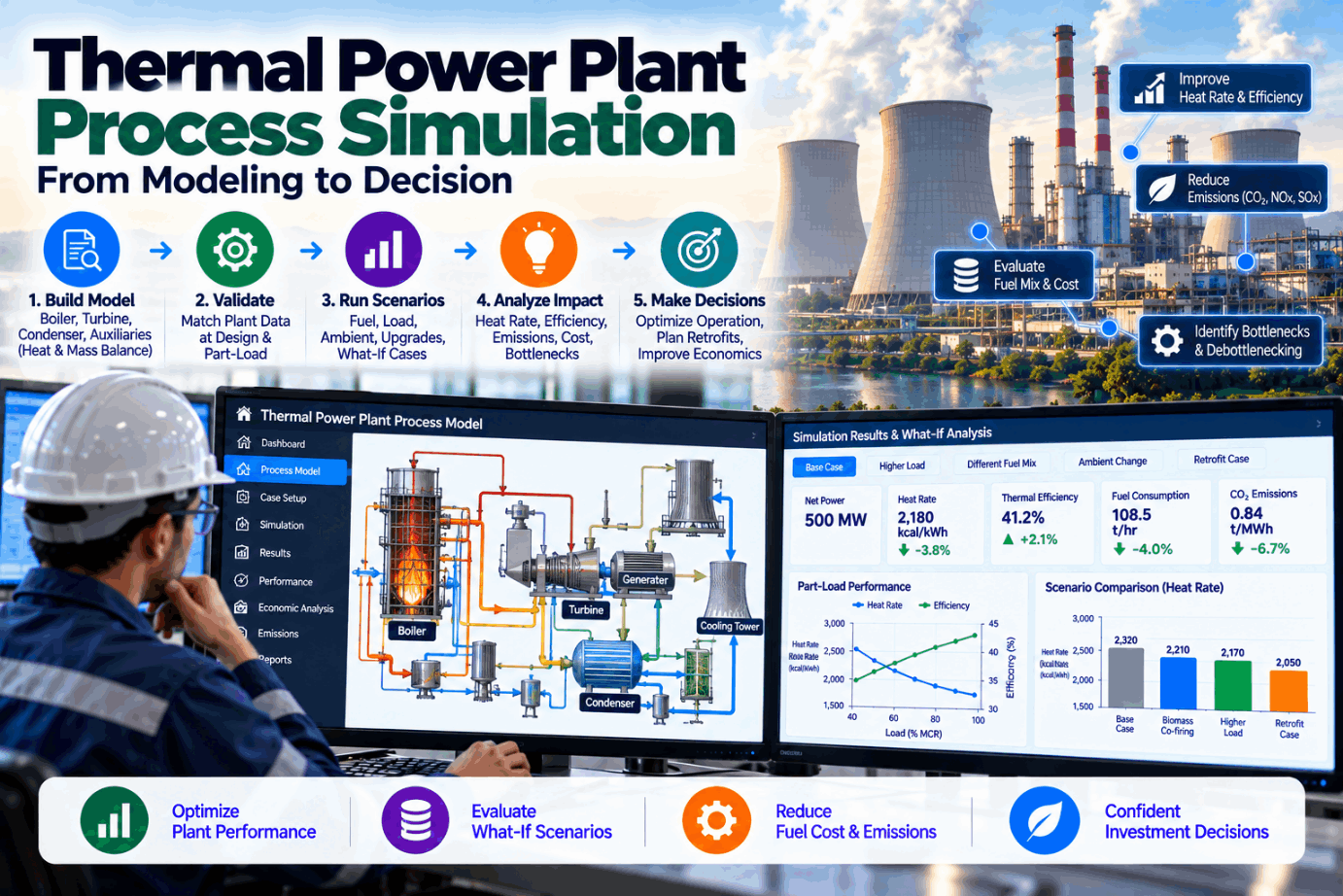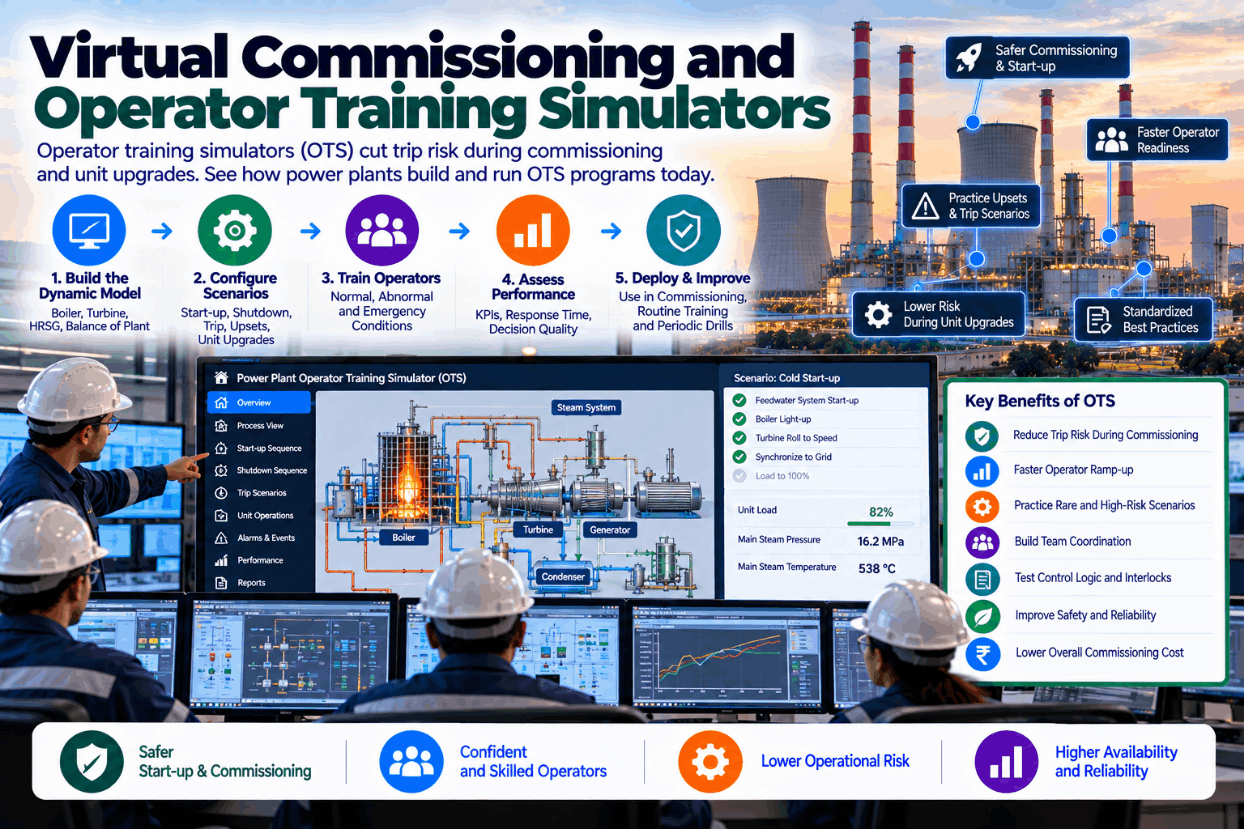
New units, control system migrations and major upgrades share a risk: the first time new logic meets the real plant, and the first time operators run it, things go wrong. Loops are mistuned, sequences stall, alarms flood and units trip. Each trip costs generation and stresses equipment. Virtual commissioning and operator training simulators move that learning off the plant. Control logic is tested against a simulated process before it is loaded, and operators practise start-ups, trips and emergencies on a replica of their own control room. This guide explains the types of simulator, how virtual commissioning works, which training scenarios matter, how to choose fidelity and how to run an OTS program that keeps paying after start-up. To see a power plant simulator, book a short walkthrough.
Virtual Commissioning and Operator Training Simulators: Cut Trip Risk Before the Plant Sees It
Control logic tested against a simulated plant before loading, and operators trained on their own control system for starts, trips and emergencies.
Why Commissioning and Upgrades Carry So Much Trip Risk
Control systems are complex, and plants are unforgiving. During commissioning, new control logic meets real equipment for the first time. Sequences that looked correct on paper stall on a missing permissive. Loops tuned with assumed values oscillate. Protection settings trip the unit during a normal transient. The same happens, on a smaller scale, after DCS migrations and major modifications.
Operators face a parallel challenge. Rare events such as a boiler feed pump trip or loss of a cooling water pump cannot be practised on the real plant. Experience is gained slowly, and many operators see some emergencies only once or twice in a career. POWER magazine notes that simulators can shorten operator training from years to months.
Simulation moves both kinds of learning off the plant, where mistakes cost nothing. We can discuss your commissioning or upgrade plans on a call.
Types of Power Plant Simulator
Simulators differ in how they reproduce the control system and how detailed the process model is.
For virtual commissioning, the control system must be the real one, because the point is to test the actual logic. For training, fidelity should match the scenarios that matter most. Our specialists can advise on the right level.
How Virtual Commissioning Works
Virtual commissioning connects the real control logic to a simulated plant and tests it before it touches equipment.
Dynamic process model of the unit, from design data and equipment curves.
Load the actual control configuration on virtual controllers.
Run starts, shutdowns and transitions end to end.
Pre-tune control loops against the simulated process.
Check trips, interlocks and alarm behaviour under faults.
Correct logic and rerun until it performs as intended.
GE Vernova describes high-fidelity simulation that allows thousands of virtual iterations before physical start-up, and cites an integrated gasification combined cycle project that achieved gas turbine start-up on the first try, compared with several months of development on similar earlier projects.
Alarm behaviour deserves its own test pass. Simulated upsets show whether alarm priorities and suppression work as intended, or whether a single fault floods operators with dozens of alarms at once, which is a common finding in control system migrations and new builds.
Virtual commissioning does not remove site commissioning. It shortens it and makes it safer, because most logic errors have already been found. Site time is then spent on genuine equipment issues rather than configuration mistakes.
The same approach works for DCS migrations, where the new system can be tested against the plant model before cutover. See a migration test plan in a demo.
Training Scenarios That Matter Most
Training value comes from scenarios operators rarely meet on the real plant but must handle well when they do.
Full start sequences, including holds, permissives and common delays.
Turbine trip, boiler trip, feed pump trip and recovery.
Loss of cooling water pump, fan, mill or feedwater heater.
Mill plugging, loss of fuel flow, flame instability.
Failed transmitters, stuck valves, loss of automatic control.
Prioritizing and responding when many alarms arrive at once.
POWER lists many of these, including boiler trips, pressure control malfunctions, loss of pumps and fans, mill plugging and alarm flooding, as typical simulator scenarios. Training records by scenario show where crews need more practice, a view included in our training reports.
Choosing Fidelity and Budget
Fidelity should follow purpose. This comparison helps set expectations.
| Fidelity | Typical use | Indicative investment | Limitation |
|---|---|---|---|
| Low | Familiarization, screen navigation | Low six figures | Process response simplified |
| Medium | Routine operation, common upsets | Mid six figures | Complex transients approximate |
| High | Start-ups, trips, virtual commissioning | Very low seven figures | More time to build and maintain |
Investment ranges above are those given by POWER magazine and will vary by scope and vendor. Timelines also vary: POWER cites around three to six months from order to delivery for typical simulator projects, while GE Vernova describes nine to fifteen months to develop complete high-fidelity simulation models.
The cheapest simulator is not the one that costs least to buy but the one that stays in use. A high-fidelity simulator used weekly for training, procedure testing and change validation pays back far better than a cheaper one gathering dust.
Reusing process models from a plant digital twin can reduce simulator cost and keep models in step with the real plant. Ask our engineers how that works.
Running an OTS Program That Keeps Paying
A simulator delivers value through a program, not a purchase.
Map crews, roles and the scenarios each must master.
Build scenarios with clear success criteria and instructor notes.
Schedule simulator time for every crew, not only new hires.
Record performance by scenario and crew, and repeat weak areas.
Test every control or procedure change on the simulator first.
Keep the simulator matched to the plant after every modification.
Experienced operators are a valuable resource here. Recording how they handle difficult scenarios on the simulator captures knowledge that would otherwise leave with them when they retire, and gives newer crews a reference for good practice.
Model upkeep is where many simulators fail. After a few modifications, the simulator no longer matches the plant, instructors lose confidence and use declines. A clear process for updating the simulator with each plant change keeps it trustworthy.
Linking simulator scenarios to real events, such as a recent trip, keeps training relevant and engaging. We help build that link in the scenario library.
Simulator Project Checklist
Use this checklist when planning a virtual commissioning or training simulator project.
Validation by experienced operators is the best realism check. If they trust how the simulator responds, trainees will too. We plan that review into every project plan.
What Simulators Are Worth
POWER magazine describes simulator projects as among the easiest to justify. The value comes from several places.
For a new unit or major upgrade, avoiding even a few trips and days of delay usually covers the simulator. For operating plants, the ongoing value is in training quality and change validation, especially as experienced operators retire.
A short review of your recent trips and commissioning history shows where the value lies. Book one with our advisors.
How iFactory Supports Virtual Commissioning and Training
Boilers, turbines and auxiliaries from design and plant data.
Your actual control logic tested against the model.
Starts, trips, failures and alarm floods with criteria.
Performance tracked by scenario and crew.
Control and procedure changes tried first.
Kept in step with the plant through twin data.
It works alongside your control system vendor and training team. Tell us about your next upgrade and we will outline a simulation plan in a session.
Test Your Next Upgrade Before It Reaches the Plant
Share your commissioning or upgrade plan. We outline the model, control connection, scenarios and timeline, so logic and operators are ready before cutover.
Four of six trainees held drum level within limits. Two were late switching to the standby pump. Scenario repeated with coaching.
A Training Session Reviewed
This exchange shows how a training superintendent might use iFactory after a simulator session.
iFactory ships as a pre-configured NVIDIA AI server, racked and ready with the dynamic simulation and operator training models loaded. Rack it, plug in power and Ethernet, and the AI is live on your network. Our scope covers sensors and data connections across control systems, boilers, turbines and auxiliaries, DCS, PLC/SCADA, historian and ERP integration, cabling and network setup, operator and quality team training, and 24×7 remote monitoring.
Server installed, DCS and historian links live, historical operating, performance and maintenance data loaded.
Models calibrated on your own unit data, then run in advisory mode on one unit with your operations and performance engineers reviewing every output.
Rollout to the agreed units under your change management, operator and engineer training, and 24×7 remote monitoring in place.
Software, server and integration come as one package. For pricing on your project, contact our sales team.
Frequently Asked Questions
Testing the actual control logic against a simulated plant before it is loaded on site, so sequences, loop tuning and protections are proven in advance.
A simulator that replicates the plant control room and process behaviour so operators can practise starts, shutdowns, trips and emergencies without risk to the real plant.
An emulated system mimics the controls and screens in software; a virtual or stimulated system runs the plant’s actual control software, giving the closest match to the real control room.
POWER magazine gives indicative ranges from the low six figures for low fidelity to very low seven figures for high fidelity, varying with scope and vendor.
POWER cites around three to six months for typical projects, while complete high-fidelity models can take nine to fifteen months according to GE Vernova.
Run regular crew training, test every plant and control change on it and keep the model matched to the plant. Plan it with our engineers.
Find the Mistakes on the Simulator, Not the Plant
iFactory models your units for virtual commissioning and operator training, so logic is proven before start-up and crews are ready for the events they hope never to see.
Illustrative. Readiness is tracked per scenario so training targets real gaps.