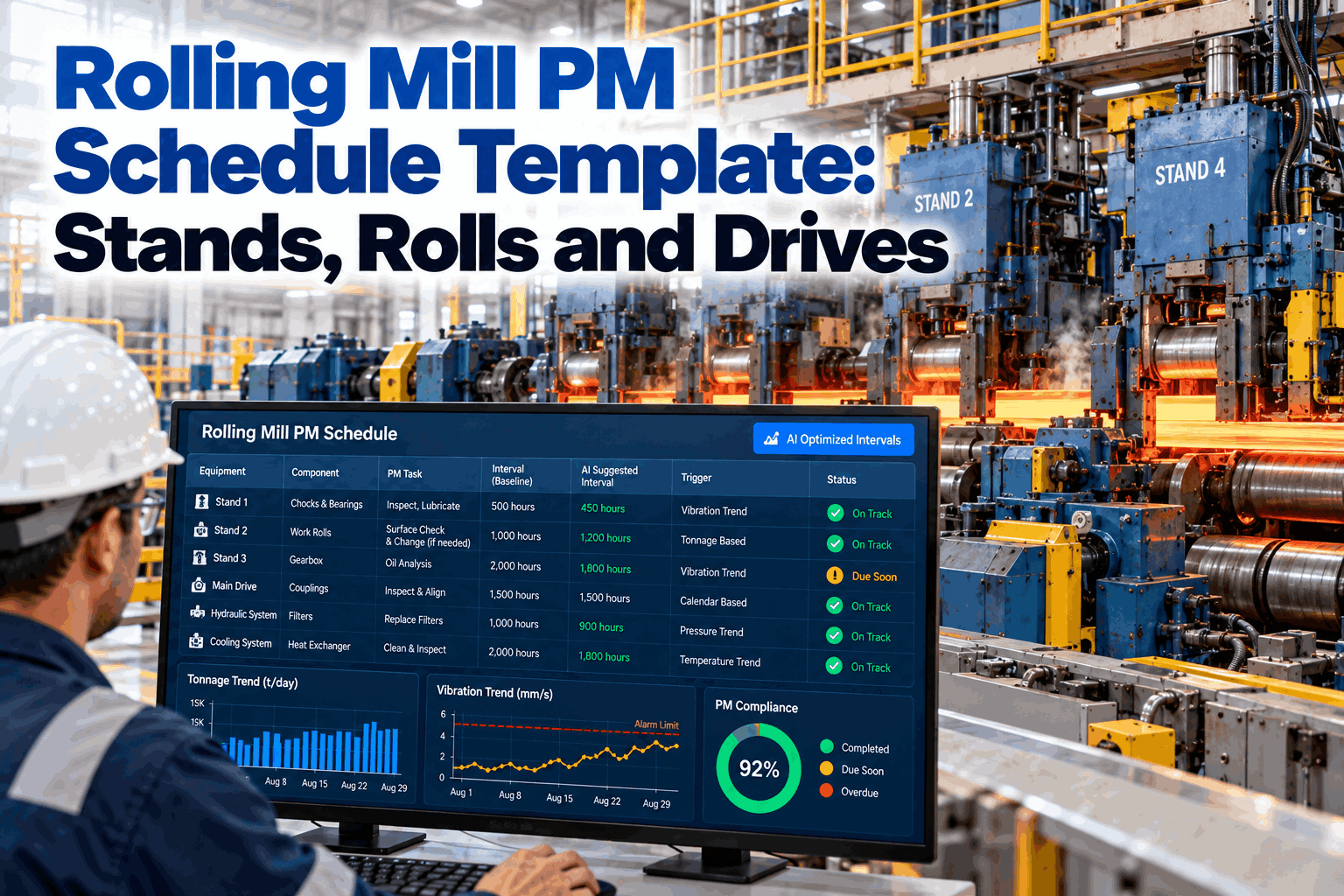
Rolling Mill PM Schedule Template: Stands, Rolls and Drives

By James C on October 15, 2026

rolling-mill-pm-schedule-template-stands-rolls-drives

A rolling mill wears according to how much steel it rolls, not according to the calendar, yet many mill PM plans still run on calendar intervals copied from the commissioning manual. This template sets out preventive maintenance for stands, work and backup rolls, chocks and bearings, spindles, gearboxes and main drives, with a trigger type for each task. It then shows how AI moves those intervals as tonnage and vibration change, which you can see in a short live demo.

PM SCHEDULE TEMPLATE · ROLLING MILL

A Rolling Mill PM Schedule Built on Tonnage, Condition and the Calendar

Use this template for stands, rolls, chocks, gearboxes and main drives. iFactory's PM Scheduler runs tonnage-based and calendar PMs together. Its AI stretches or pulls intervals using vibration and load data and pushes the revised jobs straight to the maintenance kanban.

PM due boardStand F2
Example view · finishing train
Work roll change82% of tonnage limit
Chock bearing checkWith next roll change
Main drive gearbox oil sampleDue in 9 days
Spindle lubricationDone this shift
AI interval noteGearbox vibration is trending up, so the oil sample was pulled forward and the next inspection moved into Friday's roll-change window.
WHY CALENDAR-ONLY PM FAILS IN A MILL

Four Ways to Trigger a PM, and Where Each One Fits

A stand that rolls a heavy-gauge, high-strength product mix all week wears very differently from the same stand rolling light gauge at half load. A fixed calendar interval either over-maintains the quiet stand or under-maintains the busy one. A practical mill PM plan mixes four trigger types and assigns each task the one that matches how it actually wears. Our reliability team can help assign trigger types to your asset list.

Calendar
Time-based

For tasks driven by time rather than use, such as lube oil sampling, safety device tests, filter changes and statutory inspections.

Tonnage / km
Usage-based

For anything that wears with throughput: rolls, chock bearings, guides, spindle wear parts and roll-neck seals.

Condition
Signal-based

For assets with a measurable early warning, such as vibration on gearboxes and drives, bearing temperature, oil debris and motor current.

Event
After an incident

For checks that must happen after a cobble, an overload trip, a bearing temperature alarm or a hard stand stop.

THE TEMPLATE

Rolling Mill PM Schedule: Stands, Rolls and Drives

Use the matrix below as a starting structure. The intervals are typical starting points, not limits. Always reconcile them with your mill and bearing OEM manuals, your lubrication supplier and your own failure history, then let condition data refine them over time. To have this template loaded into your system, book a setup session.

Asset
PM Task
Trigger
Starting Interval
Signal That Moves It
Stands and Housings


Housing and windows
Inspect liner wear plates, check window clearance, look for cracks
Tonnage
Each backup roll change
Rising strip shape or gauge deviations
AGC / roll gap cylinders
Check for leaks, verify position sensors and calibration
Calendar
Weekly check, calibrate at roll change
Gap error, pressure ripple
Work and Backup Rolls


Work rolls
Change, grind, inspect surface and crown, check for cracks
Tonnage / km
Per campaign limit set by product mix
Surface defects, roll force trend
Backup rolls
Change, regrind, check diameter, crown and shoulders, NDT the necks
Tonnage
Per backup roll campaign limit
Spalling indications, vibration
Chocks and Bearings


Work roll chocks
Clean, check bearing and seals, regrease, measure clearance
Tonnage
At every work roll change
Water ingress, grease condition
Backup roll bearings
Inspect oil-film or rolling bearings, seals and lubrication
Tonnage
At every backup roll change
Bearing temperature, oil contamination
Spindles and Couplings


Spindles / universal joints
Lubricate, check backlash, wear on slippers or crosses, and support carriers
Calendar
Lube per shift or day, inspect monthly
Torque spikes, rising backlash
Gearboxes and Pinion Stands


Reducers and pinion stands
Sample oil, inspect filters and breathers, check gear contact during outages
Condition
Oil sample monthly, internal inspection at major outage
Vibration, oil debris, temperature
Main Drives and Motors


Main drive motors
Check bearings, cooling air or water, insulation resistance, slip rings or brushes where fitted
Condition
Monthly routes, electrical tests at outages
Vibration, winding temperature, current
Drives and converters
Clean filters, thermal scan, check cooling and fault logs
Calendar
Monthly to quarterly
Converter alarms, cabinet temperature
Cooling, Descaling and Lubrication


Roll cooling sprays
Check nozzles for blockage, verify spray pattern and header pressure
Calendar
Weekly per stand
Roll thermal crown, header pressure
Descaling system
Inspect nozzles and headers, check pump and valve condition
Calendar
Weekly nozzles, monthly pumps
Scale defects, pressure loss
Central lube and oil-film systems
Check filters, coolers, oil cleanliness and flow
Condition
Weekly checks, monthly oil analysis
Particle count, water content
Event-Triggered Checks


After a cobble or wreck
Inspect guides, roll surfaces, spindles and coupling damage before restart
Event
Every occurrence
Cobble logged in the mill system
After an overload trip
Check the drive train, coupling shear pins and gearbox for damage
Event
Every occurrence
Torque peak or drive trip code

Load This Template and Let the Data Tune It

iFactory's PM Scheduler imports your asset list, runs tonnage and calendar triggers side by side, and proposes interval changes from vibration and load trends, each with a reason your planner can approve.

Interval change proposal
F4 pinion stand · oil sample and inspection
CurrentEvery 30 days
→
ProposedPull to day 21
Why: Gear-mesh vibration has risen steadily over 3 weeks, and the high-strength product mix has increased stand load.
ApproveEditReject
TONNAGE-BASED SCHEDULING

How a Tonnage Trigger Works in Practice

A tonnage trigger counts the steel a stand or component has rolled since its last service and raises the PM when it reaches a set percentage of its limit. That leaves time to plan the work into the next roll change instead of reacting at 100%. Because the counter belongs to the component rather than the stand, a chock or spindle that moves between stands carries its own tonnage history with it. The worked example below uses illustrative numbers, so substitute your own campaign limits. Our support team can help you set limits per stand.

1
Set the limit

For example, a component rated for 3,000 t between services on this stand.

2
Count from the mill system

Rolled tonnage comes automatically from the level 2 or MES system for each coil, so nobody keys it in.

3
Raise at a threshold

At 80%, which is 2,400 t, the PM is generated and assigned to the next planned roll-change window.

4
Reset on completion

When the job closes, the counter resets and the history records the tonnage actually achieved.

HOW AI SHIFTS INTERVALS

Stretch Where Assets Are Healthy, Pull Where They Are Stressed

A fixed interval is a guess made before the mill has any history. Once vibration, load and temperature data are flowing, the scheduler can tell which assets are wearing faster or slower than planned and propose moving their PMs accordingly. Every move stays inside guardrails you set, and none goes past an OEM limit. You can see guardrail setup in a short demo.

Stretch
When to extend
  • Vibration flat and below baseline over several intervals
  • Light product mix and low stand load
  • Recent inspections found little or no wear
Pull
When to bring forward
  • Vibration or oil debris trending up
  • Heavy or high-strength product campaign
  • A cobble, overload or temperature event
Guardrails
What never changes
  • Maximum stretch per step set by you
  • OEM and statutory limits respected
  • Planner approval before any change
DAILY TO OUTAGE

The Mill Maintenance Rhythm at a Glance

The template comes together as a rhythm the crew can follow. Routine rounds run every shift, roll-change PMs follow tonnage, and deeper work is saved for planned outages. The strip below shows how the tasks group by frequency. Our reliability team can help you balance this rhythm against your production schedule.

Every shift

Spindle lube, leak checks, cooling spray visual check, bearing temperature review

Each roll change

Work roll chocks, guides, AGC calibration, coolant nozzles at the stand

Weekly

Descaler nozzles, roll cooling headers, lube system checks

Monthly

Gearbox oil samples, motor vibration routes, drive filters, spindle inspection

Planned outage

Gear contact checks, motor electrical tests, housing inspection, major overhauls

FROM TEMPLATE TO KANBAN

Revised PMs Land on the Board, Not in a Spreadsheet

A PM template only works if its jobs reach the crew at the right time. When a trigger fires, or an interval moves, iFactory generates or reschedules the job and places it on the maintenance kanban in the right roll-change window, with the task list, parts and permits attached. To see your own board populated from the template, book a walkthrough.

Trigger firesTonnage, calendar, condition or event
→
Job generatedTasks, parts and LOTO points attached
→
Window assignedPlaced in the next roll change or outage
→
On the kanbanCrew assigned, progress tracked, history logged
COMMON PLAN GAPS

Four Mistakes That Undermine a Rolling Mill PM Plan

Most mill PM plans don't fail because a task is missing. They fail because the plan doesn't reflect how the mill actually runs. These four gaps come up repeatedly when mills move from spreadsheets to a condition-driven scheduler, and each one is cheap to fix once you can see it. Our reliability team can review your plan for them.

Gap 1
One interval for every stand

Roughing and finishing stands, or early and late stands in a train, see very different loads. A single interval across the mill guarantees that some stands are over-maintained and others under-maintained.

Gap 2
No event-triggered checks

Cobbles and overload trips are treated as production events, not maintenance triggers, so hidden damage to spindles and couplings goes uninspected until it fails.

Gap 3
Chocks tracked as a group

When chock bearings aren't tracked as individual serialized assets, their own tonnage and history get lost every time they move between stands.

Gap 4
PMs that fight production

Jobs scheduled by date instead of into roll-change windows get deferred again and again, until the backlog hides the critical ones.

TURNKEY AI DEPLOYMENT

Scheduler, Data Connections and AI Server in One Package

Condition-driven PM needs tonnage and sensor data to flow continuously. iFactory provides this as a turnkey bundle: a pre-configured NVIDIA AI server ships racked and ready with the PM Scheduler and analytics pre-loaded. You rack it, plug in power and Ethernet, and the AI is live. To scope it for your mill, request a turnkey quote.

What's Included
  • Pre-configured NVIDIA AI edge server, racked and ready
  • Connections to your level 2 / MES tonnage and to vibration sensors
  • Your asset hierarchy and this PM template loaded
  • Cabling and plant network setup
  • PLC/SCADA integration and maintenance kanban
  • Planner and crew training
  • 24×7 remote monitoring
Live in 6–12 weeks
Wk 1–4
Ship, Network, Data

Server installed, tonnage and sensor feeds connected, asset list and template imported.

Wk 5–8
Train and Pilot

Baselines learned, trial interval proposals made on one stand group.

Wk 9–12
Go-Live and Training

Full mill on the scheduler, planners trained on approvals and guardrails.

HOW iFACTORY FITS

PM Scheduler With Condition Triggers, Built for Mills

iFactory's PM Scheduler handles the trigger types a rolling mill needs and connects them to the data that should drive them. Our support team can review your current PM plan before you migrate.

1
Tonnage and calendar together. Each task carries the trigger that matches how it wears, with counters fed automatically from the mill system.
2
Condition-based interval shifts. AI proposes stretching or pulling intervals from vibration, load and temperature trends, within your guardrails.
3
Roll-change window planning. Jobs land in the next suitable roll change or outage instead of colliding with production.
4
Straight to the kanban. Revised jobs appear on the maintenance board with tasks, parts and permits attached.
1000+
Industrial clients running iFactory
99.9%
Platform uptime for continuous mills
6-12 wks
From template to live condition-based PM
FREQUENTLY ASKED QUESTIONS

What Mill Maintenance Planners Ask

Should rolling mill PM be based on tonnage or on the calendar?
Both, matched to each task. Components that wear with throughput, such as rolls, chock bearings, guides and spindle wear parts, are best triggered by tonnage or kilometres rolled. Tasks driven by time, such as oil sampling, safety device tests and filter changes, suit the calendar. Gearboxes and main drives benefit most from condition triggers using vibration, oil debris and temperature. A good template gives every task the trigger that matches how it actually degrades.
Are the intervals in this template fixed requirements?
No. They are typical starting points meant to give the plan structure. Your mill OEM, bearing manufacturer and lubrication supplier set the limits that apply to your equipment, and your own failure history should refine them. Once condition data is flowing, intervals can be stretched or pulled from evidence instead of being left at the commissioning-day guess.
How does AI decide to stretch or pull a PM interval?
It compares current condition data with each asset's baseline: vibration level and trend, oil debris, temperature, and the load the product mix places on the stand. Healthy, lightly loaded assets with clean inspection history become candidates for a stretch, and assets with rising signals or heavy campaigns are pulled forward. Each proposal includes its reasoning, stays inside the guardrails you set and waits for planner approval.
Where does the tonnage data come from?
Usually from the mill's level 2 automation or MES, which already records the weight and length of every coil rolled through each stand. iFactory reads those records automatically and keeps a running counter per stand and per component, so tonnage-based PMs trigger without anyone keying in production figures.
What should happen after a cobble or overload trip?
These events should trigger inspections automatically, because they can damage guides, roll surfaces, spindles, couplings and gearboxes in ways that don't show up until later. In the template they are event-triggered PMs. When the cobble or trip code is logged, the inspection job is generated and must be completed before the stand returns to normal operation.
Can we import our existing PM plan instead of starting over?
Yes. Most mills start by importing their current PM list and asset hierarchy, then assigning a trigger type to each task using this template's structure. Gaps such as missing event-triggered checks become visible during that mapping. Our support team can help with the import and review.

Put Your Mill PM Plan on Tonnage and Condition

Load the template, connect tonnage and vibration data, and let AI tune intervals within your guardrails, with every revised job on the kanban in the right roll-change window. The full system is delivered turnkey and goes live in 6 to 12 weeks.
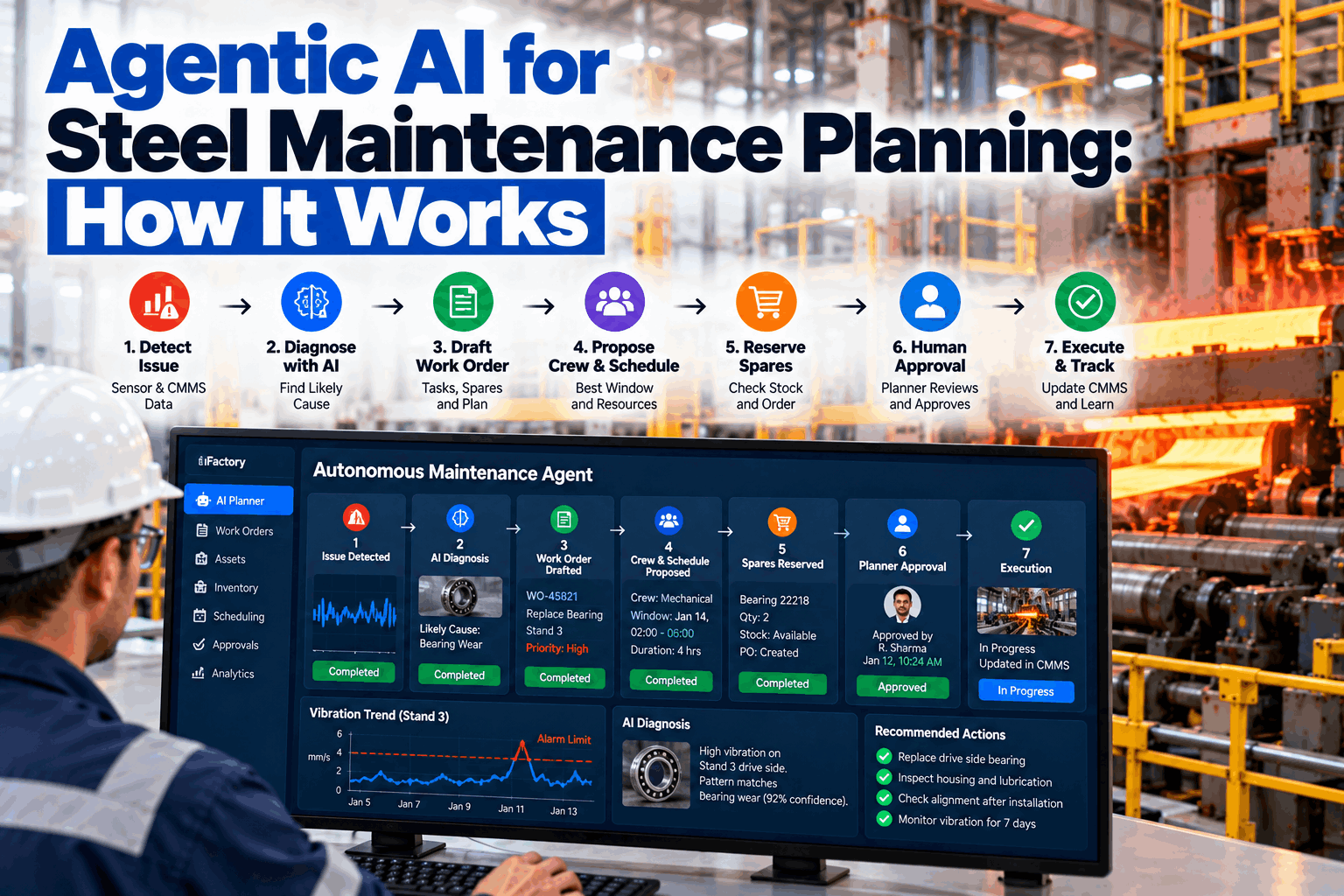
Example week · finishing train
Tonnage PMs triggeredAt 80% of limit
Interval proposals2 pull, 1 stretch
Event checks1 cobble inspection
Jobs placed in roll changesAll on the kanban
Planner approvals logged

Share This Story, Choose Your Platform!