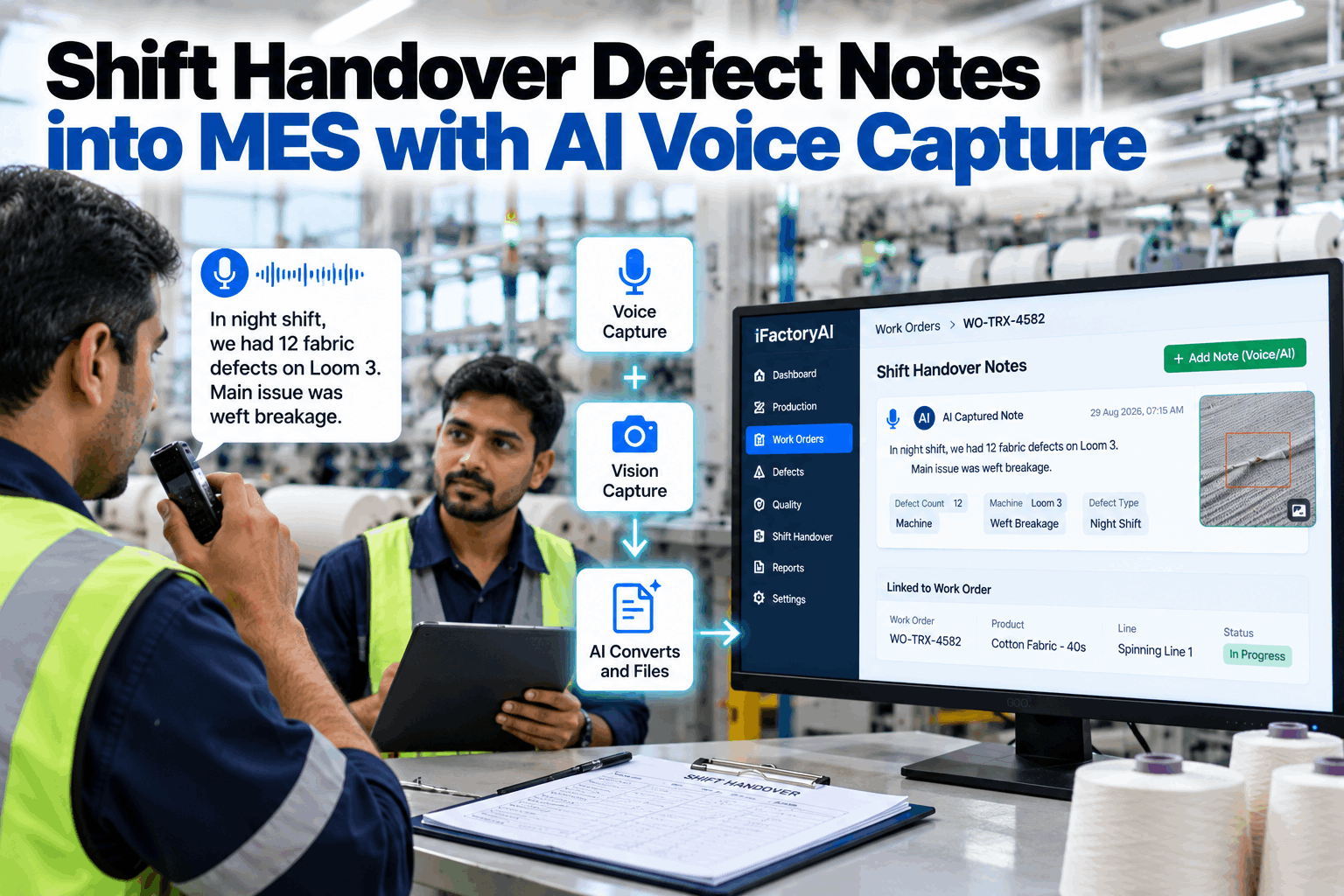
At 6 a.m. the night supervisor posts a blurry photo and three lines in a WhatsApp group: loom 214, starting marks, check the let-off. By 9 a.m. it is buried under forty messages and linked to no work order. This guide shows how voice and vision AI move handover defect notes into the MES record. Start with a handover review.
Shift Handover Defect Notes into MES with AI Voice Capture
Supervisors speak the note and snap the defect. AI turns it into a structured record, matches it to the right machine and work order, and files it in the MES where the next shift must see and acknowledge it.
- Why chat-group handovers lose defects
- How voice and photo become an MES record
- How the next shift sees, owns and closes it
"Loom 214, starting marks after every stop since about 3 a.m. Let-off looks uneven. Ran it slow, still marking. Photo attached."
Why Chat-Group Handovers Lose Defects
The note was sent. It just never reached the record.
Phone chat groups became the default handover tool because they are fast and everyone already has them. But a chat thread is built for conversation, not for production records. Defect notes sit between greetings, tea orders and forwarded videos. Photos arrive without a loom number. Nothing ties the message to a work order, a lot or a roll, and nobody has to confirm they read it. Our operations team can map where your handover notes go today.
Not tied to machine, work order, lot or roll.
Nobody has to read it or confirm action.
Photos arrive without what, where or when.
Last month's defect history sits on personal phones.
Customer complaints cannot be traced back to the shift.
Supervisors use chat groups because typing into a terminal at the end of a 12-hour shift is slow. Speaking a note takes seconds. Make the right way faster than the old way and the habit moves on its own.
What a Good Shift Handover Needs
Safety guidance has described good handover for decades.
UK HSE human factors guidance treats shift handover as a point where communication must be assured, citing Piper Alpha as an example of what poor communication can cost. It asks for handovers that are face to face, two-way, supported by written records and given enough time. On 12-hour shifts it advises leaning more on written communication. Check your handover against these points in a handover audit.
Face to face
Outgoing and incoming leads talk, not only message.
Written and verbal
A record backs up what was said.
Structured
Same points covered every time, set by what the next shift needs.
Two-way
Both sides share responsibility for an accurate handover.
Enough time
Handover gets the time it needs, not what is left over.
- Maintenance work running across a shift change
- Safety systems that have been overridden
- Any departure from normal working
- Staff returning after a long absence
- Handover from experienced to less experienced staff
Many of these conditions are already visible in plant systems: an open maintenance job, a bypassed interlock or a supervisor back from leave. When the handover record knows about them, it can mark that handover for extra care instead of relying on someone to remember.
How Voice and Vision Capture Works
Speak it, snap it, and the AI files it in the right place.
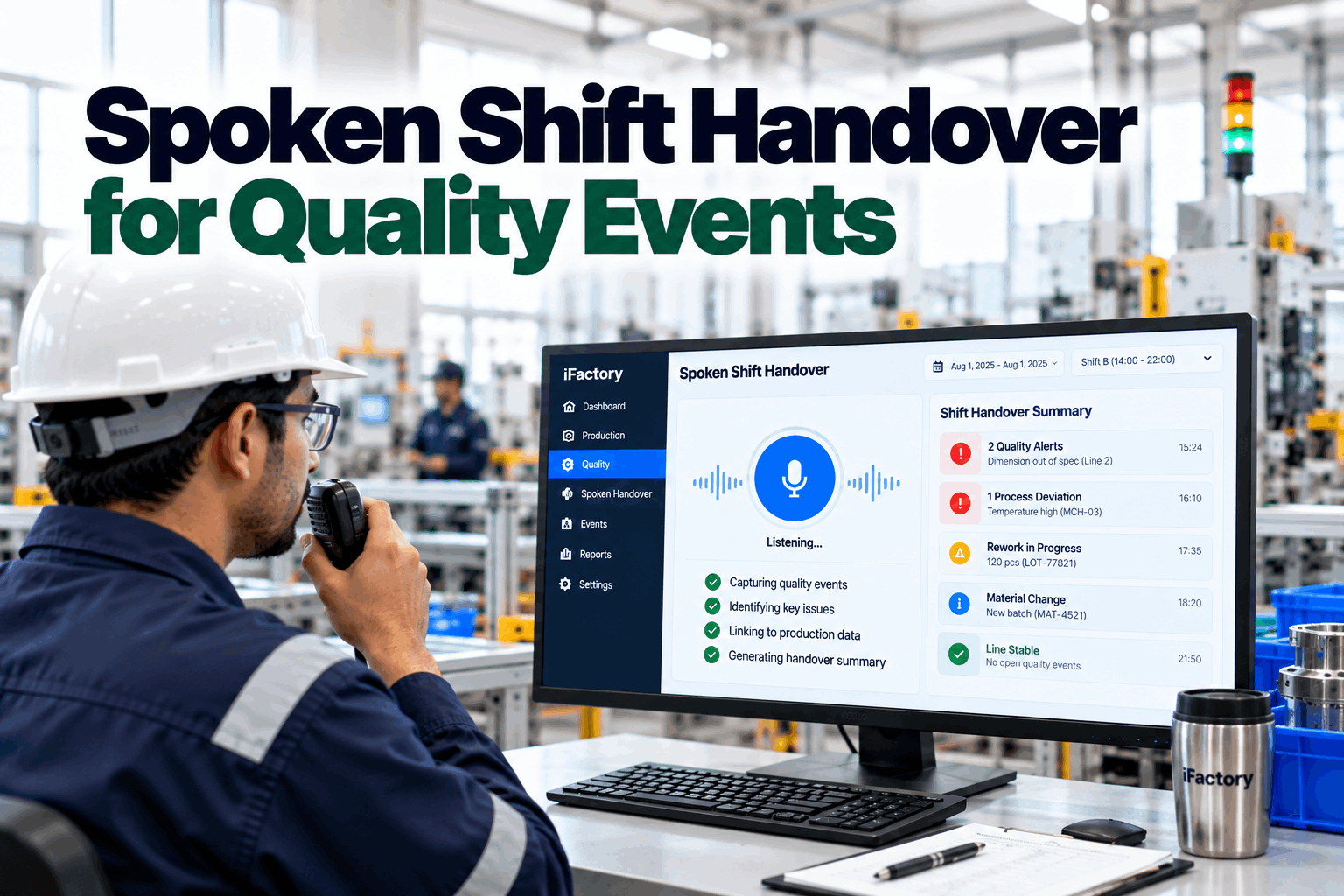
The supervisor holds a button on a line-side screen or rugged phone, speaks the note in their own words and takes a photo of the defect. The AI does the rest: it turns speech into text, reads the photo, pulls out the machine, defect, severity and time, finds the work order running on that machine and files the note in the MES. Our solutions team can show the flow on your machines.
Speak
Voice note in the operator's own language, hands free.
Snap
Photo of the fabric, yarn or machine fault.
Understand
AI extracts machine, defect, severity and time.
Match
Note linked to the running work order, lot and roll.
File and notify
Saved in the MES, next shift asked to acknowledge.
The MES already knows what each loom is running and when. Matching by machine and time means the note lands on the right work order even when the supervisor does not know or remember the number. If a loom changed work orders during the shift, the AI uses the time in the note to pick the right one and asks for confirmation when the change and the defect overlap.
See What Your Handovers Are Missing
Most plants have never measured how many defect notes reach the record. Once they do, the gap is usually larger than anyone expected.
Textile Defects That Must Not Get Lost
A defect note is only useful if it reaches the roll it affected.
In textile plants, a small fault at one machine can run through many metres before anyone stops it. When the handover note sits in a chat group, the roll, lot and customer order stay unknown. When it sits in the MES, quality can hold exactly the right rolls. Plan your defect codes with a defect code review.
Starting marks, broken picks, reed marks
Often tied to let-off, take-up or stop settings. Link to loom, beam and roll.
Count variation, hairiness, slubs
Often tied to drafting or spindle condition. Link to frame, spindle group and lot.
Holes, needle lines, missed stitches
Often tied to needle or feeder faults. Link to machine, feeder and roll.
Shade variation, patchy dyeing
Often tied to recipe, liquor ratio or temperature. Link to batch and machine.
The AI maps what supervisors say to the defect codes your quality team already uses. That keeps handover notes, inspection results and customer complaints in one language, so trends across shifts become visible. New slang or local names for a defect are added to the mapping once, and every later note uses them.
What the Next Shift Sees
The incoming lead starts with a list, not a scroll.
At shift start, the incoming lead opens a handover board for their area. Each open note shows the machine, defect, photo, work order and what the last shift already tried. Nothing can be skipped: each item needs an acknowledgement, and the important ones need an action before restart. Questions about board design go to our support desk.
Handover Capture Mistakes to Avoid
The tool only works if supervisors keep using it.
Most handover projects fail on adoption, not technology. If capture is slower than the chat group, or if notes vanish into a system nobody reads, supervisors drift back to their phones. A short rollout plan session helps keep the first weeks on track.
What works
- Voice capture that takes under a minute
- Notes shown on the next shift's board automatically
- Acknowledgement required before restart on high items
- Supervisors able to correct the AI in one tap
What fails
- Long forms with many required fields
- Records nobody on the next shift ever opens
- Keeping the chat group running alongside forever
- Ignoring the languages people actually speak
Voice capture backs up the conversation, it does not replace it. Talking still matters. The best results come when the two leads walk the board together for a few minutes, with every item already written down.
How iFactory Handover Capture Works
Voice and vision in, MES records out.
iFactory runs speech recognition, defect vision and language models on an on-prem AI server inside your network, so voice notes and photos never leave the plant. It connects to your MES, maintenance system and machine data to match each note to the right work order and asset. Fit questions go to our solutions team.
Multilingual voice
Notes captured in the languages your supervisors speak, including mixed-language speech.
Defect vision
Photos checked against your defect classes and attached as evidence.
Auto-file to work order
Machine and time matched to the running MES work order, lot and roll.
Shift acknowledgement
Next shift confirms each item, with high-severity notes blocking restart until owned.
Maintenance requests
Machine faults raised as maintenance requests with the note and photo attached.
Shift analytics
Repeat defects by machine, shift and cause, visible across weeks.
Results depend on your MES data, machine lists and how consistently the board is used. We measure capture rate, matching accuracy and acknowledgement on your own data during the pilot, rather than promising a general figure.
Turnkey AI: Delivered, Connected and Live in 6–12 Weeks
You do not build this. It arrives ready.
iFactory ships as a pre-configured NVIDIA AI server with the software pre-loaded, racked and ready. Rack it, plug in power and Ethernet, and the AI is live on your network. Our team handles cabling, network setup, MES, PLC and machine data integration, supervisor training and 24×7 remote monitoring. Voice and photo data stay on your network. For a scope matched to your plant, request a turnkey quote.
Ship, network and data
Server installed. MES, machine lists and defect codes connected for the pilot area.
Model training and pilot
Voice and vision tuned to your languages, machines and defects. Pilot live on one shed.
Go-live and training
Handover boards live for all shifts. Supervisors trained. 24×7 monitoring begins.
Frequently Asked Questions
What is AI voice capture for shift handover?
Supervisors speak a short note and take a photo instead of typing. AI turns the speech into text, reads the photo, pulls out the machine, defect and time, and files a structured record in the MES against the right work order.
How does the AI know which work order a note belongs to?
It uses the machine named in the note and the time it was recorded, then looks up what the MES shows running on that machine. When the match is uncertain, it asks the supervisor to confirm in one tap.
Does it work in local languages?
Yes. The speech model is tuned to the languages supervisors actually use on the floor, including notes that mix languages and plant slang for defects and machine parts.
Do voice notes and photos leave the plant?
No. Speech recognition, vision and language models run on an on-prem server inside your network, so recordings and images stay under your control.
Does this replace face-to-face handover?
No. Safety guidance recommends face-to-face handover backed by written records. Voice capture makes the written record fast and complete, so the conversation can focus on what matters.
What happens to our phone chat groups?
They can stay for general messages. Defect and machine notes move to voice capture, because only notes in the MES reach the work order, the next shift's board and the quality record.
How does this help with customer complaints?
When a buyer reports a fault in a roll, quality can look up that roll and see every handover note filed against its work order, with photos, times and actions. That turns a long search through phones into a quick, documented answer for the customer.
How do we start?
Start with one shed or line where handover defects cause the most rework. A 6-week pilot connects the MES, sets up defect codes and runs voice capture across all shifts. To plan it, contact our team.
Make Every Handover Note Count
In thirty minutes we look at how handovers work today, where defect notes go and how your MES records work orders. You keep the notes whether or not you go further with iFactory.
- 1A week of handover messages, names removed
- 2Your defect code list
- 3Your MES work order structure
- 4Languages spoken on each shift
- 5One defect that was missed at handover