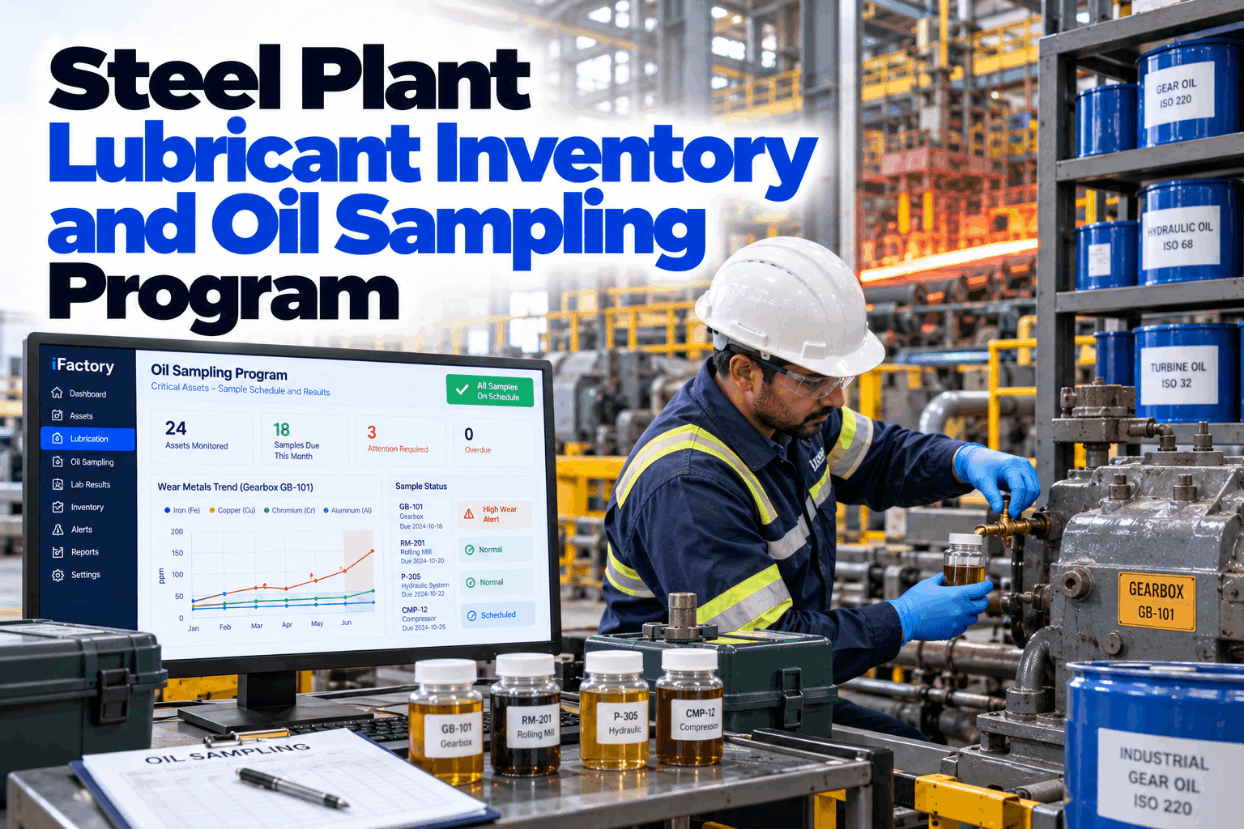
In a steel plant, the oil in a mill gearbox, an AGC hydraulic unit or an oil film bearing cellar usually shows a problem weeks before the machine does. Many sites still miss it, because samples are taken late or from the wrong port, lab reports sit in an inbox and nobody compares this month's iron with last month's. Lubricant stock has the same weakness: drums age on the shelf while the grade you need runs out. A proper oil sampling program fixes both. See how it runs in practice in a short lubrication demo.
Schedule Every Sample, Trend Every Result and Never Run Short of Oil
iFactory's Lubrication Module sets sample schedules per asset, imports lab results and uses AI to flag rising wear metals and water. Lube stock levels are tracked too, and reorders go out automatically when a grade falls to its minimum.
Why Steel Plant Oil Fails Faster Than Most
Steel mills are hard on lubricants. Roll cooling and descaling water is everywhere, scale and dust find every open breather, and mill drives take shock loads every time a bar or slab enters the stand. These four stresses decide which tests matter and where you sample. Talk through your own mill conditions with our lubrication team.
Take the Sample Where the Oil Is Working
A lab can only report what is in the bottle. Machinery Lubrication's sampling guidance is clear: sample from a live zone where oil is flowing and turbulent, downstream of the parts you want to watch and upstream of filters. Avoid dead legs and the bottom of a tank. Sample while the machine runs at normal load and temperature, and flush the valve with five to ten times its dead volume first. Plan your sample ports in a port review.
Set the Sampling Frequency by Criticality
Routine sampling usually falls somewhere between two weeks and three months. Where in that range depends on how fast a failure develops and what it costs when it happens, so use the criticality ranking you already have rather than one interval for every asset. The tiers below are starting points to tune with your lab. Ask our support team how tiers map from your ranking.
Shorten the interval after an alert, after a repair or oil change, during break-in and near end of life. iFactory brings the next due date forward automatically when a result is flagged.
Which Tests to Order and What Each One Tells You
A good test slate is short and matched to the asset. Spectroscopy finds fine wear metals, but its accuracy falls away for particles above roughly five microns. That is why big gearboxes also need a ferrous debris test such as PQ index. Water and particle count lead for bearings and hydraulics. Agree the slate per asset family with our reliability engineers.
Lab Results That Turn Into Action the Same Morning
iFactory imports each lab file, matches every result to its asset and port, compares it with that asset's own history and raises an alert when wear metals or water move. Planners see the reason, not just a red cell.
Four Steel Mill Systems That Need Their Own Rules
Each lubrication system in a mill fails in its own way, so each one needs its own test focus and targets. Water limits are a good example. Primetals states 0.2% as the maximum acceptable water for its high-speed long-mill equipment, while a lubricant blender quoted in an industry article put the maximum suitable level at 500 ppm. Use your bearing and oil suppliers' figures. Review your targets with our support team.
Fixed Limits Catch Bad Oil, Trends Catch Wear
Fixed limits work well for oil properties such as viscosity, water and particle code. Wear metals are different. A large gearbox can sit well under a fixed iron limit while its iron climbs sample after sample. ASTM D7720 gives guidance on setting statistical limits from your own data, with tentative limits possible from about ten samples. See trend alerts on your own history in a data session.
- One number per test, per oil or asset type
- Best for viscosity, water, acid number and ISO code
- Simple to explain and audit
- Can miss slow wear that stays under the line
- Each asset judged against its own history
- Best for iron, copper, chromium and PQ index
- Corrected for oil hours and top-ups
- Needs the same port and a steady interval
From Bottle to Work Order in Six Steps
The slowest part of most programs is not the lab. It is the time between a report arriving and someone reading it against the asset's history. iFactory closes that gap by matching each result to the sample ID on the bottle and checking it the moment it lands. Map your lab's file format with our integration team.
What Every Bottle Label Should Carry
Labs cannot interpret a result without context. Oil hours, top-ups and the reason for the sample change how a number should be read, and a missing port ID breaks the trend. Use these fields as your label and sample record. Ask our program team for a printable version.
A Lube Room Check You Can Run Every Month
New oil is often dirtier than the target for the machine it goes into, and old stock can pass its shelf life unnoticed. Chevron's general bulletin lists five years for most finished oils and three for greases, with many products shorter, so record the supplier's figure for each one. Tick through this list during a lube room walk. Get the checklist from our support team.
Set Min and Max So Oil Never Runs Out or Ages Out
A reorder point only works if it covers use during the supplier's lead time plus a buffer. The maximum then keeps stock small enough to be used well inside its shelf life. The example uses assumed figures to show the arithmetic. Set your own levels with our inventory specialists.
Size the Program With Your Own Numbers
The biggest value is a gearbox or bearing failure caught early, and that should come from your own failure history, not a generic figure. The admin savings are easier to count. The worksheet uses assumed inputs and simple arithmetic only. Build your full case with our support team.
Add the value of each failure your history shows oil analysis could have caught, priced from your own repair and delay records.
Implementation Guide: Lubrication Module and AI Server, Ready to Run
iFactory delivers the Lubrication Module with its own AI hardware. A pre-configured NVIDIA AI server ships racked and ready with the trending and alert models pre-loaded, so lab results and stock levels are processed on site. You rack it, plug in power and Ethernet, and the AI is live. Request a turnkey quote for your mill.
- Pre-configured NVIDIA AI server, racked and ready
- Asset and sample port register with criticality tiers
- Sample schedules and bottle labels per asset
- Lab result import set up for your oil lab
- AI trending on wear metals, water and particle code
- Lube stock with min/max and automatic reorders
- 24×7 remote monitoring of models and hardware
Assets, ports and tiers listed, server installed, past lab results loaded.
Trends built from history, limits agreed with your lab, pilot on one mill.
All tiers scheduled, stock reorders on, lube techs and planners trained.
Oil Sampling Program Software Built for Steel Plants
iFactory connects the sample, the lab result, the work order and the lube room in one place, so nothing waits in an inbox. Our support team can plan a pilot with you.
Oil Sampling Program Steel Plant Questions for Plant Managers
Run Your Oil Program on Schedule, Not on Memory
Schedule every sample by criticality, import every lab result, trend wear metals and water per asset and keep lube stock between min and max automatically. Delivered turnkey and live in 6 to 12 weeks.