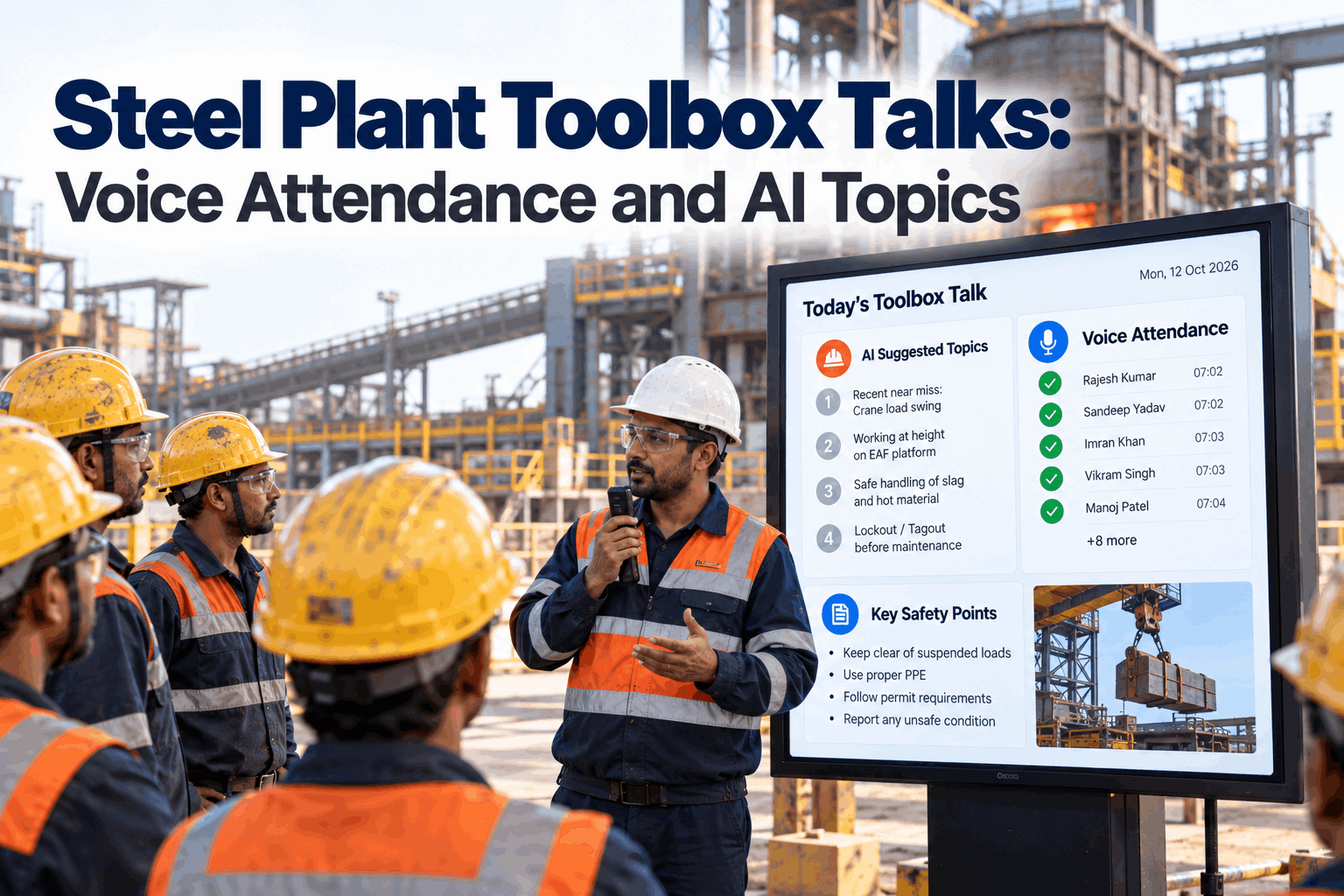
Most steel plant toolbox talks start the same way. The supervisor picks a topic from a folder, reads it out in front of the crew, passes round a sign-in sheet. The topic has little to do with the confined space entry planned at nine or the near miss on the ladle crane yesterday. This guide shows how to make toolbox talks count, with AI choosing topics from recent near misses and today's high-risk jobs, and crews signing in by voice for a clean training record. Plan yours in a safety briefing review.
Steel Plant Toolbox Talks: Voice Attendance and AI Topics
Five focused minutes before the shift, on the hazards the crew will actually face today. AI proposes the topic, reads the key points aloud and records who attended by voice.
- Why generic toolbox talks stop working
- How AI picks topics from near misses and planned jobs
- Voice sign-in that becomes a training record
Why Generic Toolbox Talks Stop Working
A talk that does not match the day's work is easy to tune out.
The steel industry has made real progress on safety, but the same hazards keep causing the worst harm. The worldsteel Safety Data Report 2026 names falls from height, moving machinery, gassing and asphyxiation, on-site vehicles and falling objects as the top causes of fatalities over the past decade, and notes they have stayed consistent over time. Toolbox talks are one of the few daily chances to put those hazards in front of every crew. They lose their value when the topic is random and the record is a sheet nobody reads. Our safety specialists can review your current briefing routine.
Random topics
Picked from a folder, not from the day's work.
Lessons not shared
Yesterday's near miss stays with one crew.
Paper sign-in
Missing names, illegible writing, lost sheets.
No link to training
Attendance never reaches the training record.
How AI Picks the Right Topic
Today's jobs and yesterday's lessons, not a rota.
The Safety Briefing Agent looks at what the crew will do today and what has gone wrong recently. It proposes one main topic and one or two short reminders, with the reason for each. The supervisor accepts, swaps or adds to them before the talk. Over time the agent learns which topics supervisors prefer for each area and task, but it always shows its reasons, so the choice stays with the person who knows the crew. Map your data sources in a setup session.
High-risk jobs today
Permits for confined space, work at height, hot work, isolations and heavy lifts.
Recent reports
Near misses and incidents in the area or on similar tasks in the last few weeks.
Plant and weather
Hot days, rain on outdoor routes, outages and contractor work on site.
Missed checks
Overdue gas detector tests, harness inspections or lapsed training.
A toolbox talk that tries to cover five subjects covers none of them. Keep one main topic tied to the riskiest job of the day, and add short reminders only when they are new. The agent ranks candidates so the supervisor does not have to.
Topic Ideas Matched to Steel Plant Work
The job decides the talk.
The grid below shows how planned work in a steel plant maps to toolbox talk topics. The agent uses a library like this, built with your safety team, and adds details from your own procedures and incidents. Ask our support desk to help build the first version.
Make Every Toolbox Talk Count
Talks tied to the day's real hazards, delivered the same way every shift, with attendance that lands in the training record automatically.
A Five-Minute Talk Structure
Short, the same every day, and two-way.
A good toolbox talk follows a simple shape. The agent prepares each part and can read the key points aloud, but the supervisor leads the conversation and the crew does most of the talking at the end. Holding the talk at the same time and place every shift, close to where the work starts, makes it part of the routine rather than something that gets skipped on busy days. Practise the format in a coaching call.
Why today
The job or near miss behind the topic.
Key points
Three points, read aloud or spoken.
Ask the crew
What could go wrong on this job?
Confirm controls
Who checks gas, isolation or barriers.
Sign in
Each person by voice, in seconds.
The most useful minute of a toolbox talk is when the crew answers the question "what could go wrong on this job today?" People remember what they say more than what they hear. The agent can record answers as notes, so good catches are shared with other crews and the safety team.
Voice Attendance and Training Records
Each person speaks their name. The record writes itself.
At the end of the talk, each crew member says their name or ID into a shared handheld or their own headset. The agent matches the voice entry to the roster, flags anyone missing and stores attendance with the talk content and the shift record. Contractors can sign in the same way. Because each entry carries a time and place, the record shows not just that a talk happened, but who heard it before which job, which is what an auditor or investigator usually needs to know. Questions about record keeping go to our records team.
What gets stored
- Topic, key points and reason chosen
- Who attended, with time and location
- Crew questions and answers
- Link to the shift record and permits
What gets flagged
- People on a permit who missed the talk
- Contractors not yet signed in
- Repeat near misses on the same task
- Crews with no talk recorded
Sharing Near Misses Across Crews
A lesson learned by one crew should reach every crew by the next shift.
In most plants a near miss is reported, investigated and filed, but the crews on other shifts and in other areas rarely hear about it while it is still fresh. The agent closes that gap. When a near miss is reported, it checks which crews do similar work or will be near the same equipment, and adds a short reminder to their next toolbox talk. The safety team can approve these reminders before they go out. Plan the review step in a governance session.
Report
A near miss is logged by voice or form, with area, task and equipment.
Match
The agent finds crews doing similar work or working in the same area soon.
Brief
A one-line reminder joins their next talk, with the safety team's approval.
Share what happened and what to watch for, not who was involved. Crews report more near misses when they see the reports used to protect others rather than to single people out, and more reports give the agent better topics.
Toolbox Talk Checklist
Tick these off before the crew walks out.
Supervisors can run through this list each morning. It takes under a minute and keeps every talk to the same standard, whoever leads it. Our safety team can tailor it to your plant.
Toolbox Talk Mistakes to Avoid
The format matters as much as the topic.
Even with the right topic, a talk can fail if it is rushed, one-way or skipped when the shift is busy. These patterns are the most common. A short briefing review helps spot them.
What works
- One topic tied to today's riskiest job
- Crew answering, not just listening
- Same time and place every shift
- Near misses shared across crews
What fails
- Reading a generic sheet aloud
- Talks skipped on busy days
- Sign-in sheets passed round at the end
- Records that never reach training
How iFactory Runs Toolbox Talks
Safety Briefing Agent, on your own network.
iFactory's Safety Briefing Agent proposes daily toolbox topics from incidents and scheduled high-risk jobs, reads key points aloud, records voice attendance and stores it with the shift record. Everything runs on an on-prem AI server inside your plant. Fit questions go to our solutions team.
AI topic picks
From near misses, permits and planned jobs.
Read aloud
Key points spoken clearly to the crew.
Voice sign-in
Names matched to the roster in seconds.
Training record
Attendance stored with topic and shift.
Permit link
Flags people on a permit who missed the talk.
Safety trends
Topics, attendance and repeat near misses by area.
Results depend on your crews, data sources and how consistently talks are held. We measure talk coverage, attendance completeness and topic relevance on your own data during the pilot, rather than promising a general figure.
Turnkey AI: Delivered, Connected and Live in 6–12 Weeks
You do not build this. It arrives ready.
iFactory ships as a pre-configured NVIDIA AI server with the software pre-loaded, racked and ready. Rack it, plug in power and Ethernet, and the AI is live on your network. Our team handles cabling, network setup, PLC, SCADA, DCS and CMMS integration, permit and near miss links, operator training and 24×7 remote monitoring. Data stays on your network. For a scope matched to your plant, request a turnkey quote.
Ship, network and data
Server installed. Permits, near miss reports, rosters and training records connected.
Model training and pilot
Topic library built with your safety team. Agent runs talks beside supervisors in one area.
Go-live and training
Briefing agent live for all crews. Supervisors trained. 24×7 monitoring begins.
Frequently Asked Questions
What is a toolbox talk?
It is a short safety briefing held before work starts, usually five to ten minutes, focused on the hazards of the work the crew is about to do.
How does AI pick the topic?
It looks at high-risk jobs planned for the day, recent near misses and incidents, plant conditions and missed safety checks, then proposes a main topic with its reason. The supervisor makes the final choice.
Does it replace the supervisor?
No. The supervisor leads the talk and the conversation. The agent prepares the topic, reads key points if asked and handles attendance.
How does voice sign-in work?
Each person says their name or ID into a handheld or headset. The agent matches it to the roster and stores it with the talk and shift record.
Will voice sign-in work in a noisy plant?
Yes, with the right hardware. Noise-cancelling headsets and push-to-talk handhelds are tested in your talk locations during the pilot.
Can contractors sign in too?
Yes. Contractors are added to the roster for the days they are on site and sign in the same way.
Can talks be given in more than one language?
Yes. Key points can be read aloud in the languages your crews use, and voice sign-in works the same way. The topic and record stay the same whatever language the talk is given in.
Where are records stored?
On the on-prem server in your plant, linked to the shift record and searchable by person, topic, area and date.
How do we start?
Start with one area, such as the melt shop. A 6-week pilot builds the topic library, tests headsets and runs talks beside your supervisors. To plan it, contact our team.
Give Every Crew the Right Talk Every Day
In thirty minutes we review how toolbox talks run in your plant today and sketch a topic library for one area. You keep the sketch either way.
- 1Your current toolbox talk folder
- 2Last quarter's near miss reports
- 3How permits are issued and tracked
- 4A recent sign-in sheet
- 5One incident a better talk might have helped