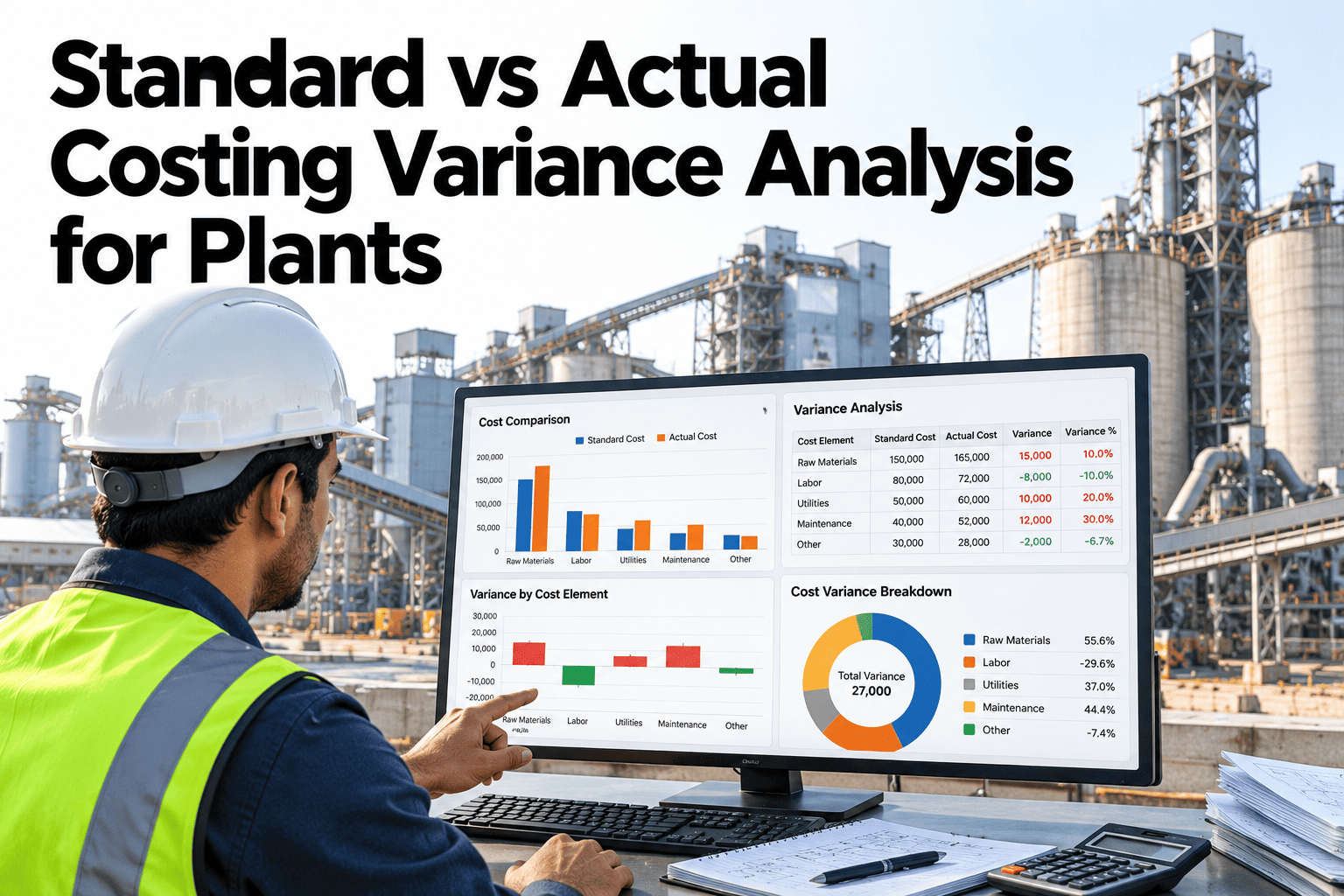
Standard cost is set once a year, and the plant moves on several times before the next cost roll. Prices change at the dock, yields change on the line, routings change on the floor and the order mix changes in the sales book. Variance analysis shows which assumptions broke, but only when purchase, MES and ERP records tell the same story. See how iFactory AI joins those records for variance analysis in your plant.
Standard Said One Thing. The Plant Did Another.
iFactory AI bridges standard cost to actual cost by driver, so each variance points to a price, a quantity, a rate or a mix change you can act on.
How a Standard Goes Out of Date
A standard is a plan frozen on one day. Everything that moves after that day shows up as variance, and the longer the gap to the next cost roll, the larger the pile becomes.
Prices move
Contract changes, spot buys, freight and currency shift the real price of every input.
Yields move
Scrap, trim and setup loss drift as equipment ages and recipes change.
Routings move
Operators and engineers change steps, machines and crews without a matching ERP change.
Mix moves
A different blend of products changes absorbed overhead and average margin.
AccountingTools adds that standard costing complies as long as variances are recorded, and that the cost accountant should record them in cost of goods sold every reporting period. Both points explain why variance analysis is a control, not an optional report.
The Variance Families
Most plant variances fall into a few families. Each family has a textbook formula, a natural data source and an owner who can act on it.
| Variance | Textbook formula | Main data source | Usual owner |
|---|---|---|---|
| Purchase price | (Actual price − standard price) × actual quantity bought | Purchase orders and invoices | Purchasing |
| Material usage | (Actual quantity − allowed quantity) × standard price | MES consumption and ERP bill of materials | Production and engineering |
| Labor rate | (Actual rate − standard rate) × actual hours | Payroll and time records | HR and operations |
| Labor efficiency | (Actual hours − allowed hours) × standard rate | MES labor reporting and ERP routing | Production |
| Overhead spending | Actual overhead − budgeted overhead for the activity level | General ledger and cost centers | Cost center owners |
| Overhead volume | Budgeted overhead − absorbed overhead | Output volume and absorption rates | Finance and planning |
| Mix and yield | Change in input mix or output yield against standard blend | MES batch records and ERP recipes | Process engineering |
A Worked Example in Plain Numbers
The figures below are invented for illustration. They show how one batch splits into a price effect and a usage effect, and why the order of calculation matters.
| Item | Standard | Actual |
|---|---|---|
| Units produced | 1,000 | 1,000 |
| Material per unit | 2.0 kg | 2.1 kg |
| Material price per kg | 5.00 | 5.20 |
| Material cost | 2,000 kg × 5.00 = 10,000 | 2,100 kg × 5.20 = 10,920 |
The Data Join: Purchase, MES and ERP
Variance work stalls when three systems hold three versions of one batch. Join them on a common key, and each variance traces back to an event on the dock or the floor.
PO price, invoice price, freight and duty by item and receipt.
Received quantity, lot and date, matched to the invoice.
Consumption, yield, scrap, labor hours and downtime per order.
Standard price, bill of materials, routing and cost center rates.
Posted variances and inventory values at period close.
| Join point | Key | What breaks it | Fix |
|---|---|---|---|
| Invoice to receipt | PO line and lot | Partial receipts and late invoices | Accrue and match by line |
| Receipt to batch | Lot number | Lots blended in the silo or tank | Record lot mix at issue |
| Batch to order | Production order | Rework and split orders | Link child orders to the parent |
| Order to routing | Operation and work center | Floor steps do not match the routing | Compare MES steps with ERP |
| Hours to payroll | Employee and shift | Shared crews across orders | Allocate by recorded time |
See Last Month's Variances Traced to Their Cause
Book a 30-minute session and iFactory AI will bridge a sample of your standard costs to actual, driver by driver.
Which Variances Deserve an Investigation
Not every variance needs a meeting. Set simple triage rules so the cost team spends time on what is large, repeated or controllable.
Size
Compare the amount with a percent of standard and with an absolute value that matters to the P&L.
Repeat
A variance in the same direction for several periods points to a stale standard.
Control
Can a named owner change it, or is it a market price outside the plant's reach?
Trend
A rising slope matters more than one large spike with a clear cause.
Spread
Check whether one product, line or supplier explains most of it.
Timing
Rule out cut-off and accrual effects before chasing a floor cause.
Capitalize or Expense the Difference
At period close, variances either stay in cost of goods sold or are pushed back into inventory. The split follows how much of the variance relates to stock still on hand.
What ERP Actual Costing Adds
Some ERP suites run an actual cost system next to the standard one. SAP's Material Ledger is one example, and similar features exist in other suites.
A Cost Roll Shaped by Variances
The best use of variance history is a better next standard. Build the roll as a regular review, not a once-a-year scramble.
Collect
Pull twelve months of price, usage, rate and mix variances by item and routing.
Separate
Split one-off events and lasting shifts, such as a new supplier contract or a changed recipe.
Simulate
Test proposed standards against past volumes to see the margin effect.
Approve
Sign off with purchasing, production, engineering and finance.
Release and explain
Load the new standards, revalue stock and share what changed and why.
Overhead, Absorption and Volume
Overhead variances confuse many teams because they depend on volume. A plant that runs fewer hours than planned absorbs less overhead, even if every cost line is on budget.
Reading Mix and Yield Variances
Mix and yield variances hide in totals. A plant can hit its material usage target overall and still lose margin by shifting toward costly inputs or low-yield products.
Input mix
A recipe uses more of a costly ingredient and less of a cheaper one, while total weight looks fine.
Product mix
Sales shift toward products with higher cost or lower margin than the planned blend.
Process yield
Output per unit of input falls as equipment wears or settings drift.
Grade yield
More output lands in a lower grade, which changes its value even if the quantity is right.
A Month-End Variance Routine
Close the data
Confirm receipts, invoices, consumption and hours are complete for the period.
Run the bridge
Calculate price, usage, rate, efficiency, mix and volume effects.
Triage
Apply the size, repeat, control and trend tests to rank what needs a look.
Tag causes
Owners add a short reason and an action, with a due date.
Post and split
Post the variances and apply the capitalize or expense rule.
Report and learn
Share the story with operations and purchasing, and list repeats for the next roll.
Who Does What
| Role | Owns | Reviews | Gives back |
|---|---|---|---|
| Cost accountant | Bridge, policy and the cost roll | All variance families | Revised standards |
| Purchasing lead | Contract and spot prices | Price variances by supplier | Price outlook for the roll |
| Production manager | Usage and efficiency | Scrap, yield and labor hours | Process changes in the system |
| Process engineer | Recipes and routings | Mix and yield variances | Corrected bills of material and routings |
| Plant controller | Close and capitalization rule | Material variances at close | Approved treatment notes |
| ERP and MES owner | Keys and integrations | Data gaps and mismatches | Fixes to feeds and master data |
Hold one short monthly review with these roles. Look at the three largest variances, every repeat in the same direction and any open action past its date. Agree one change for each pattern and write it into the next roll list.
Start small and prove the value. Pick one plant, one product family and the three variance families that cost the most, then rebuild three past periods in the bridge. When the bridge ties to the ledger and explains most of the gap, widen the scope. A narrow start gives numbers everyone trusts, and trust is what lets the program spread.
Record a baseline before go-live: the unexplained share of variance, the days needed to close the review, and the number of repeat variances. When the first cost roll uses the new evidence, those figures show what changed, and they help the controller explain the result to the plant leadership team.
Keep the language plain. Reasons such as supplier price rise, recipe change or short run are understood by every team. Internal codes are not. Plain reasons also make the cost roll discussion shorter, because purchasing and operations can see their own part of the story.
Plan for audit questions at the outset. Auditors and group finance teams will ask how a number was built, which inputs were used and who approved a change to a standard. Keep the bridge definitions, the cause tags and the approval notes together with each period, so the answer is a link and not a search through email.
Share results with the people who generate the data. When a buyer sees the price effect of an off-contract purchase, or an engineer sees the usage effect of a recipe change, behavior changes sooner than any policy memo could achieve. Short, specific monthly notes that name the lot, the line and the amount are the most effective tool a cost team has.
Finally, treat the first year as learning. Some variances will remain unexplained, some feeds will fail and some standards will be wrong for reasons nobody expected. Log each of those findings, because the log becomes the best guide to what the next cost roll should fix first.
Remember the limits of the method. A variance shows that cost came in different to plan, not why. The reason lives in purchase orders, batch records, shift notes and the memory of the people on the floor. Treat the bridge as a map to those places, and keep a simple way for owners to add what they know.
Governance Checklist
How to Judge the Program
| Measure | How to count it | What good looks like |
|---|---|---|
| Unexplained share | Variance with no tagged cause, divided by total variance | Falling every month |
| Time to close | Working days to finish variance review after period end | Shorter and steady |
| Standard accuracy | Absolute variance as a share of standard cost, by item | Narrowing after each roll |
| Repeat variances | Items with the same direction for several periods | Few, and each on the roll list |
| Action closure | Investigations closed with a decision, divided by opened | Close to every investigation closed |
How iFactory AI Supports Variance Analysis
iFactory AI joins purchase, MES and ERP records, bridges standard to actual by driver, and keeps a cause on every large variance.
Standard-to-actual bridge
Price, usage, rate and mix effects shown by item, line and period.
Purchase feed
Invoice, receipt and freight data linked to lots and orders.
MES consumption link
Actual use, scrap and hours matched to ERP orders.
Drill-down
Click through a period total to the lot, batch or shift behind it.
Cause tagging
Owners add a reason, so repeat causes are easy to spot.
Roll simulator
Tests proposed standards against past volumes before release.
A 90-Day Starting Plan
Pick the scope
Choose one plant, one product family and the biggest variances.
Join the data
Link purchase, MES and ERP records and close the key gaps.
Bridge and tag
Build the bridge for three periods and tag causes with owners.
Feed the next roll
List repeat variances and propose revised standards for review.
Frequently Asked Questions
Do we need actual costing to do variance analysis?
No. Standard costing with good driver-level variances already explains most gaps. Actual costing in the ERP can add period-end revaluation. Book a demo to compare both views on your own data.
How often should we reset standards?
Many plants roll yearly, and some add a mid-year review for volatile inputs. The test is whether standards still approximate actual costs. Book a demo to model roll timing, or ask support about roll workflows.
What purchasing data do we need?
Order price, invoice price, freight, duty, receipt quantity and lot, tied to the item and supplier. Book a demo to review your purchase feed and see which lots are lost.
How do we handle variances caused by market prices?
Tag them as market driven and report them in their own line, not mixed with controllable usage and efficiency variances, so owners are judged on what they control. Book a demo to see cause tagging in action.
How long does a pilot take?
The turnkey build runs 6–12 weeks, with the first bridge after the data join. Book a demo to plan your pilot around your close calendar.
Make Every Variance Point to a Cause
iFactory AI turns purchase, MES and ERP records into a standard-to-actual bridge your whole team can trust. Book a walkthrough on your own periods.