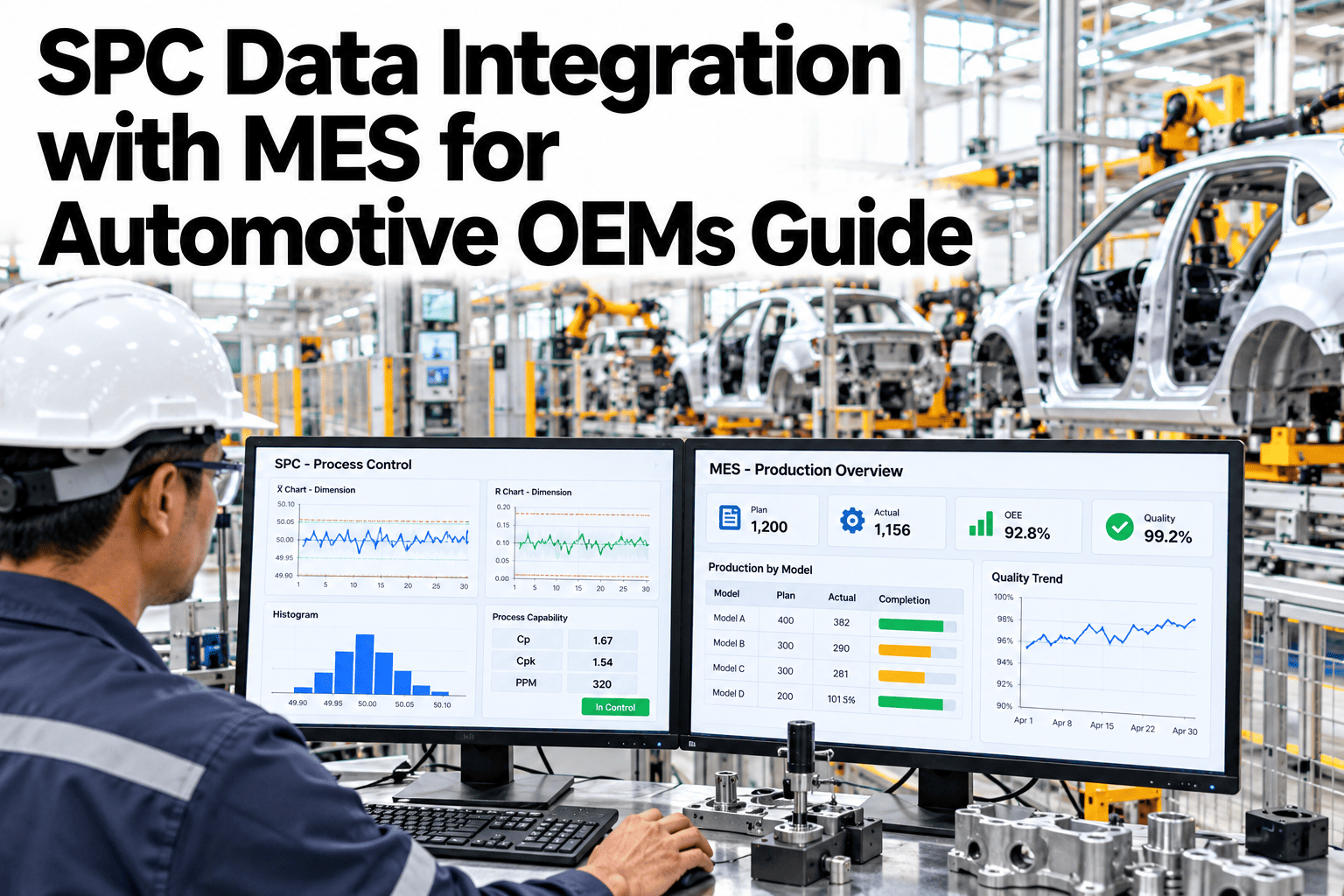
Statistical process control is supposed to catch a process drifting out of control before it produces a defective part, but that only works if the measurement actually gets into the control chart in time to act on it. In many OEM plants, SPC data still gets typed in manually from a gauge reading, disconnected from the MES and from which specific part the measurement belongs to. By the time a manual entry flags an out-of-control point, the parts made during the drift have often already moved several stations downstream. Automated measurement capture, genealogy linkage and a closed-loop reaction workflow close that gap. Quality engineers can review their own SPC-to-MES connection in a short session.
A Control Chart Only Works If the Data Gets There in Time
iFactory captures SPC measurements automatically and links them to product genealogy, closing the loop between an out-of-control point and a reaction.
Why Manual SPC Entry Falls Behind
Every manual step between a gauge reading and a plotted control chart point is a delay. On a fast-moving assembly line, that delay can mean the parts made during a drift have already passed quality control before anyone reacts.
| Integration Piece | Manual Problem | Automated Fix |
|---|---|---|
| Measurement capture | Operator manually types gauge readings, prone to delay and error | Gauges feed measurements directly into the SPC system |
| Product genealogy | A measurement isn't tied to the specific part or VIN it came from | Every measurement links automatically to its part and build record |
| Reaction workflow | An out-of-control point requires someone to notice and act manually | A closed-loop alert routes to the right owner the moment a point violates control limits |
Find Out Where Your SPC Data Loop Is Slowest
Book a 30-minute session and iFactory will trace your current measurement-to-reaction time from gauge to control chart.
Three Pieces of Closed-Loop SPC
Automated Measurement Capture
Gauges and inspection equipment feed measurements directly into the control chart, removing manual transcription delay and error.
Product Genealogy Linkage
Every measurement is tied to its specific part, build record and VIN, making traceability immediate rather than a reconstruction effort.
Closed-Loop Reaction
An out-of-control point triggers an alert routed to the responsible owner automatically, with the affected parts already identified.
Signals Your SPC-MES Gap Is Costing You
Where iFactory Fits
iFactory connects gauges, MES and genealogy data into one closed-loop SPC system.
Direct Gauge Integration
Measurements flow automatically from inspection equipment into the control chart, no manual transcription.
Automatic Genealogy Linking
Every measurement is tied to its part and build record instantly, ready for containment if needed.
Automated Reaction Routing
Out-of-control points route to the right owner immediately, with affected part lists already attached.
MES-Native Reporting
SPC data lives alongside MES production data, rather than in a disconnected quality silo.
Reviewed by iFactory's Automotive Quality Systems team for alignment with standard SPC and MES integration practice. The control chart shown is illustrative; actual control limits and reaction rules should be set against your own process capability data.
Frequently Asked Questions
Does this work with our existing gauges and inspection equipment?
In most cases, yes, since many modern gauges already support a digital output that can feed directly into an SPC system without hardware replacement. Support can assess your current gauge compatibility.
How does genealogy linkage actually work?
Each measurement is timestamped and matched to the part passing through that station at that moment, using existing MES production tracking data rather than a separate manual association step.
Can reaction rules differ by characteristic criticality?
Yes, a critical safety characteristic can trigger an immediate line hold while a less critical one routes to a review queue, rather than treating every out-of-control point identically. See reaction rules configured for your own characteristics in a short session.
Does this replace our existing SPC software?
It can work alongside existing SPC software by feeding it automated data, or replace it with an integrated system, depending on what fits your current setup best.
How does this help during a PPAP or audit review?
Complete, automatically captured SPC history with genealogy linkage gives an auditor or customer direct evidence of process control, without a reconstruction effort. Ask support how this supports PPAP submissions.
Close the Gap Between a Measurement and a Reaction
iFactory connects gauges, genealogy and MES into one closed-loop SPC system. Book a walkthrough on your own process.