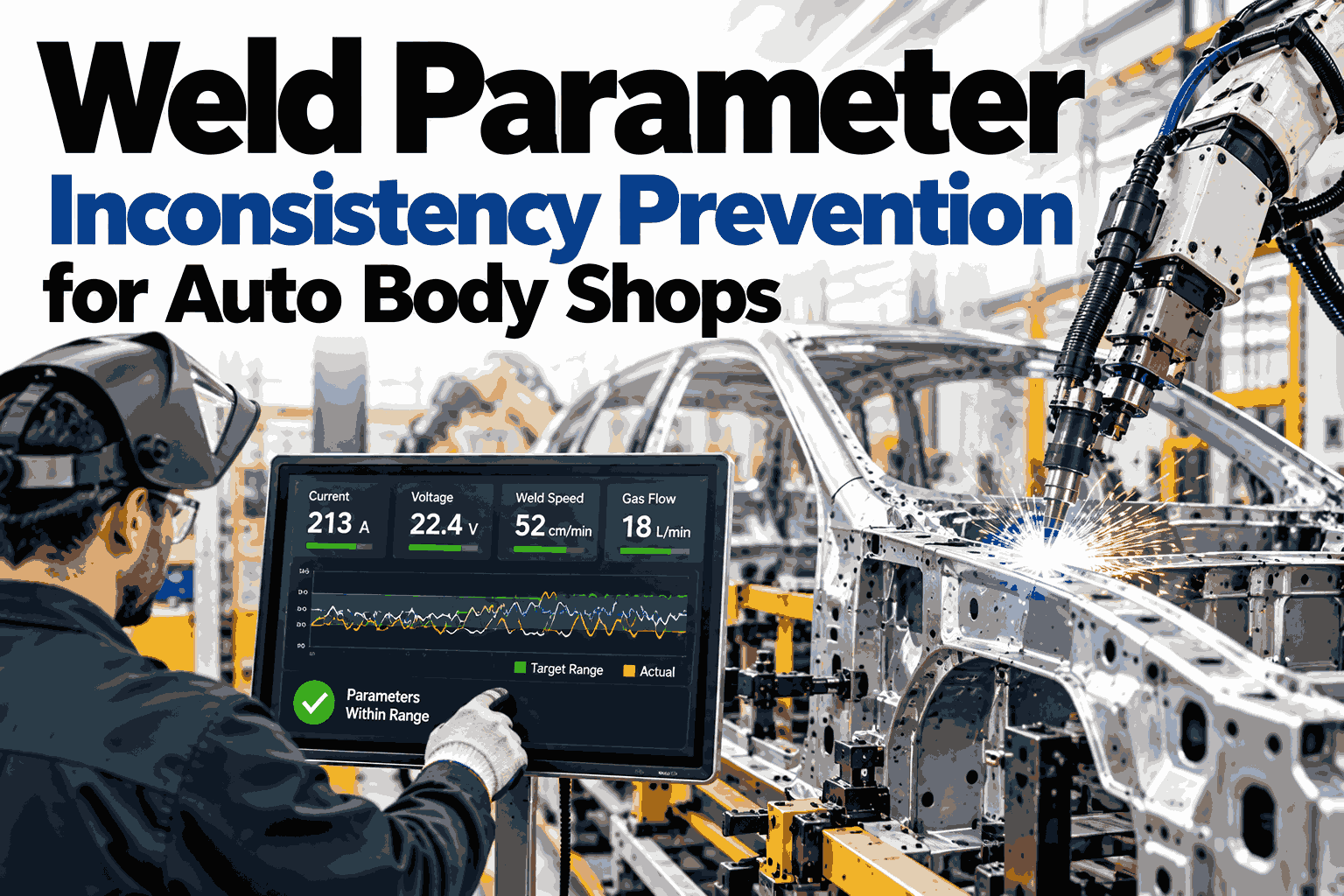
Weld Parameter Inconsistency Prevention for Auto Body Shops

By James Smith on October 6, 2026

weld-parameter-inconsistency-prevention-for-auto-body-shops

Two weld guns can share the same program number and still run different parameters, because a shift change, a tip dress, a controller swap or a manual tweak quietly moves current, time or force away from the approved schedule. Nothing alarms, the welds look normal, and the inconsistency only appears later as weak nuggets, expulsion or rework at audit. Auto body shops are now tracking schedules continuously, detecting drift early and applying correction rules that keep every gun inside spec. To picture that on your own cells, watch how schedule tracking plays out on weld data from a body shop like yours.

P1 · AUTOMOTIVE WELD QUALITY PREDICTION AND INSPECTION

Weld Parameter Inconsistency Prevention for Auto Body Shops

Track every weld schedule, catch drift before it reaches the nugget and apply approved auto-correction rules across shifts, guns and lines.

Track
Detect
Correct
WHERE CONSISTENCY BREAKS

A Production Day Has Five Moments When Parameters Slip

Inconsistency is rarely one big mistake, it is a string of small changes that cluster around predictable events.

Shift Change
Different operators, different habits and manual edits.
Tip Dress or Change
Face size resets current density and force needs.
Material Lot Change
Coating and thickness shift contact resistance.
Equipment Change
New guns or controllers carry defaults that differ.
Model Changeover
Wrong schedule loaded for the next body style.
SCHEDULE TRACKING

Approved Schedule Versus What the Gun Is Actually Running

Parameter
Approved
Found on Gun
Status
Weld current
Within window
Within window
Match
Weld time
Within window
Edited upward
Mismatch
Electrode force
Within window
Within window
Match
Program number
Body style A
Body style B
Mismatch

Values are shown as labels because each shop sets its own windows.

Find the gun running the wrong schedule today

iFactory compares approved schedules with live controller values and lists every mismatch by station, shift and program.

DRIFT DETECTION

Spotting the Slow Slide Before It Leaves the Band

A parameter that creeps toward its limit over several shifts still passes every single check, so detection must watch the trend, not just the value.

Outer dashed lines spec limits
Inner dotted line early warning level
Hollow point first trend alert, before any limit breach
AUTO-CORRECTION RULES

If-Then Rules With Guardrails Your Engineers Control

IF current drifts low for several welds
THEN raise current by one approved step
Guardrail: never beyond the schedule ceiling
IF tip wear trend crosses the warning level
THEN apply stepper compensation and flag tip dress
Guardrail: step count capped per tip life
IF program does not match the scheduled body style
THEN block the cycle and notify the supervisor
Guardrail: no automatic override
ESCALATION LADDER

Four Levels Between a Small Drift and a Line Stop

Level 1 · Log the trend silently
Level 2 · Alert the process engineer
Level 3 · Apply approved correction
Level 4 · Hold parts and stop the gun
PARAMETER MAP

Which Parameter Drifts, Why, and What Fixes It

ParameterCommon Cause of DriftHow It Is DetectedTypical Correction
Weld currentTip wear, supply variationTrend against scheduleStepper increase within limit
Weld timeManual edit at shift changeSchedule comparisonRestore approved value
Electrode forceAir pressure or cylinder wearForce curve monitoringMaintenance ticket, then adjust
Cooling flowBlocked or low water flowTemperature trendAlert maintenance before welding
SHIFT-TO-SHIFT SPREAD

What Tighter Control Does to Variation Between Shifts

Manual tracking
Wide spread
Periodic audits
Medium spread
Continuous tracking with rules
Tight

Illustrative comparison, not measured plant data.

ROLLOUT

Who Does What During a Parameter Control Rollout

Step 1
Baseline
You: share approved schedules
iFactory: pull live controller values
Step 2
Set the Rules
You: approve windows and limits
iFactory: build drift and correction logic
Step 3
Run and Refine
You: review alerts each week
iFactory: tune thresholds on real results
FREQUENTLY ASKED QUESTIONS

Questions Body Shop Teams Ask About Parameter Control

Can the system change parameters without our approval?
Only inside limits your process engineers define, and teams can start in alert-only mode before enabling any change. Every adjustment is logged with the rule that triggered it. Explore approval settings in a guided walkthrough for your cells.
Does it work with our mix of controller brands?
Schedule tracking depends on reading values from each controller, so compatibility is confirmed per brand during the baseline step. Mixed fleets are common and are handled cell by cell. Review your controller mix with an iFactory specialist before you commit.
How is real process change told apart from drift?
Approved changes are registered as new schedule versions, so they stop triggering alerts once signed off. Unapproved edits and slow trends still get flagged. See how schedule versions are handled on screen in a live session.
What about tip dressing and stepper programs?
Tip wear is one of the main drivers of drift, so the system watches it alongside your stepper settings. It can suggest dress timing and keep compensation within tip-life limits. Compare your stepper strategy with tracked wear data on a call.
How soon will we see fewer inconsistencies?
Schedule mismatches are visible almost immediately after baseline, since they need no model training. Trend-based drift detection improves as more shifts of data accumulate. Ask for a first-month expectation plan for your body shop during a session.
SAME SCHEDULE, EVERY GUN, EVERY SHIFT

Keep Weld Parameters in Spec Without Chasing Them by Hand

Give your body shop continuous schedule tracking, early drift detection and guarded auto-correction across every cell.

Share This Story, Choose Your Platform!