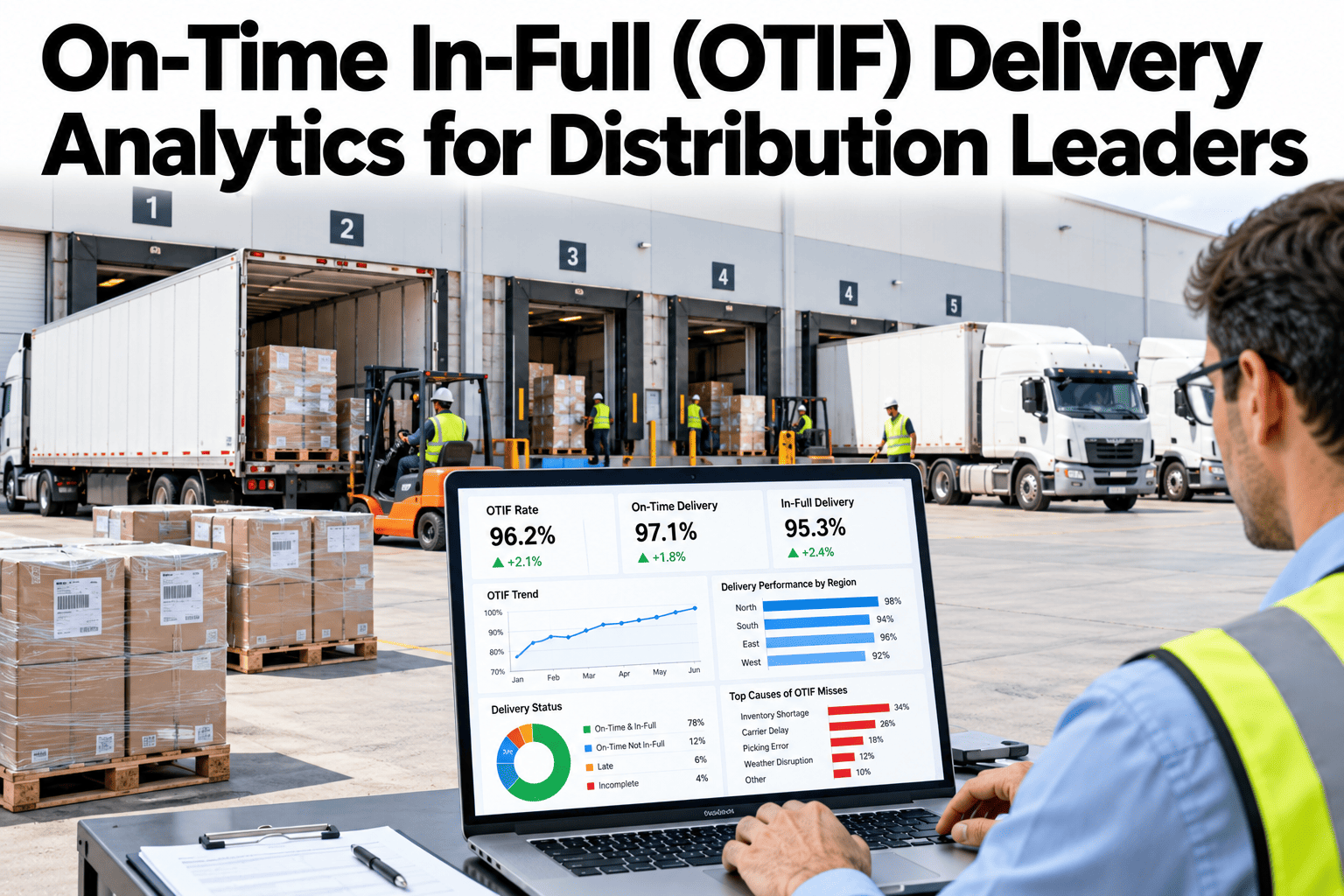
Most distributors can tell you what share of deliveries arrived on time. Fewer can say what share arrived on time and complete at the same moment, which is what large customers now measure. One late truck or one short pallet can fail a whole order. OTIF analytics shows where those failures start and which fixes recover the most. Teams building this view can ask iFactory AI how delivery promise data is connected.
On-Time In-Full (OTIF) Delivery Analytics for Distribution Leaders
Define OTIF once, compare promised with actual on every order, then trace each miss to its cause. iFactory AI brings promise, shipment and delivery data into one scorecard.
OTIF Definition: Two Tests, One Result
An order passes OTIF only when it passes both tests together. It must arrive inside the agreed window, and it must arrive with every ordered item in the ordered quantity. Fail either test and the whole order fails.
On time
Arrival falls inside the promised date and time window. Under strict rules, arriving early also fails.
In full
Every ordered line arrives in the ordered quantity, with no shortfall and no unrequested excess.
OTIF rate
Orders passing both tests divided by orders measured. Always state the unit, whether order, line or case.
Three choices decide the number. Agree the window width, the quantity tolerance and the counting unit with each customer in writing. Two teams using different choices will report different OTIF rates for the same week.
Promised Versus Actual: Compare Every Order
OTIF is only as good as the promise it is measured against. Store the promised date, window and quantity at order time, then compare them with the delivered time and quantity once the order is closed.
| Order | Promised Window | Arrived | Ordered | Delivered | Result |
|---|---|---|---|---|---|
| A101 | 08:00 to 10:00 | 09:12 | 120 | 120 | OTIF pass |
| A102 | 10:00 to 12:00 | 12:40 | 80 | 80 | Late |
| A103 | 08:00 to 10:00 | 09:30 | 60 | 54 | Short |
| A104 | 13:00 to 15:00 | 12:10 | 200 | 200 | Early, fails on time |
| A105 | 13:00 to 15:00 | 15:35 | 45 | 40 | Late and short |
Five sample orders give one pass, which is a 20% OTIF rate, even though three of the five were on time or in full. This is why OTIF reads lower than either test alone.
See Where Your Orders Fail Today
Book a 30-minute session and iFactory AI will show how promise, shipment and delivery records combine into an OTIF scorecard on realistic data.
Customer View: One Average Hides the Problem Accounts
The same 1,000 orders look very different by customer. The bars below show OTIF by account for the sample month. The weighted result is the same 86.8%, yet two accounts sit far below the rest.
Compare with the target
Each customer may have its own target and penalty. Show the gap to target, not only the rate.
Check window strictness
A customer with a narrow window will always score lower than one with a day-long window on the same operation.
Weigh by value
Rank accounts by revenue and penalty risk as well as by order count, so effort follows money.
SKU View: Find the Lines That Come Up Short
Short deliveries cluster in a few product groups. Rolling line-level fill rate up by product family shows where stock, picking or packaging is the issue.
| Product Group | Line Fill Rate | Typical Shortfall Cause | First Check |
|---|---|---|---|
| Ambient staples | 98.1% | Occasional count errors | Cycle count accuracy |
| Chilled lines | 94.3% | Shelf-life rejects at pick | Stock age at allocation |
| Promotional items | 89.6% | Demand above forecast | Promotion forecast and buffer |
| Bulky and heavy | 92.8% | Vehicle space limits | Load planning rules |
| New listings | 86.2% | Supplier lead time slips | Inbound receipts and safety stock |
Whole orders complete
The strict view. One missing line fails the order. This is what OTIF penalties usually use.
Lines delivered in full
A diagnostic view. It shows which products fail, even when most of the order arrived.
Root Causes: Trace Each Miss to Its Source
In the sample month, 132 of 1,000 orders failed. Of these, 72 were only late, 52 were only short and 8 were both. Giving every failure one primary cause turns that pile into a ranked list.
Supply-side causes
Stock-outs, picking errors and supplier delays: 52 orders in the sample, driving most in-full failures.
Transport-side causes
Loading, routes and vehicles: 58 orders, driving most on-time failures.
Outside causes
Customer closures, window changes and data errors: 22 orders. Many can be reduced with better confirmation.
Improvement Actions: Rank by Orders Recovered
Each order recovered adds 0.1 points to a 1,000-order OTIF rate. Convert every action into orders recovered and the cheapest wins are easy to spot.
| Action | Cause Addressed | Orders Recovered | OTIF Gain | Effort |
|---|---|---|---|---|
| Halve stock-outs with safety-stock rules | Stock-out at pick | 17 | 1.7 points | Medium |
| Stagger loading slots by route | Late loading | 11 | 1.1 points | Low |
| Re-sequence routes with tight windows first | Route or driver delay | 10 | 1.0 point | Medium |
| Pick verification by scan | Picking error | 9 | 0.9 points | Medium |
| Confirm delivery windows the day before | Customer site closed | 7 | 0.7 points | Low |
| Clean slot and order data at entry | Data error | 6 | 0.6 points | Low |
Together these recover about 60 orders, lifting the sample month from 86.8% to roughly 92.8%. The gains overlap a little, so measure again after each change rather than adding the figures blindly.
A Weekly OTIF Review That Drives Action
A scorecard changes nothing unless someone acts on it. Keep the weekly review short and tied to named owners.
Measurement Pitfalls That Distort OTIF
Most disputes about OTIF are really disputes about measurement. Fix these early and the number is trusted.
Data You Need for an OTIF Scorecard
Three sets of records are enough to start. Gaps in any one of them show up quickly as orders that cannot be scored.
Start with one customer and one depot. Scoring even a few hundred orders usually exposes missing timestamps and unclear reason codes, which are far cheaper to fix before a full roll-out.
What iFactory AI Adds to OTIF Reporting
iFactory AI is smart manufacturing and industrial software that brings operational records into one KPI view for operations teams.
What a Miss Costs: Put Money Beside the Rate
Under the policy reported by Logistics Viewpoints, a supplier below target could be fined 3% of the cost of goods. Even where no fine exists, a failed order carries real cost. Adding it up shows what a point of OTIF is worth.
At 120 per failed order, the 132 failures in the sample month cost 15,840. Each point of OTIF is 10 orders and therefore about 1,200. That figure turns an abstract percentage into a number finance understands.
Direct cost
Penalties, redelivery and extra handling. These appear in invoices and are easiest to count.
Indirect cost
Staff time, expedited freight and returns. They are spread across departments, so add them deliberately.
Relationship cost
Lower shelf space, smaller orders or lost listings. Hard to price, but often the largest effect over a year.
Setting Targets That Teams Can Act On
A single network target hides the work. Set targets by customer tier, then break each one into the two tests so teams see what they control.
| Customer Tier | Example OTIF Target | Window Style | Review Rhythm |
|---|---|---|---|
| Strategic accounts | Contract level, often 95% or higher | Narrow, strict on early | Daily and weekly |
| Core accounts | Close to the network average plus a step | Half-day windows | Weekly |
| Standard accounts | Set from the last twelve weeks | Day windows | Monthly |
Set from capability
Use the best sustained four-week period as the stretch. It shows what the operation can already do.
Set from the contract
Use the customer's written threshold. Any account below it needs a named recovery plan.
Peaks, Promotions and New Listings
OTIF rarely falls evenly through the year. The weakest weeks usually follow a predictable pattern, so the scorecard should flag them in advance.
Compare each of these periods with a normal week of the same size. If OTIF dips only in promotions, the fix lies in forecasting and stock. If it dips in every busy week, the fix lies in dock and route capacity.
Inbound OTIF: Your Suppliers Shape Your Score
Many in-full failures begin before the warehouse. When a supplier delivers late or short, the stock you promised to your customer is not there. Measuring inbound OTIF on the same rules links the two sides.
Score suppliers
Give each supplier an inbound OTIF rate and share it in regular reviews.
Link to stock-outs
Trace each stock-out back to its inbound delay. This shows how much is truly a supplier issue.
Adjust safety stock
Use supplier reliability to set buffers. Reliable suppliers need less, unreliable ones need more.
Pallet and Pack Quality: The Quiet In-Full Risk
An order can leave complete and still arrive short. Damaged, crushed or mis-labelled cases may be refused at the dock, and the customer counts them as missing.
A 30-Day Plan to Launch OTIF Analytics
A month is enough to agree the rules and publish a first scorecard for one customer.
Five Quick Questions Before You Report OTIF
Ask these before sharing any OTIF number with a customer or a board. Each one catches a common error.
Plain-Language Glossary
Shared words keep review meetings short. Agree these once and use them everywhere.
Frequently Asked Questions
What is a good OTIF rate?
It depends on the customer. Some large retailers have set targets as high as 98%, while many networks run well below that. Start from your contract targets and your own history.
How is OTIF different from on-time delivery?
On-time delivery checks only timing. OTIF also requires every item in the right quantity, so it is always equal to or lower than either test on its own.
Should we measure by order, line or case?
Follow each customer's contract. Ask support how counting units are set per account. Use line or case views for diagnosis even when orders are the reporting unit.
Which delivery windows count as on time?
Only the written window agreed with the customer. Some customers treat early arrival as a miss, so record each account's rule and apply it consistently.
Where should we start?
Pick one customer and one depot, score a month of orders, and rank the causes of the misses. Fix the biggest cause first, then measure again.
Turn Late and Short Orders Into a Plan
iFactory AI compares promised with actual on every order, ranks the causes of each miss and tracks the fixes that work. Book a walkthrough on your own delivery data.