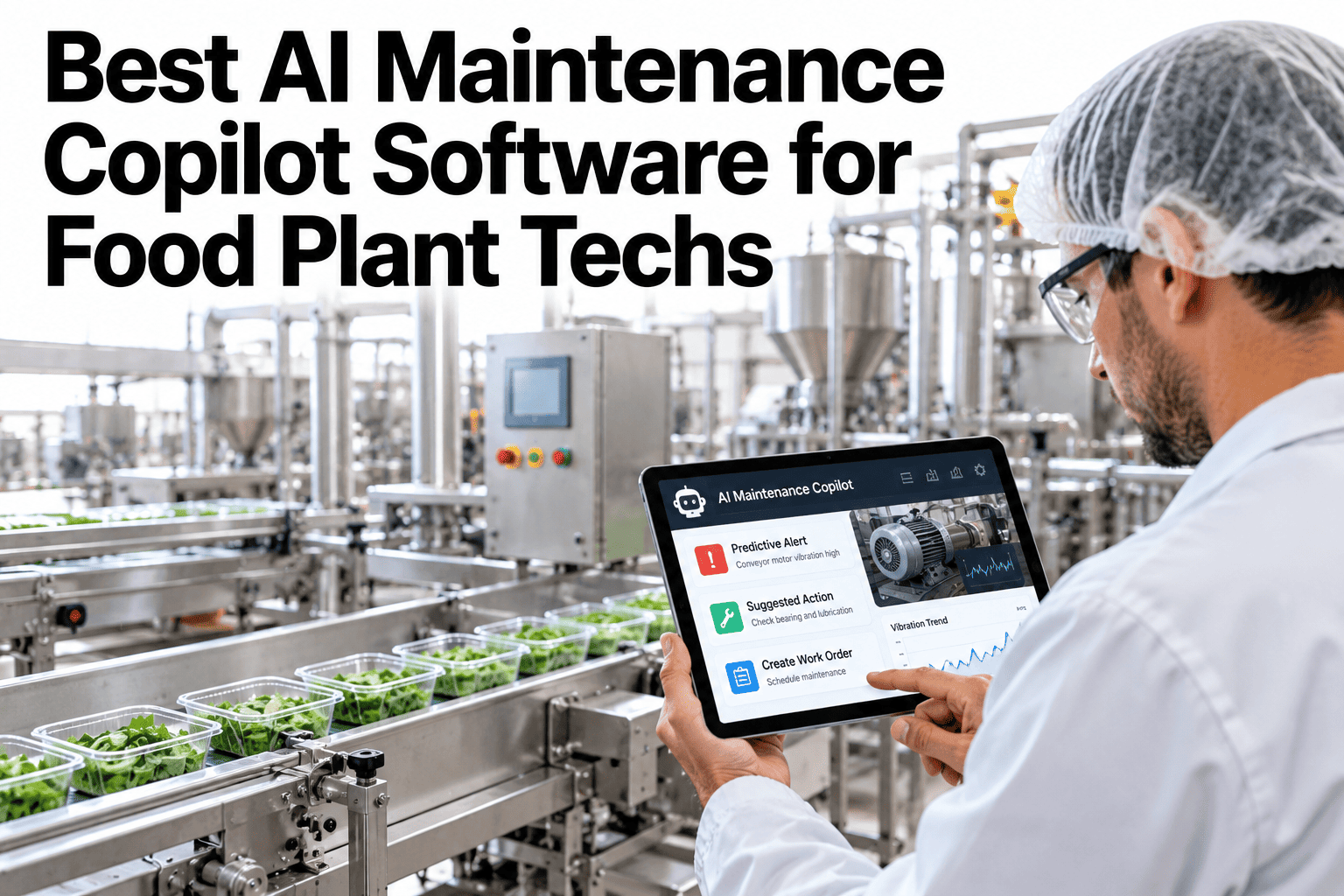
Forty-five minutes is a reasonable estimate for how long it takes a technician to find the right page in an OEM manual, cross-reference it against a fault code, and confirm the fix matches the equipment actually installed on the line. Thirty seconds is roughly how long that same search takes when a copilot already knows the manual, the CMMS history, and the specific configuration of that asset. The gap between those two numbers is the entire case for AI-assisted troubleshooting in 2027. Plant leaders can see that gap closed on their own equipment list on iFactory AI before the next unplanned stop.
From a 45-Minute Search to a 30-Second Answer
iFactory AI reads your CMMS history and OEM manuals together so a fault becomes an answer, not a research project.
Why This Problem Has Gotten Harder, Not Easier
Equipment keeps getting more capable, which also means more configurable, and a modern packaging line can run dozens of possible settings and part combinations that did not exist on the equipment it replaced a decade ago.
That added complexity makes a generic manual search even less reliable than it used to be, since more configurations means more ways for a generic answer to miss the specific setup actually installed. The gap between a slow manual search and a fast, scoped answer only widens as equipment grows more sophisticated.
Where the 45 Minutes Actually Goes
The time is rarely spent fixing anything. It is spent finding the information needed to start fixing, scattered across documents that were never designed to be searched quickly under pressure.
Locating the correct document version for the installed configuration.
Cross-referencing a code against a generic table that may not fit exactly.
Searching a CMMS for whether this fault happened before, and how it was resolved.
Verifying the replacement part number matches this specific asset.
What an AI Copilot Searches in Parallel
| Source | Normally Takes | With a Copilot |
|---|---|---|
| OEM manual lookup | 10-15 minutes | Instant, pre-indexed |
| Fault code cross-reference | 5-10 minutes | Matched automatically |
| CMMS history search | 10-15 minutes | Pulled alongside the answer |
| Part number verification | 5-10 minutes | Confirmed against the asset record |
See the Real Time Gap on Your Own Faults
Bring a recent repeat fault to a 30-minute session and compare the timelines.
How the Search Happens Underneath
The code or symptom is entered by the technician or read from the asset.
Manuals, CMMS history and sensor data are checked at once.
Possible causes are ordered by how often they matched this fault before.
A specific action is recommended, with its source attached.
What the Time Savings Look Like Across a Month
Why Ranking Matters More Than Just Finding Information
Raw search alone, pointing a technician at the right manual page, is already an improvement over flipping through a binder. But search without ranking still leaves the hardest part of the job to the technician: deciding which of several plausible causes to check first.
A ranked list, ordered by how often each cause has actually matched this fault on this asset before, turns that decision from a guess into a starting point backed by evidence. The technician still makes the final call, but they are no longer starting from zero.
A Scenario: The Fault Code That Looked Unfamiliar
Picture a packaging line throwing a fault code the current technician has never personally seen, on a machine installed before they joined the plant.
A manual search means starting from the fault code table in a generic OEM document, hoping it matches this exact model year and configuration. A copilot that already indexed this asset's specific manual, and that has seen this fault resolved twice before by other technicians, returns the matched cause and the part that fixed it both times, cutting what could have been an hour of trial and error down to a confirmed first attempt.
What Happens to the Time That Gets Saved
The minutes recovered from faster troubleshooting rarely sit idle. They typically shift toward the preventive work that chronically gets deferred when every shift is consumed by reactive firefighting.
A technician who spends thirty seconds instead of forty-five minutes on a routine fault has time left in the shift for a scheduled inspection, a calibration check, or simply catching up on a backlog that has been accumulating for weeks. The time savings compound into a different kind of maintenance culture, not just a faster version of the same reactive one.
Signs Your Plant Is Losing Time to Manual Search
Trust Is Built Through Transparency, Not Confidence
A technician who has been burned once by a confidently wrong answer is unlikely to trust the next one without seeing where it came from. The most useful copilots are the ones that show their work rather than simply asserting a conclusion.
That means attaching the specific manual page, the exact work order, or the sensor reading behind every suggestion, so the technician can judge for themselves whether it applies to the situation in front of them. Over time, a track record of transparent, sourced answers earns the trust that a single impressive-sounding guess never could.
What Changes When Repair Starts With an Answer
Why 2027 Is the Right Moment for This Shift
Plants have been accumulating digital maintenance data for years, but most of it has sat disconnected across separate systems, a CMMS here, a historian there, PDF manuals somewhere else entirely. AI-assisted troubleshooting works because it finally connects those existing sources instead of asking plants to build something new from scratch.
Most plants already have years of work order history sitting in a CMMS.
OEM documentation increasingly arrives as searchable PDFs, not just paper.
More assets now report real-time data that can confirm or rule out a cause.
Written, searchable knowledge matters more as experienced staff retire.
What a Pilot Usually Looks Like
Most plants do not roll AI-assisted troubleshooting out across every asset at once. A focused pilot on the highest-fault equipment shows the time savings quickly, before expanding further.
Where iFactory AI Fits
Indexes your manuals
Matches documents to the exact asset configuration on your floor.
Reads CMMS history
Pulls past fixes for the same fault automatically.
Ranks likely causes
Orders suggestions by how often each one matched before.
Shows its sources
Every answer links back to the document or work order behind it.
Expert Review
A plant reliability perspective, reviewed for accuracy before publication: the forty-five-minute figure is not an exaggeration for many plants, it reflects how fragmented troubleshooting information typically is across paper manuals, scattered digital files and institutional memory. The real gain from AI-assisted troubleshooting is consistency, not just speed, since a faster wrong answer is still a wrong answer. Testing this against a real fault from your own history is the clearest way to see the actual time difference. Confirm specific equipment procedures with your OEM documentation before relying on any workflow.
Frequently Asked Questions
Is the 45-minute figure realistic for most plants?
It varies by plant and asset complexity, but many maintenance teams report similar ranges once paper manuals, scattered digital files, phone calls to senior staff, and the walk back and forth to a reference binder are all added together for an unfamiliar fault. Compare this against your own typical search time.
Does the copilot work for older equipment without digital manuals?
Scanned or PDF versions of older manuals can usually be indexed the same way as newer digital documents, so age alone does not prevent an asset from being covered. Ask about indexing your older equipment manuals.
How does it rank which cause is most likely?
Ranking draws on how often each potential cause has matched this fault on this asset in the past, combined with current sensor readings where available, rather than a generic industry average. Explore how ranking would work for your fault history.
Can this reduce calls to senior technicians specifically?
Yes, routine and recurring faults are usually where the biggest reduction happens, freeing senior staff for problems that genuinely need their experience. Talk through which faults would see the biggest change.
How long does it take to see a measurable time reduction?
Many plants see a noticeable shift within the first month on their most common faults, since those are exactly the cases with the richest history for the copilot to draw on, and that early win usually builds the confidence needed to expand coverage further. See a realistic rollout timeline for your plant.
Turn a 45-Minute Search Into a 30-Second Answer
iFactory AI connects your manuals, CMMS history and sensor data into one fast answer. Book a walkthrough with your own fault history.