A barcode that grades A at the printer has already passed, which is exactly why nobody thinks to check it again, yet the same barcode can grade C or worse by the time it reaches the distribution center, degraded by handling, surface contact, or simply the printer's own drift over the course of a run. That gap between print-time quality and point-of-scan quality is what causes a scanability complaint that looks like it came out of nowhere, since the barcode "passed" when it was printed. Monitoring barcode grade continuously rather than checking once at the printer is what actually catches that drift, and if you want to see what your own barcode grade trend looks like over a production run, you can review a grade drift example with our team.
Catch the Grade Drift Between the Printer and the DC Scanner
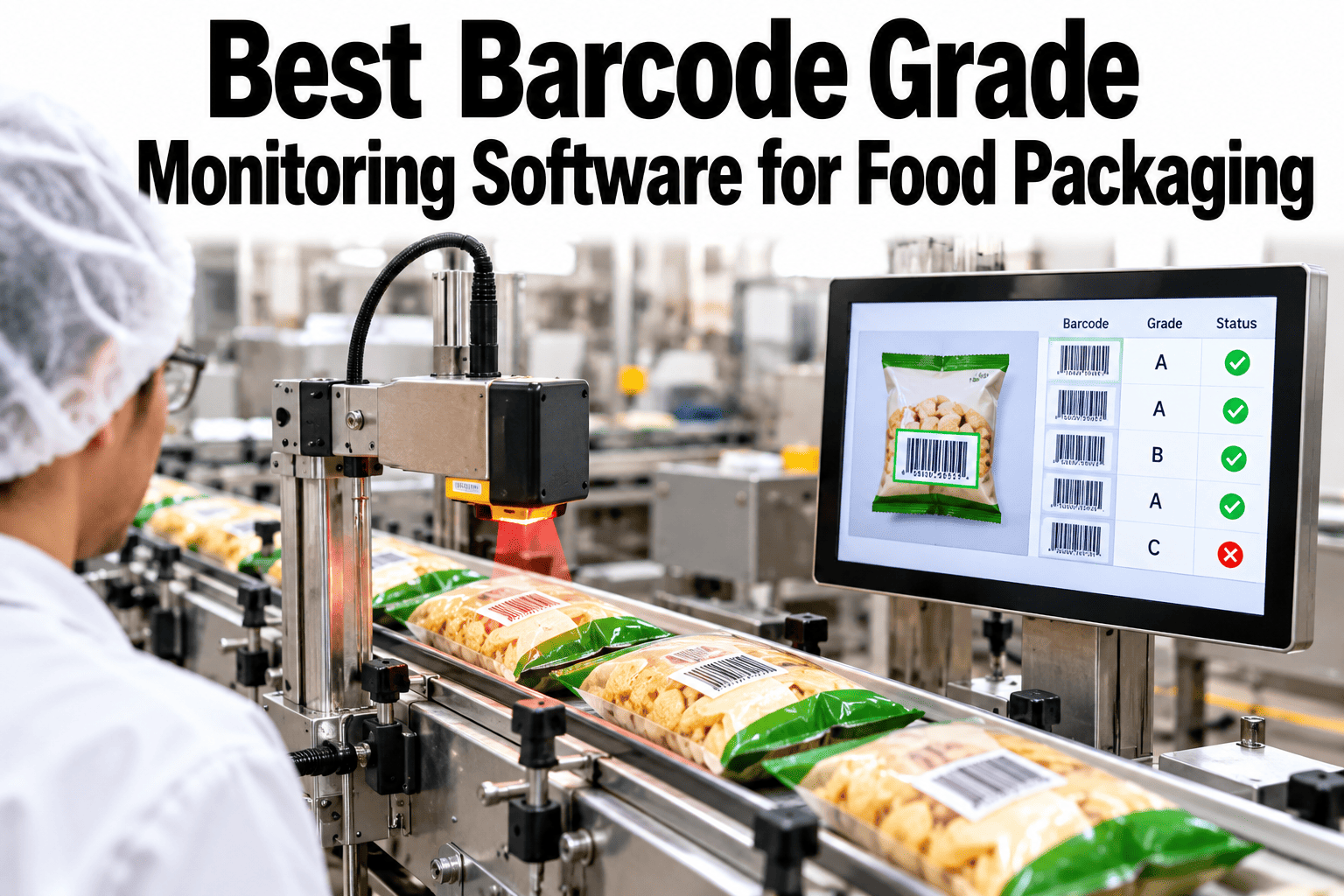
Continuous barcode grade monitoring that tracks GS1 quality throughout the run, not just at the printer, so an A-grade code doesn't quietly become a C-grade scanability complaint.
Why a Passing Grade at the Printer Doesn't Hold
Barcode grade isn't a fixed property set once at printing, it's a measurement of physical print quality that can degrade through several distinct mechanisms after the fact.
The Parameters Behind a GS1 Barcode Grade
A single letter grade is actually a composite of several measured parameters, and knowing which one is slipping points directly to the likely cause.
| Parameter | What it measures | Common cause if failing |
|---|---|---|
| Symbol contrast | Difference between bar and space reflectance | Printhead wear or low ribbon |
| Edge contrast | Sharpness of transitions between bars and spaces | Print speed mismatch or substrate issue |
| Quiet zone | Clear space around the barcode required for scanning | Print placement or label layout error |
| Defects | Spots, voids, or damage within the code itself | Handling damage or contamination on the print surface |
A grade failure traced to quiet zone or print placement usually points to a label design or setup issue, while contrast failures more often trace back to the printer hardware itself.
How Continuous Monitoring Catches Drift Mid-Run
Checking grade once at the start of a run misses everything that happens afterward, which is exactly where drift tends to occur.
Check Your Own Barcode Grade Trend
Share a sample of barcodes from early and late in a production run and we will show how the grade trend compares.
What a Low-Grade Barcode Actually Causes Downstream
A failing grade isn't just a technical measurement, it translates directly into operational friction at every point the code gets scanned after it leaves the plant.
What iFactory Food Plant Specialists See on Barcode Quality
iFactory food plant specialists who review barcode grade data across multiple packaging lines consistently find that printhead wear accounts for the majority of mid-run grade decline, since it's a gradual, predictable degradation that a single print-time check will never catch.
They recommend setting the grade decline alert threshold proactively rather than waiting for an outright failure, since the cost of a planned maintenance pause is far lower than the cost of a pallet's worth of low-grade codes reaching a retail partner.
What Quality Teams Ask About Barcode Grade Monitoring
Bring Continuous Barcode Grade Monitoring to Your Line
Book a session with iFactory AI to track barcode grade throughout the run, not just at the moment of printing.