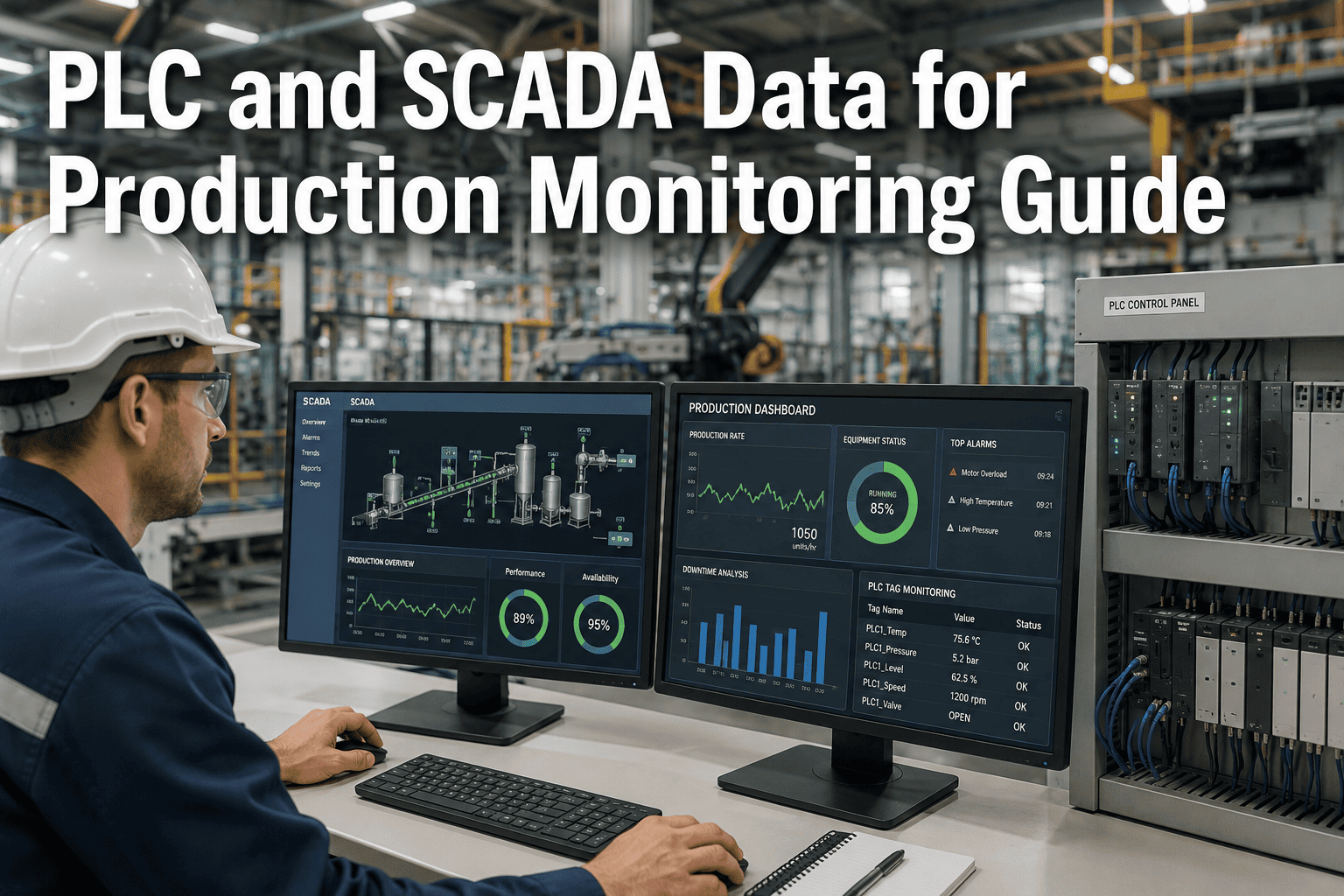
A filler line's PLC already knows exactly when it's running, when it's faulted, and how many cycles it's completed this shift — that data exists in the controller's memory right now, updating every scan cycle. The problem was never a lack of data at the machine level; it's that getting it out of a Rockwell ControlLogix or Siemens S7 rack and into a system that can act on it has traditionally meant a custom driver, a brittle point-to-point integration, or a rip-and-replace project nobody has budget for. iFactory's PLC and SCADA integration layer reads machine state, cycle counts, and fault codes through standard OPC-UA and MQTT patterns — no changes to existing PLC logic, no downtime to implement.
Most F&B plants aren't starting from zero on this problem, which is exactly what makes it frustrating. The SCADA system already displays machine state on an HMI screen somewhere. The historian already has years of tag history sitting in AspenTech IP.21 or an AVEVA archive. The data exists — it's just locked inside systems that were built for operators watching a screen, not for a downstream application querying it programmatically. The integration challenge isn't generating new data; it's exposing data that already exists, in a form that reflects its actual structure and meaning, through an interface a modern application can consume without a custom-built driver for every single PLC model on the floor.
Your PLC Already Has the Data. The Question Is Which Protocol Gets It Out Cleanly.
OPC-UA, MQTT, and REST each solve a genuinely different part of the problem — structured tag access, lightweight streaming, and application-layer integration. Knowing which one to use where is what separates a maintainable data pipeline from a fragile one.
Three Protocols, Three Genuinely Different Jobs
The most common mistake in planning a PLC/SCADA integration is treating OPC-UA, MQTT, and REST as competing options to choose between. They aren't competitors — they operate at different layers of the stack and solve genuinely different problems. Trying to make one protocol do all three jobs is how integrations end up brittle: an OPC-UA client polling directly for every downstream application creates connection overhead that doesn't scale, while skipping OPC-UA's structured data model and pushing raw MQTT payloads everywhere loses the semantic context that makes the data usable without tribal knowledge.
A useful mental model is to think of these three layers the way you'd think about a shipping pipeline rather than a single delivery method. OPC-UA is the warehouse — it organizes what's in inventory, labels every item with what it is and where it belongs in the hierarchy. MQTT is the freight network — it moves labeled goods efficiently from the warehouse to wherever they're needed, without every destination sending its own truck to pick up individually. REST is the storefront — it's where an application actually places an order and gets back exactly what it asked for, without needing to know anything about warehouses or freight routes underneath. Each layer failing to do its specific job creates a different kind of breakage further down the chain.
OPC-UA
The de facto standard for organizing industrial data with meaning attached — not just a tag value, but its type, its unit, its relationship to other tags in the equipment hierarchy. This is what lets a machine state tag from a Siemens PLC and one from a Rockwell PLC be consumed the same way downstream, without a custom mapping written and maintained separately for each vendor's naming quirks.
MQTT (Sparkplug B)
A lightweight publish-subscribe protocol built for exactly the kind of distributed, bandwidth-constrained, high-volume streaming that plant floor data represents. OPC-UA Part 14 defines a pub-sub model that streams through MQTT or AMQP brokers — this is the pairing that scales to thousands of tags across multiple lines without every downstream consumer opening and maintaining its own direct session to every individual PLC on the floor.
REST
The layer where business applications actually consume the data — a CMMS, an MES, a dashboard, or an analytics platform querying current machine state or historical cycle data through a conventional HTTP API. REST doesn't talk to the PLC directly; it sits above the OPC-UA/MQTT layer, insulating applications from the complexity of the industrial protocol stack underneath, so a developer building a dashboard never has to think about OPC-UA session management at all.
Protocol Gateways & Converters
PLCs more than a decade old rarely expose a native OPC-UA server. A gateway or protocol converter bridges older serial or proprietary communications into a modern interface without touching the PLC's control logic — the practical reality for most F&B plants running a mix of equipment ages, where a brand-new filler line might sit next to a case packer installed well over a decade ago that's still running perfectly well mechanically but was never built with a modern industrial protocol in mind.
Reading Machine State Doesn't Require Touching a Single Line of Existing PLC Logic
iFactory connects through OPC-UA and MQTT as a read-layer above your existing ControlLogix, S7, or M580 controllers — your PLC logic, HMI screens, and SCADA alarms stay exactly as they are.
What "Machine State" Actually Means at the PLC Tag Level
Machine state sounds like a simple concept until you try to standardize it across a Rockwell filler, a Siemens case packer, and a Schneider brewhouse controller that were each programmed by different integrators, on different timelines, with different naming conventions. This is exactly the problem ISA-88 and the PackML state model were built to solve — a standardized vocabulary of machine states and mode transitions that any properly structured F&B line should expose, regardless of which PLC vendor built it.
PackML, developed by OMAC and later harmonized with ISA-88 terminology, defines a specific set of standard states and modes precisely so that a line integrator in one plant and an integrator in another don't invent two entirely different vocabularies for the same underlying concept of "the machine is running" versus "the machine is stopped for cleaning." When a plant's PLCs already follow this convention, the integration work is mostly mapping; when they don't, the integration work includes translating each vendor's homegrown state naming into a common structure before any of it becomes useful for cross-line comparison.
A well-structured machine state tag isn't a single boolean; it's a small state machine with defined transitions. Idle, Running, Fault, and Clean-in-Place are the states an operator or a downstream system actually cares about — and critically, the transitions between them are just as informative as the states themselves. A line that cycles through Fault far more often than its neighbors on the same product isn't just "having a bad day" — that pattern, visible only when state transitions are logged with timestamps, is exactly the kind of signal that turns into a maintenance investigation instead of staying invisible in a SCADA alarm log nobody reviews systematically.
| Data Type | What to Read | Why It Matters |
|---|---|---|
| Machine State | Idle / Running / Fault / CIP — with transition timestamps | Foundation for OEE, downtime attribution, and fault pattern analysis |
| Cycle Count | Good count, reject count, reject reason code | Throughput tracking and quality-rate calculation without a separate system |
| Fault Codes | Active fault, fault history buffer, timestamp of occurrence | Root-cause pattern detection — repeat faults on the same asset signal a real problem |
| Process Parameters | Temperature, pressure, fill level, motor current — scan-rate dependent | Feeds SPC and predictive maintenance models beyond simple state tracking |
Security Considerations — IT/OT Segmentation Doesn't Go Away Because the Integration Is Read-Only
Read-only in terms of PLC logic doesn't mean the integration carries no security considerations at all — it means the risk profile is different, not that it's zero. Any bridge between the OT network where PLCs live and the IT network where applications like iFactory run needs to respect the network segmentation that industrial security frameworks like IEC 62443 are built around. A poorly configured gateway that opens a direct path from a corporate network into a PLC's local network segment is a genuine risk, independent of whether the data flow itself is read-only.
The practical security pattern mirrors the data pattern: OPC-UA connections should use certificate-based authentication rather than default credentials, MQTT brokers should enforce topic-level access controls so that a compromised downstream application can't subscribe to topics it has no business consuming, and the network path between OT and IT zones should pass through a properly configured firewall or demilitarized zone rather than a flat, unsegmented network. None of this is exotic security practice — it's the same zero-trust posture that should govern any IT/OT bridge, but it's worth stating explicitly because "read-only" sometimes gets misinterpreted as "security doesn't matter here," which isn't accurate.
A Practical Integration Pattern for Existing Plants — Read-Only, No Rip-and-Replace
The integration pattern that actually works in an existing F&B plant follows a consistent sequence: read from the PLC through its native OPC-UA server or a gateway if one doesn't exist, structure that data through the OPC-UA information model, stream it through MQTT to a broker, and let downstream applications consume it through a REST API. At no point in this sequence does anything get written back into the PLC's control logic — this is read-only integration, which is exactly why it doesn't require the change-control process, validation testing, and downtime that a control logic modification would.
This read-only constraint is worth dwelling on because it's frequently the deciding factor in whether a plant engineering team approves an integration project quickly or subjects it to months of review. Any change that writes into a PLC's control program — even a seemingly minor one — typically triggers a formal change-control process, regression testing against safety interlocks, and often a scheduled downtime window to implement and validate. A read-only integration that only observes existing tag values sidesteps all of that, because it fundamentally cannot alter how the machine behaves. This distinction should be made explicit and early in any conversation with a plant's controls engineering team, since assuming they understand the integration is read-only without confirming it in writing is a common source of unnecessary approval delays.
Inventory what's already exposed
Before building anything, confirm which PLCs already have a native OPC-UA server versus which will need a gateway — this single step determines most of the project's actual scope and timeline.
Map tags to a consistent naming structure
Standardize machine state, cycle count, and fault code tags to the same naming convention across every line, even if the underlying PLC vendors differ — this is what makes downstream analysis actually comparable across the plant.
Establish the OPC-UA to MQTT bridge
Configure the Pub/Sub layer to stream tag changes to a broker rather than having every downstream consumer poll each PLC directly — this is the step that makes the architecture scale past a handful of lines.
Validate timestamp alignment across systems
PLCs on separate NTP configurations drift relative to each other — cross-system event correlation is only as reliable as the timestamp discipline behind it, and this is one of the most commonly skipped steps in a rushed integration.
Expose the data through a REST layer for applications
Once the broker has clean, structured, correctly-timestamped data flowing, application-layer access through REST is comparatively simple — this is the step where iFactory or another downstream system actually starts consuming the data.
Common Mistakes That Undermine PLC/SCADA Integration Projects on the Floor
The plants that get PLC integration right treat it as a read layer, full stop. You're not modifying control logic, you're not touching safety interlocks, you're observing what the PLC already knows and structuring it for systems that can act on it. The moment a project scope creeps into write-back for basic production monitoring, timelines and validation requirements multiply for no real benefit — most F&B production monitoring use cases genuinely don't need it.
Frequently Asked Questions About PLC and SCADA Data Integration
Do we need to modify our existing PLC logic to pull machine state and cycle count data?
No — reading machine state, cycle counts, and fault codes for production monitoring is a read-only operation that doesn't require any change to existing PLC logic, HMI screens, or SCADA alarm configuration. The integration reads tags that already exist in the controller's memory through OPC-UA, without writing anything back into the control program.
This matters because read-only integrations skip the change-control and revalidation process that any modification to control logic would trigger, which is usually the biggest timeline and cost factor in an integration project. Book a demo to see how iFactory's read-only OPC-UA and MQTT integration works against a live PLC.
Our PLCs are over 15 years old — do they support OPC-UA natively?
Most PLCs older than 10 to 15 years don't have a native OPC-UA server, which is a common situation in F&B plants running a mix of equipment ages rather than a uniform, recently installed line. The practical solution is a protocol gateway or converter that bridges the legacy PLC's native communication — often serial or an older proprietary protocol — into a modern OPC-UA interface without modifying the PLC itself.
This means an integration project spanning both legacy and modern PLCs typically has two work streams: direct OPC-UA connection for newer controllers, and gateway-based bridging for older ones — both feeding into the same downstream MQTT and REST layers. Book a demo to discuss gateway options appropriate to your specific PLC inventory.
Why use MQTT instead of just having applications query OPC-UA directly?
Direct OPC-UA client connections work fine for a small number of consumers, but the architecture doesn't scale gracefully — each additional downstream application opening its own session to every PLC adds connection overhead and load on controllers that were designed for control tasks, not for serving data to an arbitrary number of external systems. MQTT, particularly with the Sparkplug B specification layered on top, is built specifically for this kind of distributed, high-volume publish-subscribe pattern.
The practical result is that OPC-UA structures the data close to the source, while MQTT moves it efficiently to however many downstream consumers need it, without multiplying load on the PLC for every new application added. Book a demo to see how iFactory's OPC-UA to MQTT bridge is architected for multi-consumer scale.
How long does a typical PLC/SCADA integration project take for a mid-size F&B plant?
Timeline depends heavily on the mix of PLC ages and vendors in the plant, and on how much of the tag structure is already standardized versus needing to be mapped from scratch. A plant with newer, OPC-UA-native controllers and reasonably consistent tag naming can move considerably faster than one with a mix of decade-plus-old legacy equipment requiring gateway bridging for every line.
Because the integration is read-only and doesn't touch control logic, the timeline is generally driven by data mapping and validation work rather than by change-control or revalidation processes that a control modification would require. Book a demo to get a realistic timeline estimate based on your specific PLC and SCADA inventory.
What happens to our existing SCADA system and historian once this integration is in place?
Nothing changes about your existing SCADA system or historian — the integration pattern described here reads from the same PLCs your SCADA already monitors, in parallel, without replacing or modifying that system. Your Ignition, Wonderware, or FactoryTalk View screens, alarms, and historian continue operating exactly as they do today.
The integration adds a second consumer of the same underlying PLC data, structured through OPC-UA and streamed through MQTT to applications like iFactory that need it for production monitoring, analytics, or maintenance workflows — it's additive, not a replacement for existing SCADA investment. iFactory's support team can walk through how this coexists with your specific SCADA and historian setup.
Read Machine State, Cycle Counts, and Fault Codes Without Ever Touching Control Logic
iFactory connects to your existing PLCs and SCADA through OPC-UA and MQTT — structured, read-only, standards-based integration that turns data your controllers already have into production monitoring you can actually act on, without the change-control overhead a control logic modification would require.