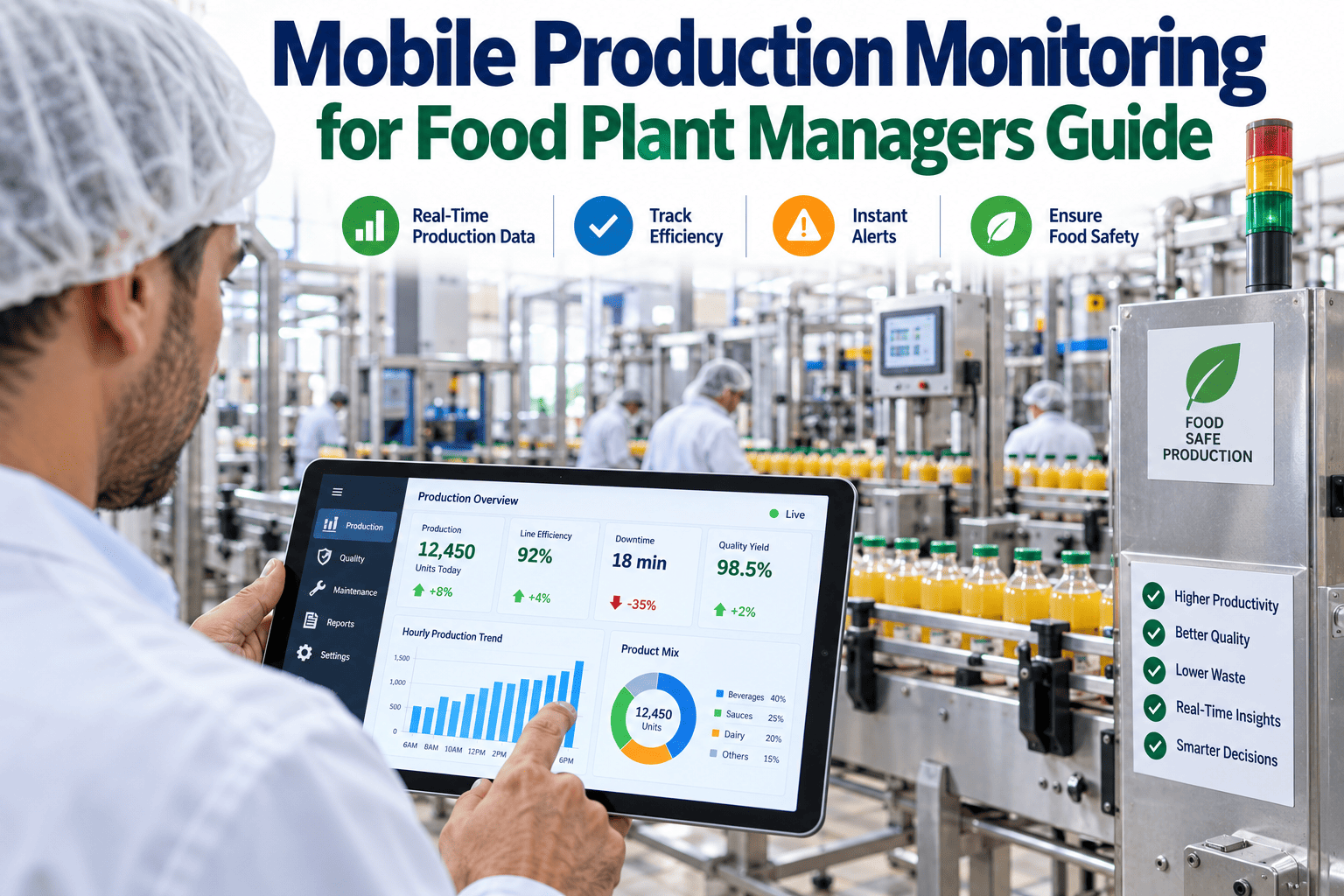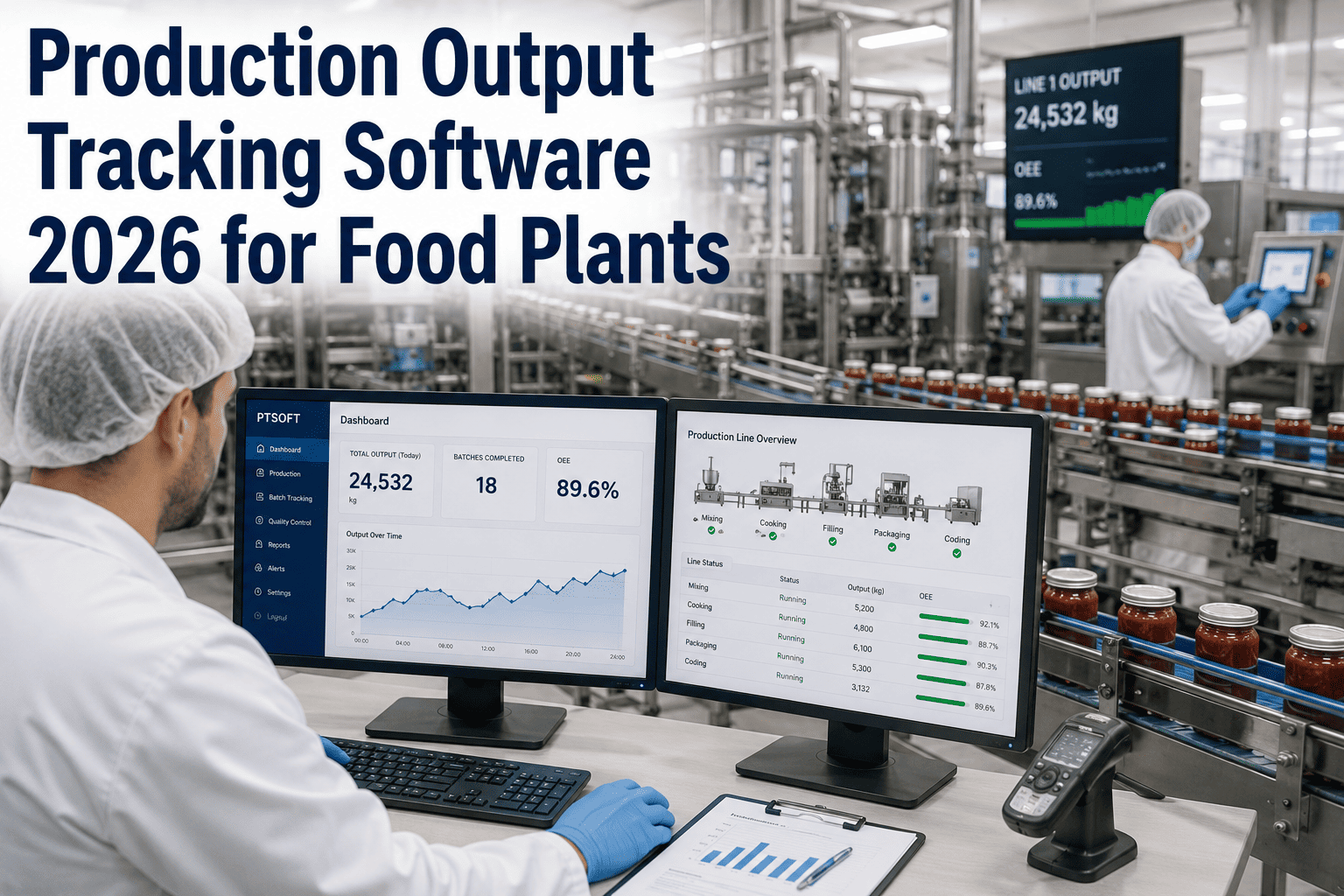
Ask a plant manager how many units, cases, or kilos came off a specific line in the last hour, and in a lot of food plants the honest answer is "we won't know for sure until the shift report gets compiled." That delay isn't a small inconvenience — it means a slow line can run under target for hours before anyone with the authority to fix it even sees the number, and by the time it shows up in a report, the shift is already over and the output is already lost. Production output tracking software closes that gap by turning units, cases, and kilos per hour into a number everyone on the floor can see the moment it happens. Book a demo to see live output tracking running against your actual line data.
Production Monitoring · Food Plants 2026
Production Output Tracking Software: Real-Time Units, Cases, and Kilos Per Hour
See exactly what's coming off every line, by SKU and by shift, the moment it happens — not hours later when the shift report finally gets compiled and the chance to react has already passed.
Where the Industry Is Heading
Why Output Tracking Is Becoming Standard, Not Optional
Labor Pressure Is Rising
With inspection and reporting headcount harder to staff and retain, plants increasingly need output data captured automatically rather than counted and logged by hand at shift end.
Customers Expect Faster Answers
Retail and distribution partners increasingly ask for real-time or near-real-time fulfillment visibility, which is hard to promise if your own plant doesn't know its output until the next morning.
Margins Leave Less Room for Delay
Tighter margins across food manufacturing mean a slow line caught at hour six instead of hour one is a materially different cost outcome than it used to be.
What Modern Output Tracking Covers
Core Capabilities Worth Expecting From Any 2026 Platform
Automatic Unit Counting
Counts pulled directly from line sensors, scanners, or vision systems rather than manual tally sheets, eliminating both the labor and the transcription errors that come with hand counting.
SKU-Level Breakdown
Output tracked and separated by product, not just by line total, so a changeover or a specific SKU's underperformance doesn't get hidden inside an aggregate number.
Shift and Trend Comparison
Current output compared automatically against target, against the prior shift, and against historical trend for the same line and SKU, surfacing whether today is actually unusual or just normal variation.
Multi-Unit Conversion
Output displayed in whatever unit matters for the audience — individual units for line supervisors, cases for logistics planning, kilos for ingredient and yield reconciliation.
Comparing the Approaches
Manual, Scanner-Based, and Automated Output Tracking
| Method | Accuracy | Labor Required | Update Frequency |
|---|---|---|---|
| Manual tally sheets | Prone to human error | Ongoing, every shift | End of shift only |
| Barcode or scanner-based | Accurate at point of scan | Moderate, requires scanning discipline | Near real-time, gaps possible |
| Automated sensor or vision-based | Consistently high | Minimal after initial setup | Continuous, true real-time |
Automated tracking isn't just faster — it removes the labor cost and the transcription error rate that come with any manual step in the process.
See Your Real Output, Live
iFactory Tracks Units, Cases, and Kilos as They Happen
Get a live, SKU-level view of exactly what's coming off every line, compared automatically against target and trend, without waiting for a shift report to find out where you actually stand.
Getting It Running
A Realistic Rollout Path Across a Multi-Line Plant
Step 1
Pilot on One High-Visibility Line
Choose a line where output variance is already a known pain point, so the value of live tracking is immediately obvious to supervisors and easy to point to when scoping the wider rollout.
Step 2
Validate Counting Accuracy Against Manual Totals
Run automated and manual counting in parallel for a short window to confirm the automated numbers match, building trust in the new data before it fully replaces the old process.
Step 3
Put Live Numbers on Floor Displays
Make the current output-versus-target number visible to the people actually running the line, not just to management dashboards, so real-time awareness translates into real-time action.
Step 4
Expand Line by Line
Extend the same tracking configuration to additional lines, reusing the setup pattern and lessons from the pilot to shorten deployment time on each subsequent line.
What Changes Once It's Running
The Practical Difference Live Output Data Makes
Same-Shift Correction
A line running under target gets flagged and addressed within the shift, instead of becoming a line item in tomorrow's report
Accurate Fulfillment Promises
Sales and logistics teams can quote realistic delivery timing based on actual current output rather than planned output
Cleaner Yield Reconciliation
Kilo-level output tracked continuously makes ingredient usage and yield variance far easier to trace back to a specific shift or cause
The plants that get the most value out of output tracking are the ones that put the number where the operator can see it, not just where the plant manager can see it. When the person running the line has a live view of how they're tracking against target, behavior changes immediately, often before a supervisor even needs to say anything. Dashboards that only exist in an office upstairs miss most of the actual value this data can create.
Tomás Ekwueme-Sørensen
Plant Operations Director · 16 years overseeing multi-line food and beverage facilities
Common Questions
Production Output Tracking — Frequently Asked
What hardware is typically needed to enable automated output tracking?
Most lines already have a sensor or encoder signal that can be repurposed as an output count trigger, meaning the integration is often a data connection project rather than a new hardware installation. Lines without an existing suitable signal may need a simple discrete sensor added at a natural counting point, such as a filling head or a case sealer, which is typically a straightforward addition rather than a major line modification.
How does the system distinguish output by SKU on a shared line?
SKU-level tracking typically ties output counts to the current changeover or recipe selection already logged in the line's control system, so counts automatically bucket under the correct product without requiring a separate manual step. On lines without a digital changeover log, a simple operator selection at the start of each run can serve the same purpose with minimal added effort.
Can output tracking data feed into existing ERP or inventory systems?
Yes, this is one of the most common integration requests, since live output data becomes significantly more valuable when it automatically updates inventory and fulfillment systems rather than requiring a separate manual entry step. Most modern tracking platforms support this kind of connection through standard integration methods. Contact our support team to discuss your specific ERP setup.
How accurate is automated counting compared to manual tallying?
Automated sensor or vision-based counting is consistently more accurate than manual tallying, primarily because it eliminates the transcription and miscount errors that creep into hand-recorded totals over a long shift, especially during high-volume or high-speed production. Most plants that run a validation period comparing the two find the automated count to be the more reliable figure, not the manual one, which sometimes requires a mindset shift for teams used to trusting the manual process.
Is this only useful for high-volume plants, or does it work for smaller operations too?
Output tracking delivers value at any production volume, since the core benefit — knowing where you stand against target while there's still time to act — applies just as much to a smaller plant running a few lines as it does to a large multi-line facility. Smaller operations often see the rollout move faster simply because there are fewer lines to configure. Book a demo to see how the platform scales to your plant size.
Stop Waiting for the Shift Report
See Your Actual Production Output the Moment It Happens
iFactory tracks units, cases, and kilos per hour live, by line and by SKU, so you catch a slow shift while there's still time to fix it.