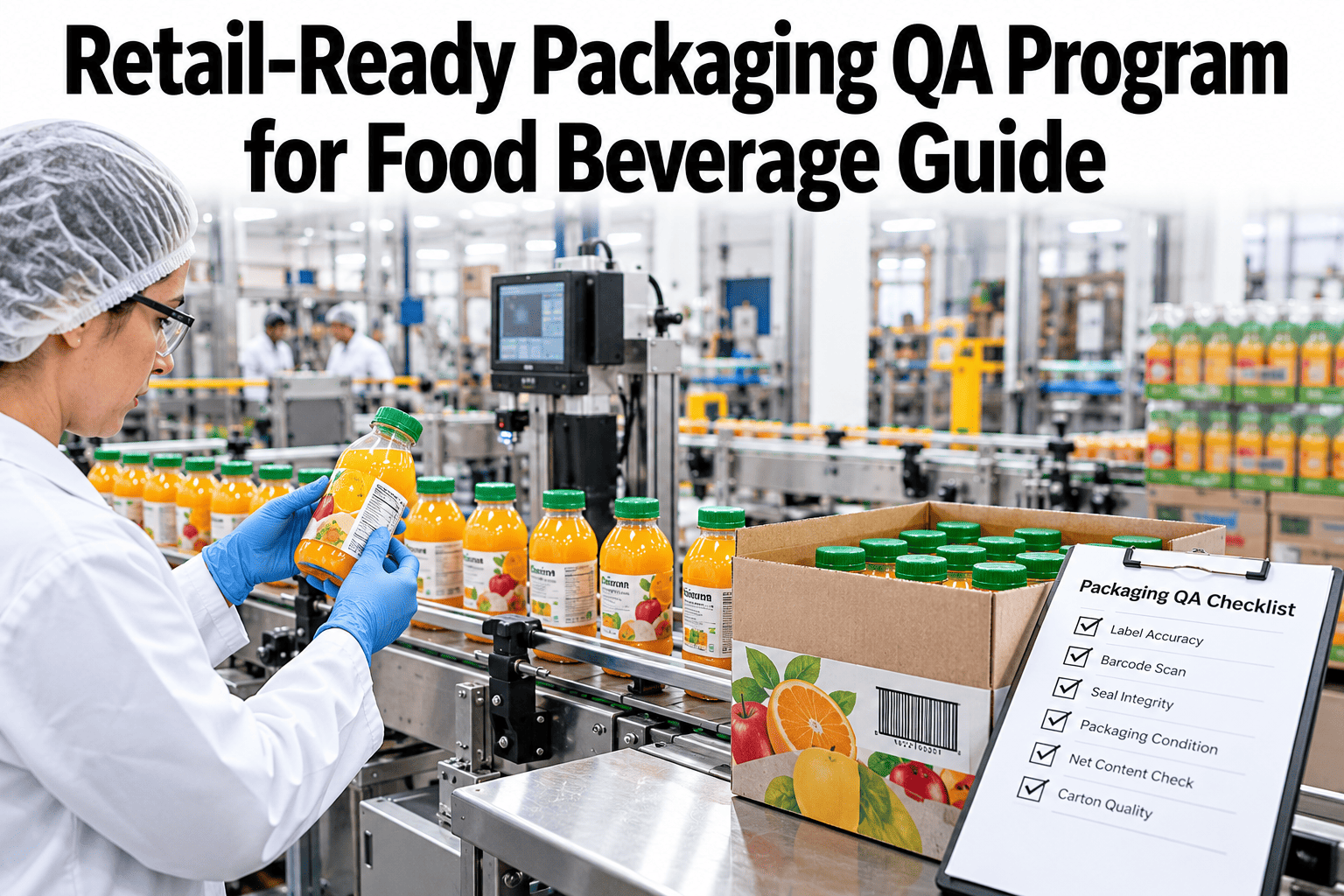
A case can pass every factory check and still arrive at the store crushed, skewed or impossible to open. Retail teams judge what the shopper and the stocker see, not what the quality lab measured. Plants can see retail-ready grading run on live case images with iFactory AI.
Grade the Case the Way the Store Will
iFactory AI looks at appearance, orientation and shelf presentation on every case, so damage is caught at the plant, not on the shelf.
What Retail-Ready Really Asks of a Plant
Retail-ready or shelf-ready packaging is built so a store worker can identify, open and stock a case in one motion. The idea is simple, but it shifts quality off the product and onto the pack, and most plant metrics were never built for that.
Product OK
Weight, fill, seal and coding pass at the line. The inside is safe and correct.
Case looks wrong
Crushed corner, skewed label or a tray that does not open cleanly.
Store rejects it
Receiving flags the pack, or staff stock it badly and complain.
Plant pays
Chargebacks, returns and weaker standing with the buyer follow.
The Five Easies as Plant Checks
Retail supplier guides describe five tests for shelf-ready packs. Each one turns into a check you can run at the plant.
| Test | What retail wants | Plant check | Typical defect |
|---|---|---|---|
| Easy to identify | Name, brand and barcode on at least two sides | Verify print, position and scan on every visible face | Missing or smeared barcode, wrong face outward |
| Easy to open | Tear by hand, no knife, no tape over the strip | Check perforation, tear strip and tape placement | Tape over the strip, glued flaps, weak perforation |
| Easy to stock | One motion, case to shelf, in a firm shape | Check squareness, wall strength and tray fit | Bowed walls, tilted tray, crushed corners |
| Easy to shop | Clear product view and size, easy to take and return | Check front face, graphics and unit orientation | Units facing the wrong way, scuffed graphics |
| Easy to dispose | Flattens and separates for recycling | Check materials, fasteners and fold lines | Mixed materials, staples, hard-to-break glue |
Three Layers, Three Sets of Checks
One supplier-compliance guide splits retail packaging into three layers. Each layer fails in a different way, so each needs its own check.
The pack that touches food
Containment, seals and consumer print. Tamper-evidence and similar rules apply here. Shape matters too, since wasteful shapes raise freight cost.
Cases, trays and bundles
This is the retail-ready layer. The outer barcode must reflect the true unit count, or receiving systems reject the carton.
Pallet and wrap
Pallet pattern, overhang, wrap tightness and carton strength. A pallet that does not match the retailer's data can be refused.
The record behind the pack
Dimensions, weights and codes on the shipping notice must match what is physically on the pallet.
A Defect Library for Retail-Ready Packs
Write the defects down before you try to catch them. A shared library with photos removes arguments about what counts.
Crushed corners
Compression marks at corners and edges, often caused by pallet height or stacking load.
Bowed or bulged walls
Outward push caused by over-filled cases or weak board, which breaks the stack.
Tears and punctures
Holes or rips caused by guides, forks or sharp conveyor edges.
Moisture marks
Soft, stained board due to condensation or wet floors, which weakens strength.
Label skew and lift
Crooked, wrinkled or peeling labels and case codes.
Scuffed graphics
Rub marks and scratches that make a shelf display look worn.
Unit orientation
Units facing the wrong way or sitting off-center in a tray.
Tear strip faults
Tape over the perforation, missing perforation or flaps glued shut.
Grade With Four Clear Bands
A single pass or fail hides too much. Four bands tell the line what to do next and let you trend quality over time.
Ship
Meets every test. No visible faults on any face.
Ship and flag
Minor cosmetic faults that do not hurt opening, stocking or shopping. Logged for trend.
Rework
Faults that a store would notice. Repack, re-label or replace the case.
Hold or scrap
Damage that risks product, safety or a refused load. Quarantine and investigate.
See Retail Grading on Your Own Cases
Book a 30-minute session and iFactory AI will walk through case grading, orientation checks and damage logs on your own packs and pallets.
Which Spots on the Line to Check
Most damage starts at specific stations, so inspect right after the stations that cause it. Six checkpoints cover a typical food line.
Check squareness, glue and flap fit, before product goes in.
Check unit count, orientation and tray fit as units enter the case.
Check flaps, tape or glue, and that the tear strip stays clear.
Verify label position, print quality and barcode scan on each face.
Check the pattern, overhang, lean and wrap, plus corner damage.
Final photo of the pallet, matched to the shipping record.
How Damage Starts
Pack Design Choices That Prevent Damage
Inspection finds damage, but design can prevent it. Packaging engineers and quality teams should review these choices together, before the next artwork or board change.
Strength for the stack
Match board grade to pallet height and storage time, and confirm it with supplier data.
Tight but not crushing
Units that rattle shift in transit, while units that bulge push the walls outward.
Clean tear lines
Perforations that open by hand each time, with clear pull marks and no tape across them.
Rub-resistant finish
Graphics that survive conveyors and stacking keep the display looking new.
Codes on two sides
Name, brand and barcode on more than one face help store staff find stock fast.
Less material, same strength
Lean packs ease disposal, but test strength before cutting board or fasteners.
Answer Complaints With Evidence
When a retailer says a delivery arrived damaged, the first reply sets the tone. A dated image trail turns a long dispute into a short one.
Find the pallet and the cases using the shipment number, line and time.
Pull the grade, the image at dispatch and the pallet photo for that load.
Check the retailer's photos against ours to see at which point the damage appeared.
Agree the cause, fix the station or the lane, and log the action.
Seasons and Lanes Change the Risk
A Five-Minute Line Walk
Each shift, a supervisor can walk the line with the defect library in hand. Look at the first and last cases off the packer, one pallet at the wrap station and one at the dock door, and compare each with the reference photos. Note anything that looks different against the day before. This short habit finds creeping problems early, trains the eye of the whole team and gives the camera data a human cross-check.
People or Cameras: Who Should Grade?
Human graders are flexible, but tired and inconsistent at speed. Cameras are consistent, but need clear definitions. Most plants end up combining the two.
Calibrate the Graders
Easy to Dispose Is Part of the Test
Stores handle a lot of cardboard, and many ask suppliers to cut material and make packs easy to break down. Disposal is a grade item, so check it with the same care as the rest.
Trays, film and board should come apart by hand, with no staples or hard glue holding them together.
One or two workers should be able to fold or flatten a case quickly, without tearing it apart.
Trim material only after strength tests pass, since weak packs generate more waste through damage.
Run a Weekly Retail Quality Review
A short, fixed meeting stops retail quality drifting into everyone's side job. Thirty minutes is enough when the data is ready.
Last week's grades
Share of Grade A, B and C, with the worst lines and SKUs on top.
Top damage stations
Show images of the leading causes and agree one owner for each.
Open complaints
Link each retail complaint to its images and its cause code.
Actions and dates
Record what will change, who does it and when it will be checked again.
Sampling Rules When You Cannot Check Everything
If you still sample, make the plan explicit. Vague checks produce vague records and weak defenses.
| Layer | What to check | How often | Record |
|---|---|---|---|
| Cases | All five tests on all visible faces | Every case by camera, or a set sample by hand | Grade, image and cause code |
| Pallets | Pattern, overhang, lean, wrap and corner board | Every pallet before dispatch | Photo taken at set angles |
| Board strength | Burst or edge crush data supplied by the board maker | Every new lot of board | Supplier certificate and spot checks |
| Shipping data | Case count, weight, codes and dimensions | Every shipment | Match report with the shipping notice |
| Transit performance | Damage found after a standard transit test or real lane | Per new pack design and when specs change | Test report and photos |
Start Small, Then Spread
Retail rules differ by customer, but most share a core of identification, opening, stocking, shopping and disposal. Build your defect library around that core, then add customer-specific items as short extras. New accounts then take days to add instead of months, and the line team learns one system instead of a dozen. Keep one owner for the library, review it each quarter, and retire rules that no customer asks for any more.
Measures That Matter
| Measure | What it shows | Owner | Review rhythm |
|---|---|---|---|
| Share of Grade A cases | Overall retail quality | Quality manager | Daily |
| Damage by station | Which machine or handoff causes it | Packaging engineer | Weekly |
| Chargebacks and returns | Cost passed to the plant by retail partners | Customer service lead | Monthly |
| Rework rate | Share of cases repacked or re-labeled | Line supervisor | Daily |
| Complaints matched to images | Whether disputes can be settled with evidence | Quality manager | Monthly |
| Grader agreement | Consistency between people, and with cameras | Quality engineer | Monthly |
A Simple Business Case
Commercial and finance teams can request a worksheet through support to test their own figures. The example uses round numbers for one account.
How iFactory AI Fits
iFactory AI vision inspects cases at the line for print, label position, orientation, visible damage and pallet condition. Each decision is stored with its image, reason and time, and results feed trends by line, shift and SKU. It works with existing PLCs, MES and quality systems. Scope and timing are confirmed in a line trial.
Case Appearance Grading
Score faces for damage, scuffs and look against your reference photos.
Label and Barcode Checks
Verify position, print and scan on each visible face.
Orientation Checks
Confirm units and trays face the right way.
Pallet Photos
Keep a dated image of every pallet matched to its shipment.
Damage by Station
Trace defects back to the machine or handoff that causes them.
Evidence for Disputes
Answer retail claims with images, not memory.
A 90-Day Starting Plan
Pick the account
Choose one customer and line, gather their manual and list the five tests as checks.
Build the library
Photograph real defects, agree the four grades and place cameras at the key stations.
Run in shadow
Compare camera and human grades, tune thresholds and find the top damage stations.
Go live and widen
Turn on holds, share the weekly report with the customer team and add the next line.
Frequently Asked Questions
What is the difference between retail-ready and shelf-ready packaging?
The terms are used almost interchangeably. Both describe cases built so store staff can identify, open and stock them quickly, often as a tray or display that goes straight to the shelf. Each retailer has its own manual and scorecard, so always follow the specific account's rules.
Does this replace our current quality checks?
No. Weight, fill, seal and code checks stay in place. Retail grading adds the missing layer of case appearance, orientation and pallet condition. Book a session to see how both sit on one screen for your lines.
Can a camera judge something as subjective as look?
Yes, once the standard is written down with photos. Cameras apply the same rule to every case, while doubtful ones go to a person. The key is a shared defect library, signed off by quality and by the team that talks to the customer, so the rules match what the store expects.
How do we link damage to a specific machine?
Log grades by station, line, shift and SKU, with an image for each. Patterns show quickly: damage after the palletizer points to the pallet build, scuffs after a transfer point to a guide. Support can help plan the checkpoints for your layout.
Which customer comes first if we serve many retailers?
Start with the account that has the most chargebacks or complaints, since it offers the clearest payback. Prove the grading there, then adapt the rules for each other customer's manual. Many defect definitions are shared, so each new account becomes quicker to add.
Ship Cases That Look Right on Every Shelf
iFactory AI gives food and beverage plants a recorded, consistent grade for every case and pallet. Book a walkthrough on your own packs.