The hardest part of migrating from SAP xMII isn't choosing the destination—it's understanding what you're actually migrating. Most xMII deployments carry years of accumulated BLS transactions, custom queries, SSCE pages, and undocumented integration points that no single person fully understands. Industry data shows 40–70% of these artifacts are unused, redundant or replaceable by configuration in a modern platform—but you need to audit before you know which 40–70%. This guide walks food manufacturers through the complete migration journey: what to inventory, what to retire, how to run parallel validation safely and how to land on predictive OEE that delivers 12–22% throughput gains. Book a demo to see how iFactory's migration framework turns a 12–36 month xMII migration into a 12-week implementation.
xMII Migration Playbook
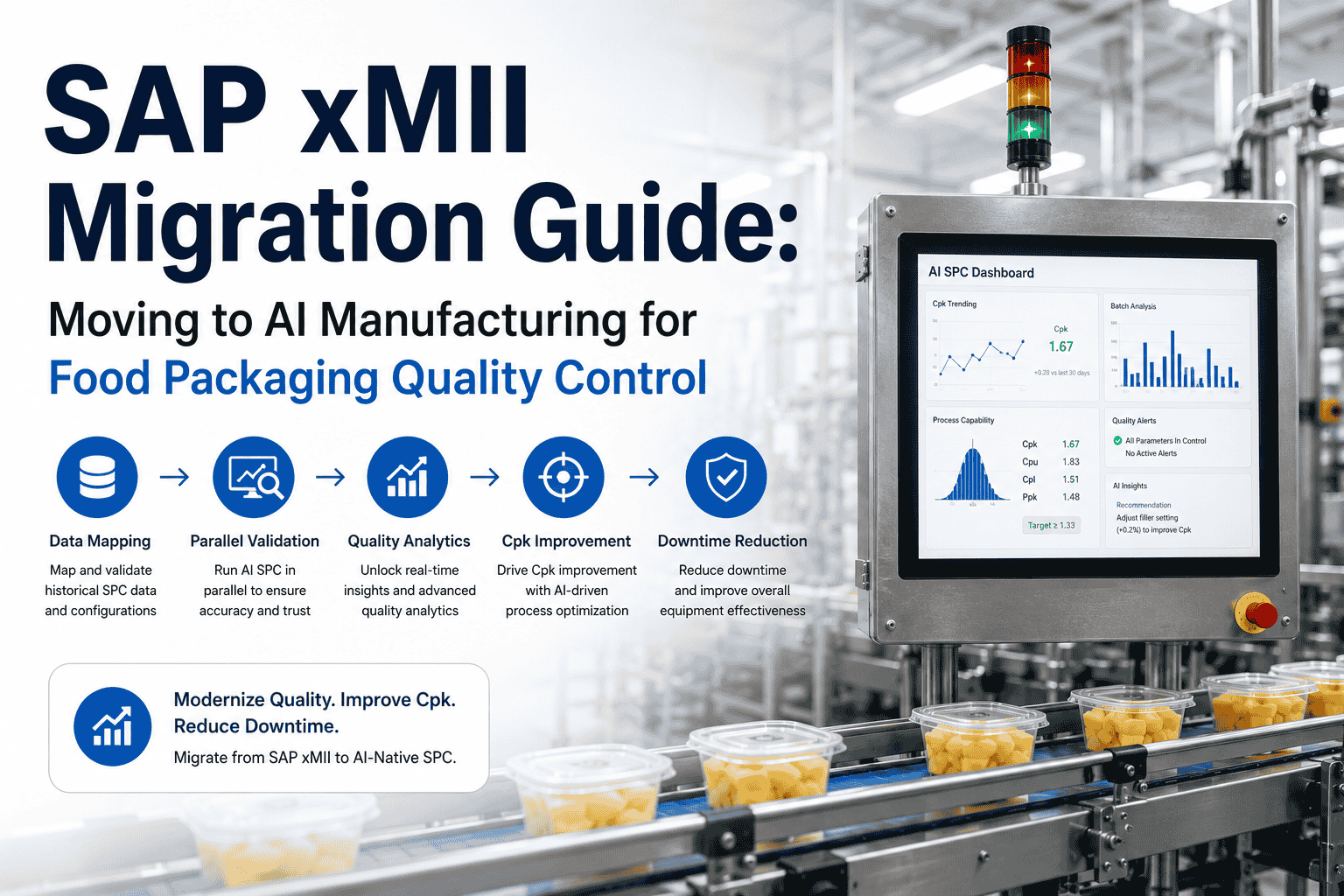
Migrating from SAP xMII to AI Manufacturing
The step-by-step framework food manufacturers use to migrate before the 2027 deadline
1
Inventory
Audit every BLS, query, and integration
2
Rationalize
Keep, retire, transform, replace
3
Build
Connect, train AI, establish baselines
4
Validate
Parallel run, compare, prove accuracy
5
Go Live
Cutover, scale, decommission xMII
What You're Actually Migrating: The xMII Artifact Inventory
Before choosing a destination platform or writing a timeline, you need a complete inventory of what your xMII deployment actually contains. Most organizations discover that their xMII system carries far more custom logic than anyone documented—and that a significant portion of it is no longer used. The inventory is the single input that determines whether your migration takes 12 weeks or 36 months.
The custom business logic that enforces your workflows, schedules tasks, and processes data between shop-floor systems and SAP ERP. Every BLS transaction must be classified: keep and convert, replace with platform configuration, or retire.
40–70%
typically unused, redundant, or replaceable by configuration in modern platforms
xMII's Universal Data Server (UDS) connections to PLCs, SCADA, historians, and ERP systems. Each connector, query, and scheduled data pull must be mapped to its modern equivalent—API calls, OPC-UA subscriptions, or direct sensor feeds.
Every one
must be mapped — unmapped connectors are the #1 cause of migration surprises
The operator-facing interfaces—iGrids, iCharts, OEE dashboards, and custom visualization pages. Check usage telemetry from the past 90 days. Dashboards nobody opens don't need migrating. The ones operators rely on need redesigning for predictive intelligence, not pixel-for-pixel replication.
Redesign
don't replicate — predictive dashboards look nothing like historical ones
IDocs, BAPIs, RFC connections, and production order confirmations flowing between xMII and SAP ERP. These are the most migration-critical artifacts—any gap here breaks the production-to-finance data flow that your business runs on.
Zero gaps
allowed — ERP integration must be validated end-to-end before cutover
Don't know what's in your xMII? Book an inventory assessment — we'll catalog your BLS transactions, queries, and integration points in one session.
The 5-Phase Migration Framework
Every successful xMII migration follows the same five phases. The names may differ between vendors, but the work does not. Each phase has defined inputs, outputs, and exit criteria you should not cross until they're met. Rushing through early phases is the single most expensive mistake in xMII migration.
Discovery and Inventory
Catalog every BLS transaction, xMII query, SSCE page, data server, scheduled job, and ERP integration point. Interview operators, supervisors, and plant IT to surface undocumented workflows. Classify every artifact: keep, transform, retire, or replace.
Exit criteria: every artifact accounted for, every integration mapped, future-state target documented
Architecture and Design
Design the target architecture: which data flows through the AI platform, which flows through the MES, how both connect to SAP ERP. Allocate resources, provision environments, and lock the design before any code is written.
Exit criteria: architecture signed off by IT, operations, quality, and plant management
Build and Train
Connect AI platform to existing PLCs, SCADA, and sensors—the same data sources that feed xMII today. Migrate historical data for baseline comparison. Train AI models on your specific equipment profiles, product families, and OEE loss patterns.
Exit criteria: all data sources connected, AI models trained, predictive baselines established
Parallel Validation
Run both systems simultaneously. Compare OEE calculations, validate prediction accuracy against actual outcomes, test SAP ERP dual-feed integration, and measure operator adoption. This is the safety net—no cutover until validation passes.
Exit criteria: OEE matches within 0.5%, predictions validated, ERP integration confirmed, operators trained
Cutover and Scale
Decommission xMII data feeds. Predictive OEE becomes the primary performance system. Automated alerts, adaptive SPC, and continuous improvement workflows go live. Roll out to additional lines and facilities using the validated playbook.
Exit criteria: xMII decommissioned, all lines live, 30-day stability confirmed
Get Your xMII Migration Plan in 30 Minutes
We'll assess your xMII complexity, estimate your migration timeline, and show you predictive OEE running on your line configurations—all in a single workshop session.
What You Gain: Predictive OEE vs. Historical Reporting
The migration destination matters as much as the migration process. Replacing xMII's historical OEE reports with another historical reporting tool wastes the opportunity. Predictive OEE fundamentally changes how your plant operates—forecasting performance before shifts, detecting losses in real time, and guiding operators with specific corrective actions.
OEE Visibility
Weekly review of yesterday's numbers
4–24 hour predictive forecast
Loss Attribution
Manual investigation — hours to days
Automated root-cause in seconds
Operator Interface
Static dashboards, batch reports
Real-time alerts with corrective actions
Control Limits
Fixed specs from quality planning
Adaptive limits that adjust to conditions
Improvement Cycle
Monthly Kaizen projects
Continuous AI-driven optimization every shift
+12–22%
OEE gain within 12 months
$4M–$9M
annual throughput recovery
30–40%
less operator investigation time
Want a sized gain projection for your plant? Schedule a predictive OEE demo and get a throughput recovery estimate in 30 minutes.
Expert Perspective
"The single most important input before committing to a migration path is an honest inventory of the custom logic your system carries—BLS transactions, xMII queries, and integration points. That inventory determines whether your migration timeline is 12 weeks or 36 months. The manufacturers who avoid the capacity crunch are the ones who started before the window narrowed."
— SAP MII Migration Best Practice
40–70%
of xMII artifacts are unused or replaceable by modern configuration
30–50%
projected increase in migration specialist rates by 2027
12 wk
first line live with AI-native predictive OEE
The migration window is narrowing. Request a demo and see the complete migration framework applied to your xMII environment.
Conclusion: The Best xMII Migration Is the One You Start Now
Every month of delay compresses the execution window and increases the cost. SAP MII migration specialist rates are projected to rise 30–50% by 2027 as remaining volume compresses into a shrinking timeline. Food manufacturers who start their inventory now have the luxury of a measured, parallel-validated migration. Those who wait until 2027 face emergency cutover with no safety net. The migration framework is proven: inventory what you have, retire what you don't need, build predictive capabilities that xMII never had, validate in parallel, and cut over with confidence. The destination isn't another historical reporting tool—it's predictive OEE that forecasts performance, detects losses in real time, and continuously improves with every production shift.
Start Your xMII Migration Today
In a 30-minute workshop, we'll assess your xMII complexity, estimate your timeline, and show predictive OEE on your specific lines. No disruption to current operations.
Frequently Asked Questions
What is the first step in migrating from SAP xMII?
The first step is a complete artifact inventory: catalog every BLS transaction, xMII query, SSCE page, data server, scheduled job, and ERP integration point. Classify each as keep, transform, retire, or replace. Industry data shows 40–70% of artifacts in long-running xMII deployments are unused or replaceable—but you need the inventory to know which ones. This single input determines whether your migration takes 12 weeks or 36 months.
Book a demo to start your inventory assessment.
How does parallel validation work during xMII migration?
During parallel validation, both xMII and the new AI platform run simultaneously on the same production data. The team compares OEE calculations between systems (must match within 0.5%), validates that predictive alerts correspond to actual outcomes, tests SAP ERP dual-feed integration, and measures operator adoption. No cutover happens until validation criteria are met. This phase typically runs 2–3 weeks and serves as the safety net that eliminates migration risk.
What happens to historical data during the migration?
Historical OEE data, quality records, and production logs are migrated to the new platform for baseline comparison and AI model training. The AI uses your historical patterns to establish predictive baselines—so the more historical data you migrate, the faster the AI achieves production-grade accuracy. Compliance-critical records (batch records, quality certifications, traceability data) are preserved in full to maintain audit continuity.
Can BLS transactions be migrated directly to the new platform?
No—BLS transactions cannot be lifted and shifted. SAP's own guidance confirms that BLS logic, xMII queries, and SSCE pages must be redesigned, not ported. Modern platforms use API-based architectures that replace BLS with configuration, not custom code. The rationalization step (classifying each BLS as keep/transform/retire/replace) is critical because a full rebuild of all artifacts is almost always the wrong economic decision. Most plants find that 40–70% of their BLS transactions can be retired or replaced by standard platform functionality.
How long does the complete xMII migration take?
With an AI-native approach: 12 weeks from kickoff to first line live. Discovery and inventory takes weeks 1–3, architecture and design weeks 4–5, build and train weeks 6–8, parallel validation weeks 9–11, and cutover in week 12. Traditional MES-only migrations typically take 12–24 months. The key variable is xMII complexity—plants with heavy BLS customization need more discovery time, while plants with standard configurations move faster through every phase.