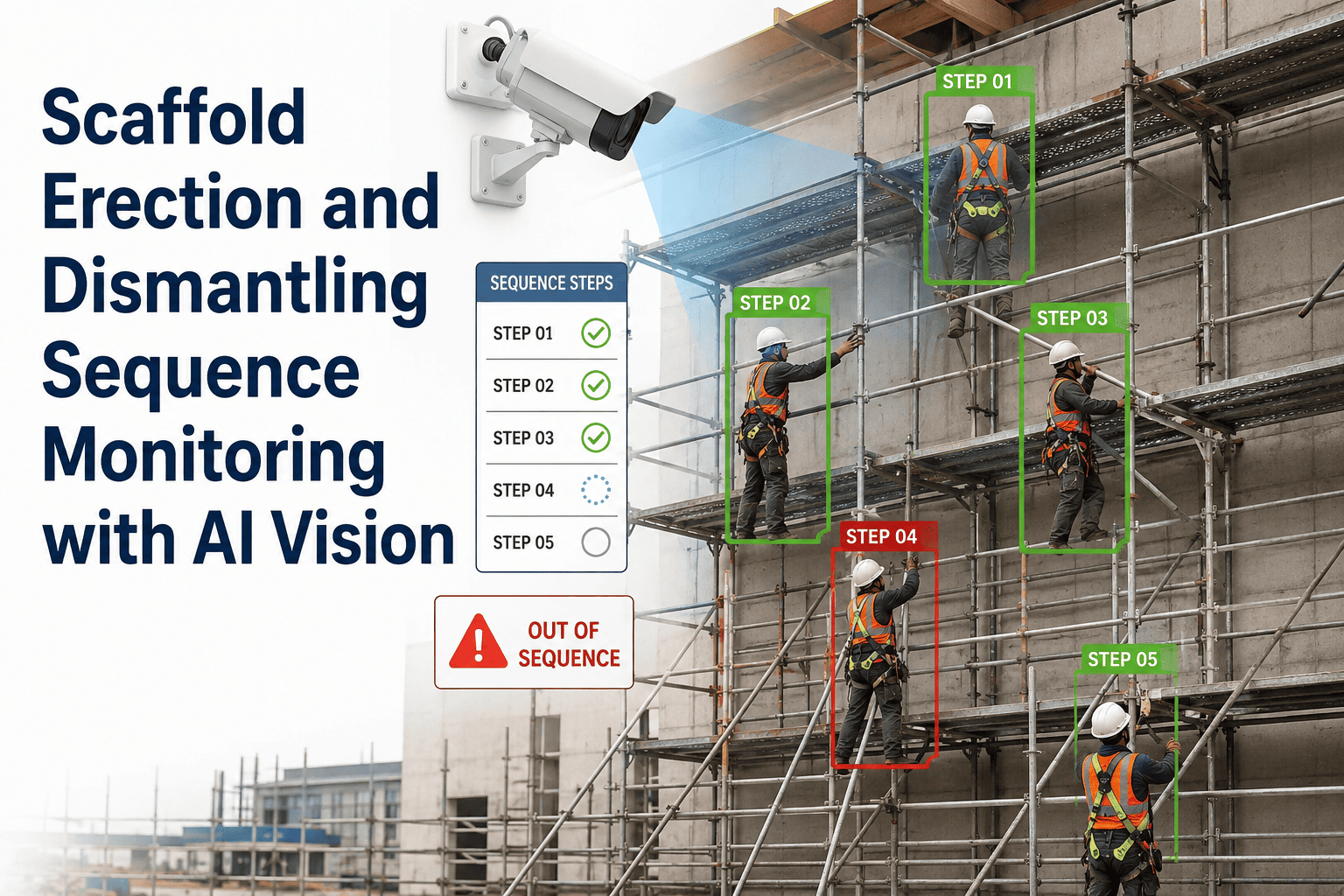
Scaffolding is the skeleton of every turnaround, the temporary structure that either keeps the critical path on schedule or brings it to a complete standstill. In a typical refinery shutdown, scaffolding accounts for thirty to forty percent of the total turnaround budget, yet it is often managed through manual tracking, paper tags, and verbal handoffs between scaffold crews and mechanical teams. When a scaffold is not ready when the mechanical crew arrives, the delay cascades downstream, pushing subsequent tasks into a compressed window that increases fatigue and error rates across the entire unit. Digital scaffolding management eliminates this visibility gap by tracking every scaffold from design through dismantling in a single system, giving planners real-time status on exactly what is built, inspected, and ready for use. Teams that want to replace guesswork with accountability can Book a Demo to see how digital tracking transforms scaffold coordination.
Stop Managing Scaffolding with Paper Tags and Morning Guesswork.
Track every scaffold from design to dismantling with real-time status, inspection logs, and modification controls in one digital system.
Three Ways Poor Scaffold Management Destroys the Turnaround Schedule
Scaffolding does not exist in isolation. Every scaffold is built to support a specific mechanical task, and when the scaffold is late, incomplete, or modified without documentation, the impact does not stay within the scaffold crew. It transfers directly to the mechanical trades, the inspection teams, and ultimately the startup date.
Mechanical Crews Idle on the Ground
When scaffolders fall behind the planned erection sequence, mechanical crews arrive at their assigned work fronts with no access. Since these crews are typically mobilized under lump-sum or fixed-rate contracts, idle time does not reduce the invoice but it does consume the schedule window, forcing downstream tasks into an increasingly compressed timeline.
Unsafe Scaffolds Halt Work Fronts
A scaffold that is erected but not inspected cannot be used, yet during peak turnaround execution the inspection queue often outpaces the available competent persons. When a mechanical crew climbs an uninspected scaffold and a safety inspector stops the work, the entire area is shut down until the inspection is completed, creating a stop-start pattern that destroys productivity.
Scaffolds Block Site Clearance and Startup
Dismantling is scheduled to release areas for hydrotesting, painting, and final walkdowns, but scaffold crews are often pulled to emergency erection requests during peak execution. When dismantling is delayed, completed areas remain congested, final access for punch list work is restricted, and the handover back to operations is pushed past the planned ready-to-start date.
The Scaffold Lifecycle — From Material Takeoff to Final Return
Managing scaffolding as a turnaround resource means tracking it through five distinct phases, each with its own inputs, outputs, and failure modes. A breakdown at any phase creates a ripple effect that compounds as the shutdown progresses, which is why visibility into the current state of every scaffold is a non-negotiable requirement for turnaround planners.
Design and Material Takeoff
Scaffold designs are generated from the work scope, specifying the type, dimensions, and load rating for each structure. The material takeoff extracts the exact quantities of tubes, couplers, boards, and specialty components needed, creating a procurement and staging plan that ensures the right material arrives at the right location before erection begins.
Erection and Progress Tracking
Scaffold crews build against the approved design, and progress is tracked in real time against the erection schedule. Digital systems allow supervisors to mark each scaffold as started, partially complete, or fully erected, giving the planning team immediate visibility into whether the access infrastructure will be ready when mechanical crews are scheduled to arrive.
Inspection and Tagging
A competent person inspects the erected scaffold against the design and applicable standards before it is released for use. The inspection result is recorded digitally, and the corresponding tag status is updated in the system so that any worker scanning the scaffold tag or checking the digital board can instantly confirm whether the structure is authorized for use.
Active Use and Modification Control
During the turnaround, scaffolds are frequently modified to accommodate scope changes, additional access requirements, or interference with removal paths. Every modification must be designed, approved, re-erected, and re-inspected before the scaffold is returned to active status, with the full modification history recorded against the scaffold record.
Dismantling and Material Return
When the supported task is complete, the scaffold is cleared for dismantling and added to the dismantling queue. Dismantling is prioritized based on what areas need to be released for subsequent work fronts, and returned materials are checked back into inventory so the system maintains an accurate count of what is available for re-use versus what needs to be procured.
Scaffold Tag Status — What Each Color Means in Practice
The tagging system is the primary communication mechanism between scaffold crews, inspection teams, and the trades that work on the structure. When tags are managed on paper boards at the scaffold entrance, the information is only accurate until the next change, which during a turnaround can be a matter of hours. Digital tagging ensures that the status displayed to the worker in the field always matches the current inspection record in the system.
Safe for Use
The scaffold has been erected according to the approved design, inspected by a competent person, and formally released for access. The green tag records the inspector name, date, time, and any load restrictions that apply. Workers can access the scaffold with confidence that it meets structural and safety requirements.
Do Not Use — Under Modification
The scaffold has been taken out of service for modification, repair, or re-inspection following a change in scope or a damage report. The yellow tag indicates that the scaffold structure may be incomplete, missing components, or altered from its inspected condition, and no personnel are permitted to access any part of the structure until it is re-inspected and returned to green status.
Do Not Use — Unsafe Condition
The scaffold has been identified as structurally compromised, improperly erected, or damaged to the point where it is not safe for any access. A red-tagged scaffold must be barricaded at ground level and at the access point, and the scaffold coordinator must be notified immediately. No work of any kind is permitted on a red-tagged structure until it is completely dismantled and rebuilt.
Why Unauthorized Scaffold Modifications Are the Hidden Liability
During peak turnaround execution, the pressure to maintain access often leads mechanical crews or scaffold hands to make small modifications without going through the formal design and inspection cycle. Removing a single bay to clear a vessel head, cutting a guardrail to pass a pipe spool, or adding an extension to reach a new work point each alter the structural calculation that the green tag is based on.
Removed Structural Members
When a tube or ledger is removed to create clearance for equipment removal, the load distribution path changes. The remaining members may be loaded beyond their capacity, particularly if the scaffold is supporting multiple working levels or heavy equipment. The modification is often invisible to the next crew that climbs the scaffold because the missing component is above their working level.
Altered Working Load
Scaffolds are designed for a specific working load that accounts for personnel, tools, and materials. When crews stage heavy components such as valve assemblies, piping spools, or temporary equipment on platforms that were not designed for that loading, the scaffold may deflect, shift, or fail. Without a load rating check, the crew has no way to know they are exceeding the design capacity.
Missing Fall Protection
Guardrails, toe boards, and mid-rails are frequently removed to facilitate material handling and then not replaced immediately. During a turnaround, the gap between removal and replacement can extend for hours while the crew focuses on the mechanical task. Any worker accessing the scaffold during that window is exposed to a fall hazard that the green tag explicitly states has been mitigated.
Dismantling Is Not Cleanup — It Is a Scheduled Critical Path Activity
The dismantling phase is frequently treated as an afterthought, with scaffold crews reassigned from erection to dismantling based on whatever area appears to be finished. This reactive approach fails to account for the fact that dismantling releases physical space that other trades need to complete their work, making the dismantling sequence a direct determinant of whether subsequent activities can start on time.
Prioritize by Downstream Dependency
Dismantling sequence is driven by what needs to happen after the scaffold comes down, not by which scaffold is easiest to reach. Areas scheduled for hydrotesting, painting, or final box-up require scaffold removal first, and the dismantling queue must reflect those downstream dependencies rather than simply following the reverse of the erection sequence.
Stage Material to Avoid Congestion
Dismantled material accumulates rapidly on ground level, and if staging areas are not planned in advance, the material piles block access routes for other active work fronts. The dismantling plan must specify where material will be staged, how it will be moved to the central yard, and what ground-level areas must remain clear for concurrent operations.
Recover Components for Re-Use
Turnarounds consume enormous quantities of scaffold material, and the faster components are returned to the central yard, inspected, and re-issued, the less new material needs to be procured. Digital tracking ensures that returned quantities match the erected quantities, identifying losses early enough to order replacement material before the shortage delays the next erection cycle.
Paper-Based Tracking vs Digital Scaffold Management
The difference between paper and digital scaffold management is not just convenience. It is the difference between discovering a problem when a worker is standing at the base of an uninspected scaffold and discovering it twelve hours earlier when the planning team can adjust the schedule to prevent the conflict from reaching the field.
| Factor | Paper Tags and Spreadsheets | Digital Scaffold Management |
|---|---|---|
| Status Visibility | Physical inspection of tag board | Real-time dashboard accessible from any device |
| Inspection Records | Paper log stored in scaffold office | Digital record attached to each scaffold ID |
| Modification Tracking | Verbal notification or handwritten note | Formal modification request with approval workflow |
| Dismantling Priority | Based on crew availability | Based on downstream work front dependencies |
| Material Inventory | Periodic manual yard count | Automated tracking from issue to return |
Know Exactly Which Scaffolds Are Ready Before Your Crews Arrive.
See how digital scaffold management gives your planning team live visibility into every erection, inspection, and dismantling activity.
Results From Digital Scaffold Management Deployments
Plants that replace paper-based scaffold tracking with a digital system report consistent improvements across the metrics that determine whether the scaffolding function supports the turnaround or constrains it. These results are measured across full turnaround cycles where the digital system was operational from pre-shutdown planning through final site clearance.
Improvement in the percentage of scaffolds fully erected and inspected before the scheduled mechanical start date, directly reducing idle time for waiting crews.
Reduction in modifications made outside the formal design and approval process, as the digital system requires a documented change request before a scaffold can be taken out of green status.
Increase in the percentage of scaffold components returned, inspected, and re-issued to new work fronts instead of sitting in uncounted piles on the ground or requiring new procurement.
Scaffolding Management for Turnarounds — Common Questions
How does digital scaffold management handle changes to the turnaround scope that require new scaffolds mid-execution?
When a scope change is identified during execution, the new scaffold requirement is entered into the system as a design request with the location, required access height, and load specifications. The scaffold designer generates the new design, the material is pulled from available inventory or flagged for procurement, and the erection task is added to the schedule with a priority rating that reflects its impact on the critical path. The entire process is tracked in the system so the planning team can see exactly when the new scaffold will be ready and adjust the downstream mechanical schedule accordingly. Teams exploring this workflow can Book a Demo to see the full cycle in action.
Does the system integrate with existing scaffold design software?
Yes, digital scaffold management platforms are designed to integrate with standard scaffold design tools so that the design output, including the bill of materials and the load calculation, flows directly into the tracking system. This eliminates the manual data entry that causes errors when designs are translated from the engineering tool into a spreadsheet or paper form. The integration ensures that the scaffold record in the tracking system always matches the approved design, and any discrepancy is flagged immediately for review.
How are inspection records maintained for audit purposes after the turnaround is complete?
Every inspection event is stored as a time-stamped digital record linked to the specific scaffold ID, including the inspector identity, the checklist results, any deficiencies identified, and the corrective actions taken. When the turnaround is complete, the full inspection history for every scaffold is available for export as part of the turnover package or for regulatory audit. This digital audit trail replaces the paper logs that are often incomplete, illegible, or lost by the time an audit is requested months after the shutdown ends. If you need help structuring your post-turnaround audit reports, the iFactory Support team can provide guidance.
What happens when a scaffold fails inspection during the turnaround?
When an inspection identifies a deficiency, the scaffold status is immediately changed to yellow or red in the system depending on the severity of the issue, and the mechanical crews assigned to that work front receive an automatic notification that their access is suspended. A corrective work order is generated for the scaffold crew, detailing the specific deficiency and the required repair. The scaffold cannot be returned to green status until the corrective work is completed, a follow-up inspection is recorded, and the competent person approves the re-release in the system.
Can the system track scaffolding materials across multiple contractors on the same site?
Yes, the inventory module tracks material by ownership, whether that is plant-owned stock, contractor-owned stock, or rented material from a third-party supplier. When material is issued to a specific contractor for a specific scaffold, the system records both the contractor assignment and the scaffold destination. This prevents the material mixing that occurs on multi-contractor sites where one crew borrows components from another crew's laydown area and neither side updates their records, leading to end-of-turnaround shortages and disputed material counts.
Your Scaffolding Is Thirty to Forty Percent of Your Turnaround Budget. Manage It That Way.
See how digital scaffold management brings accountability, visibility, and control to the most resource-intensive function in your shutdown.