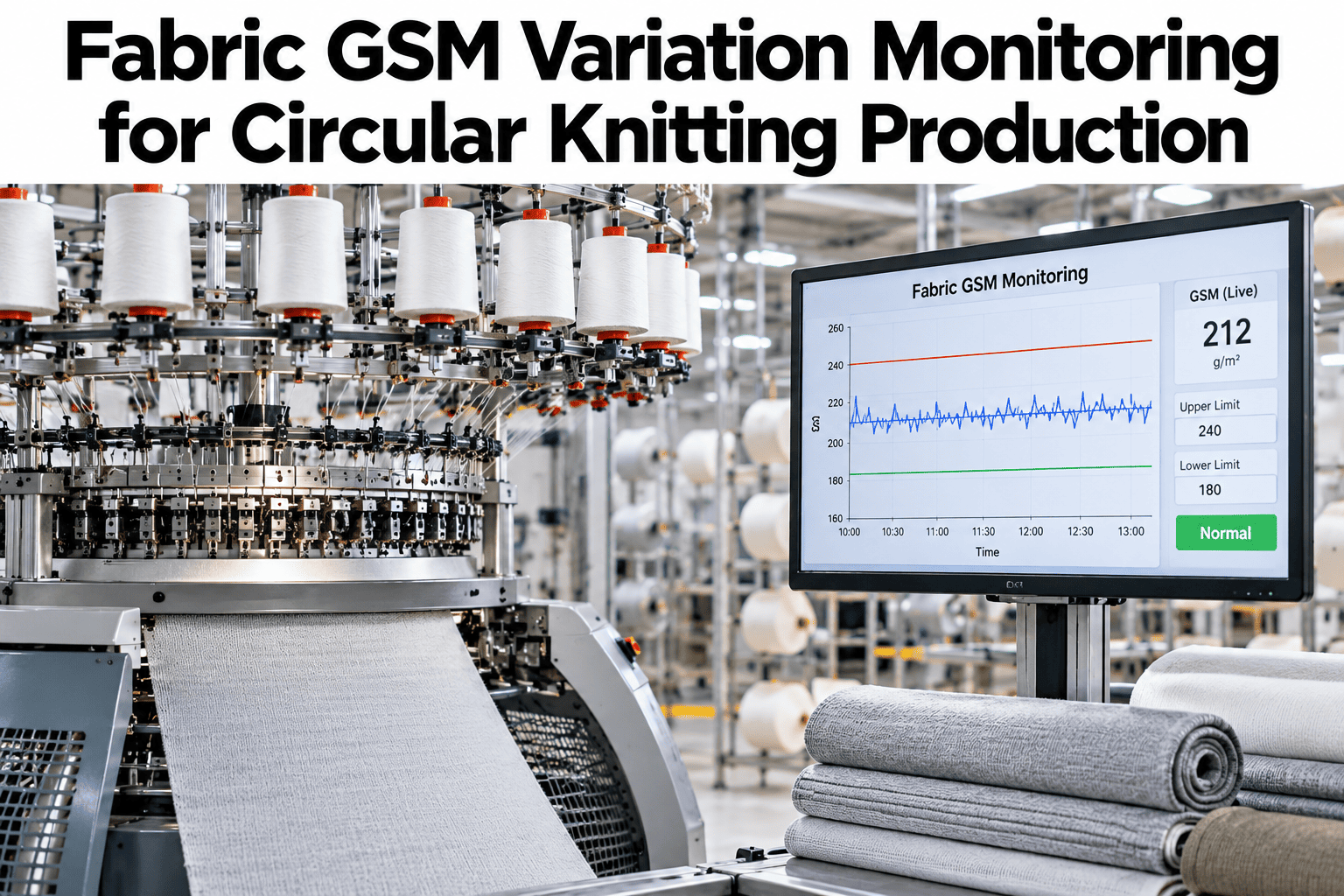
GSM, grams per square metre, is the number that turns a knitted fabric into a product. Customers specify it, costing assumes it and finishing shrinks it, so when it drifts, weight, handle and yield drift with it. In circular knitting, GSM moves with loop length, yarn count and fabric tension, often a little at a time, and a roll can sit outside tolerance long before anyone weighs a sample. Monitoring GSM continuously ties the number to the machine and the yarn behind it. Knitting teams can ask iFactory AI how GSM variation is tracked by machine, roll and yarn lot.
Keep Fabric GSM Inside Tolerance From the First Metre to the Last
iFactory AI follows GSM by roll, machine and yarn lot and links drift to loop length, tension and count, so weight problems are corrected while the fabric is still being knitted.
How GSM Is Measured and What It Hides
GSM is measured by weighing a cut sample of known area. The arithmetic is simple, but the sampling decides how much the number can tell you. This is illustrative arithmetic.
| Item | Basis | Result |
|---|---|---|
| Sample area | Round cut sample of 100 square centimetres | 0.01 square metres |
| Sample weight | Measured on a precision balance | 1.8 grams |
| GSM | 1.8 grams divided by 0.01 square metres | 180 GSM |
| Tolerance example | Plus or minus 5 percent on the target | 171 to 189 GSM |
| What the sample hides | One spot on one roll | Variation along and across the roll |
What Moves GSM in Circular Knitting
GSM is the result of several settings and inputs. Knowing the drivers shows where drift starts.
Loop length
Longer loops use less yarn per area and lower GSM, shorter loops raise it.
Yarn count and lot
A finer or coarser yarn than planned changes weight even at the same loop length.
Take-down tension
More tension stretches the fabric and lowers GSM, less tension raises it.
Machine speed and feeders
Speed changes and uneven feeding alter how much yarn goes into each course.
Where GSM Variation Comes From
The chart shows an illustrative ranking of causes behind GSM variation.
Variation Along the Roll, Across the Roll and Between Rolls
Variation has three directions, and each points to a different cause.
See Where Your Fabric Weight Is Drifting Right Now
Book a 30-minute session and iFactory AI will review your GSM records, yarn lots and machine data to show where variation starts and how early it can be flagged.
Reading GSM Trends the Right Way
A trend chart tells a story. This table shows what common shapes usually mean.
| Trend Shape | Likely Meaning | First Check |
|---|---|---|
| Steady slide away from target | Gradual wear or tension drift | Take-down settings and needle condition |
| Sudden step after a change | New yarn lot or a setting change | What changed at that exact time |
| Saw-tooth along a roll | Feeder or package change cycle | Yarn packages and feeder positions |
| One machine different from peers | Machine-specific fault | Compare against machines on the same article |
From Weigh-In to Corrective Action
Monitoring only matters if it reaches someone who can act. This chain shows how it should flow.
Which Cause Shows Up in Which Data
The matrix, shown as an illustration, links GSM causes to the data that reveal them.
| Cause | GSM Trend | Yarn Lot Data | Loop Length and Settings |
|---|---|---|---|
| Yarn count or lot difference | High | High | Low |
| Loop length drift | High | Low | High |
| Take-down tension change | High | Low | Moderate |
| Needle and cam wear | Moderate | Low | Moderate |
| Finishing differences | Moderate | Low | Low |
What Poor GSM Control Costs
GSM errors carry costs in several places. Four stand out.
Setting Up GSM Monitoring in Five Steps
A good setup is short and specific.
Agree target and tolerance for each article.
Set how many samples per roll and where.
Capture GSM with machine, yarn lot and settings.
Set drift alerts before the limit.
Compare machines and lots weekly and act on the biggest gap.
GSM Control Checklist
Use this list at roll start and at every yarn lot change. Each box should be answerable from records.
A Composite Scenario: The Roll That Got Lighter
This is a composite example, not a named mill. It shows how trend monitoring changes the outcome.
Mistakes in GSM Monitoring
These habits make GSM numbers misleading.
Weighing only at the start of the roll
Drift along the roll goes unseen.
Comparing greige and finished GSM directly
Finishing changes weight and needs its own target.
Ignoring yarn lot changes
A new lot can shift GSM at the same settings.
Adjusting settings without recording
The cause is lost and the fix is not repeatable.
Setting Fair GSM Tolerances
Tolerance should reflect what the customer accepts and what the process can hold. Four points help.
Start from the buyer specification
The contract or test standard sets the outer limit.
Measure what the machine can hold
Process capability shows how tight a tolerance is realistic.
Separate greige and finished targets
Finishing changes weight, so each stage needs its own target.
Review with data
Adjust tolerances only with evidence from real variation.
What iFactory AI Adds to GSM Monitoring
iFactory AI is smart manufacturing and industrial software for knitting and other textile operations. Explore GSM monitoring in a live product tour on realistic knitting data.
A 30-Day Plan to Start
A month is enough to build GSM monitoring for a few machines.
Review of Fabric GSM Variation Monitoring
A practical review of what makes GSM control useful, written as editorial guidance rather than a named expert quote.
Sample along the roll
One sample describes one spot, and drift happens along the length.
Link GSM to its drivers
Loop length, yarn lot and tension explain most variation.
Alert before the limit
Correction is cheap before the tolerance is crossed.
Frequently Asked Questions
How is GSM measured in knitted fabric?
A sample of known area is cut and weighed, and the weight is divided by the area. A 100 square centimetre sample weighing 1.8 grams gives 180 GSM. See GSM calculated on live samples in a short demo. Sampling at several points gives a truer picture.
What causes GSM to drift during knitting?
Common causes are loop length changes, yarn count or lot differences, take-down tension changes and needle or cam wear. Finishing differences also change finished GSM. Linking GSM to settings and yarn data shows which one applies.
How often should GSM be checked?
At roll start, at agreed intervals along the roll and at every yarn lot change. Ask support how sampling frequency is set per article in the system. Sensitive articles need more samples.
Is higher GSM always safer?
No, because heavy fabric wastes yarn and can fail a customer specification. Holding the average close to target with low variation saves money and protects quality. Giveaway is a real cost.
How soon can we see results?
Many mills see their first drift pattern within weeks of linking GSM to yarn and machine data. Book time to scope a GSM monitoring pilot on a few machines. One corrected drift is the clearest proof.
Hold Fabric Weight to Target Along Every Roll
iFactory AI links GSM to loop length, yarn lot and tension so drift is corrected early. Book a walkthrough to see it on your own knitting floor.