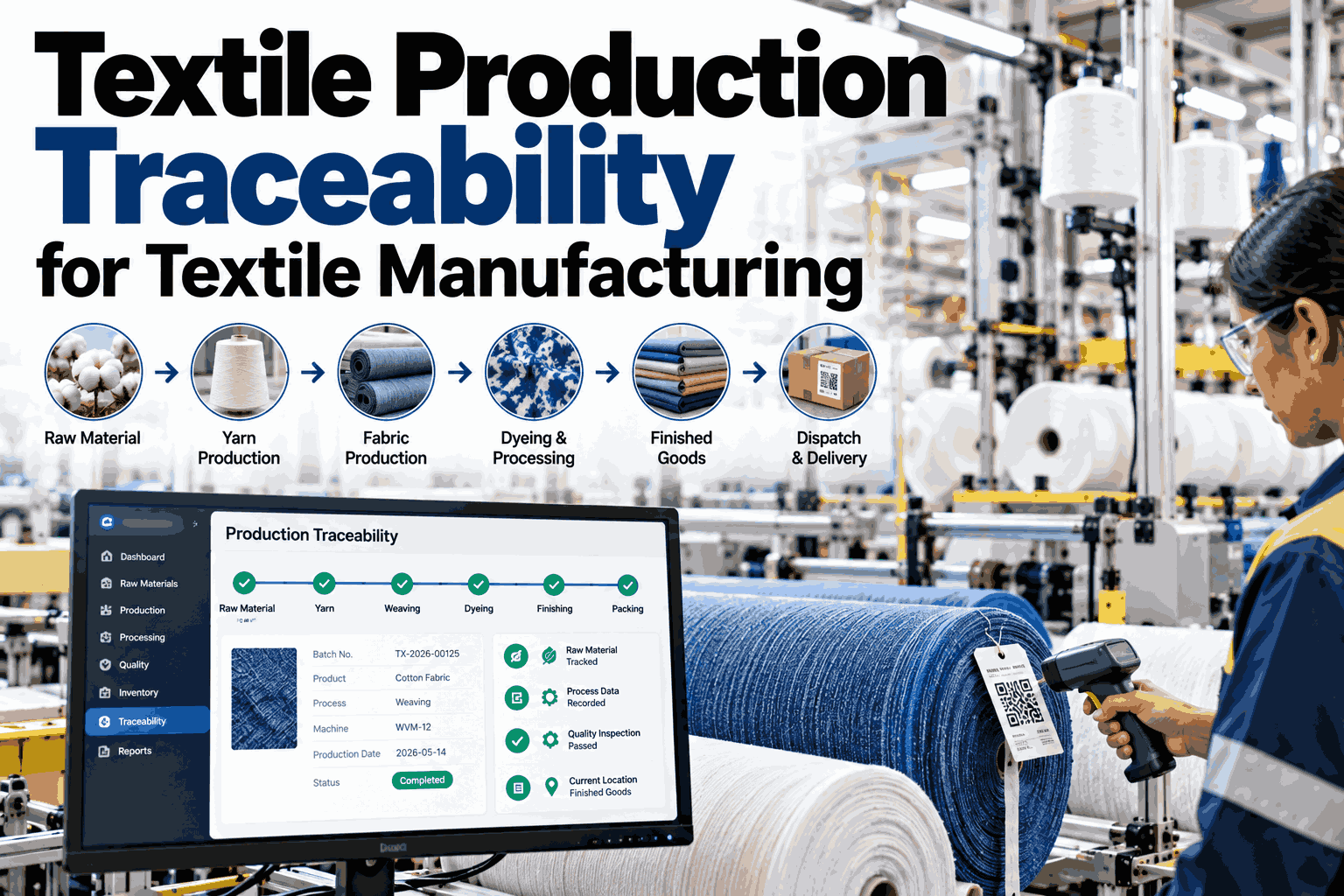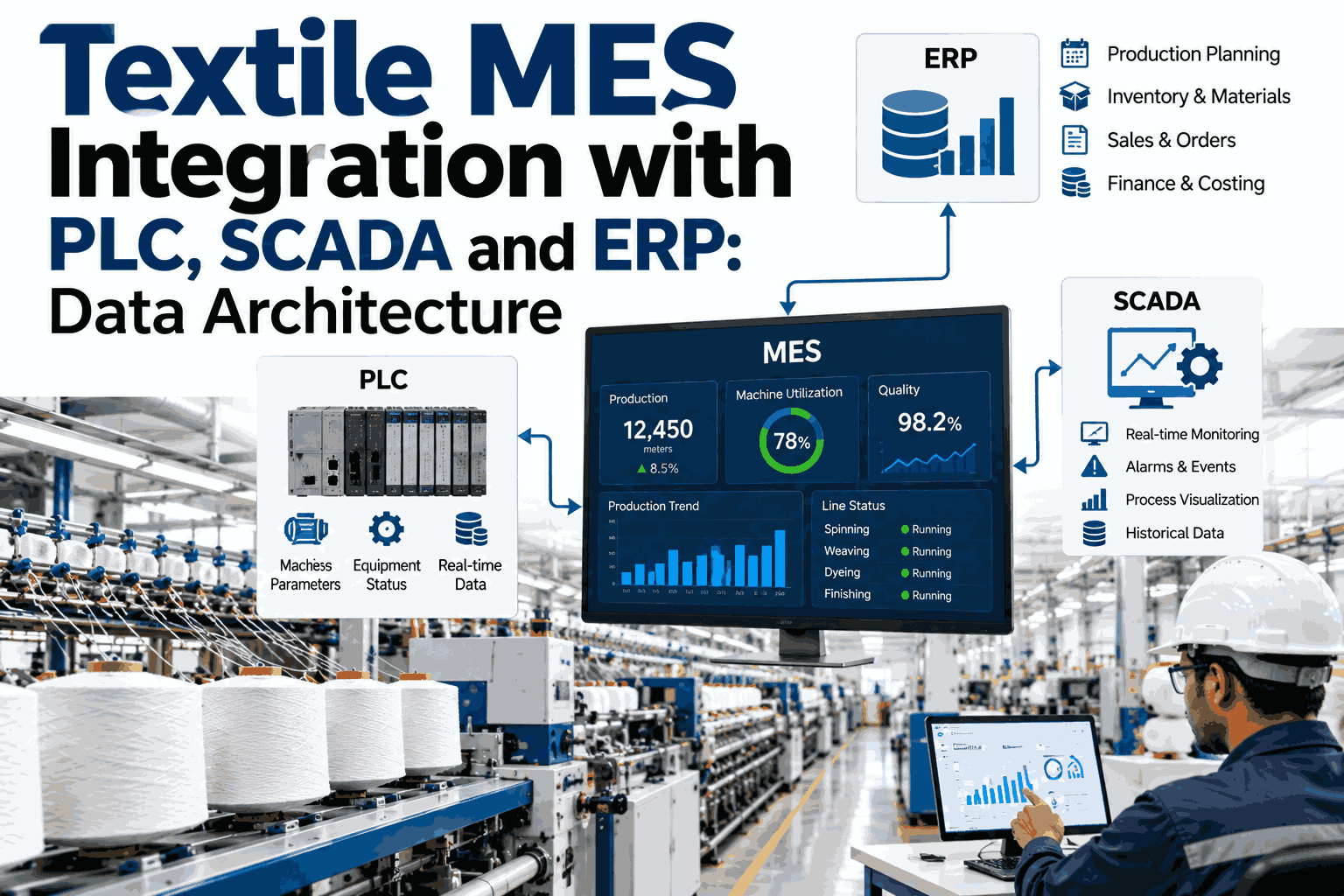
Textile mills run some of the most layered automation stacks in manufacturing, with ring frames, airjet looms, dye becks, and stenter lines each reporting through their own PLC or SCADA panel while ERP sits a floor removed from any of it. Data that should move automatically, including shift counts, machine states, and quality holds, instead gets re-typed from a machine display into a spreadsheet and from a spreadsheet into SAP, Oracle, or a regional textile ERP hours after the shift ends. The usual fix is a point-to-point script between whichever two systems are causing the most pain this quarter, which solves nothing structurally and adds one more fragile connection to maintain. A proper MES integration layer sits between PLC and SCADA on one side and ERP on the other by design, translating machine-level signals into planning-level records without forcing either system outside the role it was built for. Mills that want to see what that layer looks like against their own machine fleet can map their PLC, SCADA and ERP landscape with the iFactory AI team.
Connect PLC, SCADA and ERP Into One Textile MES Data Architecture
iFactory AI sits between your shop-floor controllers and your ERP, turning ring frame, loom, dye beck and stenter signals into production records your planning team can actually use.
Six Reasons Textile ERP-MES-SCADA Projects Stall
Most integration attempts in a textile mill do not fail because of missing hardware. They fail because of a handful of architectural habits that get repeated project after project.
Point-to-Point Spaghetti
ERP talks to the spinning PLC through one custom script, the weaving SCADA through another, and dyeing through a third. Every new system added means building fresh connections to everything it needs to reach.
No Standardization at the Boundary
One loom reports picks per minute, another reports meters, and a dye beck logs temperature in a different format entirely. Without a shared data contract, every downstream system has to guess.
Real Time Applied to Everything
Not every data point needs to move instantly. Treating labor logs and shift summaries with the same urgency as a machine stop signal adds cost and complexity for no operational benefit.
Legacy Protocol Gaps
Older ring frame and loom controllers often speak Modbus or plain serial rather than OPC-UA. A project scoped only for modern protocols stalls the moment it reaches a ten-year-old machine.
MES Used as a Pass-Through
When MES simply relays whatever SCADA sends without validating or contextualizing it, bad data reaches ERP just as fast as good data did, only now it looks official.
Only One Direction Gets Built
Teams connect machine data up to ERP but never build the path back down. Production orders and schedule changes still have to be manually keyed into the shop floor.
Each of these is fixable on its own, but fixing them one at a time is exactly how a mill ends up with six different point fixes and no architecture.
The Four-Level Model, Mapped to a Textile Mill
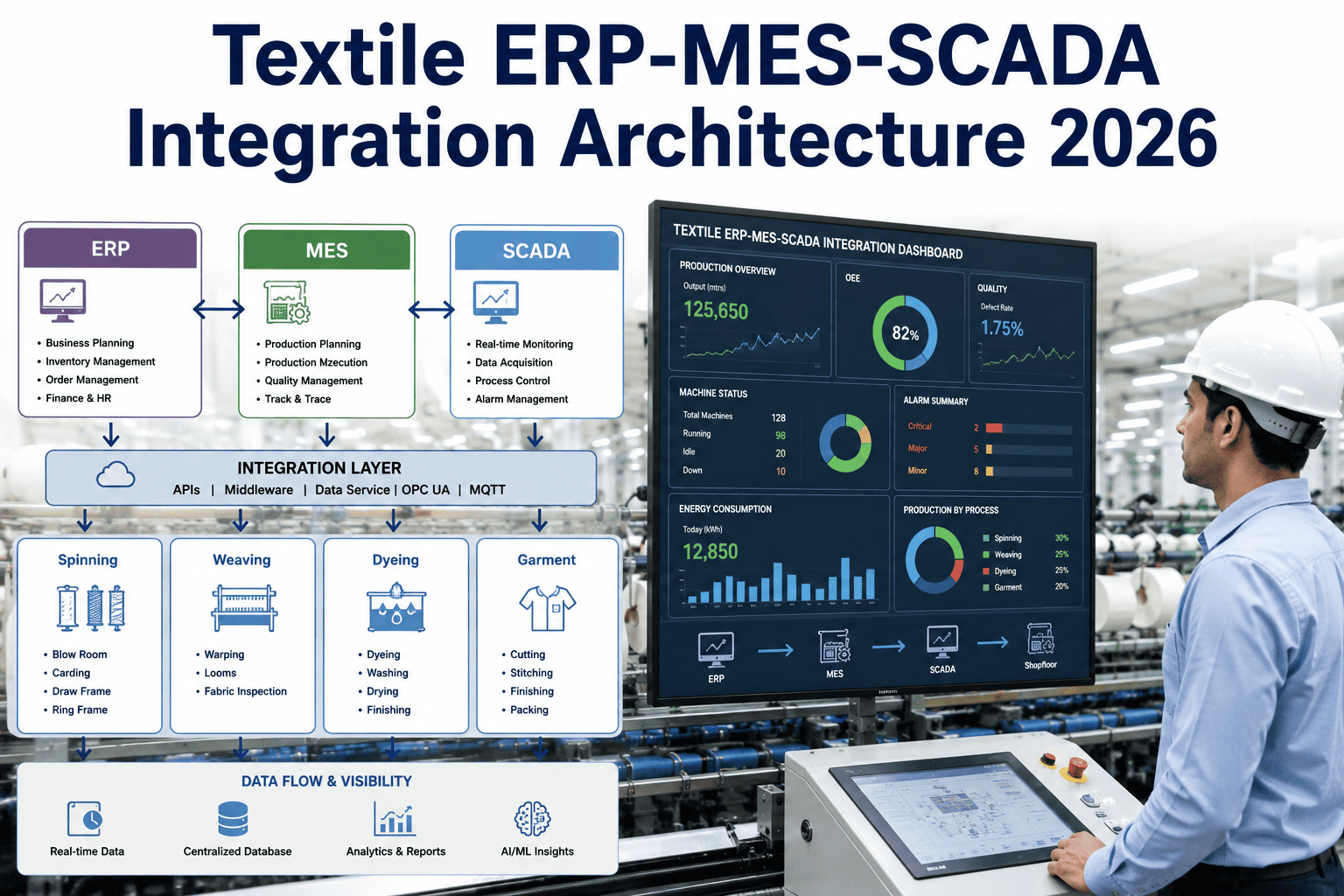
The ISA-95 model gives every layer of industrial automation a defined role. Mapped onto spinning, weaving, dyeing, and finishing, it stops teams from asking ERP to do what SCADA should, or asking SCADA to do what MES should.
Field Devices
Ring frame spindles, rotor heads, airjet and rapier loom picks, dye beck sensors, and stenter zone probes generate the raw signals. This level knows nothing about orders or recipes, only physical state.
PLC and Control
The PLC reads field signals and executes control logic, running at scan cycles measured in milliseconds. It decides setpoints and interlocks, not production counts for a shift report.
SCADA, HMI and Historian
SCADA aggregates PLC tags across a line, gives operators a screen to watch, and stores a historian of process variables. It is the real-time pulse of the floor, but on its own it stays noisy and context-poor.
MES and Production Execution
MES consumes SCADA events, validates and enriches them against the product recipe and work order, then turns raw signals into a production record ERP can actually consume. This is the translation layer.
ERP and Business Planning
ERP plans orders, allocates cost, and manages materials and finance. It should receive clean, contextualized production data from MES rather than raw tags from the floor.
A mill that skips Level 3 and tries to connect ERP directly to PLC or SCADA is asking one system to do the job of three. Review your current layer mapping with the iFactory AI team to see where that is already happening.
See the MES Layer Reading Your Own Machine Fleet
Book a 30-minute session and watch iFactory AI read PLC and SCADA tags from your spinning, weaving, dyeing, and finishing lines and post clean records to ERP.
Point-to-Point Integration vs an MES Integration Hub
The difference between these two approaches rarely shows up in the first integration. It shows up in the fifth one, when every new system has to be wired to everything that came before it.
Point-to-Point Connections
MES Integration Hub
Not every mill needs to replace existing machine controllers to move from the left column to the right one. The hub sits on top of what is already running on the floor.
Protocols: Which One Fits Which Machine
A textile mill rarely runs a single protocol end to end. New Picanol looms, a decade-old ring frame, and an ERP's REST API all need to be read differently, and an integration layer has to speak all of them.
| Protocol | Typical Source | Data Pattern | Where It Fits |
|---|---|---|---|
| Modbus RTU / TCP | Older ring frame, rotor and loom PLCs | Polled registers | Common on legacy spinning and weaving lines |
| OPC-UA | Modern PLCs and SCADA systems | Structured, self-describing tags | Preferred for new line installations |
| Serial (RS-232/485) | Standalone machine counters | Raw character streams | Isolated devices with no network port |
| Proprietary Machine APIs | Rieter, Savio, Picanol controllers | Vendor-specific formats | Needs machine-aware translation logic |
| MQTT | IIoT sensors and edge gateways | Lightweight event messages | Dye beck and stenter condition monitoring |
| REST / SOAP APIs | ERP and MES posting layer | Structured business records | MES to ERP and ERP to MES data exchange |
Legacy protocol coverage matters more than it looks on a spec sheet. A mill with ten-year-old spinning frames needs Modbus and serial support, not just OPC-UA, or half the floor stays disconnected.
Not Everything Needs to Move in Real Time
Treating every data point as equally urgent is a common source of unnecessary system load. Sorting data by how fast it genuinely needs to move keeps the architecture appropriately scoped.
Under 5 Seconds
Machine state changes, line stops, and alarm conditions. Delay here means operators react late to a problem that is already costing production.
1 to 15 Minutes
Production counts, quality holds, and recipe confirmations. Fast enough for planning decisions without demanding a millisecond-grade pipeline.
Hourly or Per Shift
Labor allocation, administrative reporting, and cost rollups. These categories genuinely tolerate a less frequent update cycle without losing value.
Reserving batch processing for lower-urgency categories, rather than defaulting everything to real time, is one of the simplest ways to keep an integration project on budget.
Connectivity by Process: Spinning Through Garmenting
Each stage of a textile mill produces a different shape of data, and the integration layer has to understand the process, not just the protocol.
Spinning
Ring frame and rotor PLCs report spindle speed and doffing events. Native count conversion turns raw RPM into the yarn count the order actually specifies.
Weaving
Airjet and rapier looms report picks per minute and warp or weft stops. Stop reason capture at the loom is what makes a downtime report trustworthy.
Dyeing
Dye beck and jet controllers run temperature and time profiles against a recipe. Deviation from the profile needs to reach quality before the batch finishes, not after.
Finishing
Stenter frames track zone temperature, width, and overfeed across the fabric's path. These readings connect directly to shrinkage and quality outcomes downstream.
Garmenting
Line balancing and piece counts are usually the most manual stage of all, which makes it the stage where integration delivers the fastest visible time savings.
Offline Buffering
When a network link drops, readings should queue locally and sync once connectivity returns, so a short outage never becomes a missing shift of data.
A Phased Rollout, Not a Big-Bang Rewrite
The mills that succeed at this rarely integrate every line on day one. They prove the architecture on one line first, then extend it.
Map the Fleet
Catalog every PLC, SCADA system, and ERP table involved, along with which protocol each machine actually speaks.
Pilot One Line
Connect a single spinning or weaving line end to end, from PLC through MES to ERP, with zero changes to existing PLC logic.
Standardize the Data Contract
Define how count conversion, stop reasons, and quality holds are represented once, so every additional line follows the same model.
Extend Across the Mill
Roll the same pattern out to dyeing, finishing, and garmenting, reusing the hub instead of building new point-to-point scripts.
A clear rollout plan is also what keeps a project from turning into the big-bang scope that paralyzes decisions. Plan a phased rollout for your mill in a short call.
A Composite Scenario: One Mill, Three Process Stages
A composite textile mill ran spinning, weaving, and dyeing on separate point-to-point connections to ERP. The figures below are an illustrative composite, shown as a relative index with the starting point set at 100.
Every connection in the before state was a separate script maintained by whoever built it. After moving to a single MES hub, new lines connected once instead of building fresh scripts to every existing system.
Architecture Self-Check
Use these ten checks to see whether your current setup is an architecture or a collection of point fixes.
Each unchecked box is a place where the next new machine, or the next audit, will find the gap before your team does.
Frequently Asked Questions
What is the difference between MES and SCADA in a textile mill?
SCADA deals with real-time signals, setpoints, and supervisory control at the machine and line level. MES sits above it, turning those signals into production records tied to orders, recipes, and quality, which is the context SCADA was never designed to carry. Ask how this split applies to your current SCADA setup.
Do older ring frame and loom PLCs need to be replaced for this integration to work?
Usually not. An integration layer that supports Modbus and serial alongside OPC-UA can read legacy controllers without any change to existing PLC logic. Replacement becomes relevant only when a controller has no usable data port at all.
How long does a textile MES integration project take?
Most mills reach a working integration on a single pilot line within about three weeks, with the fuller rollout across spinning, weaving, dyeing, and finishing following in phases. Plan a realistic timeline for your own plant in a 30-minute call.
Does every data point need to move to ERP in real time?
No. Machine stops and alarms genuinely need real-time movement, but labor logs and cost rollups tolerate batch or hourly updates without losing value. Sorting data by urgency keeps the integration scoped and affordable rather than over-built.
Can one integration layer support multiple ERP systems across sites?
Yes, provided the layer is built with connectors for the regional and global ERP systems a multi-site textile group actually runs, rather than one custom script per site. Talk through a multi-site rollout with the iFactory AI team.
Map Your Own PLC, SCADA and ERP Architecture
iFactory AI reads tags from your existing controllers and posts clean, contextualized records to ERP, with no changes to current PLC logic. Book a walkthrough built around your machine fleet.