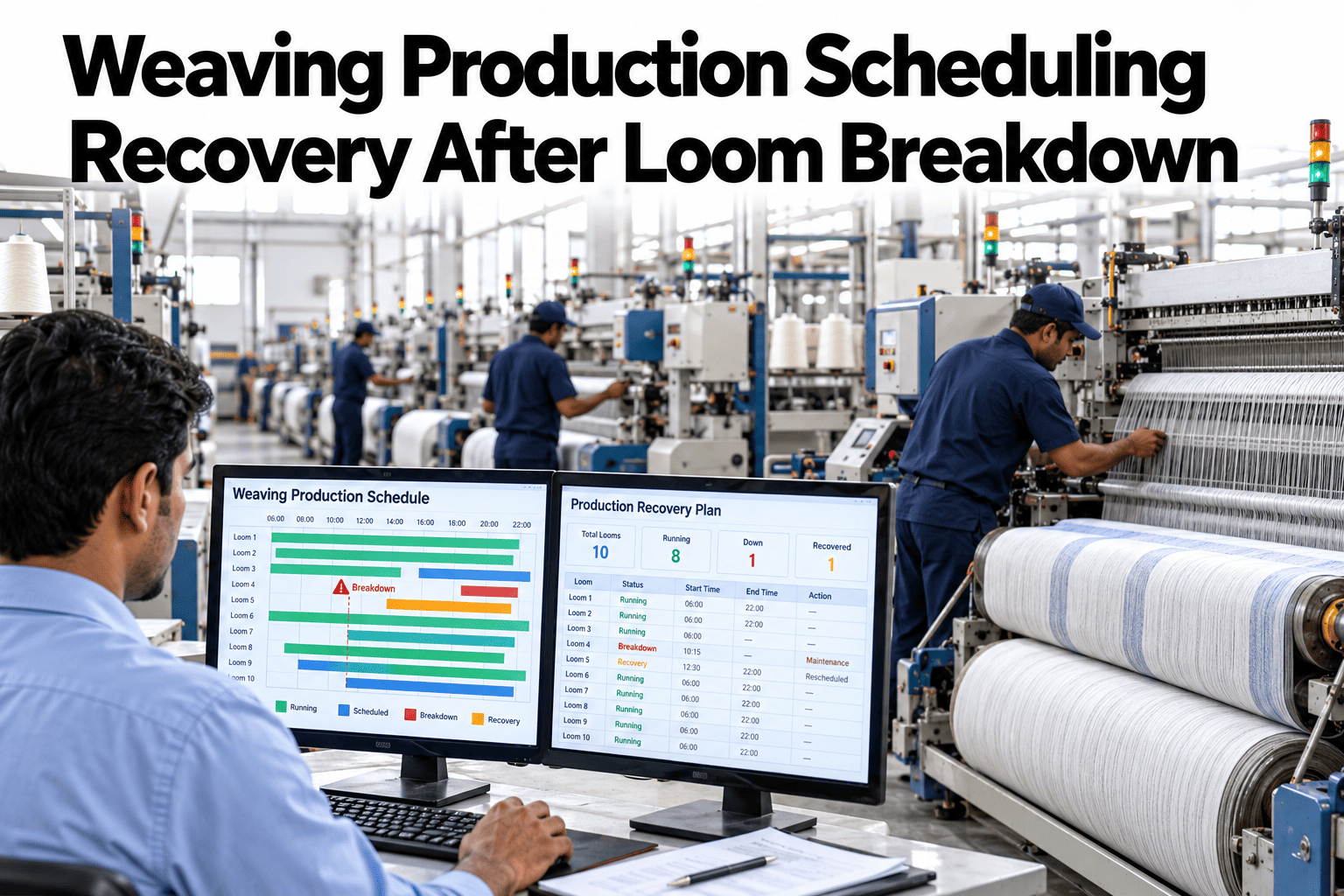
A loom breakdown does more damage to a weaving schedule than the repair time itself suggests, because the real cost shows up downstream: the orders queued behind that loom, the beam changes delayed, and the knock-on effect across shifts that nobody replanned until hours after the stop. Most mills recover from a breakdown by shuffling the schedule manually, which works for a single stop but falls apart when two or three looms go down in the same shift. A recovery process built around live loom status, not a static weekly plan, replans the queue automatically as soon as a stop is detected, instead of waiting for a planner to notice and react. Weaving teams rethinking this process can see automatic schedule recovery running after a live loom stop before the next breakdown disrupts a shift.
Weaving Production Scheduling Recovery After Loom Breakdown
A recovery sequence that replans the weaving queue automatically the moment a loom stops.
Why Manual Rescheduling Falls Behind
A planner reacting to a breakdown by hand works for one stop. It breaks down under real shift conditions.
Minutes pass between a loom stopping and anyone noticing it needs rescheduling.
A second or third loom going down in the same shift overwhelms a manual replan.
Urgent orders can slip behind lower-priority ones when rescheduling happens under pressure.
Automatic recovery removes the lag and keeps order priority intact even when multiple looms stop at once.
What Triggers a Recovery Replan
Not every stop needs the same response. The system distinguishes between them automatically.
| Stop Type | Typical Duration | Recovery Action |
|---|---|---|
| Weft break | Seconds to minutes | No replan, logged for trend analysis |
| Warp break | Minutes | Minor queue adjustment if repeated |
| Mechanical fault | Hours | Full queue replan across affected looms |
| Unplanned maintenance | Shift or longer | Orders reassigned to available looms |
See How Your Own Schedule Recovers From a Stop
Book a 30-minute session and bring a recent breakdown event. iFactory AI will show how the queue would have replanned automatically.
Recovery, Step by Step
The sequence runs the same way every time, regardless of how many looms are affected.
What iFactory AI Supports
Schedule recovery runs from live loom status, not a periodic manual review.
Live Loom Status
Every loom's stop status feeds the scheduling engine continuously, not on a delay.
Automatic Queue Replan
The weaving queue replans itself the moment a qualifying stop is detected.
Priority-Aware Reassignment
Order priority and due dates are preserved automatically during reassignment.
Shift-Level Notification
Updated schedules reach the floor immediately, not at the next shift handover.
iFactory AI connects to existing loom monitoring and scheduling systems. Scope covers data integration, recovery logic setup, team training and ongoing support.
Expert Review
Mills that move to automatic recovery almost always underestimate how much planner time was being spent on routine rescheduling before the change. Most of that effort was going into stops that followed a predictable pattern and never needed manual judgment in the first place.
The biggest gain shows up during multi-loom breakdown shifts, which are exactly the moments a manual process struggles most. Automatic recovery holds order priority steady even when three or four looms go down close together, which is very hard to do by hand under pressure.
Frequently Asked Questions
Does every loom stop trigger a full schedule replan?
No, short stops like weft breaks are logged for trend analysis without triggering a replan, since rescheduling around every brief stop would create unnecessary disruption. Only stops expected to meaningfully affect the queue trigger a recovery action. See the stop classification logic in a live session.
Can planners override an automatic recovery decision?
Yes, the automatic replan is a starting recommendation that planners can adjust, since context like a customer relationship or upcoming maintenance window may not be fully captured in the data. Ask support about override controls for your planning team.
How does the system know which looms have available capacity for reassignment?
Current and projected loom utilization is tracked continuously, so the system knows which looms are running below capacity or finishing a current order soon enough to take on reassigned work. Request a capacity check demo.
Does this work with the specific loom types running in our mill?
The system connects to data from common loom types including rapier, air jet and projectile looms, reading whatever stop and status data the existing monitoring setup already provides. Contact support to confirm compatibility with your loom fleet.
How long before the recovery logic is tuned to our mill's priorities?
Most mills have recovery logic tuned to their own order priority and capacity rules within five to eight weeks, validated against past breakdown events before go-live. Book a session to estimate your own timeline.
Recover From a Breakdown Before the Shift Even Notices
iFactory AI replans the weaving queue automatically the moment a loom stops. Book a walkthrough on your own schedule.