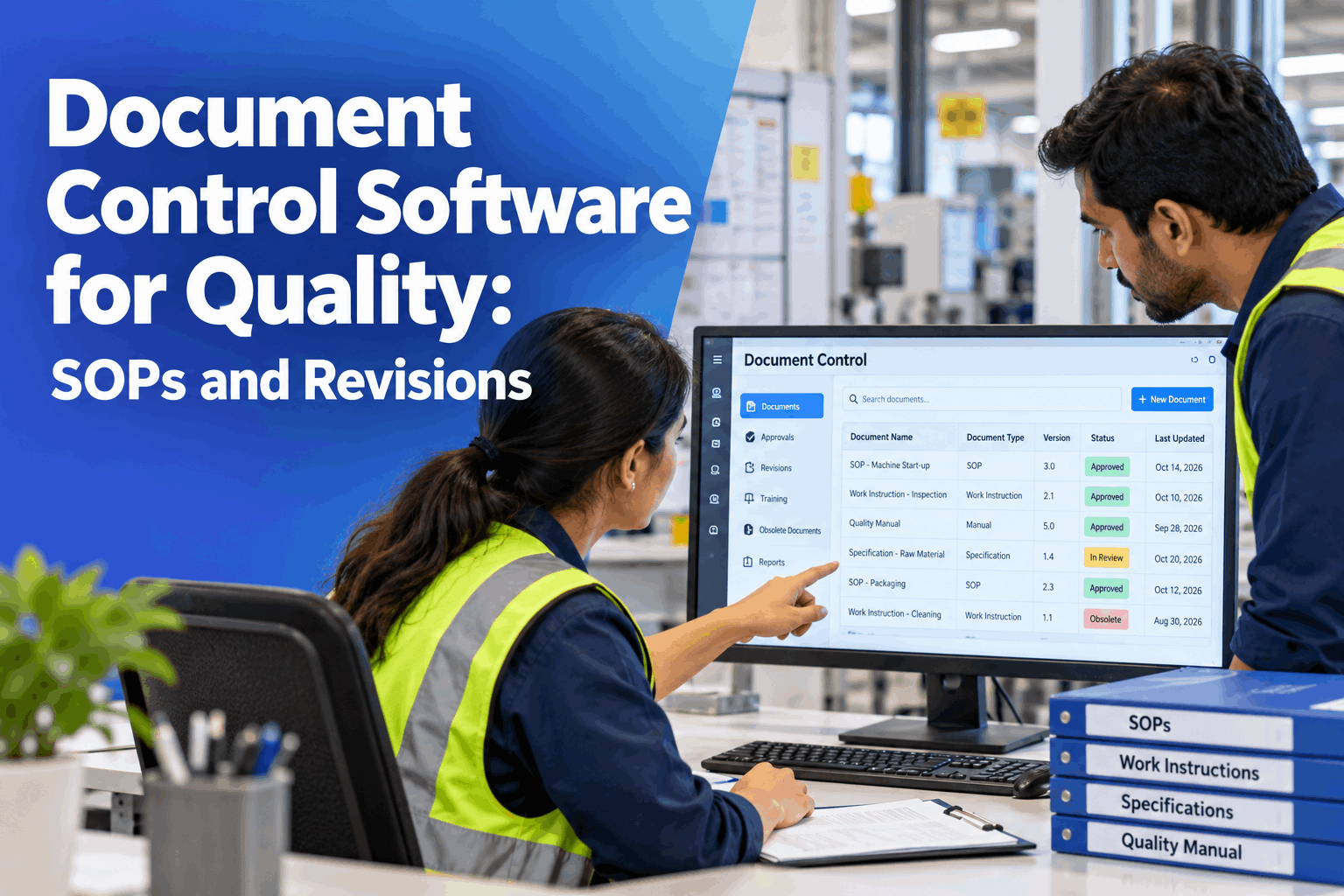
Every quality team has met the same problem in an audit: the revision is approved, but the old version is still pinned to a wall, and half the team has not read the new one. Document control software for quality makes a revision a managed event. It keeps one effective version, routes approvals, assigns training the moment a revision is released and recalls obsolete copies. It can also flag SOPs that a process change may have made out of date. This page shows how that works, with a worked example and what to bring to a pilot. Plant managers can see it on their own document register in a document control demo.
Document Control Software for Quality: SOPs and Revisions
Document Control keeps SOPs, specs and work instructions versioned, routes approvals, assigns training automatically when a revision is released and uses AI to flag SOPs affected by process changes. It runs on a turnkey on-prem AI server, next to your quality and production systems.
- One effective version of every controlled document
- Training assigned the moment a revision is released
- SOPs affected by a process change flagged for review
Why Document Control Breaks Down
The document is right, but the system around it is not.
Most findings on documents are not about content. They are about control: the wrong version in use, an approval that stalled, a revision nobody was trained on. Shared drives and email chains cannot answer who approved what, which copy is current and who has read it. Our document control specialists can map where your process leaks today.
Old versions in use
Superseded copies stay on the floor.
Stalled approvals
Revisions wait in inboxes with no owner.
Training gaps
People work to a revision they have not read.
Hidden impact
A process change leaves SOPs out of date.
The Five Controls Inside Document Control
Each control answers a question an auditor will ask.
The table below shows what each control holds and how it works. Together they cover SOP management from draft to recall, using documents, roles and approvers your plant already has. The quality manual, SOPs, specs and work instructions can sit in one register, linked to each other. Review the controls for your plant in a working session.
The AI never rewrites or releases a document. It points to SOPs that a process change may have affected, and a named owner decides whether each one needs a revision and records the decision.
A Worked Example: One Process Change, Six Documents
From a change on line 2 to every copy updated and read.
Take a plant with 320 controlled documents. A change to the line 2 filling process is logged, and the agent flags 6 SOPs and work instructions that reference the affected step. After review, 4 need revision and 2 are confirmed unchanged, with the decision recorded. Each revised document is routed, approved and released, and training goes to 12 operators per document. All figures are illustrative.
See Your Own Documents Under Control
Bring your document register, an approval matrix and a recent process change, and watch the revision run from flag to training to recall.
From Draft to Recall: The Revision Lifecycle
Every revision follows the same five steps.
A controlled revision is a path, not an email. Each step has an owner, a record and a next step, so nothing is left waiting and nothing goes live unapproved. Plan the rollout with our implementation team.
Draft
Author edits a new version with a stated reason.
Review
Reviewers comment and the quality document review is logged.
Approve
Approvers sign off in order.
Release
Version becomes effective and training is assigned.
Recall
Superseded copies are withdrawn and confirmed.
Ask the System What Changed
Ask in plain words and get an answer from the live register.
Quality managers and plant managers can question the document system directly, instead of searching folders and chasing approvers. The answers come from the register, the approval records and the training log. See it on your own documents in a live walk-through.
Ready for the Audit Question
The answer is already in the record.
Auditors ask the same few questions about controlled documents. With revision control built in, the evidence is a by-product of the work and not a scramble before the visit. The same record supports the control of documented information that quality systems such as ISO 9001 ask for. Discuss your audit needs with our quality systems team.
Revision history
Every version, change reason and date.
Approval record
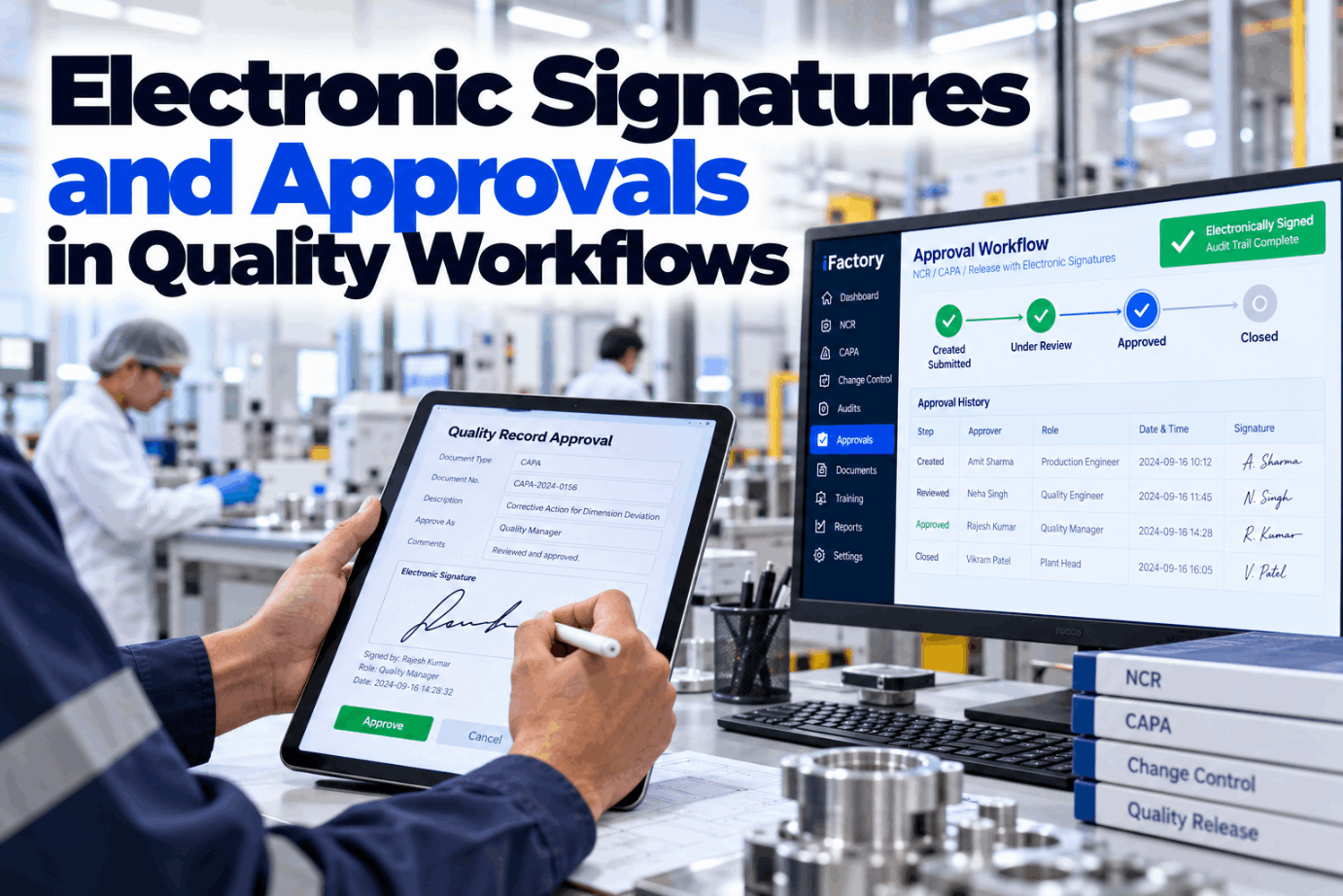
Who approved, in what order and when.
Read and understood
Completion by person for each revision.
Controlled copies
Where each copy sits and when it was recalled.
Who Decides What
The system keeps the process, and people own the content.
Good document control is clear about responsibility. The software handles routing, reminders and records. People write, review and approve, and they decide what a process change means for each document.
The system handles
- Versioning and a single effective revision
- Approval routing and reminders
- Training assignment on every release
- Recall of superseded copies
People decide
- What a document says and why it changes
- Whether a flagged SOP needs a revision
- Approval and release of each version
- Periodic review of documents due
Document Control Mistakes to Avoid
A well-written SOP can still fail the audit.
These are common best practice gaps in quality document control. A short readiness review can find them before a pilot starts.
What works
- One register for the manual, SOPs and work instructions
- Training tied to every released revision
- A named owner for each flagged SOP
- A baseline of revision cycle time before the pilot
What fails
- Documents scattered across shared drives
- Approvals chased by email
- Printed copies with no recall record
- Process changes made with no SOP review
How iFactory Runs Document Control
The documents and the server, delivered together.
iFactory loads your register, templates and approval matrix, links documents to roles and training, and runs Document Control on one on-prem server. After the pilot, results are reviewed against your baseline. Fit questions go to our solutions team.
Versioned documents
One effective version, full history.
Approval routing
Ordered sign-offs with reminders.
Auto training
Assigned to roles on every release.
Impact flagging
AI points to SOPs a change may affect.
Obsolete recall
Superseded copies withdrawn and confirmed.
On-prem
Quality documents stay in the plant.
The figures and exchanges on this page are illustrative. Your own results depend on your documents, approval matrix, training records and systems, and we measure them on your data during the pilot.
Turnkey AI: Delivered, Connected and Live in 6–12 Weeks
You do not build this. It arrives ready.
iFactory ships as a pre-configured NVIDIA AI server with the software pre-loaded, racked and ready. Rack it, plug in power and Ethernet, and the AI is live on your network. Our team handles cabling, network setup, PLC, SCADA, DCS and CMMS integration, quality system links, operator training and 24×7 remote monitoring. Data stays on your network. For an implementation guide and a quote matched to your plant, request a turnkey quote.
Ship, network and baseline
Server installed. Register and approval matrix loaded and the baseline captured.
Setup and pilot
Workflows and training links configured. Live pilot runs on a set of documents.
Go-live and measured result
Roll-out across the plant. Teams trained. Results compared with the baseline.
Frequently Asked Questions
What is document control software for quality?
It is software that manages controlled documents such as SOPs, specs and work instructions: versioning, approval routing, training on release and recall of obsolete copies, with a record of each step.
How does revision control work?
Each document keeps one effective version and a full history. A change creates a new draft with a stated reason, which is reviewed, approved and released, and the previous version is retired and recalled.
How does the AI flag SOPs affected by a process change?
When a process change is logged, the AI compares it with the content and links of your documents and flags those that may be affected. A named owner reviews each one, decides whether to revise and records the decision.
Does the AI change or approve documents?
No. It flags and routes. People write, review and approve every document, and the system records who did what and when.
How is obsolete document control handled?
When a new version is released, superseded versions are withdrawn from screens and the register, and controlled copies are tracked so removal can be confirmed.
What are the best practices for document control?
Keep one register, name an owner for every document, tie training to each release, review flagged documents after process changes and take a baseline of revision cycle time before the pilot.
What does it cost and when is the return?
Cost depends on the number of documents, sites, approval flows and integrations, so we issue a turnkey quote after a short scoping call. Return shows up as faster revisions, fewer audit findings on documents and less time chasing approvals, and the pilot measures it against your baseline.
What do plant managers need to prepare?
Your current document register, templates, approval matrix, training matrix and recent audit findings on documents. A short working session turns these into a pilot scope.
How do we start?
Start with a short session to review your register and approval flow. A 6-week pilot then loads your documents, captures the baseline and runs live revisions on a set of documents. To plan it, contact our team.
Put Every Revision Under Control
In thirty minutes we take your document register and a recent revision through the system and show how it would have been routed, trained and recalled. You keep the findings either way.
- 1Your current document register or index
- 2SOP and work instruction templates
- 3The approval matrix by document type
- 4Your training matrix by role
- 5Recent audit findings on documents