Quality certificates — Certificate of Conformance (COC), Certificate of Analysis (COA), mill test report, RoHS/REACH declaration — turn a shipment into an accepted delivery. Every shipment to an automotive tier-1, aerospace prime, medical device OEM, or regulated food/pharma customer needs the right certificate with the right data referencing the right lot, in the right format, before the truck can be received. Most manufacturers produce these by hand from Excel templates populated from lab results and QC records — slow, error-prone, and audit-fragile when a certificate can't be traced back to source. Automated certificate management is the discipline that connects lot data, test results, and customer requirements into a delivered document in minutes rather than hours.
iFactory / Quality certificate management
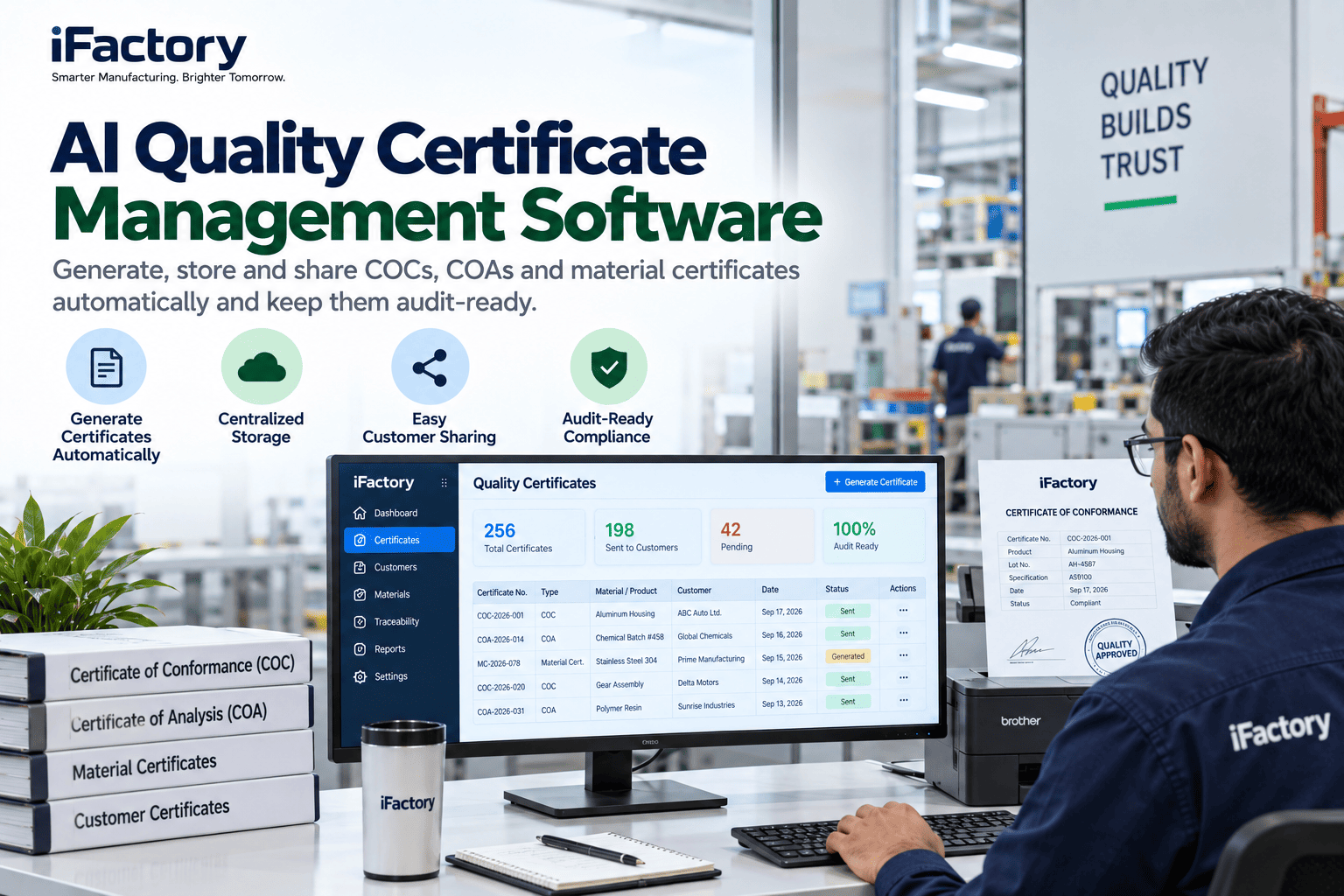
Generate, Approve, Deliver, and Archive Every Certificate — Automatically
Certificate of Conformance, Certificate of Analysis, mill test reports, and material certificates generated from lot and test data, approved with e-signature, delivered to customer portals or by email, and archived with full lot traceability for audit response.
1
Generate from lot / test data
2
QA approval + e-signature
3
Auto-deliver to customer portal
4
Archive with lot traceability
COC · COA · MTR
certificate types supported
Minutes
not hours per shipment
Portal + email
delivery channels
The Problem in Certificate Production
A typical manufacturer today generates quality certificates by hand. The dispatch team requests a COC or COA at shipment. A quality clerk opens an Excel template, populates lot number, dimensional readings, chemistry, and customer-specific fields by copying from lab reports and inspection records, and emails the PDF or uploads to the customer portal. When the shipment is large, or the customer has bespoke format requirements, or multiple certificates need to accompany one truck, delay compounds — sometimes the truck sits at the gate waiting for paperwork. When a customer audit later asks to trace a certificate back to source lot data, the trace exists only in the clerk's Excel and email history.
Where Certificate Discipline Actually Fails
Certificate production failure modes are consistent across manufacturers. Each is a specific customer complaint or audit finding category.
Transcription error
Lab result 12.3 mm typed as 13.2 mm on the COA. Customer receives the certificate, discovers the discrepancy later in incoming inspection. Trust damaged; investigation triggered.
Dispatch delay
Truck loaded and waiting. Certificate not yet produced because the clerk is on lunch or handling another rush. Truck departs late; customer's receiving schedule impacted.
Wrong format
Customer requires certificate in their specific template with specific fields. Standard template used instead. Customer rejects certificate on receipt; shipment held pending re-issue.
Untraceable certificate
Customer audit asks to trace a 2-year-old certificate back to source lot test data. Excel and email history don't reconcile cleanly. Data-integrity finding results.
What Good Looks Like in Certificate Management
A working certificate system holds four disciplines together — generation from source lot data, approval with e-signature discipline, delivery to the channel the customer uses, and archive with full traceability.
Auto-Generation
Certificates generated from source lot data, test results, and characteristic records in the QMS and LIMS. No transcription; no separate template population.
Source data, no re-key
Approval + E-Sig
QA reviewer approves certificate content with electronic signature. Where required by customer or regulation, 21 CFR Part 11 or CFR 820-compliant e-signature applied.
Signed, not just PDF'd
Multi-Channel Delivery
Certificate delivered to the channel the customer requires — customer portal (Ford SIM, GM Supply Power, Boeing PDX, medical device customer portals), EDI, or secure email.
Where the customer expects it
Traceability Archive
Every certificate archived with linked source lot, test records, characteristic readings, and approval trail. Trace from certificate to source in seconds at audit.
Trace in seconds
How iFactory AI Fits
iFactory AI overlays your QMS, LIMS (LabWare, LabVantage, STARLIMS, SampleManager), and ERP dispatch — reading lot data, test results, and shipment context to auto-generate certificates in your and each customer's required format.
Certificate Engine
Certificate Layer
Generation from source lot data with customer-specific template selection. Every certificate type — COC, COA, MTR, RoHS, REACH — supported with per-customer format overrides.
Approval Router
Certificate + QMS
QA approval workflow with e-signature per your validation posture. 21 CFR Part 11 compliant for pharma/medical device; standard e-sig for automotive/aerospace.
Delivery Manager
Certificate + Portal
Delivery via customer portal (OEM-specific), EDI, or secure email. Delivery confirmation tracked. Rejected certificates surfaced with reason for re-issue.
Trace Archive
Certificate + Compliance
Every certificate linked to source lot, test records, and approval trail. Customer audit response in seconds by lot, date range, or certificate reference.
Ask your dispatch clerk how long it took to produce and deliver certificates for last week's shipments, and how many were re-issued for format or content errors. If either number is more than the operation can absorb, automation is not a nice-to-have. Book a certificate automation review.
8-Week Certificate Automation Rollout
One customer relationship or one product family, eight weeks. The pilot connects source data to certificate generation, activates approval workflow, and closes the first weeks of automated delivery.
Weeks 1–2
Template + Data Map
Load current certificate templates (standard and per-customer). Map source data from QMS, LIMS, and ERP. Baseline current-state manual generation time.
Weeks 3–4
Generation Live
Certificate generation live for pilot scope. Test certificates verified against manual output. Approval workflow configured. First live certificates issued.
Weeks 5–6
Delivery Active
Portal integration or email delivery active for pilot customer(s). Delivery confirmation tracking. Weekly review with dispatch and QA.
Weeks 7–8
Full Coverage
Pilot scope fully automated. Manual-generation time and re-issue rate measured against baseline. Rollout to additional customers and product families scoped.
Who Owns the KPI
Certificate management crosses quality, dispatch, IT, and customer-facing account management. Each function owns a specific KPI or the automation reverts to manual override.
Dispatch Head
Certificate delivered before truck departure
Owns the flow — the share of shipments where certificate is delivered before or with the truck. Trucks waiting on paperwork is the number to eliminate.
QA Manager
Certificates approved on time %
Owns the review discipline — QA approval within the target window per shipment schedule. Approval backlog is what makes dispatch wait.
Customer Account Lead
Certificate rejections at customer end
Owns the customer-facing outcome — rejections per 100 certificates. Rising rejection means a customer template or format changed without update.
Compliance Lead
Audit trace time per certificate
Owns the audit posture — the time to produce trace from certificate to source data at customer or regulatory audit. Seconds is the target; hours is a gap.
FAQ
How does this handle customer-specific certificate formats — every OEM has their own?
Per-customer template configuration is a first-class feature, not an override. Each customer's certificate template is stored with their account and applies automatically to shipments for that customer. Ford, GM, Stellantis, Toyota, Boeing, Airbus, Lockheed Martin, and hundreds of medical device and pharma customers each have specific format requirements that configure once and apply consistently. When a customer changes their template (which happens more often than most suppliers plan for), the update is a template revision rather than a system change. New customers configure in hours rather than weeks.
What about material certificates for steel, aluminium, or specialty alloys — do those work?
Yes. Mill test reports (MTRs) for steel and non-ferrous materials follow ASTM A20 or EN 10204 3.1/3.2 formats and often include chemistry, mechanical properties, heat treatment, and traceability to original mill heat. Where the material comes from your production, the MTR generates from your lab data. Where the material is passed-through from supplier, the workflow captures the supplier's MTR at receipt and links it forward to the customer certificate — with heat and lot traceability preserved end to end. Aerospace primes typically require full traceability under DFARS or REACH, which the trace archive supports natively.
Book a demo to see MTR handling on your platform.
Does this integrate with customer portals like Ford SIM, GM Supply Power, or Boeing PDX?
Yes. OEM supplier portals (Ford Supplier Improvement Management, GM Supply Power, Stellantis SupplyOn, Toyota GSDB, Boeing PDX, Airbus SupplyOn) each have their own document submission channel — some file upload, some EDI, some direct API. Delivery adapts to what each portal accepts. Where the portal requires manual upload (still common with some smaller customers), the workflow queues the file with the correct portal reference for the account lead to submit — with reminder if the queue ages. What the workflow removes is the transcription and format work; what it doesn't override is the customer's chosen submission channel.
Stop making trucks wait for certificates.
Automate One Customer's Certificate Flow — Live
Bring one customer's certificate templates (standard COC + any COA or MTR variants) and last week's shipment records. We'll load the templates, walk one certificate through auto-generation and approval, and demonstrate the delivery to their portal or channel.
Auto-generated
from source